At a Glance
The total cost of a digital signage deployment depends on screen count, hardware class, software plan, and whether content is managed internally or by an agency. Plan for seven cost categories: hardware, media players, mounts, CMS software, installation, content, and maintenance.
The most common mistake buyers make when budgeting for digital signage is treating it as a screen-purchase decision.
A single commercial display may cost $800 to $2,500. That number is real and relevant, but it represents one of seven cost categories that make up the total cost of ownership. Over a three-year period, the screen itself is rarely the largest line item.
This guide breaks down every cost component you need to account for: hardware, software, installation, content, ongoing maintenance, and the costs that regularly surface in final invoices but are absent from initial budgets. It also includes scenario-based estimates across four common deployment types (QSR, retail chain, corporate, and enterprise multi-site) so you can calibrate the numbers to your actual project.
The Two Budget Layers: One-Time vs. Recurring
Digital signage costs fall into two layers: one-time costs paid at deployment and recurring costs paid for the life of the network.
| One-Time Costs (paid at deployment) | Recurring Costs (paid monthly or annually) |
|---|---|
|
|
Key Insight: For a network of five or more screens running over three years, the cumulative software and content cost typically exceeds the initial hardware investment. Most buyers plan the one-time layer carefully and underestimate the recurring one.
Cost Category 1: Display Hardware
Display hardware is the most visible cost and carries the widest price range of any single item.
Indoor commercial displays vs. consumer TVs
Commercial-grade displays are rated for 16 to 24 hours of daily operation, deliver higher sustained brightness, and carry 3 to 5-year commercial warranties. They cost more upfront but perform reliably over a 5 to 7-year lifespan. Consumer TVs are viable for low-traffic, limited-hours deployments but are not rated for the operating conditions most commercial sites impose.
| Display type | Approximate price | Typical use case |
|---|---|---|
| Consumer TV (43"–55") | $250–$600 | Pilot deployments, low-usage interiors |
| Indoor commercial display (43") | $800–$2,500 | Retail floor, QSR counter, corporate lobby |
| High-brightness display (3,000+ nits) | $2,500–$5,000 | Near-window or semi-outdoor positions |
| Outdoor-rated display | $4,000–$10,000 | Transport hubs, building facades, forecourts |
LED panels
For video walls, large-format menu installations, and outdoor DOOH, LED panels are priced per square meter of panel area. The pixel pitch determines viewing clarity and drives price.
Fine-pitch indoor panels (P1.25–P2.5): $1,500–$3,000 per sq meter
Standard indoor panels (P2.5–P4): $500–$1,500 per sq meter
Outdoor panels (P4–P10): $400–$1,200 per sq meter
A 5 sq meter indoor video wall at standard pitch runs $2,500 to $7,500 for panels alone, before the controller, processing hardware, installation, and content.
Interactive displays and kiosks
Touch-enabled deployments carry a substantial premium.
55" interactive touch display: $1,500–$4,000
Floor-standing self-ordering kiosk (32", 4K): $1,000–$2,500
Custom-fabricated kiosk enclosure: $800–$5,000+ depending on specification
Cost Category 2: Media Players
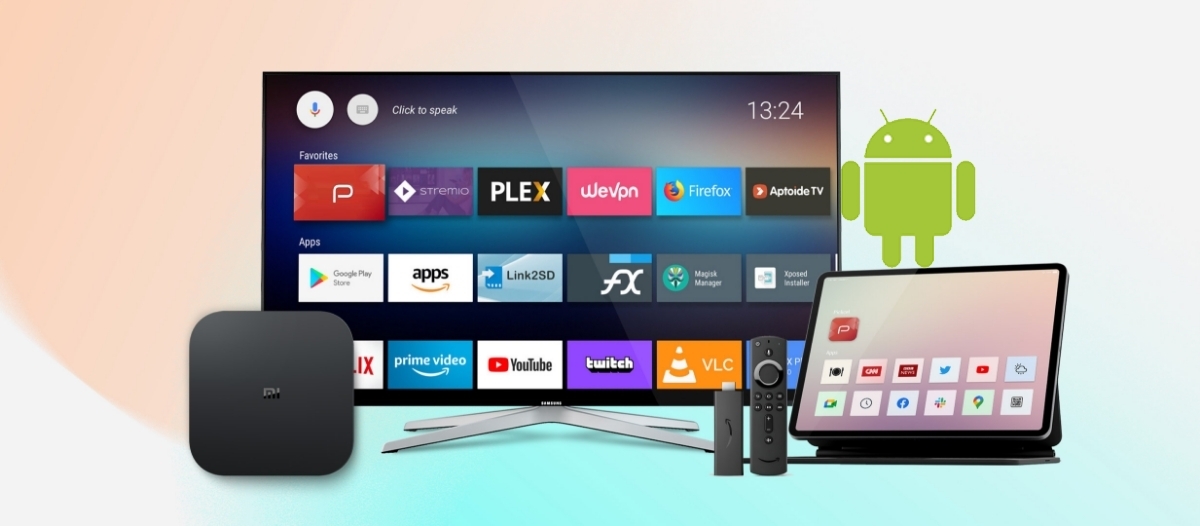
A media player converts each screen into a managed signage endpoint. Unless your displays include a built-in System-on-Chip (SoC) player (standard in many commercial-grade Samsung and LG displays), you will need a separate player for each screen.
Pickcel supports Android, Windows, BrightSign, Raspberry Pi/Linux, Amazon Fire TV, Samsung SoC, LG SoC, iOS, and Chrome OS deployments, giving buyers flexibility to match player choice to performance requirements and budget.
| Player type | Approximate price | Best suited for |
|---|---|---|
| Amazon Fire TV Stick 4K | $60 | Low-budget pilots, basic image/video |
| Raspberry Pi 4 | $35–$169 | Tech-managed deployments |
| Pickcel PX300 (Android) | $180 | Cost-effective, optimised for Pickcel CMS |
| Android media player (mid-tier) | $180–$300 | QSR, retail, corporate — standard content |
| BrightSign player | $300–$800 | 24/7 high-reliability, video-heavy deployments |
| Windows mini-PC | $400–$800 | Interactive content, live dashboards, complex apps |
Key Insight - SoC Displays: Eliminating the per-screen player cost reduces both hardware spend and installation complexity. Commercial SoC displays typically cost 15 to 25 percent more than equivalent non-SoC panels, but for networks of 25 or more screens, the net saving on player procurement and wiring usually outweighs the display premium.
Cost Category 3: Mounts, Accessories, and Infrastructure
Mounts, accessories, and cabling typically add 8 to 15 percent to the hardware line item and are consistently underbudgeted.
| Item | Approximate cost |
|---|---|
| Basic VESA wall mount | $20–$80 |
| Tilting or full-motion wall mount | $50–$200 |
| Ceiling or suspended mount | $80–$350 |
| Video wall mounting frame (per panel) | $200–$700 |
| Outdoor display enclosure | $300–$1,500 |
| HDMI and power cables (per screen) | $10–$30 |
| Ethernet cable run (per drop) | $100–$300 |
| Network switch (if required) | $40–$300 |
For sites where electrical access or structured cabling needs to be extended, infrastructure costs can add $150 to $800 per location, more in older buildings or multi-floor installations. A site survey before finalizing the installation budget is recommended for any deployment beyond a single screen.
Cost Category 4: CMS Software
The content management system is the operational core of any Digital signage software deployment. It is the one cost that runs every month for the entire life of the network, making it the largest cumulative line item for most networks over a three-to-five-year horizon.
Cloud-based CMS (subscription model)
The industry-standard model charges per screen per month. Most cloud platforms fall in the $10 to $50 per screen per month range depending on feature tier.
Pickcel’s plan structure:
| Plan | Monthly per screen | Key capabilities |
|---|---|---|
| Professional | $15/screen | Core scheduling, 50+ app integrations, templates, 3 GB storage, 1 admin user |
| Business | Contact Pickcel | 4K support, MFA, advanced analytics, dashboard integrations, up to 5 users, 8 GB storage |
| Enterprise | Custom pricing | On-premise option, custom integrations, priority support, custom screen attributes, unlimited storage, 20+ users |
Annual billing on Pickcel plans offers a 10 percent saving over monthly billing. For a 10-screen Professional deployment, that saving is $180 per year. A free 14-day trial (up to 2 screens, all features, no credit card required) is available for teams evaluating the platform.
On-premise CMS licensing
On-premise deployments carry a higher upfront cost in exchange for eliminating recurring per-screen fees.
One-time license: $500–$1,500 per screen (varies by vendor and features)
Annual maintenance and updates: 15–20% of original license cost per year
On-premise is most relevant for organizations with data residency requirements, air-gapped networks, or environments where cloud connectivity is restricted. For most commercial deployments (retail, QSR, corporate, healthcare), cloud CMS delivers a lower total cost of ownership over three years and removes the infrastructure management burden.
Suggested read: Reasons to use cloud-based digital signage software
Cost Category 5: Professional Installation
Installation cost depends on mounting type, site access, existing infrastructure, and geography.
| Installation type | Cost per screen |
|---|---|
| Standard indoor wall mount | $150–$500 |
| Ceiling or suspended mount | $250–$800 |
| Video wall (per panel) | $500–$1,500 |
| Outdoor with civil and structural work | $800–$3,000 |
| Kiosk installation | $250–$1,000 |
For multi-location rollouts across cities or regions, add logistics, travel, and coordination overhead. Budget a project management fee of 8 to 12 percent of total installation cost for rollouts spanning more than five locations.
Cost Category 6: Content and Creative
Content is the ongoing cost most initial budgets underestimate. It is also the single factor that most directly determines whether the signage investment delivers sustained value after go-live.
At setup (one-time)
Template customization and design system setup: $100–$400
Initial campaign creative (graphics set): $200–$1,500
Brand video production (30–60 seconds): $500–$5,000+ depending on production standard
Ongoing (monthly)
Internal team using Pickcel’s built-in templates and Canva integration: $0 additional (included in software plan)
Freelance designer retainer: $150–$600/month
Agency-managed content service: $400–$2,000/month depending on output volume and update frequency
Pickcel’s Canva integration allows users to design directly within the platform at no additional cost, a meaningful saving for teams managing their own content calendar.
Cost Category 7: Maintenance, Support, and Upkeep
Plan three sub-categories of ongoing cost from Day 1: hardware maintenance, software support, and replacement budgeting.
Annual hardware maintenance: Typically 8 to 12 percent of hardware purchase cost per year. Build this into your recurring budget from Year 1.
Software support levels:
- Standard: Email and chat, business hours (included)
- Priority: Faster SLA (Business tier and above)
- Dedicated: Success manager (Enterprise tier)
Hardware replacement planning:
- Consumer TVs: 3–5 year lifespan
- Commercial displays: 5–7 year lifespan
- External media players: 3–4 year lifespan
For networks with 24/7 or high-usage schedules, building a hardware refresh budget from Year 3 onward is prudent financial planning.
Scenario-Based Cost Estimates
These estimates cover four common deployment types: QSR, retail chain, corporate headquarters, and enterprise multi-site. Each uses mid-range hardware, professional installation, Pickcel Professional plan pricing on annual billing, and conservative content assumptions. They represent a professionally managed deployment, not the minimum-cost option and not a bespoke enterprise project.
Scenario 1: QSR Outlet (3 screens, 1 location)
Quick service restaurant replacing static menu boards and promotional displays with three 43" commercial screens: two behind the counter and one at the entrance.
| Cost item | One-time | Annual recurring |
|---|---|---|
| 3x 43" commercial displays | $5,400 | — |
| 3x Android media players | $720 | — |
| Mounts and cables | $200 | — |
| Professional installation | $450 | — |
| CMS — 3 screens, annual billing ($15 x 3 x 12 x 0.9) | — | $486 |
| Initial content design | $300 | — |
| Ongoing content (internal team, templates) | — | $0 |
| Hardware maintenance (10%) | — | $622 |
| Total | $7,070 | $1,108 |
| First-year total | $8,178 | |
| Year 2+ annual cost | $1,108 | |
Scenario 2: Retail Chain (15 screens, 5 locations)
Lifestyle retail brand deploying 3 screens per store across 5 locations: window-facing promotional display, in-aisle product highlight screen, and checkout queue screen at each store.
| Cost item | One-time | Annual recurring |
|---|---|---|
| 15x 43" commercial displays | $22,500 | — |
| 15x Android media players | $3,600 | — |
| Mounts, cables, accessories | $1,000 | — |
| Infrastructure / cabling (per location, est.) | $2,500 | — |
| Professional installation (multi-location) | $6,000 | — |
| CMS — 15 screens, annual billing | — | $2,430 |
| Initial content and template setup | $600 | — |
| Ongoing content (freelance designer) | — | $3,600 |
| Training and onboarding | $400 | — |
| Hardware maintenance (10%) | — | $2,610 |
| Total | $36,600 | $8,640 |
| First-year total | $45,240 | |
| Year 2+ annual cost | $8,640 | |
Scenario 3: Corporate HQ (30 screens, 1 location)
Large corporate office deploying lobby screens, corridor displays, cafeteria boards, and briefing room screens. Uses a mix of SoC displays (where content is standard) and Windows players (for live dashboards and meeting room data feeds).
| Cost item | One-time | Annual recurring |
|---|---|---|
| 20x SoC commercial displays (player built-in, 43") | $36,000 | — |
| 10x 55" commercial displays (video wall + briefing) | $25,000 | — |
| 10x Windows mini-PC players (dashboards) | $6,000 | — |
| Mounts and structured cabling | $5,000 | — |
| Professional installation | $8,000 | — |
| CMS — Business plan, 30 screens, annual billing | — | $4,860 |
| Dashboard and data integration setup | $2,500 | — |
| Initial content and design system | $800 | — |
| Ongoing content (internal team + Canva integration) | — | $0 |
| Training (on-site, 2 cohorts) | $800 | — |
| Hardware maintenance (10%) | — | $6,700 |
| Total | $84,100 | $11,560 |
| First-year total | $95,660 | |
| Year 2+ annual cost | $11,560 | |
Scenario 4: Enterprise Multi-Site (100+ screens, 20+ locations)
National or multinational enterprise (banking, healthcare, government, or FMCG) deploying at scale across branches, offices, or facilities. Requires SSO integration, API connectivity to internal systems, phased rollout coordination, and a dedicated support arrangement.
At this scale, additional cost categories emerge:
| Additional cost item | Indicative range |
|---|---|
| Project management (end-to-end rollout) | $5,000–$20,000 |
| Pilot deployment (10–15 screens, before full rollout) | $8,000–$20,000 |
| Rollout coordination per location (travel + logistics) | $300–$1,000 per location |
| SSO and identity management integration | $1,500–$5,000 |
| Custom data integration (POS, ERP, HR systems) | $3,000–$12,000 |
| On-site training per cohort | $400–$1,200 |
| Enterprise CMS (Pickcel Enterprise plan) | Custom — contact Pickcel |
| Shipping, insurance, and logistics | 3–5% of hardware value |
The first-year total for a professionally managed 100-screen enterprise deployment typically falls between $150,000 and $400,000 or more, depending on hardware class, geographic spread, integration complexity, and whether a pilot phase precedes the full rollout.
Costs That Are Consistently Missed
The following items regularly appear in final project invoices but are absent from initial budgets:
1. Infrastructure Readiness Shortfall
Sites where power access, cabling, or Wi-Fi coverage needs to be extended before installation add costs that are difficult to estimate without a site survey. Budget a 10 to 20 percent contingency on hardware cost to cover this.
2. Content Production Underestimation
Many deployments launch with a static content set and only realize mid-operation that dynamic, frequently updated content requires dedicated creative resources. Budget for ongoing content production separately from the software subscription.
3. System Integration Development
Connecting signage to live data feeds (POS systems, ERP platforms, BI dashboards, or HR systems) involves one-time development work that is almost never included in CMS subscription quotes.
4. Training and Change Management
Multi-location rollouts require staff at each site to be trained on content management. Remote sessions are more economical; on-site training multiplies cost with each additional location.
5. Shipping and Logistics
For regional or national rollouts, shipping commercial-grade hardware, managing careful handling, and insuring the shipment is a meaningful cost that per-unit price calculations do not capture.
6. Power Consumption
A 55" commercial display draws approximately 200 to 250 watts. Ten screens running 12 hours daily consume roughly 900 to 1,000 kWh per month. Pickcel’s scheduled sleep mode reduces operating hours during off-peak periods, which meaningfully cuts annual power consumption for large networks.
Cloud vs. On-Premise: A Cost Comparison
Cloud-based digital signage and on-premise installations differ in when and how costs are paid. Cloud CMS has no upfront software cost and scales instantly; on-premise requires high upfront licensing and ongoing IT infrastructure management.
| Factor | Cloud CMS | On-premise |
|---|---|---|
| Upfront software cost | None — subscription from Day 1 | High — per-screen license purchase |
| Ongoing software cost | Monthly or annual subscription | AMC + IT infrastructure overhead |
| Scalability | Add screens instantly | Requires license expansion |
| Software updates | Continuous, included | Scheduled upgrades, often paid separately |
| Data residency | Provider data centers | Your own infrastructure |
| Infrastructure requirement | Internet connectivity only | On-site server and IT management |
| Best suited for | Most commercial deployments | Regulated environments, air-gapped networks |
For the majority of organizations (retail, QSR, healthcare, corporate), cloud CMS delivers lower total cost of ownership over three years and eliminates infrastructure management overhead. On-premise remains relevant for environments with specific regulatory or data sovereignty requirements.
The Return Side: What Digital Signage Delivers
Digital signage is not a pure cost centre. Before approving a budget, mapping the return channels gives finance teams the context to evaluate the investment.
Retail and QSR Environments: Promotional content shown at the point of decision influences purchase behaviour. Retailers consistently report meaningful lifts in sales on promoted products when dynamic content is synchronized with campaigns and updated in step with inventory. Digital menu boards allow real-time price and item changes across multiple locations, eliminating the recurring cost of printed menu reprints.
Corporate and Internal Communications: Employee awareness of operational updates, safety notices, key metrics, and leadership messages improves when information is visible in shared workspaces rather than buried in email. Digital signage reduces the distribution friction for time-sensitive internal communications and improves recall compared to static poster distribution.
Healthcare and Hospitality: Patient and guest communication screens reduce perceived wait time and improve satisfaction scores in environments where waiting is unavoidable. Real-time content (queue status, appointment information, wayfinding) replaces the need for printed notices and staff-managed information boards.
Operational Savings: For organizations currently spending on printed promotional materials, menu reprints, or static poster production, digital signage eliminates a recurring print-and-distribute cost that compounds across locations and campaign cycles.
For high-traffic retail and QSR applications, operators frequently report recovering first-year software and installation costs within 12 to 24 months, primarily through reduced print spend, promotional lift, and content update agility. Read more about measuring digital signage ROI.
How to Build Your Budget Before Engaging Vendors
A structured pre-engagement checklist reduces scope creep and ensures that quotes from different vendors are genuinely comparable:
Total screens required and number of locations
Existing displays available vs. new procurement needed
Playback method: SoC, Android, Windows, BrightSign, or other
Site infrastructure status: power, cabling, and network readiness
Operating schedule: 8x5, 12x7, or 24x7
Content management: internal team or external agency
Dynamic data integrations needed: dashboards, POS, ERP, HR
Security requirements: MFA, SSO, audit logs
Support SLA expectation: standard, priority, or dedicated
Pilot first or direct full rollout
Contingency: 10–15% recommended for first-time deployments
Answering these before issuing RFQs gives vendors the information needed to quote accurately and gives your finance team a defensible number to approve.
Pickcel Digital Signage Pricing
Pickcel is a cloud-based Digital signage software platform trusted by more than 9,000 businesses across 70 countries, managing over 150,000 screens. It is SOC 2 Type II and ISO 27001 certified, and supports more than 50 device types, including Android, Samsung SoC, LG SoC, BrightSign, Windows, Chrome OS, iOS, Amazon Fire TV, and Raspberry Pi.
Free 14-Day Trial: Access all features with up to 2 screens (no credit card required).
Professional Plan ($15/screen/month): $13.50/screen/month on annual billing (10% saving). Includes core scheduling, 50+ app integrations, built-in template library, Canva integration, 3 GB cloud storage, and 1 admin user.
Business Plan (Contact Pickcel): Adds 4K support, multi-factor authentication, advanced analytics, dashboard data integrations, up to 5 users, and 8 GB storage. Designed for multi-location operations.
Enterprise Plan (Custom pricing): On-premise deployment option, custom API integrations, unlimited storage, 20+ admin users, priority support, and a dedicated success manager.