
Pickcel

Core Platform

  • Software Features
  • Pickcel Comms
  • Templates
  • Security & Compliance

Enterprise

  • On-Premise
  • Integrations & Automation
  • Our Services

Extensions & Apps

  • Mobile App
  • App Integrations

Digital Signage Players

  • Android
  • Samsung Tizen
  • BrightSign
  • Amazon Signage Stick
  • View all Players
What is Digital Signage?

Learn the basics of digital signage and how it can transform your business.

Industries We Serve

  • Office
  • Retail
  • Restaurant
  • Manufacturing
  • Hospitality
  • Healthcare
  • Transportation
  • Education
  • View all Industries

Solutions

  • Dashboard
  • FIDS
  • Digital Menu board
  • Car Dealership App
  • Wall Craft
  • Event Stream
  • Transport PIS
  • Social Wall
  • View all Solutions
See How Pickcel  Helped Amazon
See How Pickcel Helped Amazon

Case Studies

  • Mercedes-Benz
  • Accenture
  • Magnolia Bakery
View all

All Resources

  • Digital Signage Blog
  • Learn
  • Digital Signage Gallery
  • Case Studies
  • Support
  • Download
Partnerships
Partnerships

Partnerships

  • White-Label
  • Reseller
Pricing
Login
OverviewProblemSolutionUse CasesGetting StartedFeaturesCase StudiesFAQ

Healthcare Digital Signage That Reduces Wait Times and Improves Patient Satisfaction

Pickcel helps hospitals, clinics, and multi-site healthcare systems replace outdated notice boards with real-time digital screens for wayfinding, queue management, emergency alerts, and patient communication. Deploy in the cloud or entirely inside your own network.Trusted by leading healthcare providers: hospitals & clinics · multi-location deployments · enterprise-ready9,000+ businesses worldwide150,000+ screens managed globally70+ countries50+ device types supported

No credit card required.
Start Free Trial
Pickcel reviews on Capterra and G2

Trusted by leading healthcare providers

Hospitals & clinics · multi-location deployments · enterprise-ready

Burjeel Hospital
Manipal Hospitals
$7.5B
Healthcare digital signage market size in 2024

Strait Research, 2024

70%
Of US hospitals now use digital communication systems

Grand View Research, 2024

10.6%
Healthcare signage market growth CAGR through 2033

Strait Research, 2024

What Is Healthcare Digital Signage?

Healthcare digital signage is a network of centrally managed digital displays deployed across hospitals, clinics, and care facilities to deliver real-time wayfinding, patient queue updates, emergency alerts, and health communication to patients, visitors, and staff.

Paper maps and printed notice boards fail in the same predictable way: the moment a department moves or a clinic list changes, every sign in the building is wrong until someone walks around replacing them. Screens managed from one dashboard change that economics. A ward reshuffle becomes an edit, not an afternoon.

Centralised control also closes the gaps between departments. Wayfinding directions, queue positions, emergency protocols, and health education content all update from a single place. Digital signage software platforms like Pickcel make it possible for a hospital to scale from one clinic to dozens of sites without adding IT headcount for each new location.

$7.5B

Healthcare digital signage market size in 2024. Strait Research, 2024

70%

Of US hospitals now use digital communication systems. Grand View Research, 2024

10.6%

Healthcare signage market growth CAGR through 2033. Strait Research, 2024

The challenge

The Problem: Why Hospital Communication Still Breaks Down

Even strong clinical teams struggle when critical information doesn't reach the right people at the right time.

Missed appointments

No-shows carry a real revenue cost for outpatient departments, and a share of them trace back to patients who were unclear on where or when to attend rather than patients who chose not to come. Reminder and wayfinding content on waiting-room screens addresses that share directly.

20%

No-shows cost US healthcare systems $15 billion annually. Health Affairs, 2024
Communication failures in sentinel events

According to the Joint Commission, 70% of hospital sentinel events have communication failures at their root, costing lives and triggering compliance violations.

70%

Joint Commission, 2024

Malpractice from miscommunication

According to CRICO Strategies, communication failures across 23,000 malpractice claims cost $1.7 billion, with handoff errors between departments as the leading contributor.

$1.7B

CRICO Strategies, 2024

The platform

The Pickcel Solution: Built for Operations Teams, Loved by Patients

Hospitals need more than a screen. They need a communication system that reaches every hallway, waiting room, and nurse station at once, and that an operations team can run without filing an IT ticket for every change.

01

Your clinical systems

Epic, Cerner, Power BI, Google Calendar

Publishing across the facility…0%
02

Pickcel platform

Cloud, on-premise, or hybrid

  • Main Hospital waiting rooms18 Screens
  • Outpatient clinics12 Screens
03

Screens across the facility

Waiting rooms, nurse stations, lobbies, corridors

04

Patients, visitors, staff

Directions, queue position, alerts, education

Ready for viewers

Live on the floor

Live — Pulling schedules from clinical systems…

One control centre. Manage every screen across every facility from a single dashboard.

Screen groups. Organise by floor, department, clinic, or location. Main Hospital waiting rooms and outpatient clinics stay separately managed but centrally governed.

Facility displays. Waiting rooms, nurse stations, lobbies, and hallway screens update together.

Use cases

What Healthcare Digital Signage Actually Does

Six ways hospitals and clinics use Pickcel day to day. The same approach works at smaller scale in dental digital signage deployments, where check-in screens and treatment explainers reduce patient anxiety.

Use cases

What Healthcare Digital Signage Actually Does

Patient wayfinding and navigation

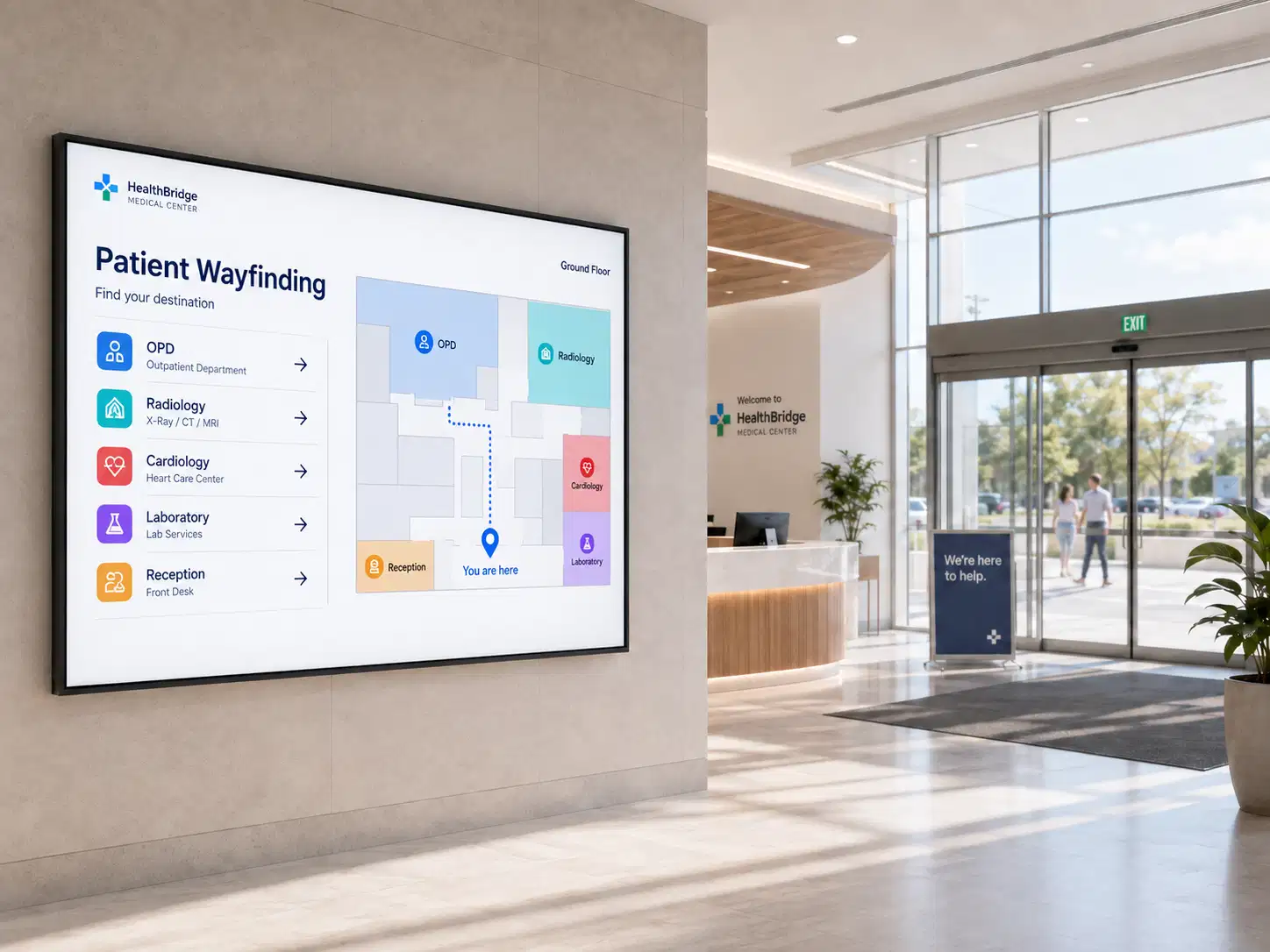
Replace paper maps with interactive directories and touchscreen digital wayfinding signage for hospitals that guide patients from the car park to the appointment. Corridors that generate the most "where do I go?" questions are usually the ones worth mapping first.
Interactive hospital wayfinding directory guiding a patient to a department

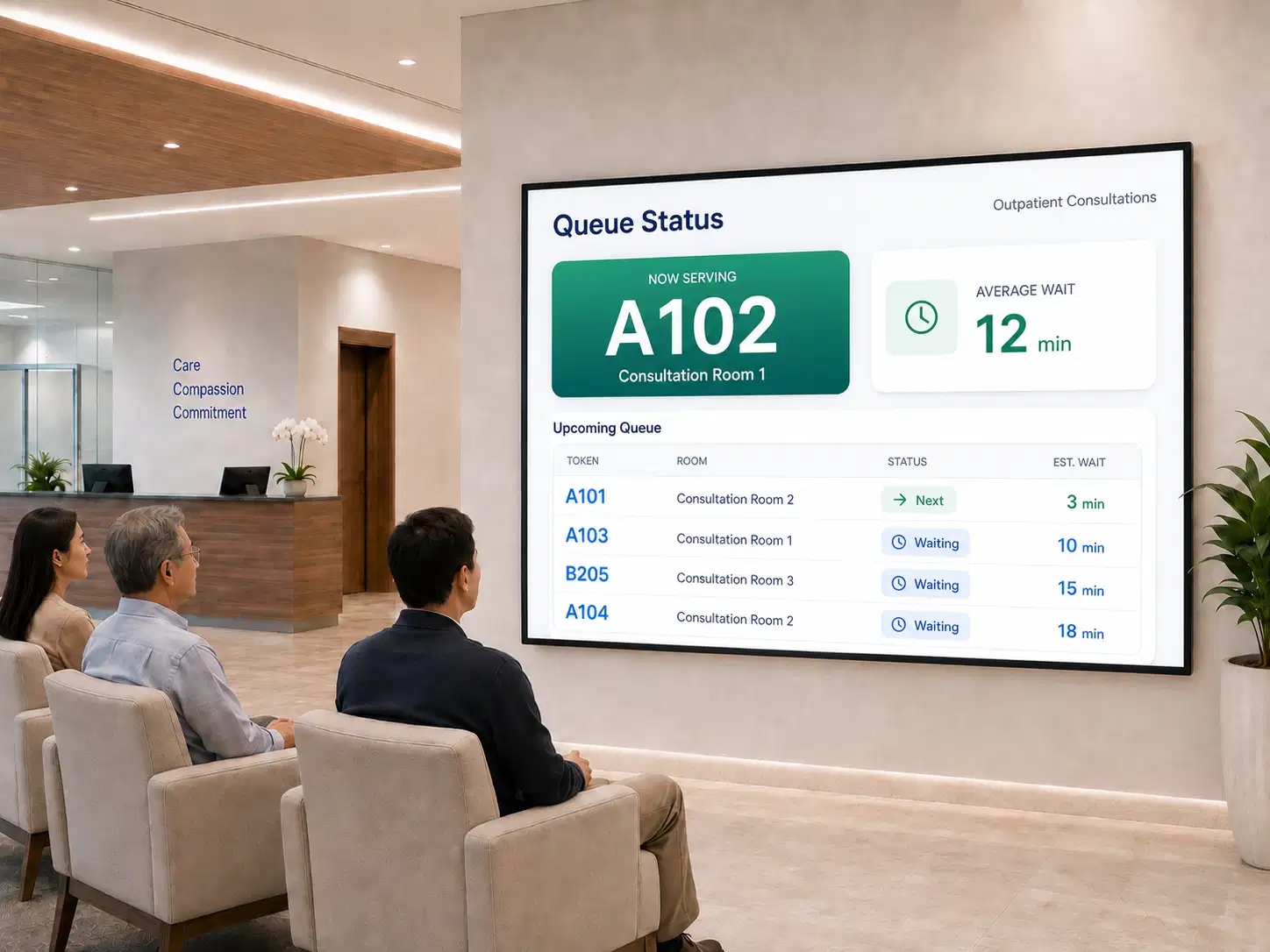
Queue management and wait displays

Show live queue positions, estimated wait times, and counter assignments so patients can track their place without asking. According to Healthcare Facility Management, digital signage reduces perceived wait times by up to 35% in healthcare waiting areas. (Healthcare Facility Management, 2024) For facilities focused on this touchpoint, our hospital waiting room digital signage page covers queue displays, wait-time boards, and patient education content.
Waiting room screen showing live queue positions and estimated wait times

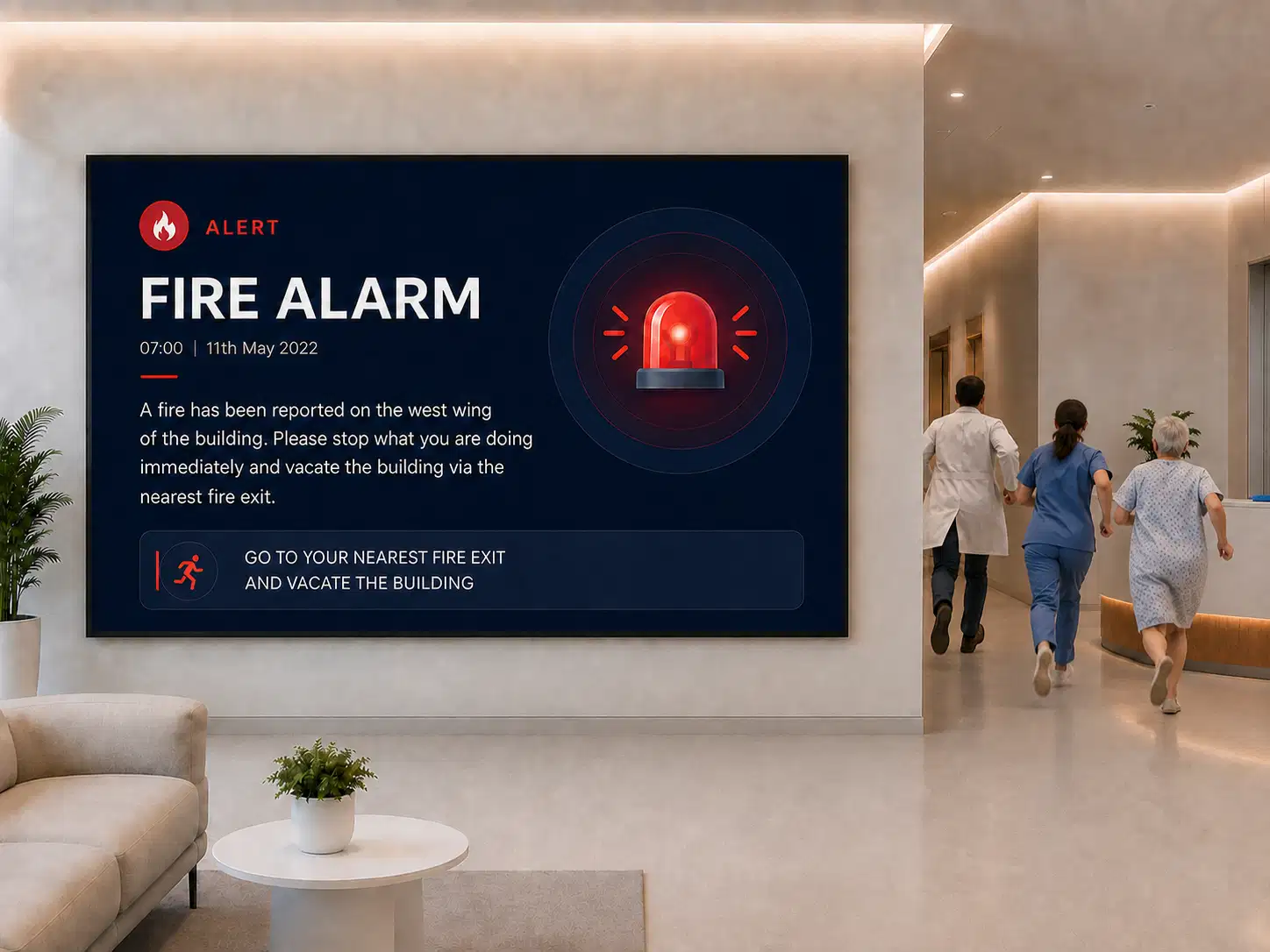
Emergency alerts and code notifications

Broadcast code alerts, lockdown instructions, evacuation routes, or weather warnings to every screen within seconds, with role-based override controls. This functions as a full emergency notification system for healthcare facilities, overriding scheduled content the moment a code is triggered.
Hospital screen displaying a full-screen emergency code alert overriding scheduled content

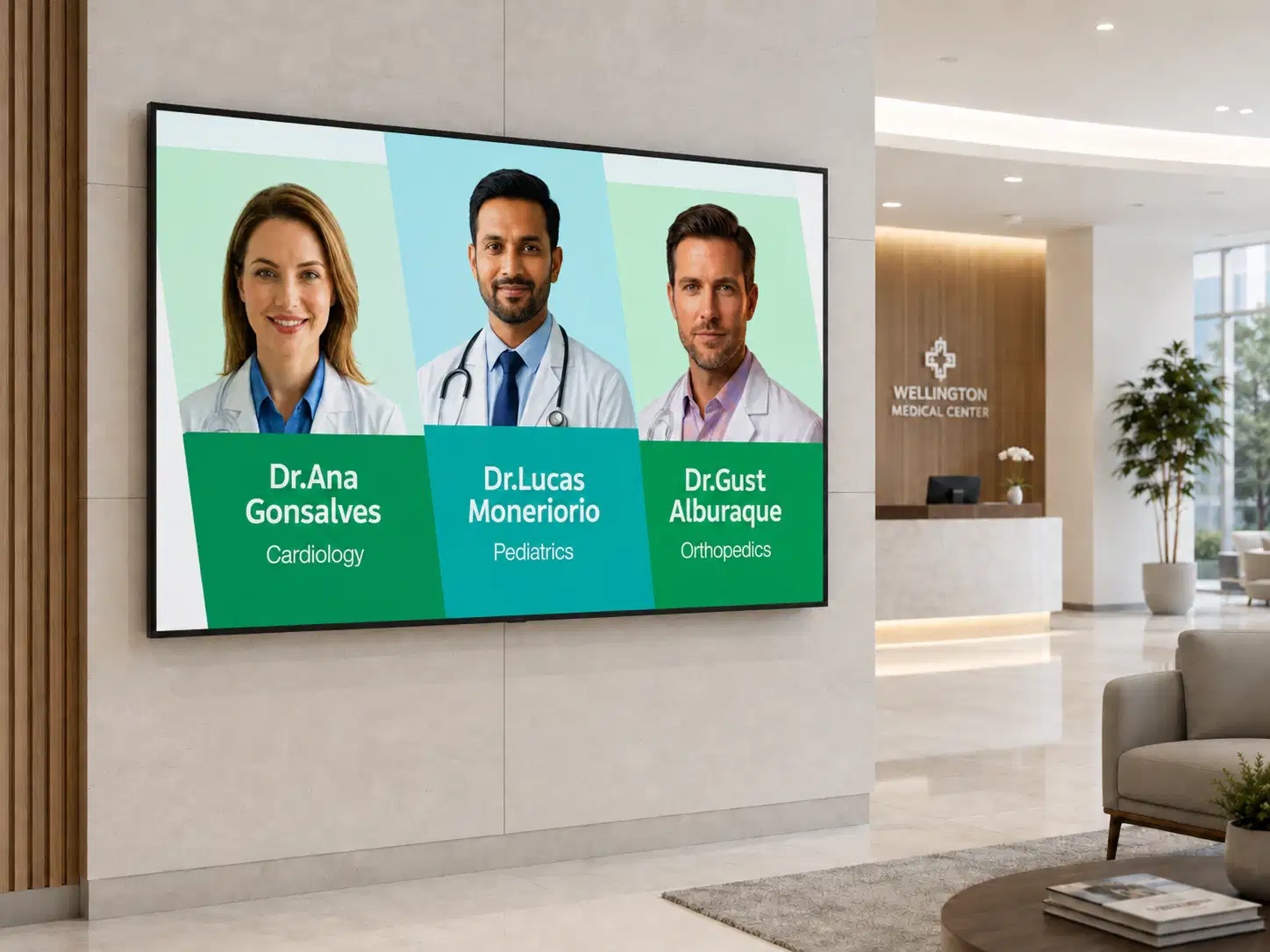
Doctor and department directory boards

Display current physician directories, department locations, visiting hours, and specialty information on lobby screens.
Hospital lobby directory board listing physicians, departments, and visiting hours

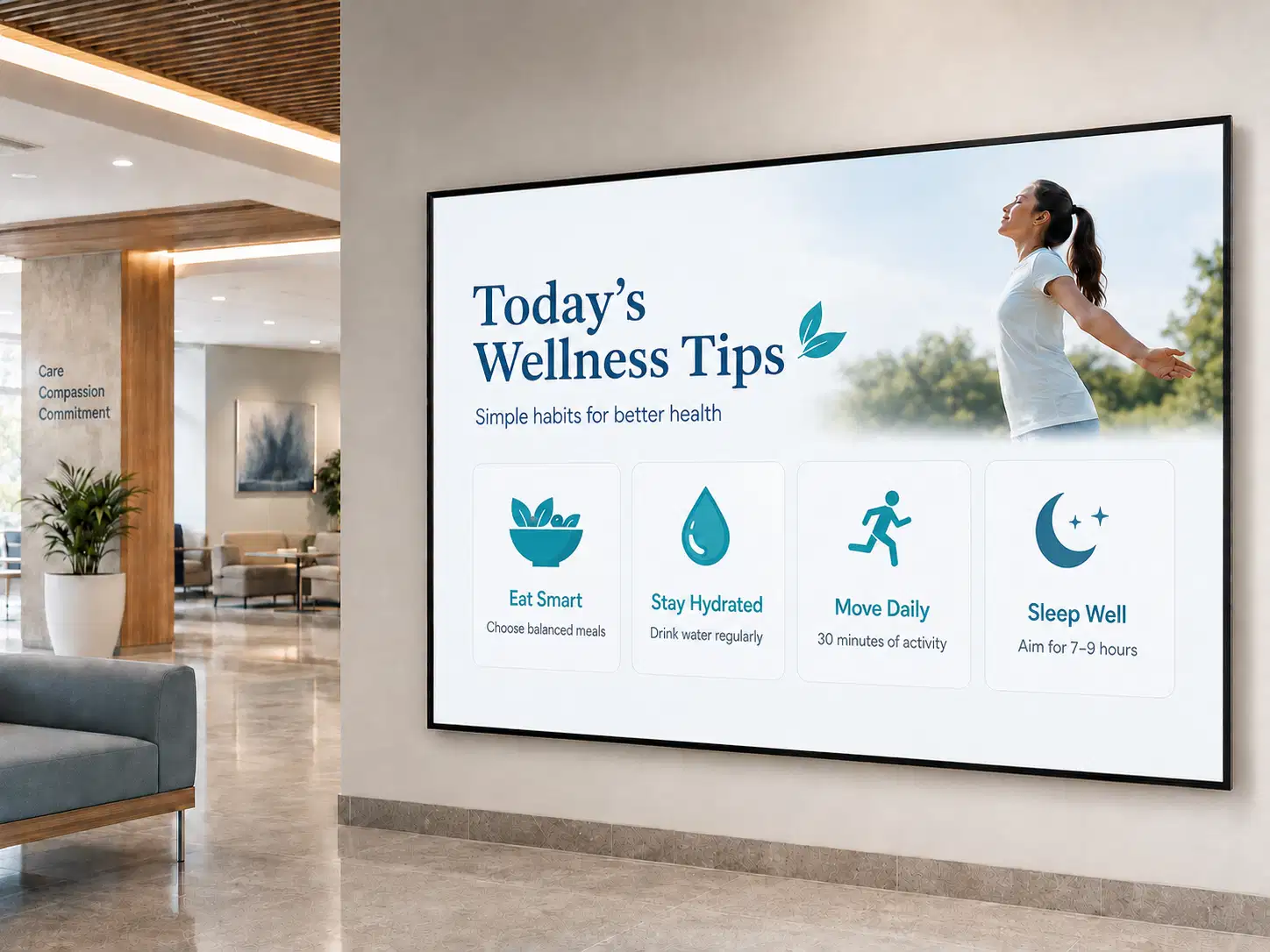
Health education and wellness content

Show preventive health tips, seasonal vaccination reminders, and post-care instructions in waiting areas, turning idle screen time into patient education.
Waiting area screen showing seasonal vaccination reminders and preventive health tips

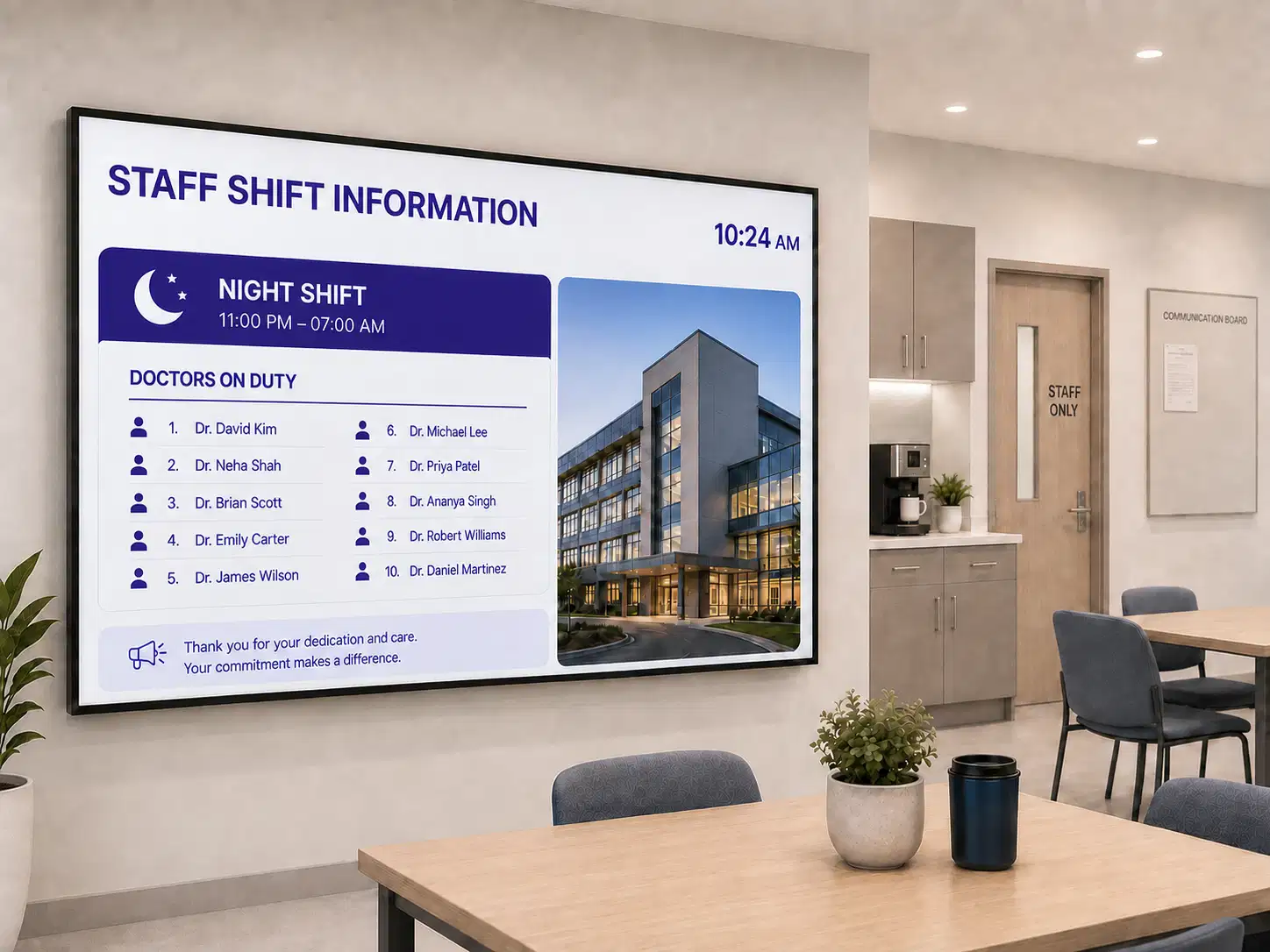
Staff communication and shift dashboards

Push shift handover notes, safety reminders, policy updates, and departmental targets to nurse stations and break rooms, so on-shift staff get the same operational picture without checking email they rarely open. Facilities that need to go further can pair this with dedicated employee communication software for healthcare.
Nurse station screen showing shift handover notes and departmental targets
Getting started

How to Set Up Pickcel for Your Healthcare Facility

01

Connect your screens

Plug in any Android, ChromeOS, Linux, or Windows device, or use Pickcel SoC displays. Register in under 3 minutes with auto-provisioning.

Plug in any Android, ChromeOS, Linux, or Windows device, or use Pickcel SoC displays. Register in under 3 minutes with auto-provisioning.

Start from a healthcare template or drag and drop your own. Import data from Google Calendar, Epic, or Power BI. Schedule by department, floor, or time of day.

Monitor every screen from one dashboard, push updates instantly, get device health alerts, and add locations without extra infrastructure.

Features

The Features Healthcare Teams Rely On Most

Remote screen management.

Control every screen from one dashboard: push content, schedule playlists, and monitor device health without visiting the site.

Hospital admin remotely managing all screens from one dashboard

Smart scheduling and playlists.

Cafeteria menus at lunch, visiting hours in the evening, emergency protocols 24/7.

Content scheduling interface showing playlists by department and time of day

60+ healthcare templates.

Wayfinding, queue boards, directories, health tips, and emergency alerts, all brandable.

Healthcare digital signage template gallery for wayfinding, queue boards, and health tips

Live data dashboards.

Connect Power BI, Google Sheets, or internal APIs to show real-time bed occupancy, OR schedules, or departmental KPIs.

Hospital admin screen showing live bed occupancy and departmental KPI dashboards

Role-based access control.

Department heads run their own screens while IT keeps system-wide security policy.

Department admin configuring per-screen-group permissions with role-based access control

Offline playback.

Screens keep playing cached content through internet outages, which matters most where emergency communication can never go dark.

Screens continuing scheduled content playback through an internet outage

Remote screen management.

Control every screen from one dashboard: push content, schedule playlists, and monitor device health without visiting the site.

Hospital admin remotely managing all screens from one dashboard

Smart scheduling and playlists.

Cafeteria menus at lunch, visiting hours in the evening, emergency protocols 24/7.

Content scheduling interface showing playlists by department and time of day

60+ healthcare templates.

Wayfinding, queue boards, directories, health tips, and emergency alerts, all brandable.

Healthcare digital signage template gallery for wayfinding, queue boards, and health tips

Live data dashboards.

Connect Power BI, Google Sheets, or internal APIs to show real-time bed occupancy, OR schedules, or departmental KPIs.

Hospital admin screen showing live bed occupancy and departmental KPI dashboards

Role-based access control.

Department heads run their own screens while IT keeps system-wide security policy.

Department admin configuring per-screen-group permissions with role-based access control

Offline playback.

Screens keep playing cached content through internet outages, which matters most where emergency communication can never go dark.

Screens continuing scheduled content playback through an internet outage
Integrations

Turn Your Existing Tools Into Live Screen Content

Connect clinical and operational systems so screens stay current automatically.

Epic

Appointment schedules and patient flow data on waiting room screens

Cerner

Real-time department queues and bed availability from your EHR

Google Calendar

Doctor availability, meeting rooms, and event schedules on lobby displays

Microsoft Teams

Shift announcements and team updates pushed to break room screens

Zoom

Live telehealth session links and waiting room status

Slack

Urgent operational messages routed to nurse station displays

Power BI

Bed occupancy, OR utilisation, and patient satisfaction dashboards on admin screens

Canva

Patient education posters designed in Canva, pushed to any screen

See all integrations →

Customer Stories

Real Results for Healthcare Providers

Related deployment: Novo Nordisk's corporate digital signage case study shows the same platform deployed across a large healthcare-adjacent organisation. 75%: according to Deloitte, 75% of patients and caregivers say hospital digital signage enhances their overall care experience, from navigation to communication. (Deloitte, 2024)

Burjeel Hospital logo

Burjeel Hospital

Multi-facility healthcare network

The Challenge

Inconsistent patient communication across multiple facilities.

The Outcome

Centralised communication and real-time content management from one dashboard.

"Pickcel gave us one platform to manage screens across every facility. Our communication is finally consistent."

Manipal Hospitals logo

Manipal Hospitals

Large healthcare campus

The Challenge

Wayfinding confusion and high reception load with static notice boards.

The Outcome

40% fewer reception inquiries after deploying digital wayfinding.

"Our reception staff finally has time for patients instead of giving directions. The screens handle it now."

Read case study
Bridge Health digital signage deployment

Bridge Health

Clinic network

The Challenge

Branded patient communication across locations without IT overhead.

The Outcome

Network-wide deployment completed in 2 weeks.
Read case study
Security

Security and Compliance: Designed to Clear Your IT Security Review

Pickcel is SOC 2 Type II and ISO 27001 certified, with encryption in transit and at rest, regular security testing, SSO/SAML support, and role-based access controls. Architecture is HIPAA-ready, and audit-ready logging is available on request.

Deployment flexibility. Cloud, on-premise, or hybrid, to match your policy and infrastructure requirements.

On-premise Pickcel server deployment inside a hospital network

Cloud

Data location
Pickcel servers
Internet required
Yes
Setup time
Minutes
Compliance control
Shared
Ideal for
Clinics, small networks

On-premise

Data location
Your servers
Internet required
Optional
Setup time
1–2 weeks
Compliance control
Full
Ideal for
Hospitals, regulated systems

Healthcare digital signage that never leaves your network

For hospitals where patient data privacy is a regulatory requirement rather than a preference, on-premise deployment keeps every byte inside your firewall:

Learn more about on-premise deployment →

  • Full platform runs on your servers, with no external data transfer
  • Audit-ready logging
  • Works in air-gapped environments with no internet dependency
  • SSO/SAML integration with your existing identity provider
  • Dedicated support SLA for on-premise healthcare clients

Ready to improve communication across your healthcare facility?

Bring your own workflows, departments, and compliance requirements to a working session, and see the platform run against them.

FAQ

Frequently Asked Questions

Yes. Pickcel connects to Epic, Cerner, Google Calendar, Microsoft Teams, Zoom, Slack, and Power BI through native integrations and APIs, plus 100+ other tools. Appointment schedules, department queues, and bed availability can be pulled directly onto waiting room and nurse station screens without manual re-entry by ward staff.
Yes, and the review usually turns on three questions: where patient-adjacent data sits, who can change what, and whether an independent audit exists. Pickcel answers those with on-premise or hybrid deployment, per-screen-group permissions, and a SOC 2 Type II report you can hand straight to the reviewer.
Yes. Devices cache content locally, so screens continue scheduled playback during an outage and sync automatically once connectivity returns. Alert content is cached alongside routine playlists, so a code notification does not depend on the network being up at the moment it is triggered.
Yes. Role-based access control lets each department own its content while IT retains centralised governance. Radiology can update its own directory board without being able to touch the emergency alert system, and without raising a ticket for routine changes. Permissions are set per screen group.
Cloud deployments can begin the same day, since registering a screen takes minutes. On-premise rollouts take longer because they wait on your IT review and onboarding. The variable is rarely the software; it is how quickly security review and display procurement complete on your side.
Android, ChromeOS, Linux, and Windows devices, Pickcel SoC displays, and the commercial panels usually specified for healthcare environments, covering 50+ device types in total. Existing screens can often be reused by adding a player rather than replacing the display, which keeps a retrofit inside a maintenance budget rather than a capital one.

Product

  • Software Features
  • Digital Signage Hardware
  • Digital Menu Board Software
  • Digital Signage Player
  • Interactive Kiosk
  • OTT Digital Signage Software
  • Queue Management Software
  • Visitor Management software
  • On-premise Digital Signage

Enterprise

  • Integrations & Automation
  • On-premise Digital Signage
  • Our Services

Solutions

  • Corporate Communication
  • Retail Digital Signage
  • Digital Signage Hospitality
  • Multi Channel Employee Communication
  • Restaurant Digital Signage
  • Banking & Finance Signage
  • Transportation Digital Signage
  • Digital Product Catalogue
  • Electronic Bulletin Board
  • Employee Communication App
  • Wayfinding Signage

Resources

  • Case Studies
  • What is digital signage?
  • Digital Signage Blog
  • Apps
  • Pricing
  • FAQ

Company

  • About Us
  • Contact Us
  • Support
  • Press Release
  • Careers

Trust & Compliance

  • Privacy Policy
  • Terms of Service
  • Refund Policy
  • Data Processing Addendum
  • Sub-processors
  • Security
  • Cookie Policy

Partner program

  • White Label Digital Signage
  • Reseller Digital Signage
Capterra4.6G24.6GoodFirms4.6

© 2026 LaneSquare Technology Pvt Ltd. All rights reserved.