Pickcel

Core Platform

  • Software Features
  • Templates
  • Security & Compliance

Enterprise

  • On-Premise
  • Integrations & Automation
  • Our Services

Extensions & Apps

  • Mobile App
  • App Integrations

Digital Signage Players

  • Android
  • Samsung Tizen
  • BrightSign
  • Amazon Signage Stick
  • View all Players
What is Digital Signage?

Learn the basics of digital signage and how it can transform your business.

Industries We Serve

  • Office
  • Retail
  • Restaurant
  • Manufacturing
  • Hospitality
  • Healthcare
  • Transportation
  • Education

Use Cases

  • Dashboard
  • FIDS
  • Digital Menu board
  • Car Dealership App
  • Wall Craft
  • Instastream
  • Transport PIS
  • Social Wall
View all
See How Pickcel  Helped Amazon
See How Pickcel Helped Amazon

Case Studies

  • Mercedes-Benz
  • Accenture
  • Magnolia Bakery
View all

All Resources

  • Digital Signage Blog
  • Learn
  • Digital Signage Gallery
  • Case Studies
  • Support
  • Download
Partnerships
Partnerships

Partnerships

  • White-Label
  • Reseller
Pricing
Login

Educational Digital Signage Software

One platform to manage every campus screen, from K-12 school corridors to university atriums. Control every display across all your buildings from a single cloud dashboard. Publish real-time announcements, broadcast emergency alerts campus-wide, and schedule content for every location without visiting a single screen.

Get Started
Pickcel reviews on Capterra and G2
Pickcel educational digital signage software dashboard showing multi-campus screen management

Trusted by Leading Educational Institutions

Trusted by Leading Educational Institutions

Amrita University
Christ University
Hamlin Robinson
9,000+
Businesses Globally
150,000+
Screens Managed
70+
Countries
4.9★
on G2 (1,200+ reviews)

What Is Digital Signage for Hospital Waiting Rooms?

Educational digital signage is a network of digital displays in schools, colleges, and universities managed from a centralised cloud platform. It delivers real-time announcements, emergency alerts, wayfinding, student engagement content, cafeteria menus, and event promotions across campuses, replacing printed bulletin boards with dynamic, remotely managed communications.

Key Facts

  • Pickcel serves 9,000+ businesses across 70+ countries
  • Pickcel manages 150,000+ screens globally across all deployments
  • Compatible with 50+ device types, deploying on existing school TVs and displays
  • Content updates push to all campus screens in real time from a single dashboard
  • SOC 2 Type II and ISO 27001 certified, enterprise-grade security for educational institutions
Education ITSchool DistrictsCampus AdminsUniversity ITK-12
Common Questions

What is educational digital signage?

Educational digital signage is a cloud-managed network of digital displays across school and university campuses. It replaces static bulletin boards with centrally controlled screens that deliver announcements, schedules, emergency alerts, and event content in real time to every building on campus.

How is digital signage used in schools and universities?

Schools and universities use digital signage to broadcast announcements, display cafeteria menus, promote events, guide campus visitors with wayfinding displays, support emergency alert broadcasts, and reinforce student engagement through recognition boards and school spirit content managed from one dashboard.

Why are educational institutions replacing bulletin boards with digital signage?

Educational institutions replace bulletin boards because printed notices cannot reach multiple buildings simultaneously, cannot broadcast emergency alerts, and require staff time for every update. Digital displays update instantly from any location, across every screen on campus, from a single login.

The Challenge

The Challenge of Managing a Live Campus

Managing communications across a multi-building campus without a centralised system means physical visits to each location for every content update. Printed notices serve a single room. They cannot reach multiple buildings simultaneously, cannot broadcast emergency alerts, and require staff time for each change across a district of 30 schools or a university with four campuses.

Challenge 1

Coordinating communications across multiple buildings and departments

A notice pinned in one corridor does not reach a student in another block. Department-specific content sits siloed in physical boards that only a fraction of students pass. When schedules change, staff must physically visit each location to swap out printed sheets.

How do you keep every department aligned across a multi-building campus?

Pickcel's cloud-based dashboard pushes content updates to every display across all campus buildings simultaneously. Each department manages its own screens with role-based access, while a central administrator broadcasts institution-wide messages to all locations without leaving their desk.

Challenge 2

Emergency communications that reach every student instantly

When a safety situation develops on campus, the ability to reach students and staff across every building within seconds is not optional. Email arrives too late for many scenarios. Intercom coverage is uneven in older buildings. Visual broadcasts on corridor displays, cafeteria screens, and common area monitors reach people where they are.

How does digital signage improve campus safety communications?

Pickcel's emergency override broadcasts an alert to every connected campus screen in seconds. Administrators trigger the override from any device, and all regular content is replaced immediately with the safety message across every building, without needing IT intervention at each location.

Challenge 3

Competing with smartphones for student attention

Static printed notices go unread. Students spend less time near physical bulletin boards and more time looking at screens around them. Communicating through displays that already occupy their field of vision is more effective than maintaining cork boards that require students to stop and seek them out.

How do schools use digital signage to improve student engagement?

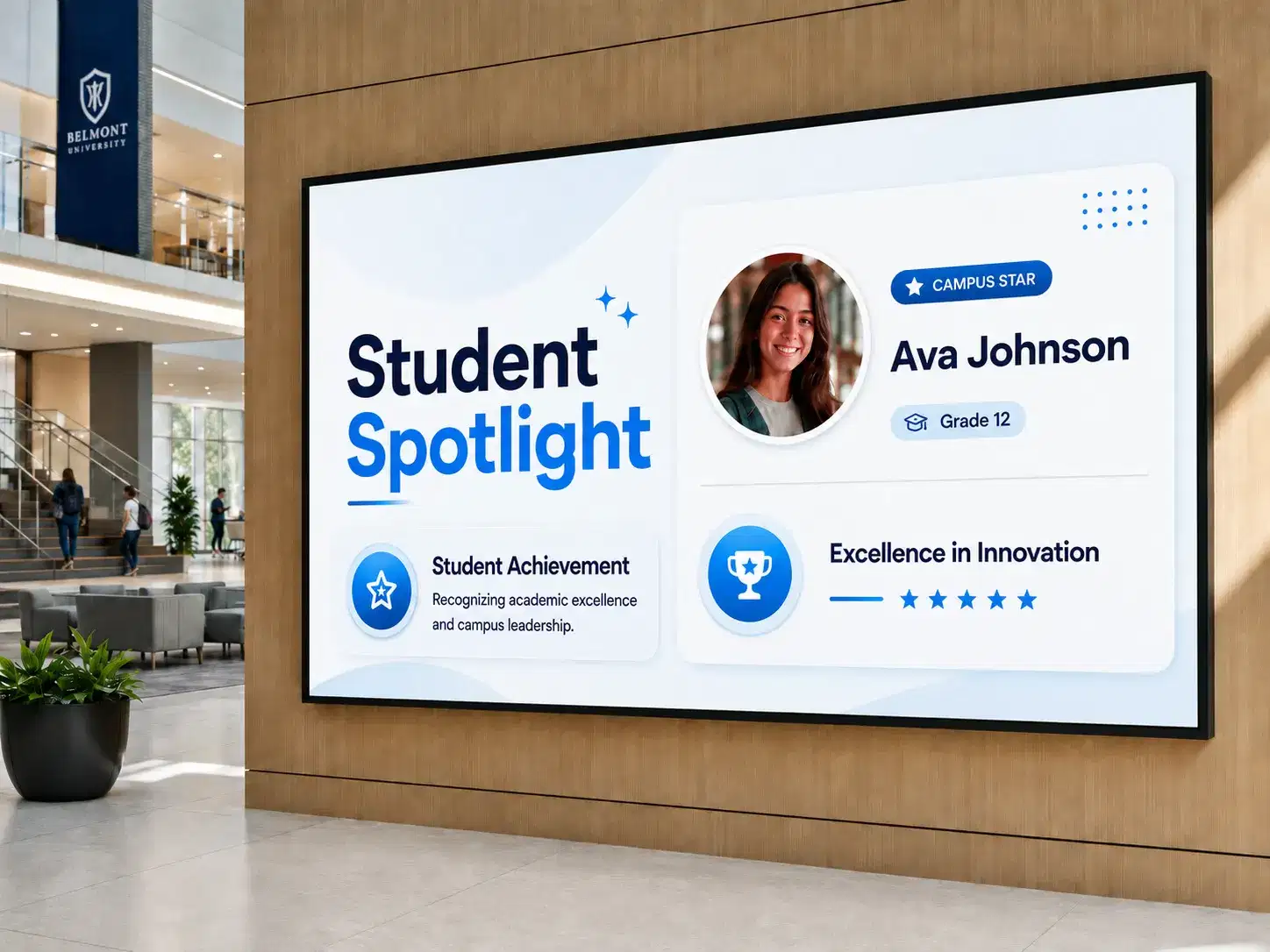
Schools use digital signage to display student recognition awards, event promotions, sports results, club announcements, and motivational content on screens in corridors, common rooms, and cafeterias. Dynamic displays capture attention that static notices cannot, reaching students throughout their campus day.

How It Works

How Pickcel Works for Educational Institutions

Pickcel's educational digital signage platform centralises every campus screen, from the reception display to the cafeteria board, into a single cloud dashboard accessible from anywhere. Content updates in real time. Emergency overrides take effect in seconds. Role-based access lets each department stay in its lane while central administrators maintain full control.

1
01

Connect your existing displays

Pickcel works with 50+ device types including Android media players, Windows-based systems, and smart TVs already installed across your buildings. Most institutions deploy without purchasing new hardware.

2
02

Build and organise your content library

Upload announcements, menus, event promotions, emergency message templates, and other content to the cloud dashboard from any device.

3
03

Assign screens and permissions

Allocate screens to departments, buildings, and campuses. Set role-based access so each team manages its own content independently without affecting others.

4
04

Schedule and publish

Set content to publish by time, date, and screen group. Dayparting ensures the right message appears at the right time automatically, with no manual changes at each display.

Use Cases

Use Cases for Educational Institutions

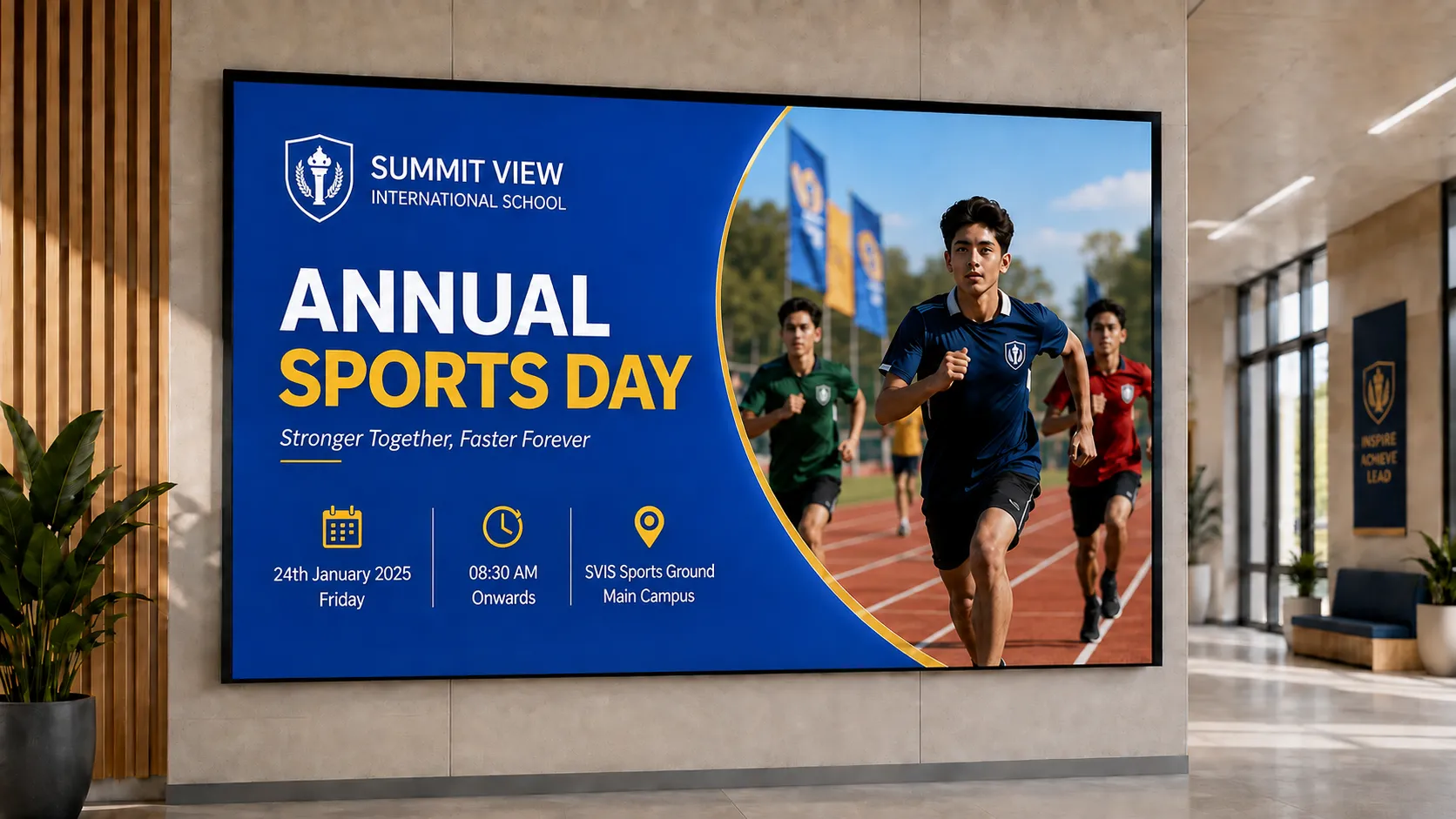
Student engagement content on school digital signage
Engagement

1. Student Engagement

Schools use Pickcel digital signage to display student recognition awards, event countdowns, school spirit content, and club announcements across corridor screens and common areas. Dynamic displays reach students throughout the school day without requiring them to consult physical notice boards.
Pickcel lets communications teams schedule content by location and time of day, so morning announcements run at 8am, lunchtime event promotions at noon, and after-school club sign-ups in the afternoon. No manual changes needed at each screen.

Explore how digital signage supports student engagement →
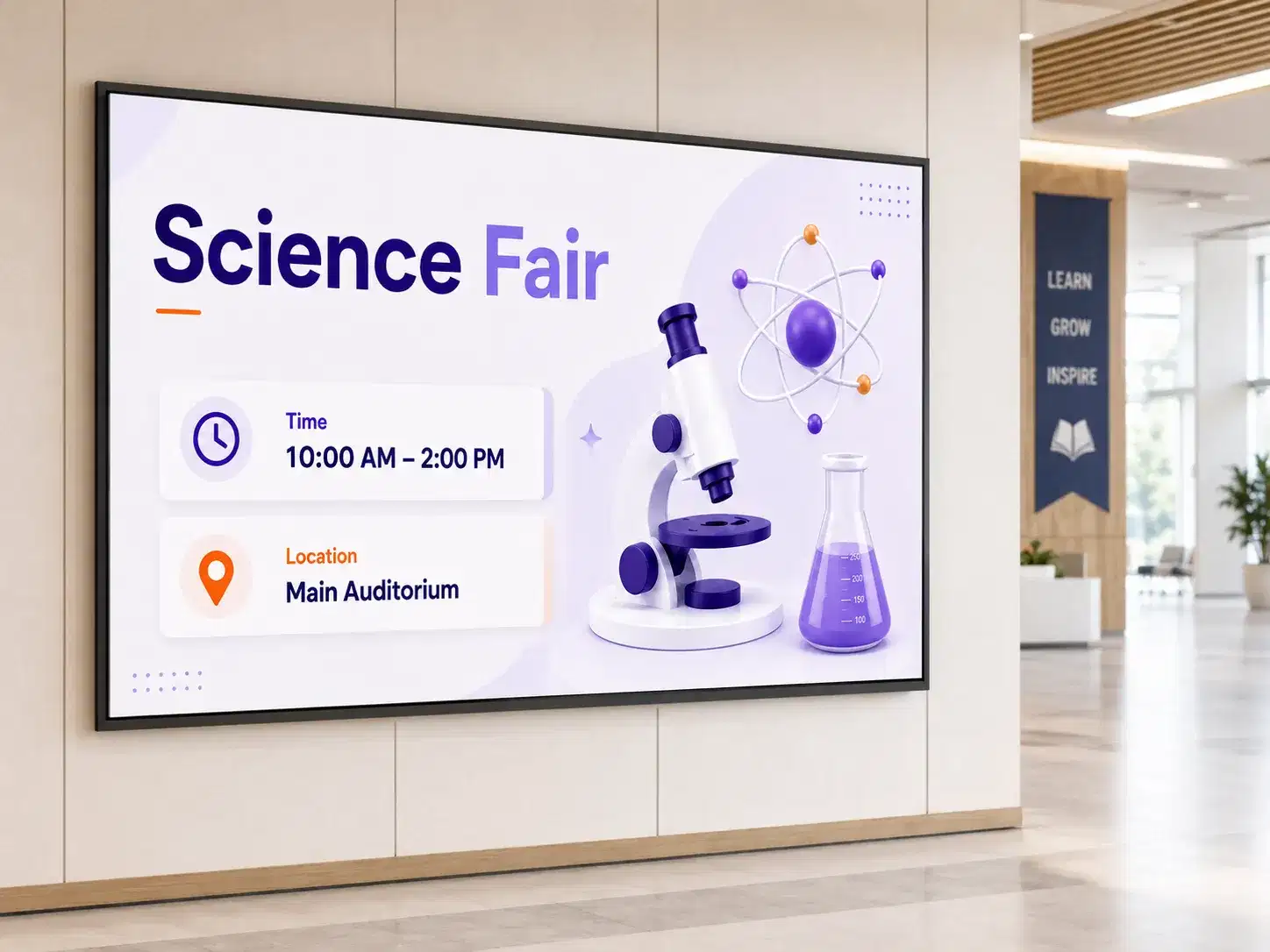
School events promoted on campus digital signage
Events

2. School Events and Extracurricular Activities

Schools and universities use Pickcel digital signage to promote upcoming events, sports fixtures, club sign-ups, and extracurricular activities across campus screens. Automated scheduling means event content runs at the right time, in the right buildings, without manual display updates.
Content teams upload event materials once and schedule them to run across relevant screens, buildings, and time slots. When an event changes or is cancelled, a single update from the dashboard updates all associated screens instantly.

Emergency alert on educational digital signage display
Safety

3. Emergency Alerts and Safety Broadcasts

Pickcel's emergency override broadcasts urgent alerts to every connected campus screen simultaneously. Safety messages, evacuation instructions, and weather alerts replace all scheduled content instantly, reaching students and staff in corridors, cafeterias, classrooms, and common areas within seconds of activation.
The override triggers from any authorised device. No on-site IT support required. When the alert is cleared, scheduled content resumes automatically.

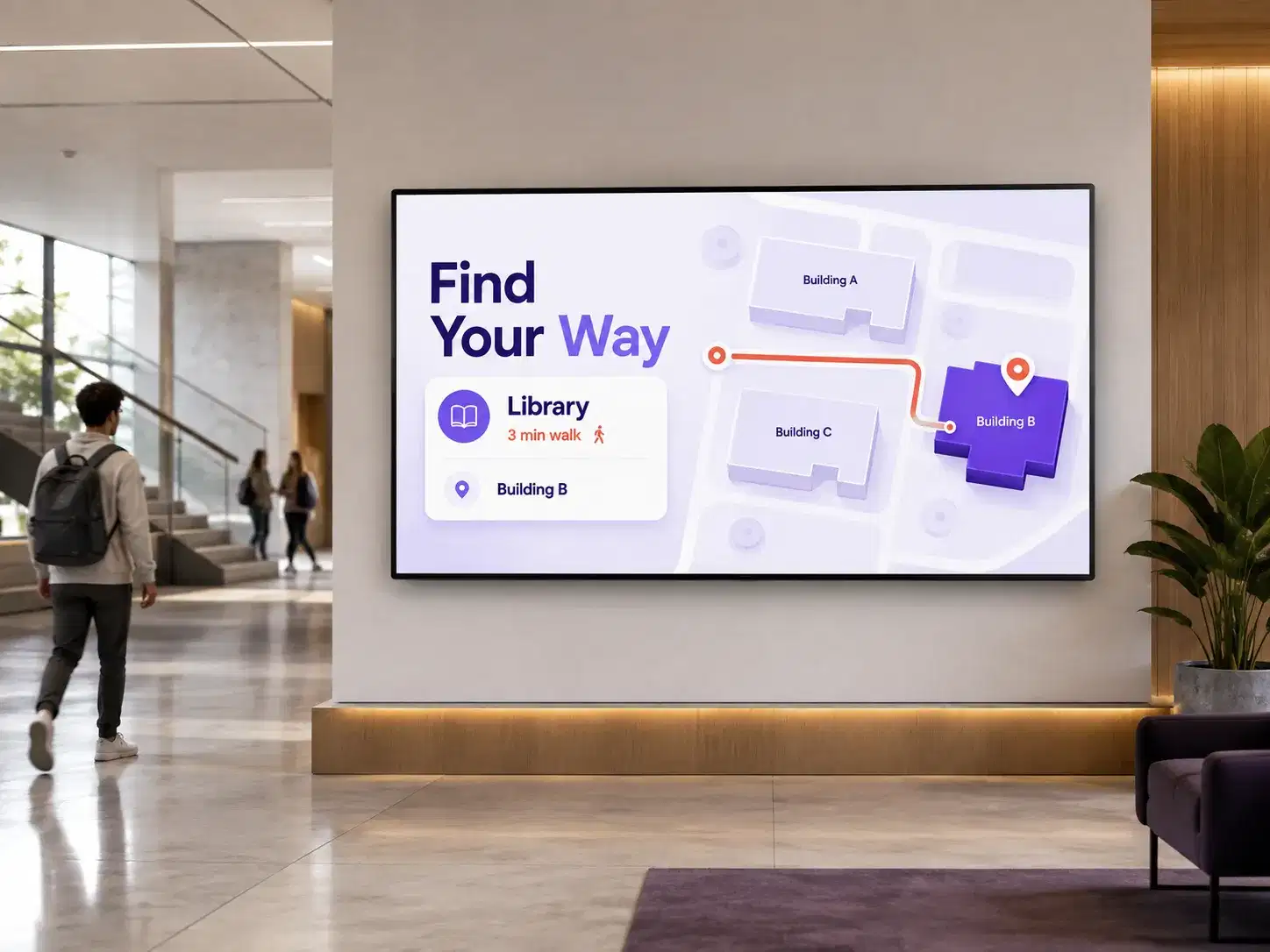
Campus wayfinding on digital signage at building entrance
Wayfinding

4. Campus Wayfinding

Universities and large school campuses use Pickcel digital signage for wayfinding, displaying building maps, room directories, and event venue guidance on entry-point screens. Visitors, new students, and conference attendees navigate independently using directional content managed centrally and updated without on-site visits.

Explore Pickcel's wayfinding signage solution →
Cafeteria menu board on school digital signage
Dining

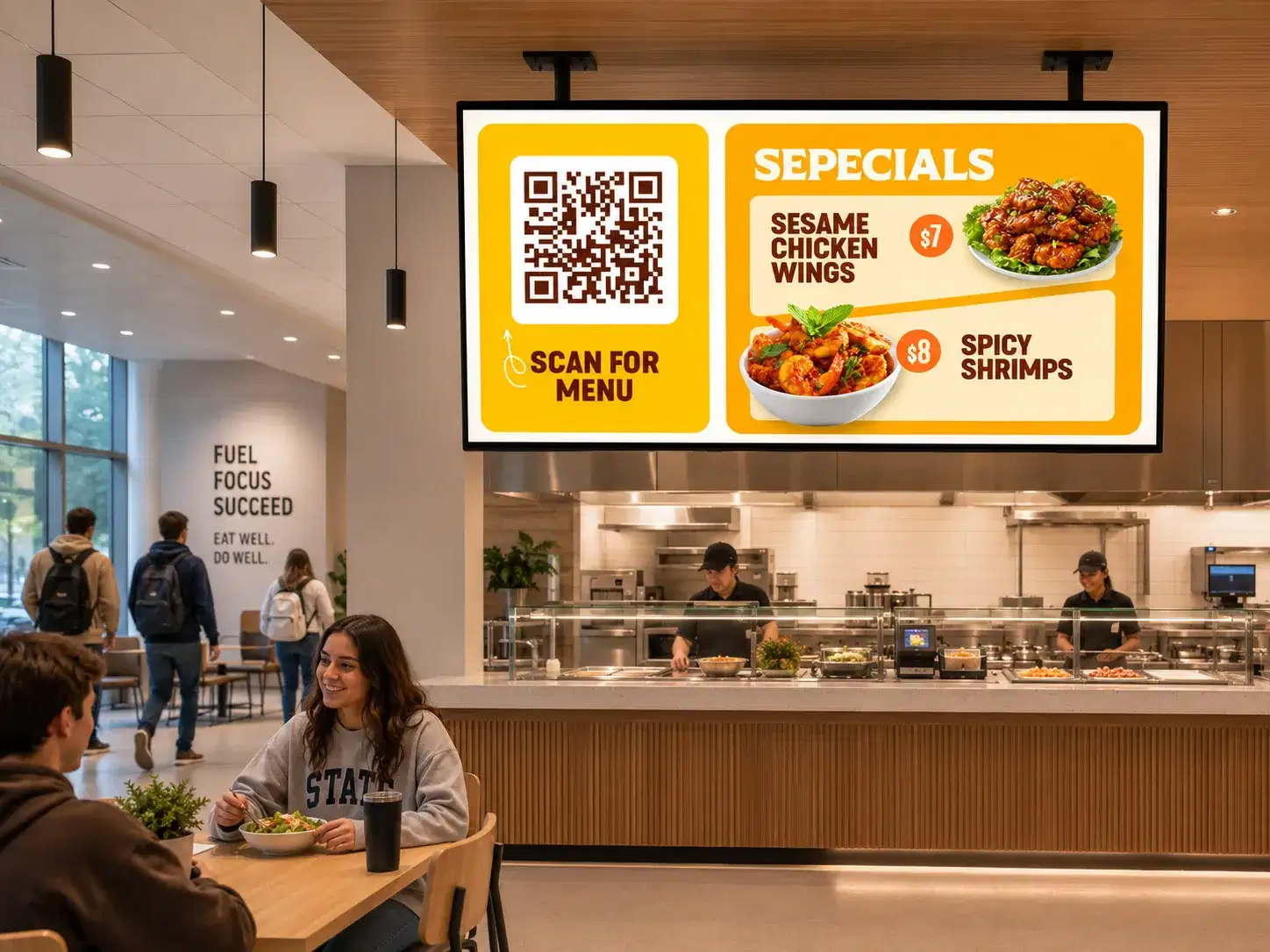
5. Cafeteria and Dining Menus

Schools and university dining teams use Pickcel to display daily menus, allergen notices, dining hours, and nutritional information on cafeteria screens. Menus update remotely as often as needed, with no printed inserts to produce or replace.
Scheduling tools let dining teams set different menus for breakfast, lunch, and dinner, with content switching automatically at the right time each day.

Campus digital signage screen displaying lecture timetable outside university classroom
Learning

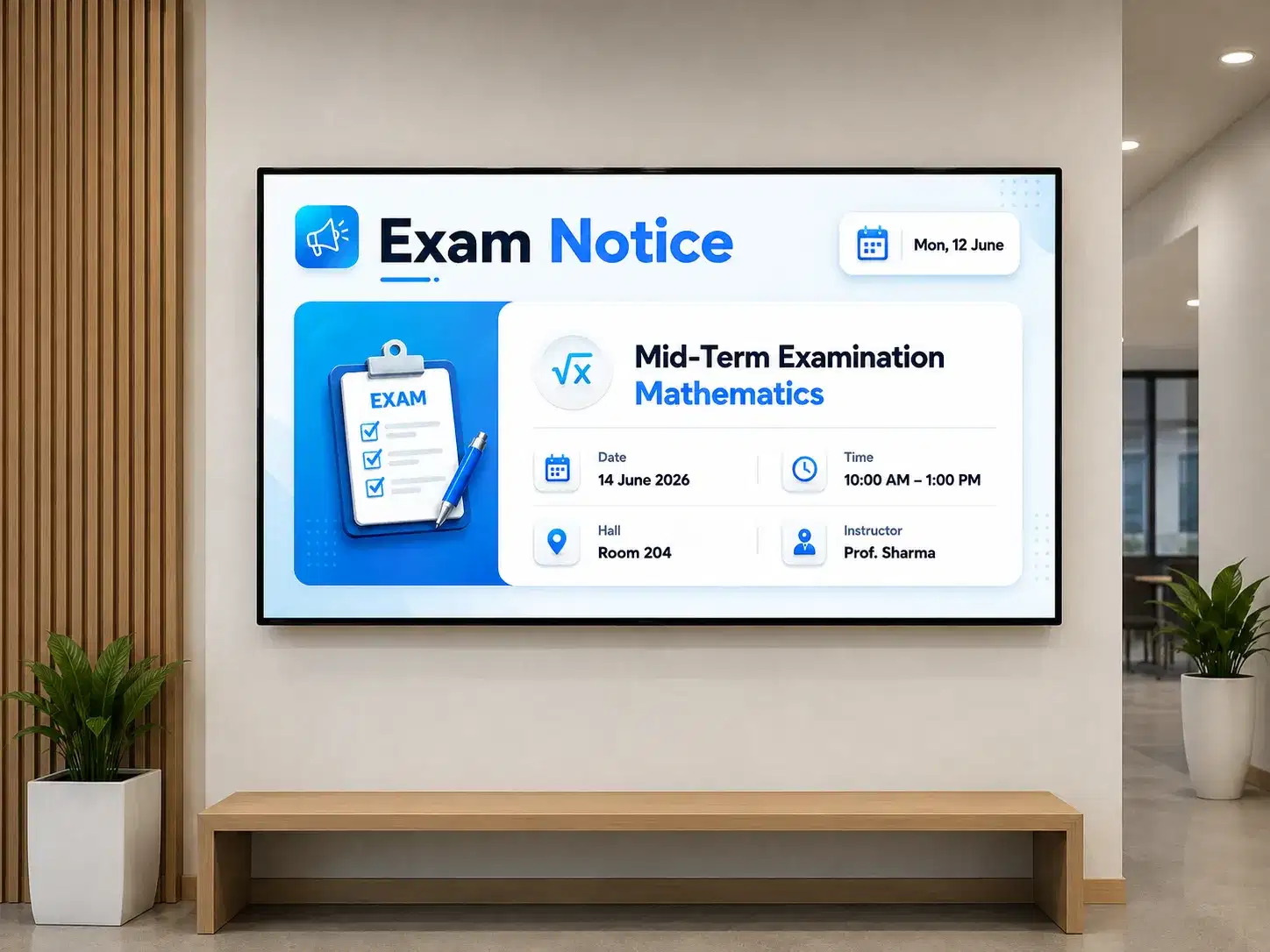
6. Learning Environment Support

Pickcel digital signage supports learning environments by displaying classroom schedules, timetable boards, exam notices, and faculty information outside lecture rooms and administrative offices. Content updates instantly from a central dashboard, keeping students and staff aligned without printed timetable sheets.

Comparison

Why Institutions Are Moving from Bulletin Boards to Digital Displays

CapabilityPickcel Digital SignageTraditional Bulletin Board
Content update speedInstant from any device, to all screensHours: print, pin, and repeat at each location
Multi-location managementAll locations from one dashboardRequires a physical visit to each location
Emergency alertsCampus-wide override in secondsNot possible
Content schedulingAutomated dayparting and schedulingManual rotation by staff
Cost over timeOne subscription, unlimited content updatesOngoing print and materials costs
Student engagementDynamic content drives attentionStatic, easily overlooked
AnalyticsView and engagement trackingNone

Tailored for Every Level of Education

Digital Signage for K-12 Schools

Manage screens across every school building in your district from a single dashboard. Content designed for school environments, with tools built for district IT teams.

Digital Signage for Universities

From lecture hall timetables to alumni engagement displays, Pickcel helps universities manage campus-wide communications across every building from one platform.

Platform Capabilities

What Pickcel Offers Educational Institutions

Multi-location management from one dashboard

Control every screen across all your buildings from a single cloud login. Updates push to all locations simultaneously. No on-site IT intervention required at each building.

Emergency override broadcast

Send an alert to every connected campus screen simultaneously. All scheduled content is replaced instantly when the override activates, accessible from any authorised device, at any time.

Content scheduling and dayparting

Set different content for different times of day. Morning announcements, lunchtime menus, and after-school event promotions run automatically without manual changes at each display.

50+ device compatibility

Pickcel works with existing school TVs and displays across more than 50 device types, including Android media players, Windows-based systems, and smart TVs. Most institutions start without purchasing new hardware.

Cloud-based management

Access your content dashboard from the principal's office, IT department, or off-site. No on-premise server required for cloud deployments. On-premise deployment is available for institutions with specific data residency requirements.

Role-based access control

Each department manages its own screens without affecting others. Central administrators retain full oversight, broadcast rights, and audit logging across the entire institution.

Security & Compliance

Security Built for Educational Institutions

Pickcel is SOC 2 Type II and ISO 27001 certified, meeting the security standards district technology directors and institutional IT teams require before approving a new platform.

SOC 2 Type II

Independently audited security, availability, and confidentiality controls for enterprise deployments.

ISO 27001

International information security management standard, demonstrating systematic protection of sensitive data.

On student data: Pickcel's digital signage platform does not store or process individual student personal data on displays. Pickcel's security architecture is designed with institutional data privacy requirements in mind.

Role-based access and audit logging: Granular permissions with a full audit trail so IT administrators can see who changed what, when, and from where.

Cloud infrastructure with enterprise-grade security controls: Multi-factor authentication, single sign-on support, and on-premise deployment option for strict data residency requirements.

SOC 2 Type IIISO 27001MFA SupportSSO SupportOn-Premise OptionFull Audit Logging
Customer Stories

Pickcel in Action at Indian Universities

Campus digital signage at Amrita University showcasing announcements and information powered by Pickcel

Higher Education, India

Amrita Vishwa Vidyapeetham

The Deployment

One of India's largest universities, Amrita Vishwa Vidyapeetham deployed Pickcel across its eight campuses spanning over 1,200 acres to manage faculty information, campus announcements, and information distribution across dispersed locations. The deployment runs on-premise on the university's own virtual machine infrastructure, working with existing Android and Windows-based display hardware across MI and VU screens.

Christ University classroom equipped with digital signage displaying presentation about the ongoing lecture

Higher Education, India

CHRIST University

The Deployment

CHRIST University deployed Pickcel across campuses in Bangalore, Delhi NCR, and Pune to replace ineffective pinboards that were contributing to miscommunication and delayed student responses to important notices. Android-powered digital standees at receptions, front offices, and building foyers now display exam schedules, event calendars, real-time announcements, and live infotainment. The web-based dashboard lets multiple departments manage their own content simultaneously, with the flexibility to scale to additional campuses without rebuilding the setup.

Customer Voices

What Educational Institutions Say About Pickcel

★★★★★

"Pickcel helped us completely modernize campus communication across departments and common areas. From instant announcements to event promotions, everything is now centrally managed and updated in real time."

Administration Head

Leading University in India

★★★★★

"We were looking for a scalable digital signage solution that could work across multiple campuses without operational complexity. Pickcel made content scheduling and remote management extremely simple and efficient."

IT Manager

Private Educational Institution, India

★★★★★

"Managing notices, schedules, and campus-wide communication used to be time-consuming and inconsistent. With Pickcel, we now have a centralized system that keeps students and faculty informed instantly."

Operations Director

Educational Campus, India

Why Pickcel

How Pickcel Compares for Educational Institutions

Three common alternatives — and where a campus-wide platform makes the difference.

Pickcel
vs
Printed bulletin boards
01

Digital displays update in seconds; bulletin boards take hours.

Printed bulletin boards require staff time for every update, cannot reach multiple buildings simultaneously, and have no emergency alert capability. The comparison table in the section above covers this across seven dimensions. The short version: digital displays update in seconds; bulletin boards take hours.

Pickcel
vs
Consumer-grade TV apps
02

Enterprise security and multi-campus control, not single-screen apps.

Consumer display apps lack centralised management for multi-location institutions, provide no role-based access controls for department-level management, and hold no enterprise security certifications. Pickcel is SOC 2 Type II and ISO 27001 certified, with full audit logging and administrative controls designed for institutional IT requirements.

Pickcel
vs
Generic digital signage tools
03

Built for schools and universities, with verified campus deployments.

Generic digital signage tools do not provide education-specific templates, emergency override capability, or verified deployments in educational institutions. Pickcel brings verified experience from university deployments across India and a sub-page structure built specifically for K-12 schools and universities.

FAQ

Frequently Asked Questions

Educational digital signage is a cloud-managed network of digital displays across school and university campuses. It replaces static bulletin boards with centrally controlled screens that deliver announcements, schedules, emergency alerts, and event content in real time across every campus building from a single platform.

Pickcel's educational digital signage software works on existing display hardware across 50+ device types, with no specialist installation required for most deployments. Content is managed from a web-based dashboard accessible from any device, including tablets and laptops used by administrators or department heads. Both Amrita Vishwa Vidyapeetham and CHRIST University in India deployed Pickcel on existing Android and Windows hardware across multi-campus environments, without replacing their existing displays.


Ready to Manage Every Screen Across Your Campus?

Join 9,000+ organisations using Pickcel to manage their screens, including universities and schools across India and beyond.

No credit card required. Cancel anytime.

Pickcel Logo

Trusted Cloud & On-Premise Digital Signage Software for Businesses Worldwide.

Facebook logoLinkedIn logoTwitter logoYoutube logoInstagram logoPinterest logo
Capterra BadgeGoodFirms BadgeG2 logo

Product

  • Software Features
  • Digital Signage Hardware
  • Digital Menu Board Software
  • Digital Signage Player
  • Interactive Kiosk
  • OTT Digital Signage Software
  • Queue Management Software
  • Visitor Management software
  • On-premise Digital Signage

Enterprise

  • Integrations & Automation
  • On-premise Digital Signage
  • Our Services

Solutions

  • Corporate Communication
  • Retail Digital Signage
  • Digital Signage Hospitality
  • Multi Channel Employee Communication
  • Restaurant Digital Signage
  • Banking & Finance Signage
  • Transportation Digital Signage
  • Digital Product Catalogue
  • Electronic Bulletin Board
  • Employee Communication App
  • Wayfinding Signage

Company

About UsContact UsSupportPress ReleaseCareers

Resources

  • Case Studies
  • What is digital signage?
  • Digital Signage Blog
  • Apps
  • Pricing
  • FAQ

Partner program

  • White Label Digital Signage
  • Reseller Digital Signage
Privacy|Refund|Terms

Copyright © 2026 LaneSquare Technology Pvt Ltd