Stale pricing on the floor
Financing offers and model pricing change weekly, sometimes daily during a sales push, but signage updates lag because someone has to walk the floor to swap content manually.
Showroom floors and back-office screens usually run on separate systems, so pricing, promotions, and financing offers go stale the moment someone forgets to update a second dashboard. Pickcel runs every screen, showroom or service bay, from one login.


Most dealership groups manage showroom and service-area displays as two separate jobs. A model showcase on the sales floor needs new pricing the moment a promotion changes. A waiting-room screen in the service bay needs different content entirely, and updating both usually means two logins, two content libraries, or a trip to each screen with a USB drive. That gap shows up in three places specifically:
Financing offers and model pricing change weekly, sometimes daily during a sales push, but signage updates lag because someone has to walk the floor to swap content manually.
A dealership with multiple showroom areas, or a group with several locations, ends up running each zone's screens independently, so a promotion live in one zone is missing from another.
When showroom and back-office screens run on different tools, IT cannot audit content, access, or data handling from one place, which slows down procurement approval.
Model, pricing, and financing details as they change on your side
One dashboard, one login, real-time sync
Every zone, every location, on the same schedule
See current pricing, promotions, and service info, always
Problem you have today
Showroom promotions and financing offers go stale because updating them means visiting each screen

How Pickcel handles it
A cloud dashboard pushes content to every showroom and dealership screen at once, no on-site visits required
What you get
Promotion and pricing changes go live across every screen the same day
Problem you have today
Customer-facing showroom screens and back-office or service-area displays run on separate systems
How Pickcel handles it
One platform manages showroom, waiting-room, and service-bay content from a single login
What you get
One dashboard covers every screen type on the lot
Problem you have today
Multiple showroom zones or locations can't stay in sync on inventory and pricing
How Pickcel handles it
Multi-zone layouts sync inventory, pricing, and video content across each showroom zone in real time
What you get
Inventory and pricing stay consistent everywhere at once
Problem you have today
IT and procurement teams block new vendors without a documented security posture
How Pickcel handles it
Independently audited, enterprise-grade certified platform with documented data handling
What you get
Faster procurement approval, fewer security review rounds
| Problem you have today | How Pickcel handles it | What you get |
|---|---|---|
| Showroom promotions and financing offers go stale because updating them means visiting each screen | A cloud dashboard pushes content to every showroom and dealership screen at once, no on-site visits required | Promotion and pricing changes go live across every screen the same day |
| Customer-facing showroom screens and back-office or service-area displays run on separate systems | One platform manages showroom, waiting-room, and service-bay content from a single login | One dashboard covers every screen type on the lot |
| Multiple showroom zones or locations can't stay in sync on inventory and pricing | Multi-zone layouts sync inventory, pricing, and video content across each showroom zone in real time | Inventory and pricing stay consistent everywhere at once |
| IT and procurement teams block new vendors without a documented security posture | Independently audited, enterprise-grade certified platform with documented data handling | Faster procurement approval, fewer security review rounds |
The operational baseline for a Pickcel-managed dealership floor.
A pricing or financing change made in the dashboard reaches every connected screen without a second step, instead of being re-entered zone by zone.
Publish everywhere (estimate, based on eliminating manual per-screen updates)
Showroom and service-area content share a library and permission structure, so a single admin can manage both instead of switching tools.
Not two
Platform uptime means promotions stay live through peak walk-in hours, not just business hours.
Uptime
These 11 pre-built apps cover the day-to-day showroom and dealership workflow, not something your team assembles from a blank canvas.
Run side-by-side model and trim comparisons on showroom screens, refreshed the moment specs or pricing change, so a customer comparing two trims sees today's numbers, not last week's flyer.
Let customers filter inventory by model, price, or feature directly on a touchscreen kiosk, so browsing can start before a salesperson is free.
Rotate financing offers, seasonal promotions, and limited-time pricing across every showroom zone from one schedule, instead of printing new signage each time an offer changes.
Post service specials, appointment wait times, and maintenance tips on service-bay and waiting-room screens, scheduled separately from sales content so the two never mix up.
Keep service customers engaged with news, weather, or dealership content while they wait, on the same platform that runs the sales floor, not a separate consumer device.
Display recent reviews and testimonials near the showroom entrance to reinforce trust at the exact point a customer is deciding whether to walk in.
Push updates to every location in a dealership group from a single dashboard, without a site visit, even when locations are in different cities.
Pull live inventory feeds, pricing tools, or CRM data directly into your screen content instead of manually re-entering figures a second time.
Combine multiple screens into one large-format display for hero vehicle launches or brand moments on the showroom floor, driven from the same dashboard as every other screen. Videowall integration
Start from a pre-built dealership layout, model grids, pricing tables, and promo banners already positioned, instead of designing a showroom screen from a blank canvas.
Every screen, including customer-facing showroom displays, runs on the same certified infrastructure standard as the back office.
A single showroom screen is easy. The hard part is keeping model showcases, promotions, and financing offers current across every zone on the floor, and across every location if you run more than one. That's the actual showroom problem: not a lack of displays, but content that can't keep pace with inventory that changes daily. Pickcel handles that with a three-step workflow built specifically for showroom and dealership layouts:
Start from a dealership template, list the vehicles or promotions you want to feature, set pricing and discount details, then preview before anything goes live.
Start from a dealership template, list the vehicles or promotions you want to feature, set pricing and discount details, then preview before anything goes live.
See how Pickcel runs showroom and dealership screens from one dashboard, in a 20-minute walkthrough.
Dealership and showroom data, customer information at the sales desk, financing details, service records, needs the same security posture IT expects from any enterprise vendor. Pickcel is SOC 2 Type II and ISO 27001 certified, covering both the showroom-facing screens customers see and the back-office systems that manage them.
That matters most during procurement. A dealership group adding signage across multiple locations typically needs to clear an IT security review before rollout. Documented certifications, rather than a vendor's word on data handling, are what get that review closed without a second round of questions.
The certification scope covers the full platform, not just the admin dashboard: content storage, screen-level access controls, and the data pipeline between the dashboard and each connected display. IT teams evaluating vendors for a multi-location rollout can request the audit summary directly instead of relying on a sales conversation to confirm coverage.
Nissan Motors runs Pickcel across its dealership network to keep showroom and service-area screens current without a manual, location-by-location update process, the same multi-zone, multi-location challenge most dealership groups run into as they scale past a single showroom. Full rollout details, including what changed on the floor, are in the case study below rather than repeated here.
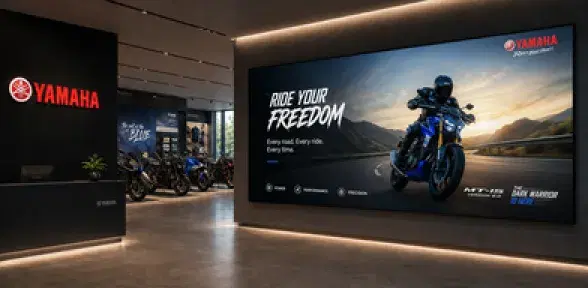
See how automotive brands run showroom and lot screens with Pickcel.
Read the case study →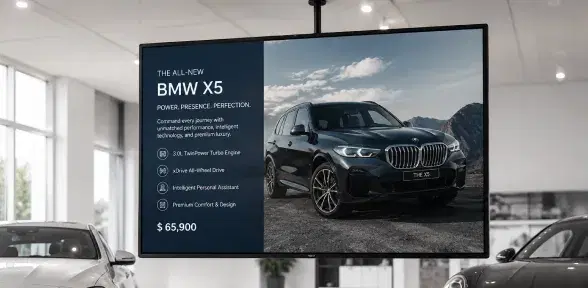
A practical starting guide to car dealership and showroom digital signage deployments.
Read the guide →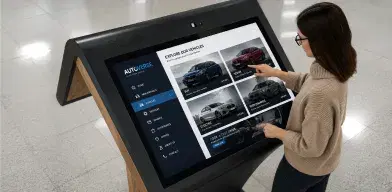
Interactive content ideas that boost engagement on digital screens.
See examples →Book a walkthrough built around your floor layout. Every screen on the floor runs on Pickcel's digital signage software, the same platform behind this walkthrough.
No credit card required