Pickcel

Core Platform

  • Software Features
  • Pickcel Comms
  • Templates
  • Security & Compliance

Enterprise

  • On-Premise
  • Integrations & Automation
  • Our Services

Extensions & Apps

  • Mobile App
  • App Integrations

Digital Signage Players

  • Android
  • Samsung Tizen
  • BrightSign
  • Amazon Signage Stick
  • View all Players
What is Digital Signage?

Learn the basics of digital signage and how it can transform your business.

Industries We Serve

  • Office
  • Retail
  • Restaurant
  • Manufacturing
  • Hospitality
  • Healthcare
  • Transportation
  • Education
  • View all Industries

Solutions

  • Dashboard
  • FIDS
  • Digital Menu board
  • Car Dealership App
  • Wall Craft
  • Event Stream
  • Transport PIS
  • Social Wall
  • View all Solutions
See How Pickcel  Helped Amazon
See How Pickcel Helped Amazon

Case Studies

  • Mercedes-Benz
  • Accenture
  • Magnolia Bakery
View all

All Resources

  • Digital Signage Blog
  • Learn
  • Digital Signage Gallery
  • Case Studies
  • Support
  • Download
Partnerships
Partnerships

Partnerships

  • White-Label
  • Reseller
Pricing
Login

Digital Signage CMS Software for Every Screen and Every Site

Schedule content, watch screen health and keep an audit trail across mixed hardware and many sites, without a separate tool for each display brand.

14-day free trial. No credit card required.

150,000+ screens run on Pickcel
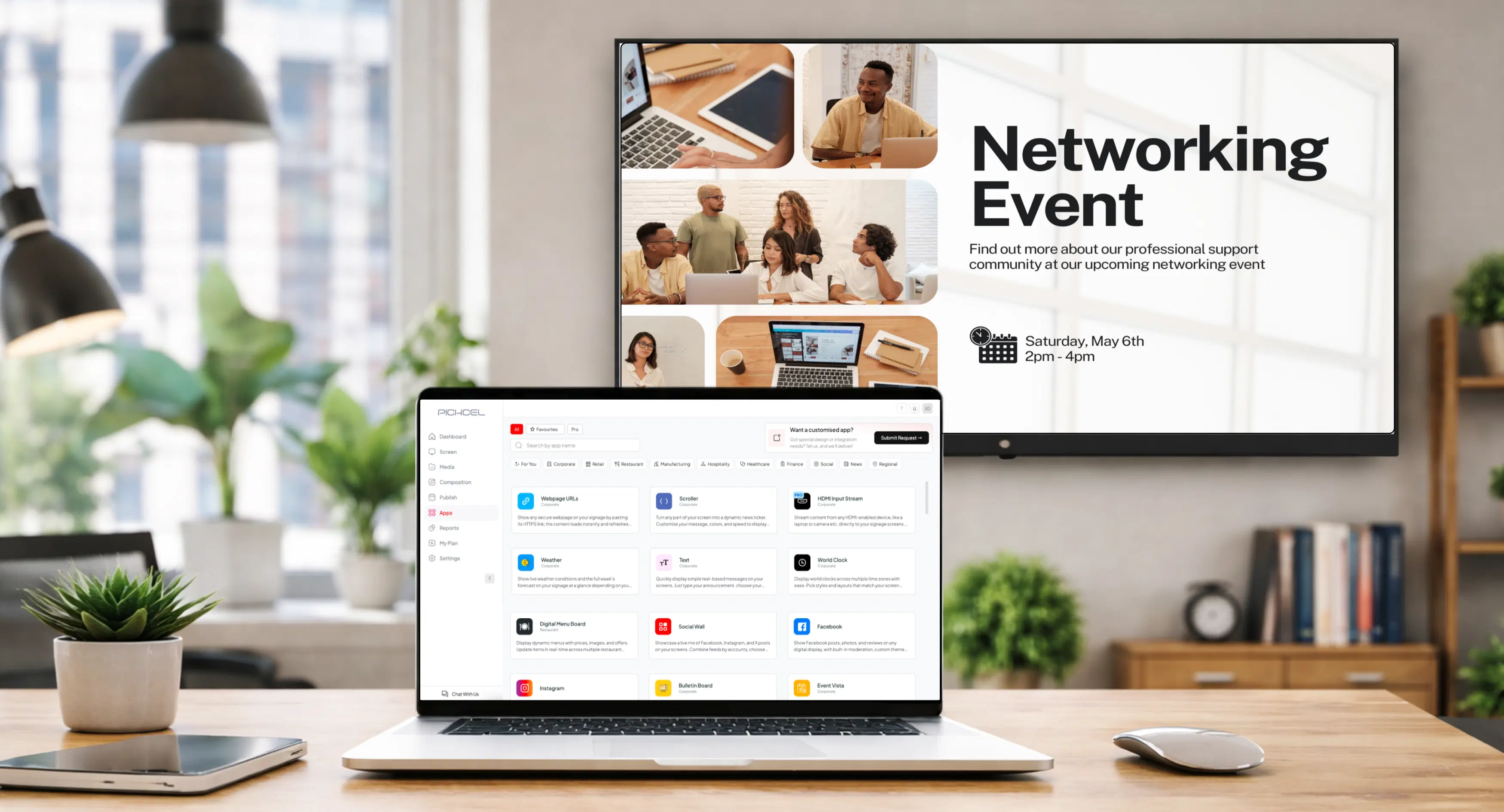
Pickcel digital signage CMS dashboard showing screen groups and online status
  • 150,000+screens worldwide
  • 70+countries
  • SOC 2Type II
  • ISO 27001certified

Trusted by 70+ countries

  • Unilever
  • Amazon
  • McDonald's
  • Nestlé
  • Decathlon
  • HCLTech

Case studies

Customer stories

  • Hindustan Unilever logo

    Internal Communication

    Hindustan Unilever

    Grew from 3 cafeteria screens to every display in its Bangalore and Mumbai offices within one month, replacing email and posters for employee news.

    Read the Hindustan Unilever case study

  • Decathlon India logo

    Retail

    Decathlon India

    5X higher engagement from young shoppers after the in-store screen rollout, with new screen licences added nearly every month.

    Read the Decathlon case study

  • NEC logo

    Transportation

    NEC

    Live bus arrivals on 150 bus-stop screens in Ahmedabad and Hubli-Dharwad, in under 2 seconds and in three languages.

    Read the NEC case study

  • McDonald's India logo

    Restaurants

    McDonald's India

    1,300+ digital menu boards across West India, live in under a week with no on-site installation visits.

    Read the McDonald's India case study

At a glance

What is Pickcel's digital signage CMS?

A digital signage CMS (content management system) is the software that decides what every screen in a network shows, and when. Pickcel runs its CMS in the cloud or on your own servers. Your team designs or uploads content once, assigns it to screen groups by site, floor or function, and schedules it. Players on Samsung Tizen, LG webOS, Android, Windows and BrightSign download it, play it and report back what ran.

  1. Upload
  2. Assign
  3. Schedule
  4. Publish
  5. Report

Pickcel / Reports

Proof of play · Today

  • Lobby

    Samsung Tizen

    42×

    Online
  • Menu board 1

    LG webOS

    37×

    Online
  • Entrance totem

    Android

    31×

    Online

110

plays on 3 screens · 9 of 9 online

Waiting for content

Weekday lunch menu

Served 11 AM – 3 PM

42× today

Samsung TizenLobby

Waiting for content

Weekday lunch menu

Served 11 AM – 3 PM

37× today

LG webOSMenu board

Waiting for content

Weekday lunch menu

Served 11 AM – 3 PM

31× today

AndroidTotem

Architecture

How content moves from your team to your screens

Content comes in from four kinds of source, the CMS applies your rules, and every player reports back.

Sources

  • The built-in Artboard editor and 100+ templates
  • Files from Canva, Google Slides and PowerPoint
  • Content apps
  • Live data from Power BI, Tableau, POS systems and your own API

Pickcel CMS

  • Screen groups and tags
  • Schedules and campaigns
  • Users, roles and approvals
  • Emergency publish

Players

  • Samsung Tizen
  • LG webOS
  • Android
  • Windows
  • BrightSign
  • Linux
  • Chrome OS
  • iOS
  • Fire TV Stick

Back to the CMS

  • Online status
  • Live screenshots
  • Proof-of-play and uptime reports

One source of truth for content, one place to see what actually played.

Capabilities

What you control from one dashboard

  • Screen groups and remote health

    Tag screens by store ID, site, floor or function, then publish to a whole group in one step. Every screen reports whether it is online. You can pull a live screenshot or troubleshoot remotely before anyone drives to a site.

  • Scheduling and campaigns

    Schedule by date, time, day of week or location. Campaigns start and expire on their own, and dayparting swaps a breakfast menu for lunch at 11am without anyone touching a screen. Emergency content overrides the schedule on every screen in a group.

  • Content tools and apps

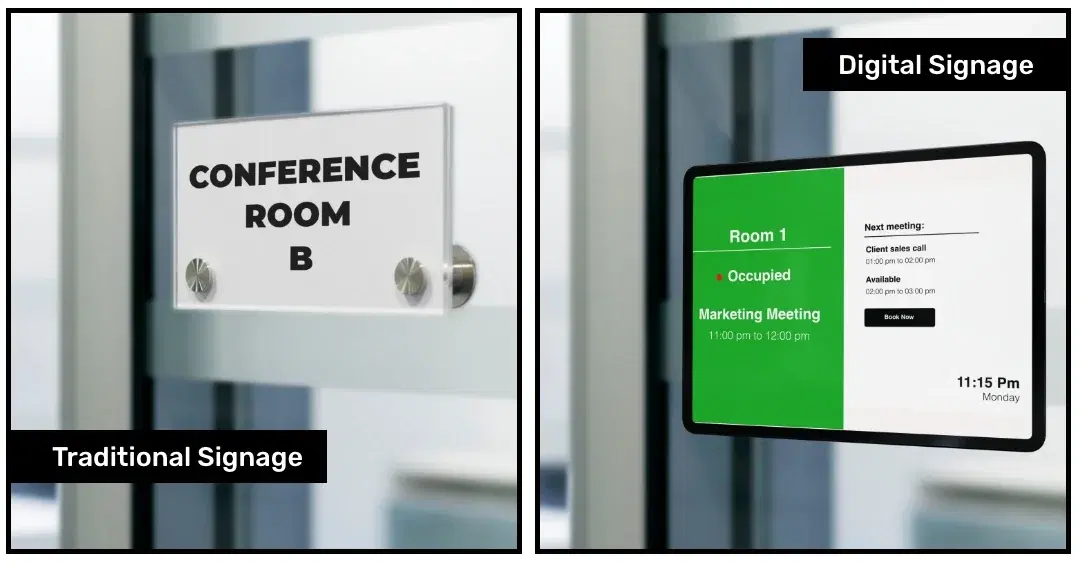
    Design inside Pickcel with the Artboard editor, free stock libraries and multi-zone layouts, or drop in finished files. Weather, news tickers, social feeds, meeting-room calendars and queue screens come from 60+ content apps, with no custom code.

  • Proof of play and reporting

    Logs show what played, on which screen and for how long. Uptime reports flag the screens that keep dropping. Ad networks and franchise operators export the logs as CSV for billing and audits.

  • Users, roles and approvals

    Give each person access to only their sites or screen groups, with role-based permissions. Content can wait for a manager's approval before it reaches a single screen.

  • Live data and integrations

    Put Power BI and Tableau dashboards on screen, along with Grafana, Jira and Salesforce. Square, Clover and Shopify feed prices and offers to menu boards. An open API, webhooks, Zapier and a Microsoft Teams integration cover the rest.

AI assistants

Run your screen network from ChatGPT, Claude or Gemini

Pickcel has an MCP server. MCP (Model Context Protocol) is the standard AI assistants use to work with outside tools. Connect it once, then manage your Pickcel account by typing requests in plain English into ChatGPT, Claude, Gemini or any other MCP client.

The assistant works only inside your own account, using an access token you generate in Settings. In Claude, each action waits for your approval until you choose to allow it. The MCP server cannot delete anything yet. It is available on the Business plan.

Set up the Pickcel MCP

Requests you could type

  • Upload these three images and design a portrait poster for the spring sale.
  • Which screens are in the Dallas store group?
  • Show the lunch menu on every menu board, weekdays from 11am to 3pm.
  • Run the holiday campaign on the lobby screens from 20 to 26 December only.
  • Push this evacuation notice to every screen at the Chicago office right now.

Rollout

How rollout works, from the first screen to hundreds

Rollout is three steps, and IT owns only the first two.
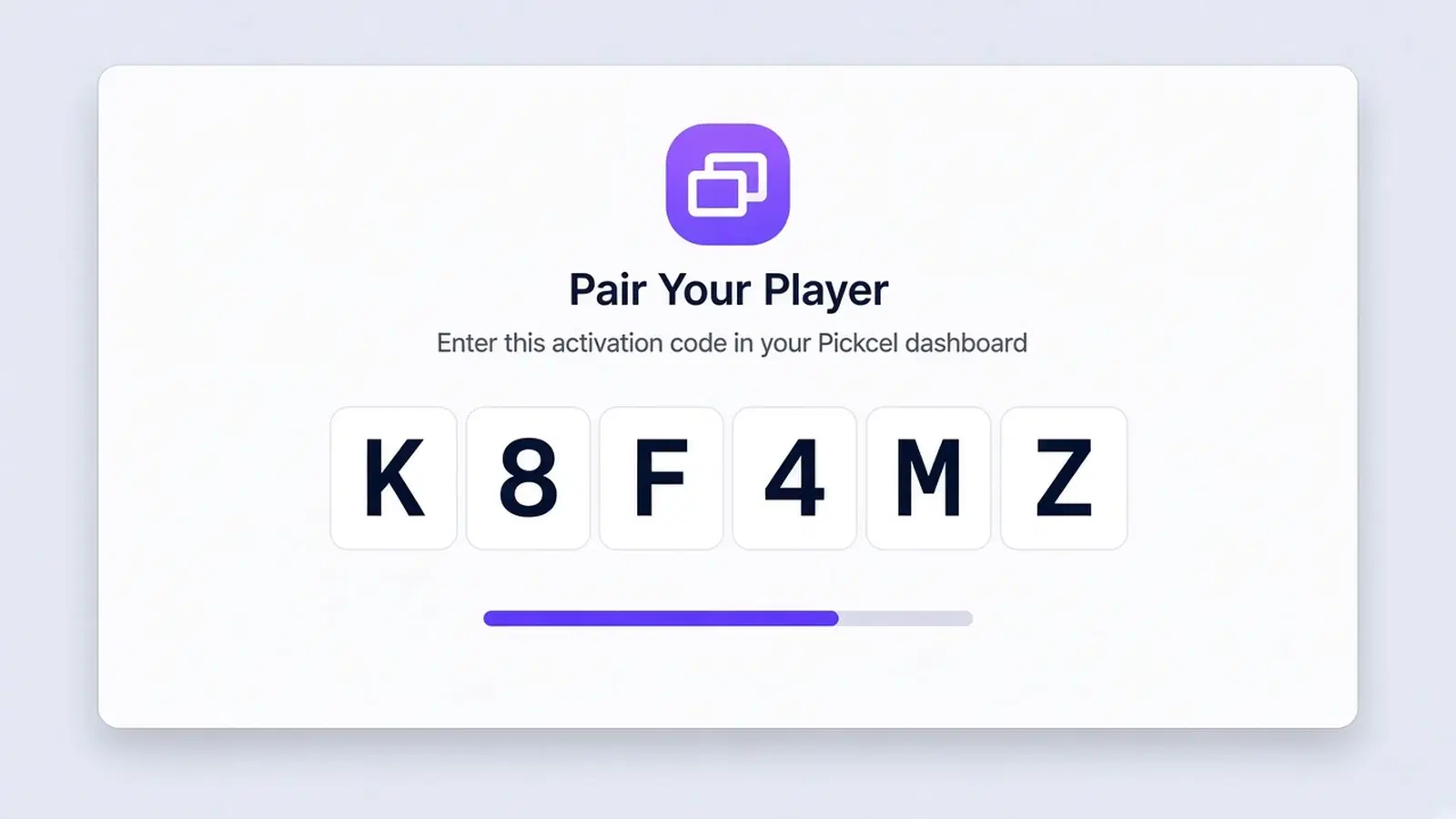
  1. Pickcel player activation-code screen on a display
    1

    Pair the players.

    IT installs the Pickcel player on each device, or uses the app built into a Tizen or webOS display, and pairs it with an activation code. This follows your usual device and network process. A single cloud screen is typically live in under 15 minutes.
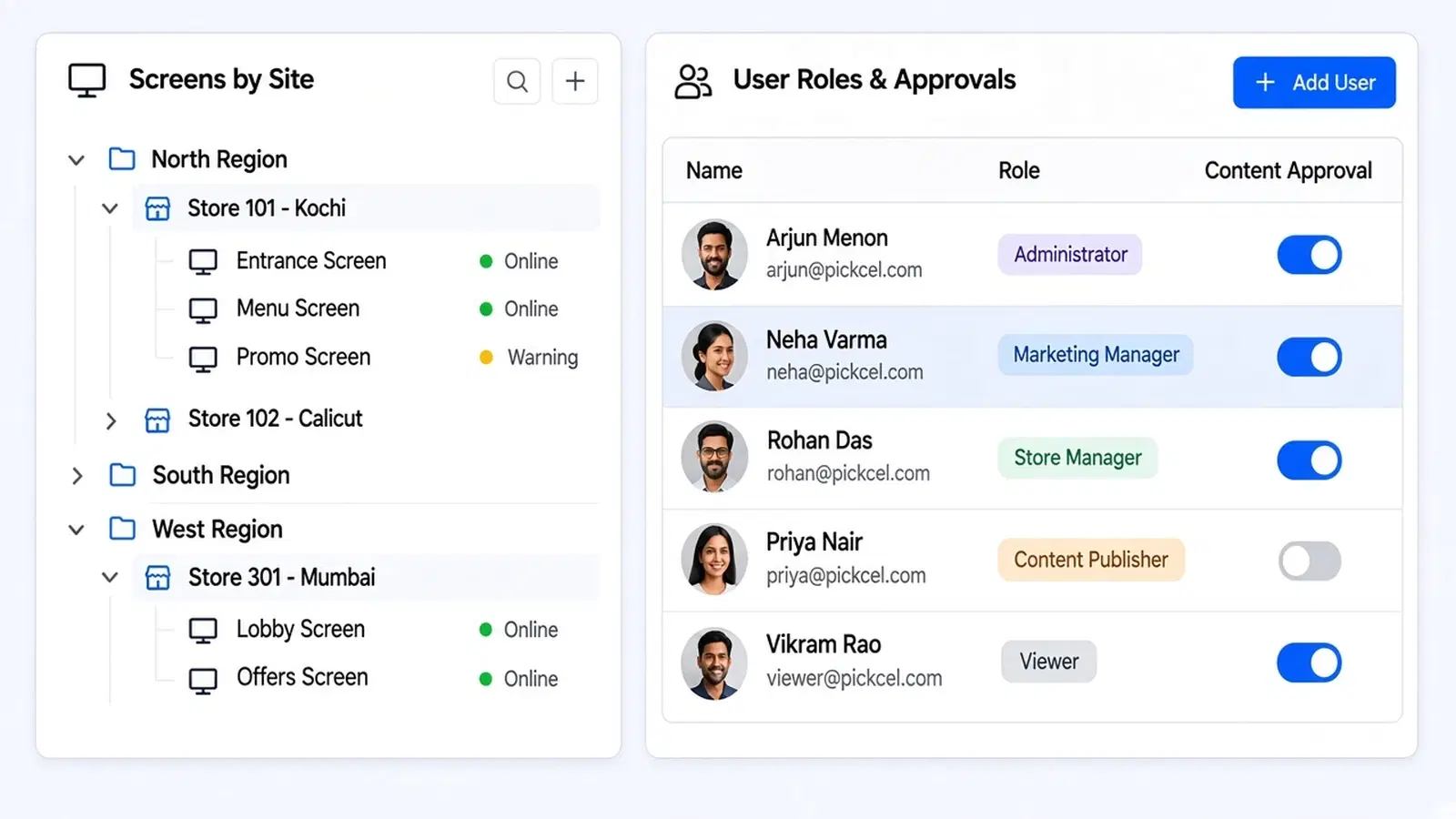
  2. Screen group and user role settings in the Pickcel dashboard
    2

    Set the structure once.

    Create screen groups that mirror your sites, invite users, assign roles and decide which content needs approval.
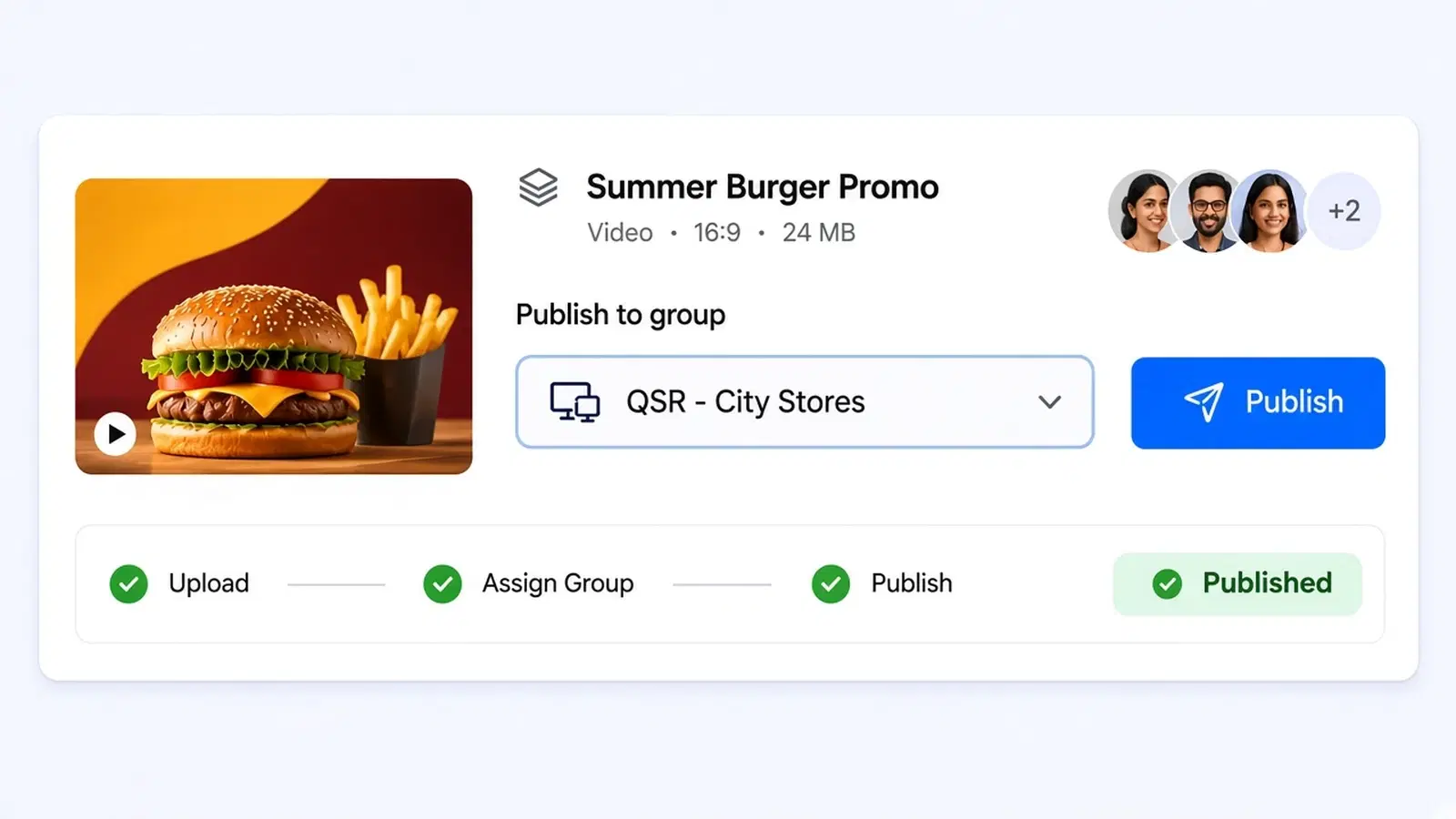
  3. Content team publishing to one screen group
    3

    Hand content to the people who own it.

    Marketing, HR or store teams publish within their own groups. IT keeps the screen-health view.

Devices

Which screens and players Pickcel supports

Pickcel runs on 50+ device types, so most networks keep the screens they already own. The common platforms:

Samsung Tizen

How Pickcel runs

App on Samsung smart signage displays, no external player

Typical fit

Lobbies, retail walls

LG webOS

How Pickcel runs

App on LG commercial displays, no external player

Typical fit

Menu boards, corporate screens

Android

How Pickcel runs

Player app on TV boxes, tablets and Android displays

Typical fit

Large, cost-sensitive rollouts

Windows

How Pickcel runs

Player app on PCs and Windows media players

Typical fit

Kiosks, touchscreens, video walls

BrightSign

How Pickcel runs

Player app on BrightSign media players

Typical fit

Always-on, unattended screens

Fire TV Stick, Chrome OS, Linux, iOS, Raspberry Pi

How Pickcel runs

Player app

Typical fit

Pilots and single screens

PlatformHow Pickcel runsTypical fit
Samsung TizenApp on Samsung smart signage displays, no external playerLobbies, retail walls
LG webOSApp on LG commercial displays, no external playerMenu boards, corporate screens
AndroidPlayer app on TV boxes, tablets and Android displaysLarge, cost-sensitive rollouts
WindowsPlayer app on PCs and Windows media playersKiosks, touchscreens, video walls
BrightSignPlayer app on BrightSign media playersAlways-on, unattended screens
Fire TV Stick, Chrome OS, Linux, iOS, Raspberry PiPlayer appPilots and single screens

Setup steps for each device are on the digital signage player pages.

Free trial

Try it on your own screens

Pair your first screen today and run your own pilot. All Professional features for 14 days.

  • 01

    Works on the screens you already own

  • 02

    No credit card to start

  • 03

    SOC 2 Type II and ISO 27001 certified

Start your free trial

No credit card required.

Security your IT review will ask about

Pickcel is SOC 2 Type II and ISO 27001 certified.

  • SOC 2 Type II

    Independently audited controls for security, availability and processing integrity

    SOC 2 Type II certification badge
  • ISO 27001

    Certified information security management system

    ISO 27001 certification badge
  • Sign-in

    multi-factor authentication from the Business plan; single sign-on on Enterprise through SAML 2.0, OIDC or JWT, with identity providers such as Okta, Azure AD and Google Workspace

  • Accountability

    audit logs of every user action

  • Availability

    99.9% uptime SLA

Read how Pickcel handles security

Your current screens can show your next campaign by the end of the week.

14-day free trial · No credit card required · SOC 2 & ISO 27001 certified

Industries

By industry

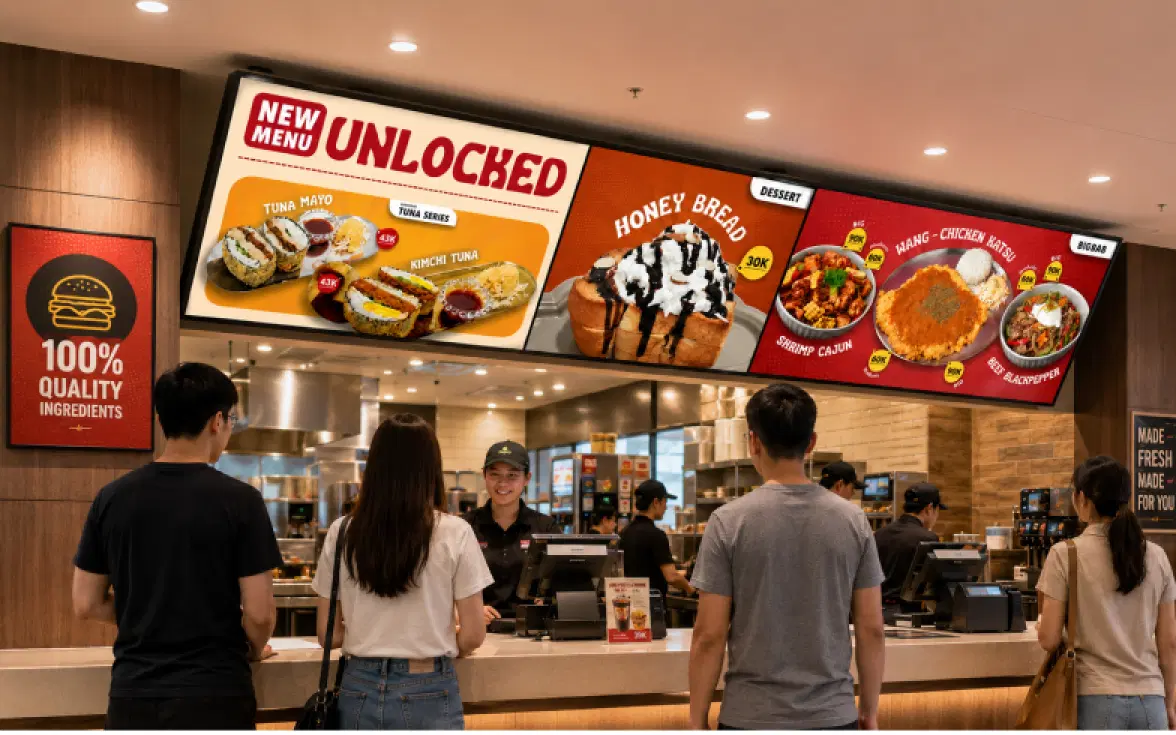
  • Digital menu boards in a restaurantRestaurants
  • Digital signage in a retail storeRetail
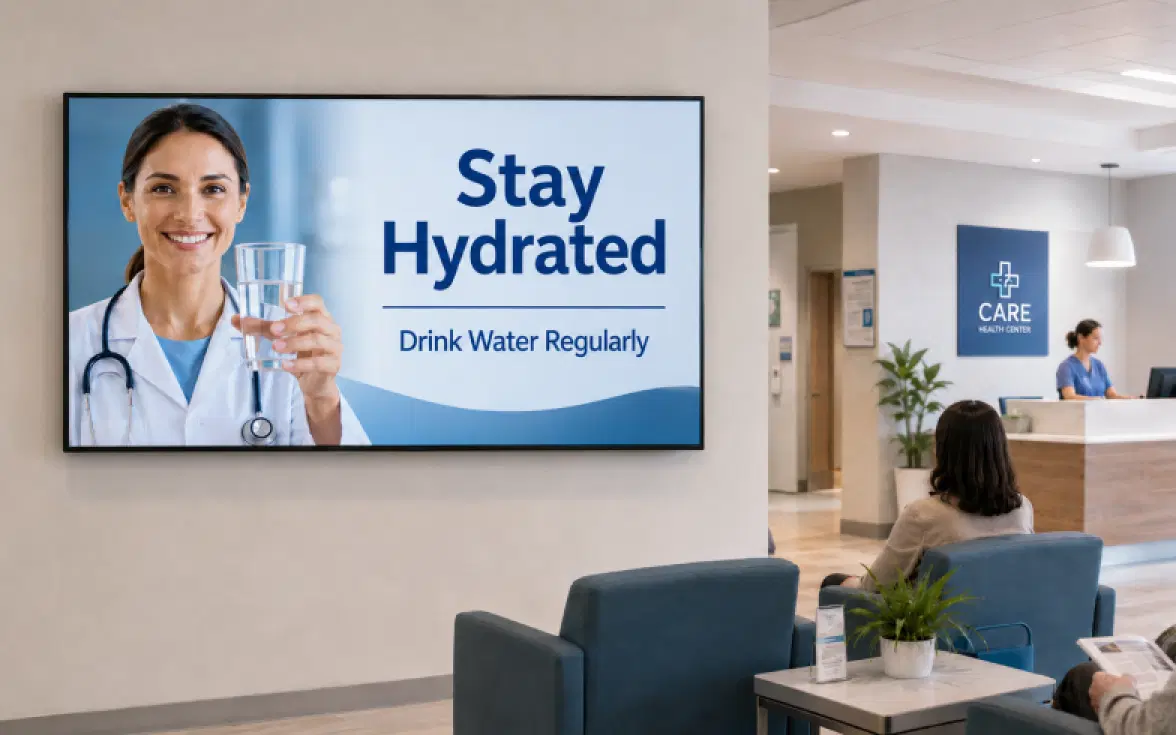
  • Digital signage in a healthcare facilityHealthcare
  • Digital signage in a corporate officeCorporate
  • Digital signage on a school or university campusEducation

Related

Related content

  • Digital signage CMS managing screens across locationsWhat is a digital signage CMS? Types and how to choose one
  • Digital signage screen in a public spaceWhat is digital signage? The complete guide
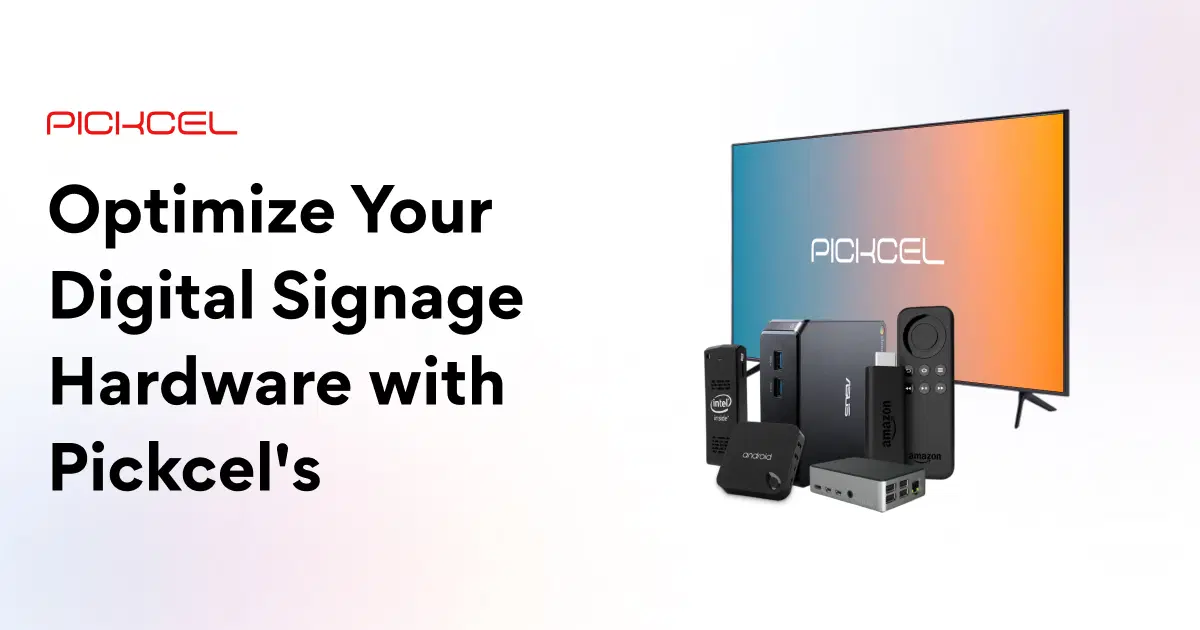
  • Digital signage hardware and playersDigital signage hardware
  • Enterprise digital signage RFP guideEnterprise digital signage RFP guide

FAQ

Frequently asked questions

Can one account manage Samsung, LG, Android and Windows screens together?
Yes. Every device appears in the same screen list, with the same groups, schedules and reports, whichever platform runs it. A new site does not have to match the hardware at your other sites. It joins the network on any supported device, so a store with Android boxes and a head office with Samsung displays are managed as one estate.
What happens to the screens if the internet connection drops?
Screens keep playing the images and videos already downloaded to them, and they pick up any changes once the connection returns. Content that depends on a live feed, such as a Power BI dashboard or a news ticker, needs the connection to refresh. On sites with unreliable networks, schedule cached images or video as the fallback.
Can we host Pickcel on our own servers?
Yes. On the Enterprise plan, Pickcel can be installed on your own infrastructure, including air-gapped networks, which keeps content, user data and playback logs inside your own environment. Applied Physical Sciences, a General Dynamics subsidiary, runs its office screens this way. Setup takes longer than cloud and Pickcel's team supports it. Compare on-premise and cloud deployment.
How is Pickcel priced?
Pricing is per screen, per month. Professional starts at USD 13.50 per screen per month, billed annually. Business costs USD 22.50 per screen per month billed annually and adds dashboard integrations, 4K media and up to 5 users. Enterprise is quoted for networks over 100 screens or for on-premise hosting. Annual billing saves 10% against paying monthly. There is no free-forever plan, and Pickcel does not issue refunds on cancelled plans. See plans and pricing.
How do we roll out across dozens or hundreds of sites?
Start with one region, settle the group structure and approval rules there, then pair the remaining sites in batches. Business and Enterprise plans include 24/7 chat and phone support. Enterprise adds a dedicated customer success manager, remote assistance during screen rollout, and custom screen attributes for networks that need more than location tags.
Can Pickcel run video walls or keep several screens in sync?
Yes. Pickcel's Wallcraft feature builds symmetric and asymmetric video walls from ordinary displays. Content sync plays the same media in step across several screens without a video wall controller. Sync currently runs on Android devices only, and every screen in the synced set needs the same configuration.
How does Pickcel compare with other digital signage CMS vendors?
The differences IT buyers usually weigh are the on-premise option and one CMS across mixed hardware. Other vendors win on other points, and some suit very small networks better. Our roundup of the best digital signage software compares the main vendors honestly, including where they beat Pickcel.

Product

  • Software Features
  • Digital Signage Hardware
  • Digital Menu Board Software
  • Digital Signage Player
  • Interactive Kiosk
  • OTT Digital Signage Software
  • Queue Management Software
  • Visitor Management software
  • On-premise Digital Signage

Enterprise

  • Integrations & Automation
  • On-premise Digital Signage
  • Our Services

Solutions

  • Corporate Communication
  • Retail Digital Signage
  • Digital Signage Hospitality
  • Multi Channel Employee Communication
  • Restaurant Digital Signage
  • Banking & Finance Signage
  • Transportation Digital Signage
  • Digital Product Catalogue
  • Electronic Bulletin Board
  • Employee Communication App
  • Wayfinding Signage

Resources

  • Case Studies
  • What is digital signage?
  • Digital Signage Blog
  • Apps
  • Pricing
  • FAQ

Company

  • About Us
  • Contact Us
  • Support
  • Press Release
  • Careers

Trust & Compliance

  • Privacy Policy
  • Terms of Service
  • Refund Policy
  • Data Processing Addendum
  • Sub-processors
  • Security
  • Cookie Policy

Partner program

  • White Label Digital Signage
  • Reseller Digital Signage
Capterra4.6G24.6GoodFirms4.6

© 2026 LaneSquare Technology Pvt Ltd. All rights reserved.