Pickcel

Core Platform

  • Software Features
  • Pickcel Comms
  • Templates
  • Security & Compliance

Enterprise

  • On-Premise
  • Integrations & Automation
  • Our Services

Extensions & Apps

  • Mobile App
  • App Integrations

Digital Signage Players

  • Android
  • Samsung Tizen
  • BrightSign
  • Amazon Signage Stick
  • View all Players
What is Digital Signage?

Learn the basics of digital signage and how it can transform your business.

Industries We Serve

  • Office
  • Retail
  • Restaurant
  • Manufacturing
  • Hospitality
  • Healthcare
  • Transportation
  • Education
  • View all Industries

Solutions

  • Dashboard
  • FIDS
  • Digital Menu board
  • Car Dealership App
  • Wall Craft
  • Event Stream
  • Transport PIS
  • Social Wall
  • View all Solutions
See How Pickcel  Helped Amazon
See How Pickcel Helped Amazon

Case Studies

  • Mercedes-Benz
  • Accenture
  • Magnolia Bakery
View all

All Resources

  • Digital Signage Blog
  • Learn
  • Digital Signage Gallery
  • Case Studies
  • Support
  • Download
Partnerships
Partnerships

Partnerships

  • White-Label
  • Reseller
Pricing
Login

Food Court Digital Menu Board Built for Multi-Vendor Coordination

A food court runs a dozen vendor stalls off one shared floor plan, and most menu board software is still built for a single restaurant. Pickcel's food court digital menu board keeps every stall's menu and pricing separate while coordinating the shared common-area screens between them, all from one dashboard.

Get Started
Pickcel reviews on Capterra and G2
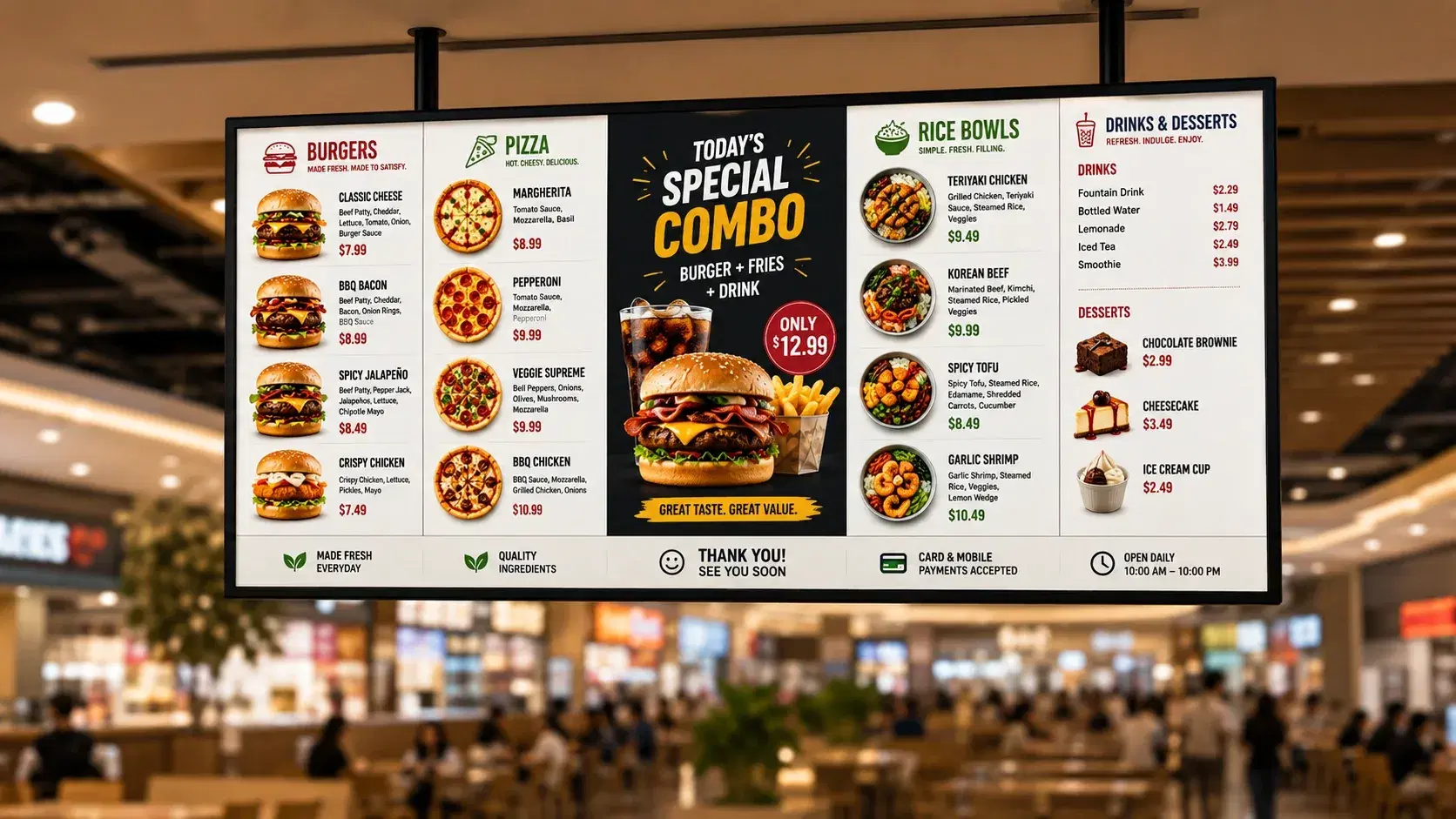
Food court digital menu board showing per-stall menus alongside shared wayfinding and directory displays
9,000+
Businesses worldwide
70+
Countries
50+
Supported device types
99.99%
Platform uptime
The Problem

The Problem With a Single-Restaurant Menu Board Template in a Food Court

Most digital menu board software assumes one kitchen, one menu, and one operator, then gets sold to food courts as-is. That mismatch surfaces in three specific ways.

A single-tenant login structure

A single-tenant login structure forces a choice: either every vendor shares one dashboard account, so nobody's pricing or promotions stay separate from anyone else's, or each vendor runs a disconnected standalone account the food court manager can't see or coordinate across.
Common-area screens have nowhere to live

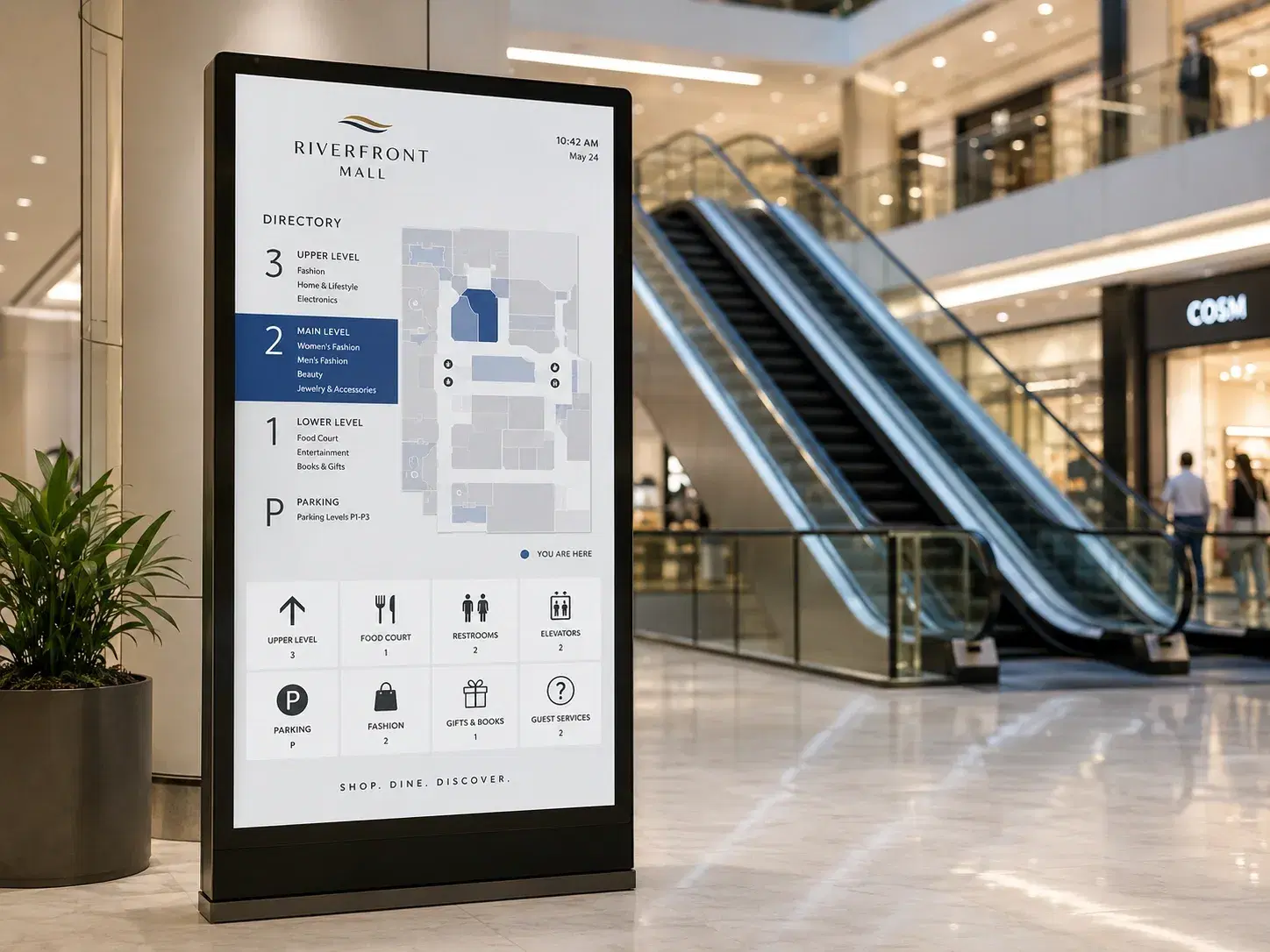
Common-area screens (the entrance directory, the seating-zone display, the wayfinding kiosk) have nowhere to live in a template built for a single storefront; they either get skipped or repurposed to show one vendor's menu on a loop.

Order-ready indicators can't show which stall

Order-ready indicators built for one kitchen and one POS have no way to show which stall an order belongs to on a screen shared by a dozen independent kitchens.

A single-restaurant deployment never runs into any of this, since there's only ever one menu to manage.

A food court manager running fifteen vendor stalls feels it immediately: either the rollout stalls because the login structure can't scale past one tenant, or the property ends up running vendor menus and common-area wayfinding as two disconnected systems nobody set out to build that way.

How It Works

Multi-Vendor Menu Management

01

Vendor Menu Accounts

each stall's own menu, pricing, and promotion schedule

Publishing vendor content…0%
02

Pickcel Cloud Platform

one dashboard, per-stall editing, manager-level rollup

  • Stall A2 Screens
  • Stall B2 Screens
  • Shared Zone3 Screens
03

Stall + Shared-Zone Screens

same publish cycle, no cross-stall interference

04

Manager's Aggregated View

every vendor's live status, one dashboard

Ready for viewers

Live on the floor

Live — Each stall updates its own menu, pricing, and promotions…

Each vendor stall in a Pickcel-managed food court runs its own content account: its own menu, pricing, and promotion schedule, editable by that vendor's staff or by the food court manager, who holds the top-level account and can see every stall from one dashboard.

A vendor updating today's price or pulling a sold-out item edits only their own account; the change reaches their own screens in the same publish cycle used for planned items, and it never touches another stall's menu. The food court manager's top-level view aggregates every vendor's live menu and pricing without logging into each stall's account individually, which is the piece a single-restaurant template has no concept of: an operator who needs oversight across a dozen tenants, not administration of one.

See separate vendor menus and one manager dashboard running side by side, not stitched together after the fact.

See it in 20 minutes

See separate vendor menus and shared wayfinding running from one dashboard in a 20-minute walkthrough.

No commitment required. 20-minute session with a specialist.

Shared Zones

Shared Display Zones and Wayfinding

Pickcel treats a food court's common-area screens as their own content zone, separate from any single vendor's menu account. The entrance directory board, the wayfinding kiosk near the escalators, and the shared promotional screen above the seating area all pull from this zone rather than from one stall's menu feed.

The food court manager configures what appears in each shared zone: a directory listing every open stall, wayfinding to restrooms or a specific vendor, and a rotating promotional slot vendors can submit content into through their own dashboard for the manager's approval. None of that depends on borrowing screen time from one vendor's menu board, which is what happens when a single-restaurant template gets repurposed for a shared space instead of built for one.

This same wayfinding logic extends past the food court into a mall's broader navigation needs. See Pickcel's wayfinding signage solution for how directory and navigation displays work across a full facility, not just the dining area.

Entrance directory board and wayfinding kiosk in a food court common area
Queue Control

Queue Control at Your Fingertips

An order-ready screen in a food court has to show which stall an order belongs to, not just a number, since a dozen independent kitchens are firing orders at the same time. Pickcel pulls order-ready status from each vendor's connected POS or kitchen display system and shows it against that vendor's name or stall number on the shared queue screen, so a customer checks one board instead of walking past twelve counters looking for their order.

A vendor without a POS integration yet isn't blocked from participating: their orders simply don't populate the shared order-ready zone until the integration is added, while the rest of the queue keeps updating normally for stalls that are connected. During a lunch rush, when several kitchens are firing dozens of tickets at once, the shared screen updates per stall as each order clears rather than batching updates on a fixed refresh interval, so a ready order doesn't sit unlisted until the next cycle.

Self-Service

One-Tap Orders With Kiosks

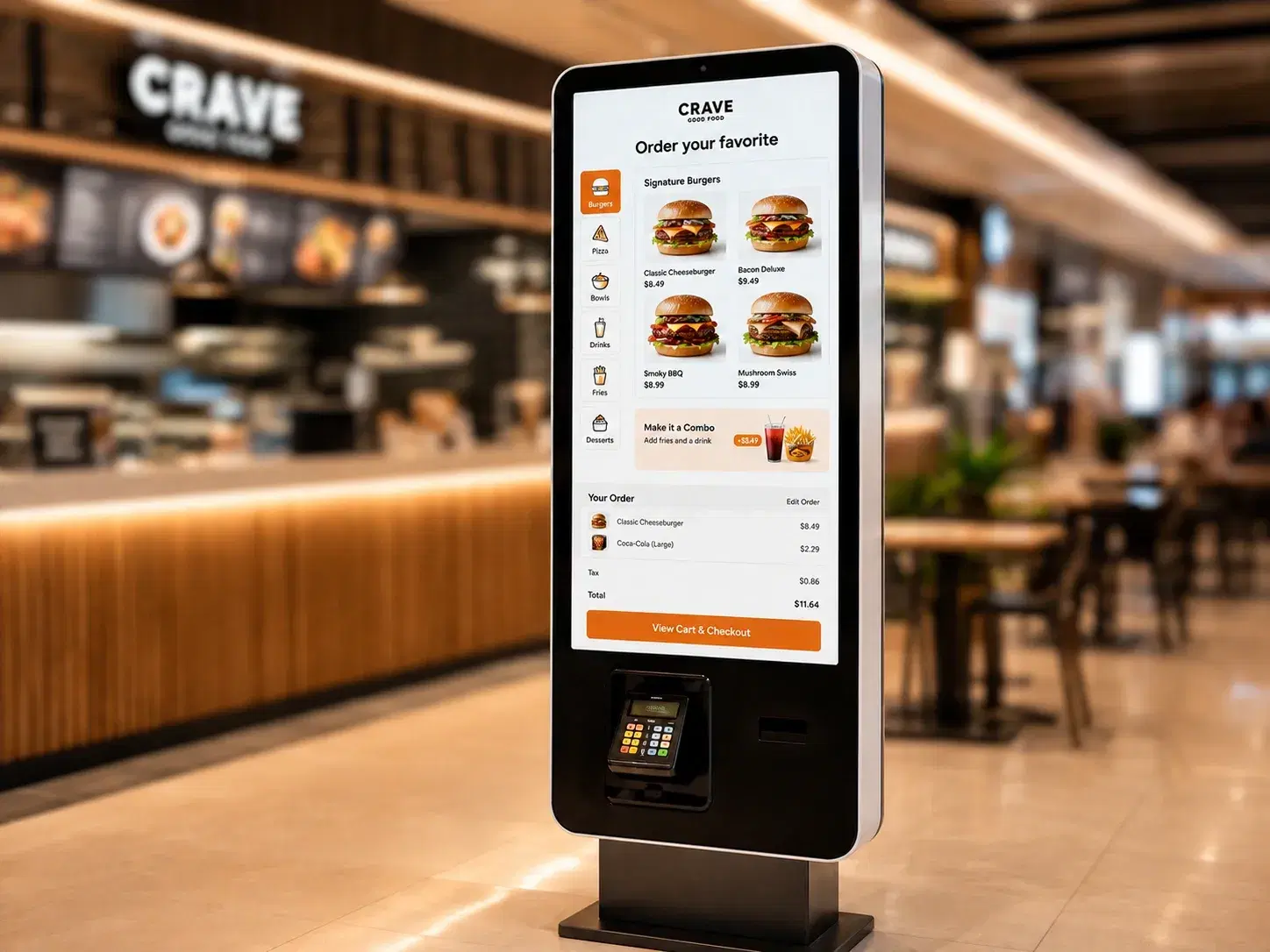
Self-service kiosk ordering cuts the line entirely: a customer browses a stall's full menu, customizes an order, and pays without waiting for staff. In a food court, that same kiosk can run one vendor's menu, or it can be configured as a shared kiosk that lets a customer order across several stalls from one screen before the order splits to each kitchen.

Kiosk content pulls from the same menu and pricing data that powers Pickcel's digital signage software across every connected screen, so a price change or a sold-out item updates the kiosk and the overhead board in the same push, not on separate update cycles that can drift out of sync with each other.

Self-service kiosk in food court setting showing multi-stall order screen
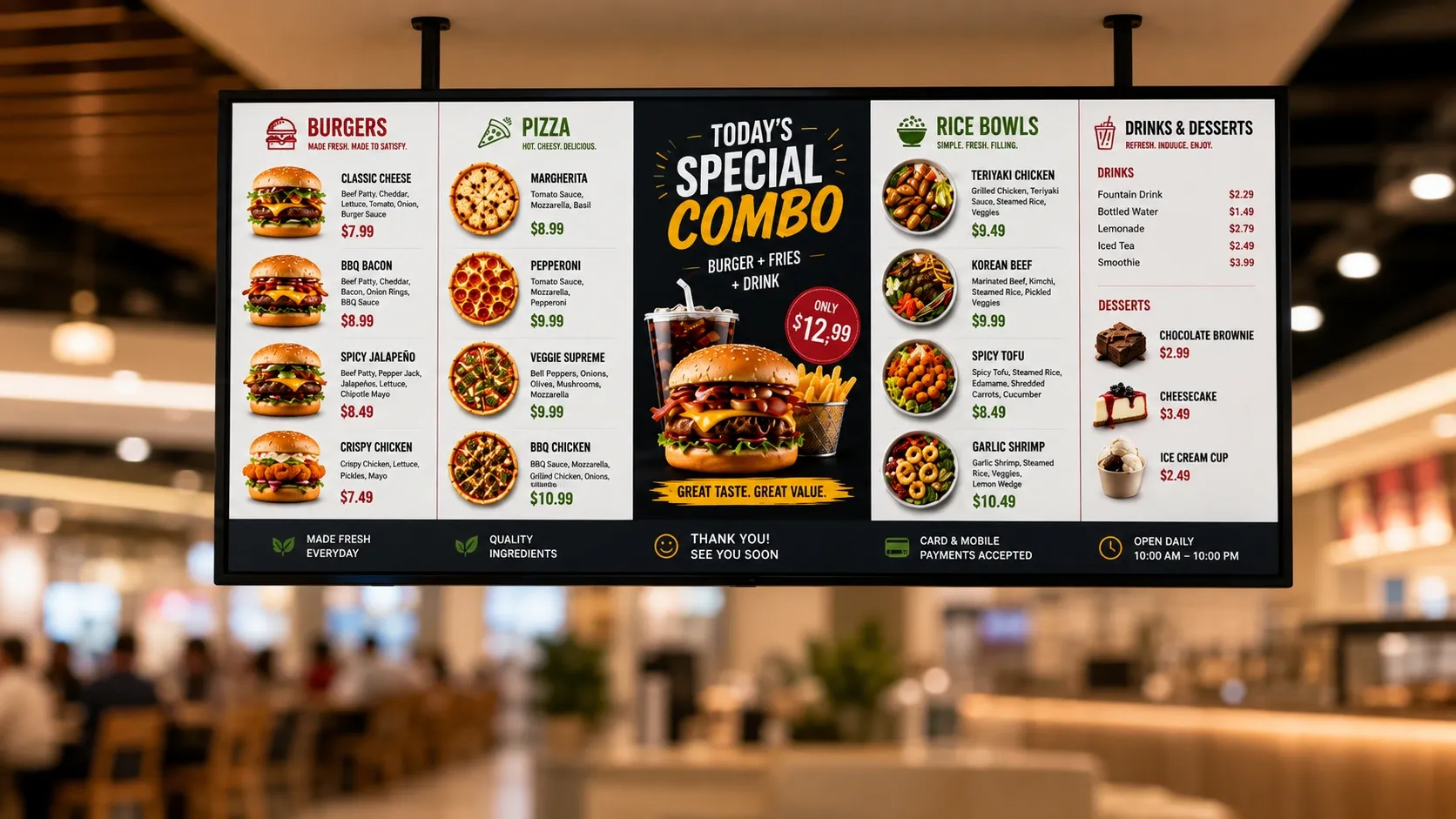
Food court digital menu board showing a live limited-time offer across stall and shared promotional screens
Real-Time Updates

Boosted Sales With Real-Time Updates

Timing decides whether a promotion actually lands, since it has to reach the customer at the exact moment they're deciding where to eat, and in a food court that moment is shared across every stall chasing the same walk-by traffic. Pickcel lets a vendor push a limited-time offer or a combo deal live the instant it's approved, rotating it into the shared promotional zone alongside the vendor's own stall screen, rather than waiting for a scheduled content refresh.

That same real-time push applies during a slow afternoon stretch: a vendor running below capacity can launch a flash discount that appears within the same publish cycle as a price change, instead of a printed poster that takes a staff member ten minutes to put up and take down.

The Solution

From Problem to Outcome

Every vendor shares one login, or runs a disconnected standalone account

How Pickcel handles it

Individual vendor content accounts under one food court manager account

What you get

Vendor pricing stays separate; the manager sees every stall from one dashboard

Common-area screens have nowhere to live in a single-restaurant template

How Pickcel handles it

A dedicated shared-zone content type for directory, wayfinding, and rotating promotions

What you get

Common screens run their own schedule, independent of any one vendor's menu

Order-ready status has no way to show which stall an order belongs to

How Pickcel handles it

Per-vendor order-ready status pulled from each stall's POS/KDS onto the shared queue screen

What you get

Customers find their order by stall name, not by walking the food court

A new vendor's rollout means reconfiguring the whole display network

How Pickcel handles it

Vendor added at the account level with its own zone; existing stalls untouched

What you get

New stalls go live without pausing or touching any other vendor's screen

Problem you have todayHow Pickcel handles itWhat you get
Every vendor shares one login, or runs a disconnected standalone account
Individual vendor content accounts under one food court manager account
Vendor pricing stays separate; the manager sees every stall from one dashboard
Common-area screens have nowhere to live in a single-restaurant template
A dedicated shared-zone content type for directory, wayfinding, and rotating promotions
Common screens run their own schedule, independent of any one vendor's menu
Order-ready status has no way to show which stall an order belongs to
Per-vendor order-ready status pulled from each stall's POS/KDS onto the shared queue screen
Customers find their order by stall name, not by walking the food court
A new vendor's rollout means reconfiguring the whole display network
Vendor added at the account level with its own zone; existing stalls untouched
New stalls go live without pausing or touching any other vendor's screen
By the Numbers

What Food Court Operators Can Expect

These are the numbers behind every food court signage rollout Pickcel runs, whether it's three stalls or thirty.

50+

Pickcel's software runs across 50+ supported device and display models, so a food court manager isn't locked into one hardware vendor across a dozen different stall setups.

Pickcel platform data

99.99%

Content keeps playing from cached local storage even if the connection to one stall's screen drops, so a network blip at one kitchen doesn't take down the shared queue display for every other vendor.

Pickcel platform data

9,000+

Businesses across 70+ countries. That footprint includes multi-tenant properties coordinating dozens of independent vendors from one shared dashboard, the same model a food court runs at a smaller scale.

Pickcel platform data

Platform Features

Everything the Food Court Needs

See these running across a real multi-vendor food court before you commit to hardware.

Individual Vendor Content Accounts

Each stall manages its own menu, pricing, and promotions, visible to that vendor and the food court manager, not to other vendors.

Individual vendor content accounts for food court stalls

Shared-Zone Scheduling

Directory, wayfinding, and rotating promotional content run on their own schedule, independent of any single vendor's menu account.

Shared-zone scheduling for food court directory and wayfinding

Per-Vendor Order-Ready Status

Order-ready alerts pull from each stall's connected POS or kitchen display system and post against that stall's name on the shared queue screen.

Per-vendor order-ready status on shared food court queue screen

Kiosk Ordering

Self-service kiosks run a single vendor's menu or a shared, cross-vendor ordering screen, pulling live pricing from the same data every connected display uses.

Self-service kiosk ordering in a food court

Vendor Onboarding Without Disruption

A new stall is added at the account level with its own zone; existing vendors' schedules and shared-zone rotation keep running untouched.

Vendor onboarding without disrupting existing food court stalls

Role-Based Access

A vendor's staff can update their own menu and promotions without touching another stall's content or the shared-zone configuration.

Role-based access for food court vendor menu management

SOC 2 Type II and ISO 27001 Certified

Menu, pricing, and order data for every vendor move through infrastructure independently audited for security, which matters once a dozen independent businesses share one display network.

Enterprise security shield with ISO 27001 and AICPA SOC 2 certification badges

Individual Vendor Content Accounts

Each stall manages its own menu, pricing, and promotions, visible to that vendor and the food court manager, not to other vendors.

Individual vendor content accounts for food court stalls

Shared-Zone Scheduling

Directory, wayfinding, and rotating promotional content run on their own schedule, independent of any single vendor's menu account.

Shared-zone scheduling for food court directory and wayfinding

Per-Vendor Order-Ready Status

Order-ready alerts pull from each stall's connected POS or kitchen display system and post against that stall's name on the shared queue screen.

Per-vendor order-ready status on shared food court queue screen

Kiosk Ordering

Self-service kiosks run a single vendor's menu or a shared, cross-vendor ordering screen, pulling live pricing from the same data every connected display uses.

Self-service kiosk ordering in a food court

Vendor Onboarding Without Disruption

A new stall is added at the account level with its own zone; existing vendors' schedules and shared-zone rotation keep running untouched.

Vendor onboarding without disrupting existing food court stalls

Role-Based Access

A vendor's staff can update their own menu and promotions without touching another stall's content or the shared-zone configuration.

Role-based access for food court vendor menu management

SOC 2 Type II and ISO 27001 Certified

Menu, pricing, and order data for every vendor move through infrastructure independently audited for security, which matters once a dozen independent businesses share one display network.

Enterprise security shield with ISO 27001 and AICPA SOC 2 certification badges
Customer Stories

What a Multi-Vendor Food Court Runs on Pickcel

A food court with a dozen or more independent vendor stalls typically moves onto Pickcel to solve two problems at once.

Multi-vendor food court operator

Food court · Multi-stall

The Challenge

A food court with a dozen or more independent vendor stalls typically moves onto Pickcel to solve two problems at once: giving each vendor control of their own menu and pricing, and running the common-area directory, wayfinding, and order-ready screens as a single coordinated system instead of a collection of one-off displays bolted on around the vendor screens.

The Outcome

The outcome operations managers report most often is simple: the food court manager no longer walks the property to check whether a price changed or a promotion is still running. The top-level dashboard shows every vendor's live status from one screen, and a new stall can be onboarded without touching the vendors already running.
Who It's For

Who Needs Pickcel's Digital Menu Board App?

Food court and mall operations

Food court and mall operations managers coordinating a dozen or more independent vendor stalls who need one dashboard showing every vendor's live menu, pricing, and order-ready status, without walking the property to check each stall individually.

Individual vendor or stall operators

Individual vendor or stall operators who need control over their own menu and pricing without another vendor's changes touching their account, or without waiting on the food court manager for every price update.

Marketing teams

Marketing teams running a food-court-wide promotion, a seasonal menu push, or a new-tenant launch who need shared-zone screens and per-vendor promotional slots coordinated from the same account.

Related Reading

You Might Also Like

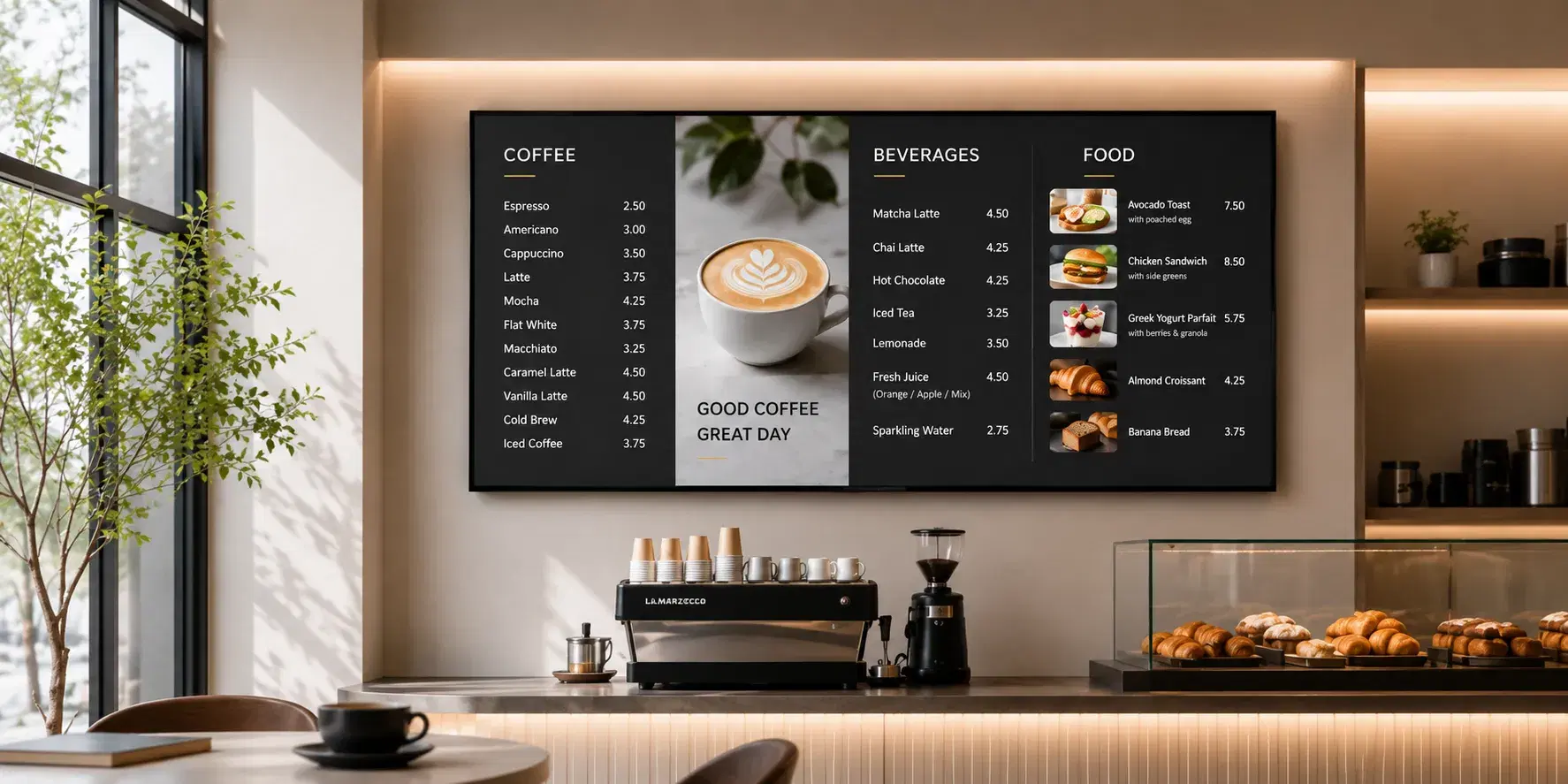
Digital menu board for cafes
Solution

Digital Menu Board for Cafes

See the cafe format.

See the cafe format →
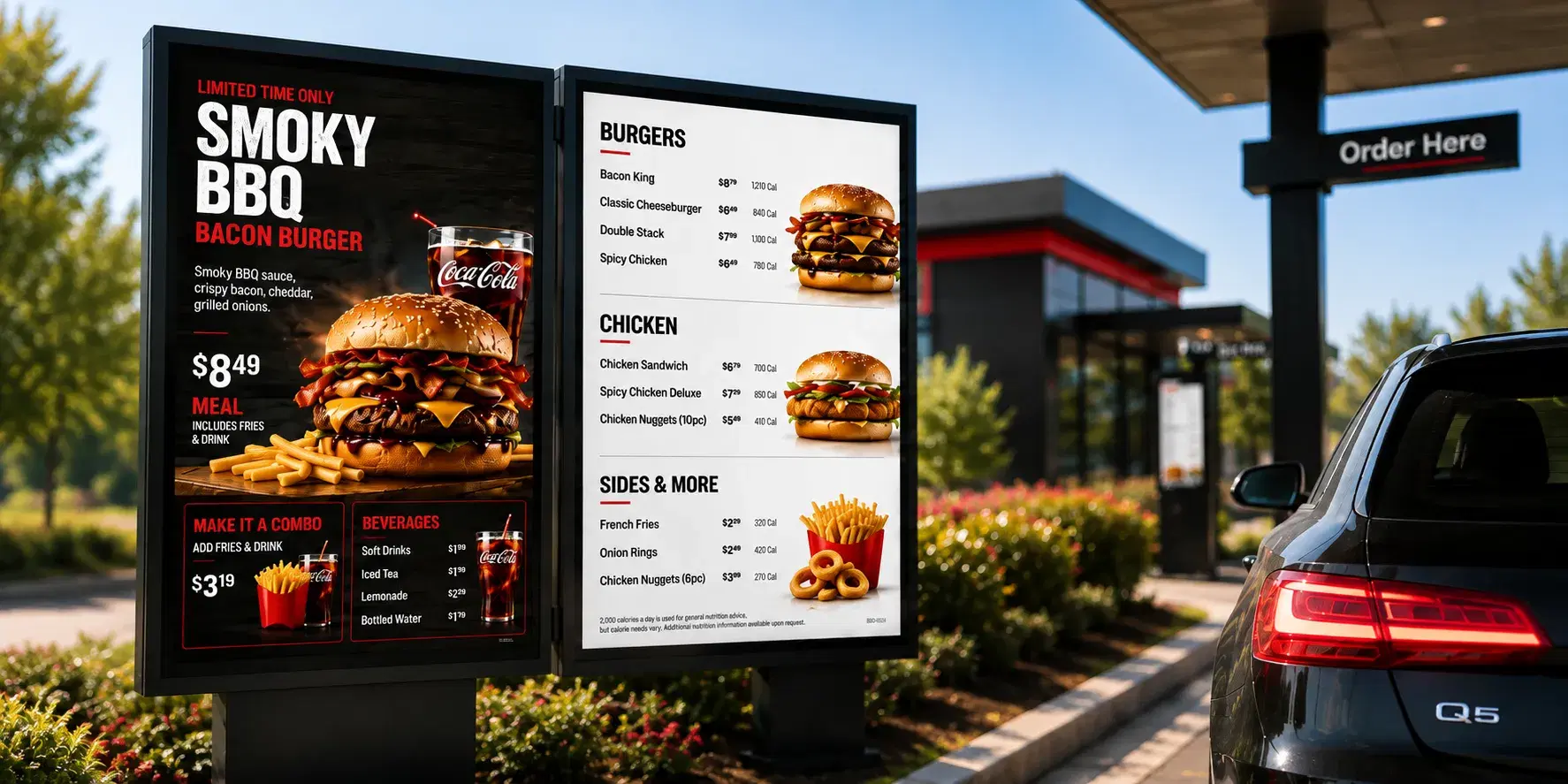
Digital menu board for drive-thru
Solution

Digital Menu Board for Drive-Thru

See the drive-thru format.

See the drive-thru format →

Get Every Stall on Your Food Court Running From One Dashboard

Separate vendor menus, shared wayfinding, and order-ready status that knows which stall an order belongs to: see it built around your food court's actual vendor list.

FAQ

Frequently Asked Questions

Yes, and visibility is scoped by vendor. Each vendor's dashboard login shows only their own stall's menu, pricing, and promotions; a vendor cannot see or edit another stall's content. The food court manager holds the top-level account and can view every stall from one dashboard, while individual vendor logins stay walled off from each other, a separation set at the account-role level during onboarding.
The shared zone rotates through approved content on a fixed cycle set at the zone level, typically 10 to 15 seconds per item, so no single vendor's promotion dominates the shared screen. If ten stalls each have an approved item running, every item gets equal rotation time by default; the food court manager can weight specific items for more frequent rotation without changing the cycle length for everyone else.
Yes. If a single customer order includes items from two different stalls, such as a combo pulling from a noodle counter and a drinks stall, each stall's portion shows its own ready status under that stall's name rather than merging into one combined alert. The customer sees two entries tied to one order number instead of waiting for both kitchens to sync before either shows as ready.
Wayfinding can run on a dedicated common-area screen or share rotation time with the shared vendor zone, and most properties choose based on floor plan rather than a fixed rule. Both configurations pull from the same dashboard, and switching between them later is a software setting, not a hardware change, once the food court's screens are already in place.
The food court manager resolves scheduling conflicts, not the platform automatically. Vendor promotion requests include a preferred time window, and if two vendors request the same high-traffic window, the manager approves one and offers the other vendor the next available slot or a different daypart, the same way a shared meeting room gets booked. Vendors see their own approved slots, not the full request queue from other stalls.
Adding a vendor to the shared-zone rotation or the order-ready queue is a software-only step; no new hardware is needed if the food court's existing common-area screens have spare rotation capacity. A new vendor only needs its own display if it wants a dedicated stall-level screen, which is a hardware decision separate from being added to the account and the shared zones.

Product

  • Software Features
  • Digital Signage Hardware
  • Digital Menu Board Software
  • Digital Signage Player
  • Interactive Kiosk
  • OTT Digital Signage Software
  • Queue Management Software
  • Visitor Management software
  • On-premise Digital Signage

Enterprise

  • Integrations & Automation
  • On-premise Digital Signage
  • Our Services

Solutions

  • Corporate Communication
  • Retail Digital Signage
  • Digital Signage Hospitality
  • Multi Channel Employee Communication
  • Restaurant Digital Signage
  • Banking & Finance Signage
  • Transportation Digital Signage
  • Digital Product Catalogue
  • Electronic Bulletin Board
  • Employee Communication App
  • Wayfinding Signage

Resources

  • Case Studies
  • What is digital signage?
  • Digital Signage Blog
  • Apps
  • Pricing
  • FAQ

Company

  • About Us
  • Contact Us
  • Support
  • Press Release
  • Careers

Trust & Compliance

  • Privacy Policy
  • Terms of Service
  • Refund Policy
  • Data Processing Addendum
  • Sub-processors
  • Security
  • Cookie Policy

Partner program

  • White Label Digital Signage
  • Reseller Digital Signage
Capterra4.6G24.6GoodFirms4.6

© 2026 LaneSquare Technology Pvt Ltd. All rights reserved.