Pickcel

Core Platform

  • Software Features
  • Pickcel Comms
  • Templates
  • Security & Compliance

Enterprise

  • On-Premise
  • Integrations & Automation
  • Our Services

Extensions & Apps

  • Mobile App
  • App Integrations

Digital Signage Players

  • Android
  • Samsung Tizen
  • BrightSign
  • Amazon Signage Stick
  • View all Players
What is Digital Signage?

Learn the basics of digital signage and how it can transform your business.

Industries We Serve

  • Office
  • Retail
  • Restaurant
  • Manufacturing
  • Hospitality
  • Healthcare
  • Transportation
  • Education
  • View all Industries

Solutions

  • Dashboard
  • FIDS
  • Digital Menu board
  • Car Dealership App
  • Wall Craft
  • Event Stream
  • Transport PIS
  • Social Wall
  • View all Solutions
See How Pickcel  Helped Amazon
See How Pickcel Helped Amazon

Case Studies

  • Mercedes-Benz
  • Accenture
  • Magnolia Bakery
View all

All Resources

  • Digital Signage Blog
  • Learn
  • Digital Signage Gallery
  • Case Studies
  • Support
  • Download
Partnerships
Partnerships

Partnerships

  • White-Label
  • Reseller
Pricing
Login

Cafe Digital Menu Board Built for Seasonal Menus and Allergen Disclosure

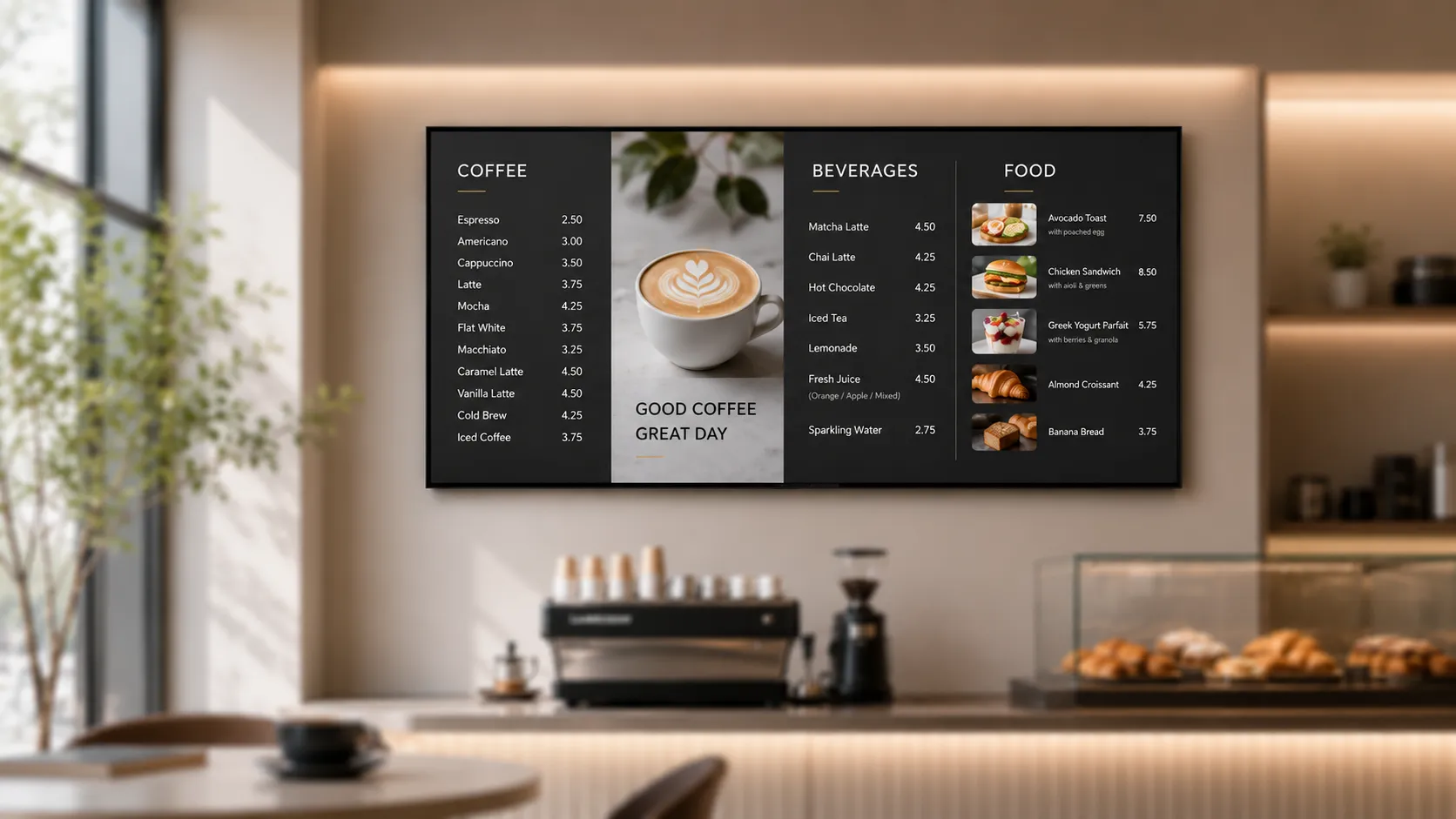
A cafe menu changes more than almost any other food-service format: seasonal drinks rotate monthly, daily specials rotate every morning, and every one of those changes has to carry accurate allergen and nutrition information the moment it goes live. Pickcel's cafe digital menu board updates all three at once, from one dashboard, without a reprint or a laminated insert taped to the counter.

Get Started
Pickcel reviews on Capterra and G2
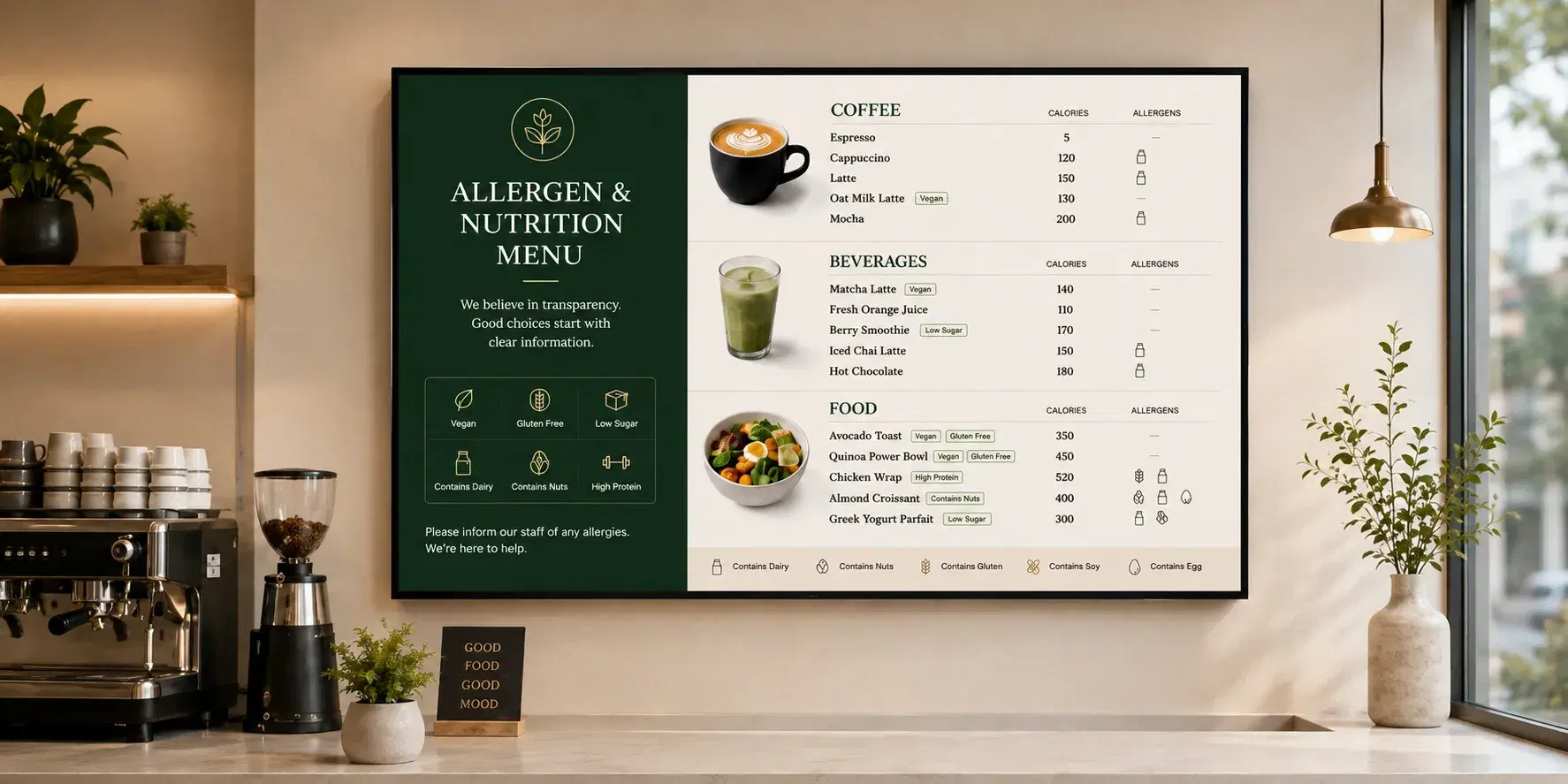
Pickcel cafe digital menu board showing a seasonal drink with allergen tag and loyalty offer above a coffee counter
9,000+
Businesses worldwide
150,000+
Screens managed globally
70+
Countries
99.99%
Platform uptime
The Problem

The problem with a generic menu board template in a cafe

Most digital menu board software is built for a fixed QSR menu that changes a handful of times a year, then sold to cafes as-is. That mismatch shows up fast once a cafe actually runs it.

No fast path for daily changes

A seasonal drink or a daily pastry special needs to go live and come back down on a schedule that print menus can't keep up with, and a generic template has no fast path for that beyond manually editing a slide.

Compliance pushed onto managers

Allergen and nutrition disclosure isn't optional in most markets today, and a menu board with no structured way to attach that information to each item pushes the compliance work back onto a manager updating a spreadsheet by hand.

Loyalty has nowhere to show

Loyalty programs are core to how cafes retain regulars, but a template built for one-off QSR transactions has nowhere to surface a rewards balance or a member-only offer on screen.

A single-location cafe absorbs this as a daily annoyance: someone manually retypes the oat-milk surcharge or the seasonal latte price before opening. A multi-location cafe group feels it as a compliance and brand-consistency problem, where one store's board still shows last month's holiday drink while another has already switched, and nobody at head office can see the mismatch until a customer points it out.

How it works

How Pickcel runs a cafe's menu board

One dashboard connects menu data, the cloud platform, and every screen a cafe runs.

01

Item records

Pricing, allergen tags, loyalty content on one record

Publishing menu update…0%
02

Pickcel cloud dashboard

One publish-and-schedule workflow for every update

  • Downtown Flagship24 Screens
  • Airport Store18 Screens
03

Menu board screens

Counter, drive-up, and multi-location displays

04

Customers & staff

See accurate pricing, allergens, and rewards in real time

Ready for viewers

Live on the floor

Live — Item records carry pricing, allergen tags, and loyalty content…
Allergen & nutrition

Allergen and nutrition management

Every cafe item carrying dairy, nuts, gluten, or other regulated allergens needs that information attached and visible, not buried in a binder behind the counter. Pickcel lets each menu item carry structured allergen tags and calorie counts that display alongside the price, so a customer checking for a dairy-free option sees it on the board itself, not after asking a barista to check.

Because the tags live on the item record rather than on a separate printed card, an ingredient change (say, switching an oat-milk supplier) updates the allergen display everywhere that item appears, across every connected screen, in the same push that changes the price. For markets with specific disclosure requirements, such as the UK's Natasha's Law or the EU's Food Information for Consumers regulation, that consistency matters more than the design of the callout itself. See the full regulatory breakdown in Pickcel's allergen digital menu board compliance guide for the disclosure rules by region.
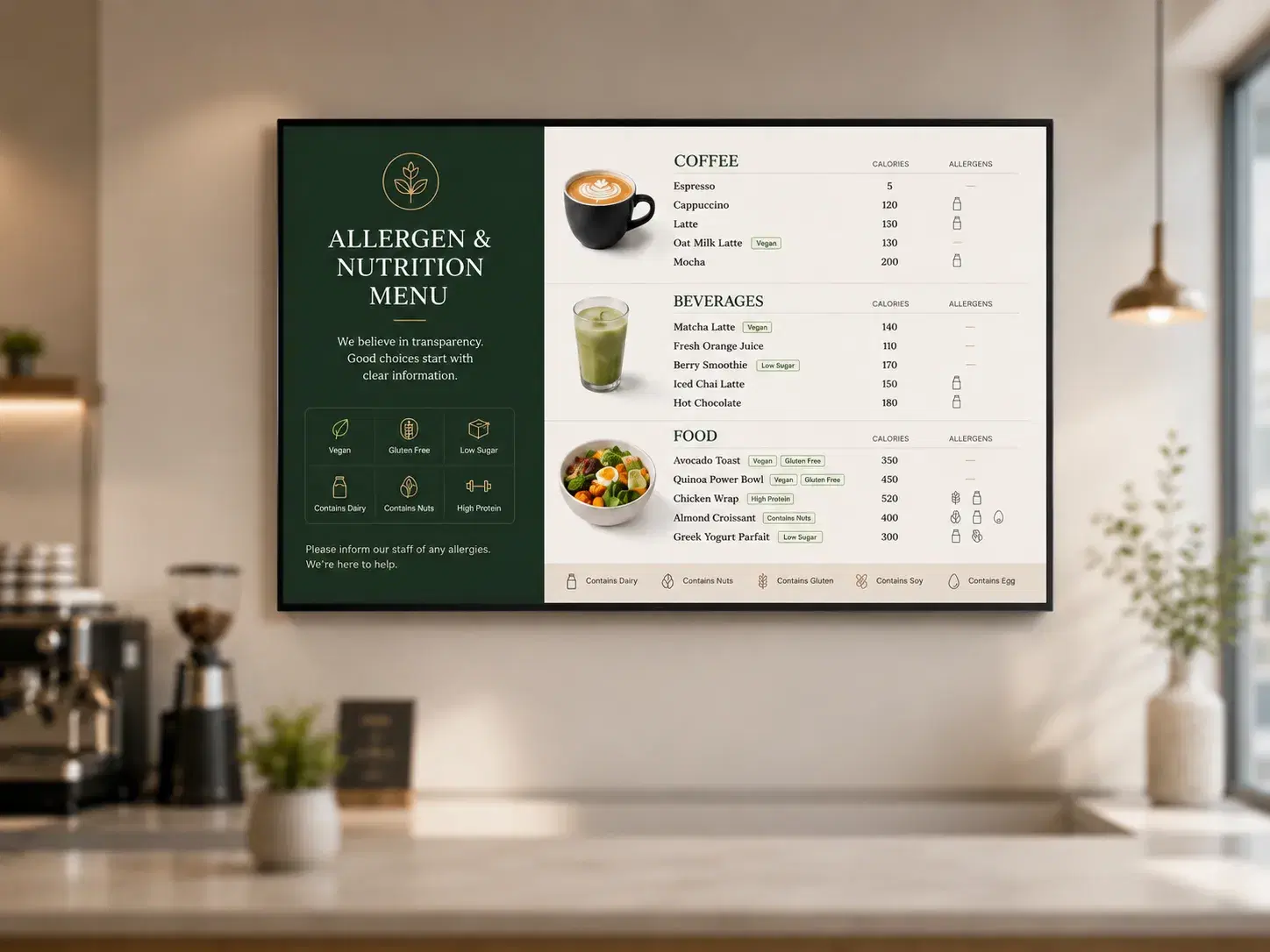
Pickcel cafe digital menu board tile showing allergen tags and calorie count next to an item's price
Loyalty

Loyalty program integration

A loyalty program only works if the customer sees it at the point of decision, and a static or print menu has no way to show a rewards balance or a member-only price. Pickcel's cafe menu board can surface loyalty content zones alongside the core menu, showing a "your next drink is free" nudge or a limited-time member offer without a separate screen or a staff member remembering to mention it.

This runs through the same content management system that handles pricing and specials, so a loyalty promotion follows the same publish-and-schedule workflow as a seasonal drink launch. A regional marketing manager sets a loyalty tie-in once at the account level, and it appears at every connected location the moment it's scheduled to start, not whenever each store manager gets around to it.
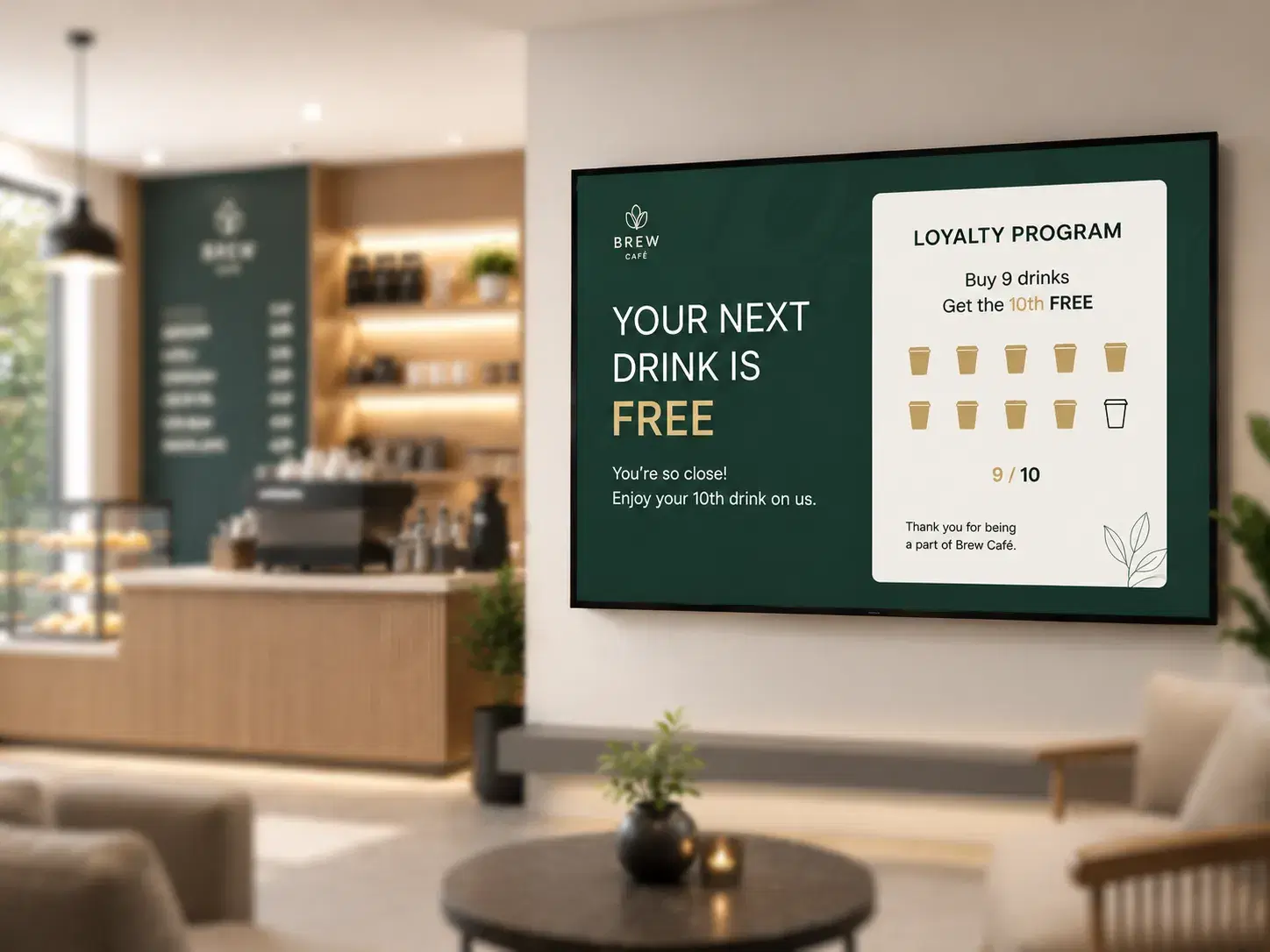
Pickcel cafe digital menu board showing loyalty content zones alongside the menu

Loyalty zone

Your next drink is free — member offer live on the counter board.

Rewards on screen

Balance and member pricing visible where customers decide.

No extra display

Loyalty zones run alongside the core menu on one board.

One publish flow

Account-level tie-ins roll out to every location on schedule.

Seasonal rotation

Seasonal menu rotation

Seasonal drinks and limited-time specials are a cafe's biggest marketing lever, and the biggest operational risk if the board doesn't keep pace. Pickcel lets a cafe schedule an item to go live and expire on exact dates set in advance, so a pumpkin-spice launch or a summer cold-brew special starts and ends on schedule across every location without someone manually swapping content that morning.

That same scheduling layer handles daily specials and dayparting: a breakfast pastry case can switch to a lunch sandwich board at a set time every day, and a limited-run item can be pulled from every screen the moment it sells out, using item-level availability rather than waiting for the next scheduled update. The general content management layer behind this, Pickcel's digital signage software, is the same platform used for pricing, allergen tags, and loyalty content, so none of these run as separate systems that need to be kept in sync with each other.
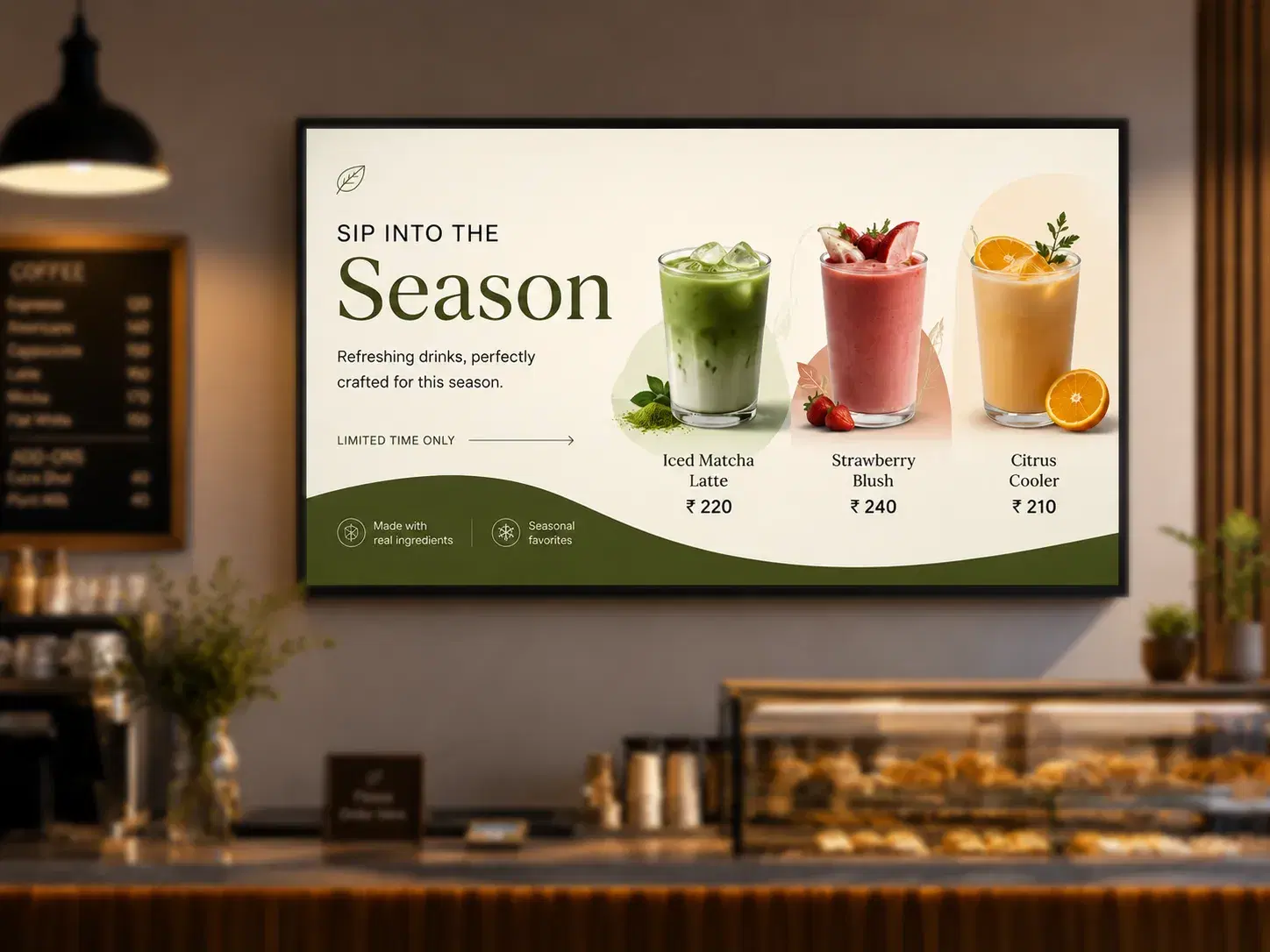
Pickcel cafe digital menu board showing a seasonal item scheduled to expire and swap automatically
See seasonal rotation, allergen tags, and loyalty content running together on one board, not three separate systems.

See it in 20 minutes

See allergen tags, loyalty tie-ins, and seasonal rotation running on a real cafe menu board in 20 minutes.

No commitment required. 20-minute session with a specialist.

At a glance

From problem to outcome

How Pickcel maps each cafe operations problem to a capability and a measurable outcome.

Allergen and nutrition info lives in a binder, not on the board

How Pickcel handles it

Structured allergen tags and calorie counts attached to each item record

What you get

Disclosure updates everywhere the item appears, in the same push as a price change

Loyalty offers have nowhere to show at the point of decision

How Pickcel handles it

Loyalty content zones alongside the core menu

What you get

Rewards balance and member offers visible without a separate screen

Seasonal drinks and specials go live or expire on a manual schedule

How Pickcel handles it

Scheduled item activation and expiry, set in advance

What you get

Seasonal launches start and end on time across every location, no manual swap

Multiple cafe locations run from separate, disconnected boards

How Pickcel handles it

One dashboard managing pricing, allergens, loyalty, and rotation for every site

What you get

Head office sees and controls every location's menu from a single account

Problem you have todayHow Pickcel handles itWhat you get
Allergen and nutrition info lives in a binder, not on the board
Structured allergen tags and calorie counts attached to each item record
Disclosure updates everywhere the item appears, in the same push as a price change
Loyalty offers have nowhere to show at the point of decision
Loyalty content zones alongside the core menu
Rewards balance and member offers visible without a separate screen
Seasonal drinks and specials go live or expire on a manual schedule
Scheduled item activation and expiry, set in advance
Seasonal launches start and end on time across every location, no manual swap
Multiple cafe locations run from separate, disconnected boards
One dashboard managing pricing, allergens, loyalty, and rotation for every site
Head office sees and controls every location's menu from a single account
By the numbers

What cafe operators can expect

50+

Supported device and display models, so a cafe isn't locked into a single hardware vendor for counter or drive-up screens.

Pickcel platform data

99.99%

Uptime. Content keeps playing from cached local storage even if the connection to a store drops, so a network blip during the morning rush doesn't leave a blank board.

Pickcel platform data

9,000+

Businesses across 70+ countries, including multi-location cafe and coffee groups managing allergen, loyalty, and seasonal content across every store from one dashboard.

Pickcel platform data

Capabilities

Everything the counter needs

See allergen tags, loyalty tie-ins, and seasonal rotation running together on one board.

Structured allergen and nutrition tags

Attached at the item level, so a change to one item's ingredients updates the disclosure everywhere that item is shown.

Pickcel cafe digital menu board showing allergen tags and calorie counts

Loyalty content zones

Rewards balances and member offers run alongside the core menu, on the same publish schedule as pricing and specials.

Pickcel cafe menu board with loyalty content zones

Scheduled seasonal activation

Items go live and expire on preset dates, so a seasonal launch doesn't depend on someone remembering to swap content that morning.
Pickcel cafe menu board with scheduled seasonal activation

Template library

Cafe-specific layouts for a coffee-and-pastry counter, a full-menu cafe, or a grab-and-go format, so a new location launches from a starting template instead of a blank screen.
Pickcel cafe digital menu board template library

Offline playback

If a network drop happens during a scheduled change, the board catches up to the correct content the moment connectivity returns.

Pickcel cafe menu board running offline playback

Role-based access

A store manager can update today's specials without touching loyalty rules or pricing structure, so location-level and head-office changes don't collide.

Pickcel cafe menu board with role-based access controls

SOC 2 Type II and ISO 27001 certified

Menu, allergen, and loyalty data move through infrastructure independently audited for security, which matters once loyalty accounts are tied to the same system.

Enterprise security shield with ISO 27001 and AICPA SOC 2 certification badges

Structured allergen and nutrition tags

Attached at the item level, so a change to one item's ingredients updates the disclosure everywhere that item is shown.

Pickcel cafe digital menu board showing allergen tags and calorie counts

Loyalty content zones

Rewards balances and member offers run alongside the core menu, on the same publish schedule as pricing and specials.

Pickcel cafe menu board with loyalty content zones

Scheduled seasonal activation

Items go live and expire on preset dates, so a seasonal launch doesn't depend on someone remembering to swap content that morning.

Pickcel cafe menu board with scheduled seasonal activation

Template library

Cafe-specific layouts for a coffee-and-pastry counter, a full-menu cafe, or a grab-and-go format, so a new location launches from a starting template instead of a blank screen.

Pickcel cafe digital menu board template library

Offline playback

If a network drop happens during a scheduled change, the board catches up to the correct content the moment connectivity returns.

Pickcel cafe menu board running offline playback

Role-based access

A store manager can update today's specials without touching loyalty rules or pricing structure, so location-level and head-office changes don't collide.

Pickcel cafe menu board with role-based access controls

SOC 2 Type II and ISO 27001 certified

Menu, allergen, and loyalty data move through infrastructure independently audited for security, which matters once loyalty accounts are tied to the same system.

Enterprise security shield with ISO 27001 and AICPA SOC 2 certification badges
Customer story

What one cafe chain runs on Pickcel

Third Wave Coffee deployed Pickcel's digital menu boards across more than 700 screens nationwide.
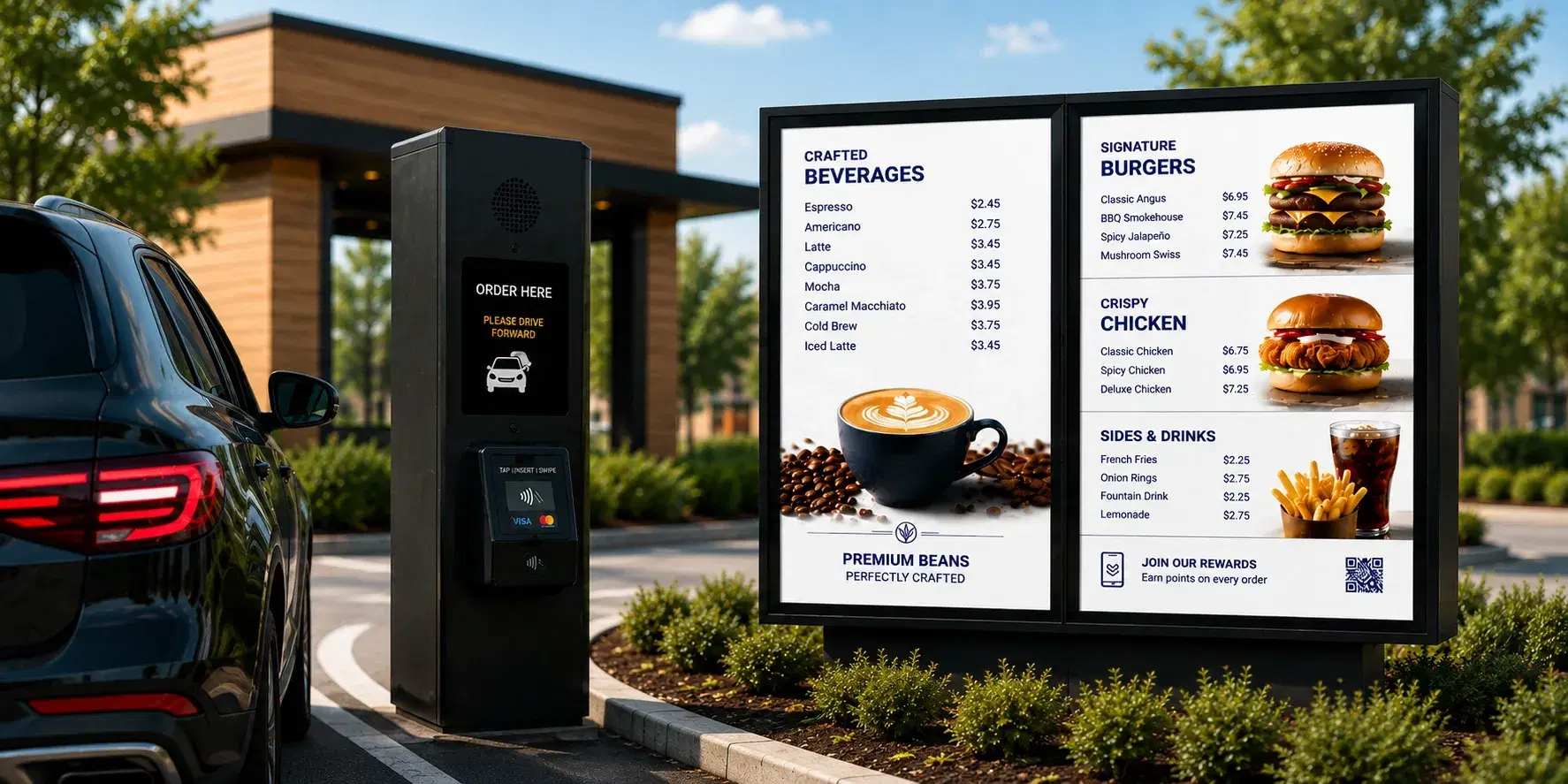
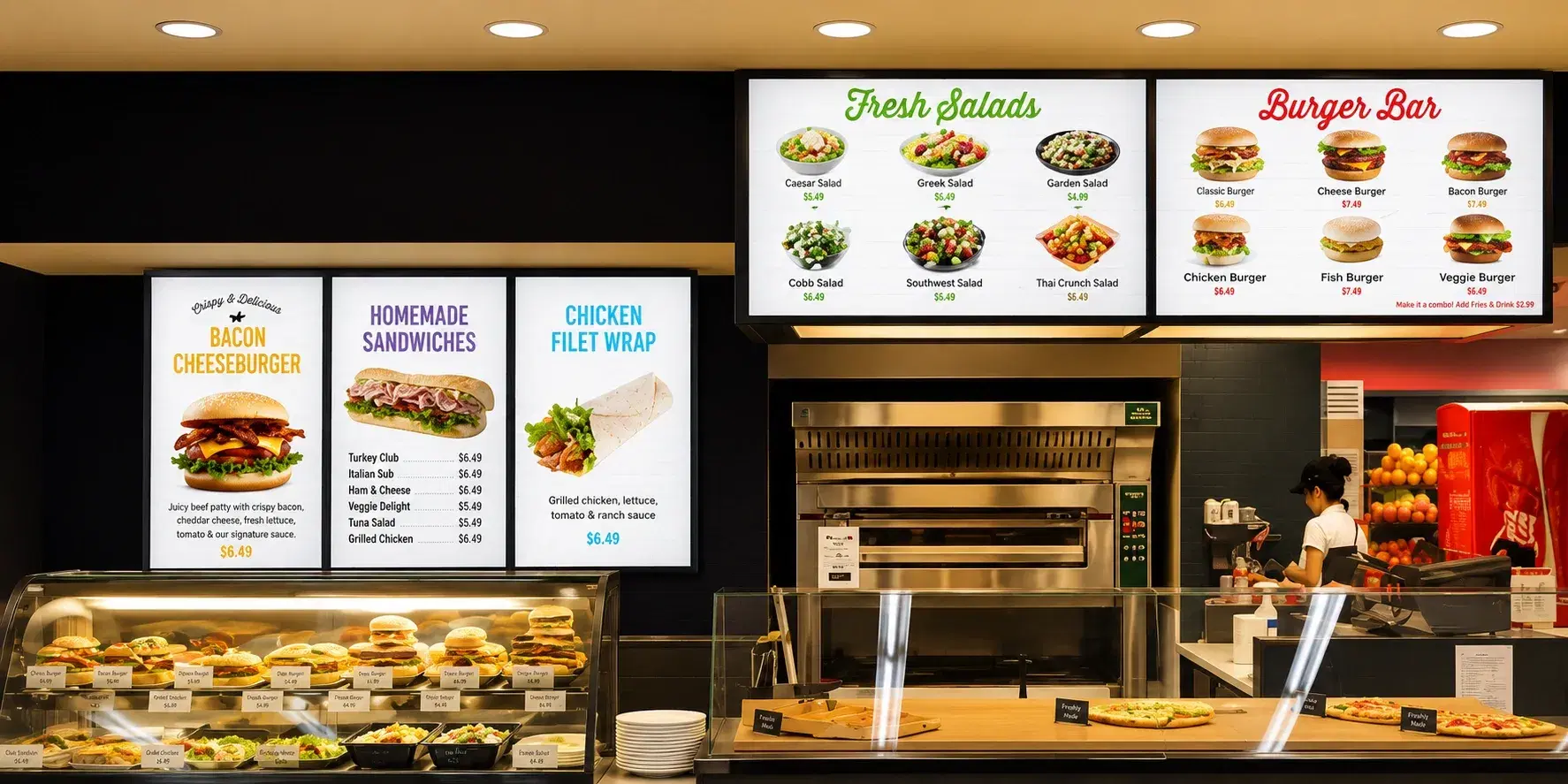
Third Wave Coffee digital menu board case study

Third Wave Coffee

Cafe · Multi-location

The Challenge

Third Wave Coffee deployed Pickcel's digital menu boards across more than 700 screens nationwide, cutting menu updates from hours to minutes and rolling the change out to every location within a week.

The Outcome

Menu updates that once took hours per location now publish from one dashboard in minutes, with seasonal drinks, allergen tags, and pricing staying consistent across every connected screen.
Read case study
Related Reading

You Might Also Like

Digital menu board for drive-thru
Solution

Digital Menu Board for Drive-Thru

See the drive-thru format.

See the drive-thru format →
Digital menu board for food courts
Solution

Digital Menu Board for Food Courts

See the food-court format.

See the food-court format →
Allergen digital menu board compliance guide
Guide

Allergen Digital Menu Board Compliance Guide

Disclosure rules by region for cafe menu boards.

Read the compliance guide →
Who it's for

Who needs Pickcel's digital menu board app?

Cafe owners

Cafe owners running seasonal drink launches and daily specials who are still updating allergen callouts by hand or relying on a laminated card behind the register.

Operations managers

Multi-location cafe operations managers who need every store showing the same accurate menu, loyalty offer, and allergen disclosure without checking each site individually.

Marketing managers

Marketing managers coordinating a seasonal campaign or a loyalty promotion who need it live at every location on the same day, not rolled out store by store over a week.
Get your cafe menu running on one dashboard today

Allergen tags that update themselves, loyalty offers that show up where customers decide, and seasonal drinks that launch on schedule: see it working in a walkthrough built around your menu.

FAQ

Frequently Asked Questions

Allergen tags are edited on the item record by whoever holds item-management permission for that location or category, not through a developer or a head-office ticket. That's the same permission tier that governs day-to-day item edits, so a recipe change and its allergen consequence get updated by the same person in one action, not two separate systems.
Pickcel displays loyalty content; it doesn't calculate rewards balances or eligibility itself. Balance and offer data are pulled from your existing loyalty or POS platform through an integration, and Pickcel's job is putting that data on screen. If the loyalty provider has an outage, the board keeps showing the last-synced balance rather than an error message, and resumes pulling live data once the provider's system recovers.
A launch or expiry date isn't locked in once set: it can be changed up to the moment the change should take effect, including same-day, if a supply delay or weather issue changes plans. Ending an item early after it has already gone live doesn't require its original expiry date; a manager updates the record and the change reflects across every connected location in that day's publish cycle, without waiting for the next scheduled window.
A new location is added at the account level and inherits the account's existing menu, allergen tags, and loyalty configuration by default, so a location manager isn't manually rebuilding pricing and disclosure data from scratch. If that location carries a menu item the rest of the chain doesn't, such as a regional specialty drink, it's added at the location level without changing the shared menu for every other store.
Yes. Customization options and any associated allergen or price differences, such as an oat-milk surcharge, attach to the base item and display as selectable variants on the board. The same variant record feeds the POS at checkout, so the surcharge and allergen flag stay consistent between the board and the till.
There's no fixed time limit: a board loops its last-synced content indefinitely until the connection returns, so a multi-hour outage doesn't force a fallback to paper. If a seasonal item's go-live or expiry moment falls inside that outage window, it still fires once the board is back online rather than waiting for the next day's cycle, so a launch that missed its 6am slot can still start mid-morning instead of losing that entire selling day.

Product

  • Software Features
  • Digital Signage Hardware
  • Digital Menu Board Software
  • Digital Signage Player
  • Interactive Kiosk
  • OTT Digital Signage Software
  • Queue Management Software
  • Visitor Management software
  • On-premise Digital Signage

Enterprise

  • Integrations & Automation
  • On-premise Digital Signage
  • Our Services

Solutions

  • Corporate Communication
  • Retail Digital Signage
  • Digital Signage Hospitality
  • Multi Channel Employee Communication
  • Restaurant Digital Signage
  • Banking & Finance Signage
  • Transportation Digital Signage
  • Digital Product Catalogue
  • Electronic Bulletin Board
  • Employee Communication App
  • Wayfinding Signage

Resources

  • Case Studies
  • What is digital signage?
  • Digital Signage Blog
  • Apps
  • Pricing
  • FAQ

Company

  • About Us
  • Contact Us
  • Support
  • Press Release
  • Careers

Trust & Compliance

  • Privacy Policy
  • Terms of Service
  • Refund Policy
  • Data Processing Addendum
  • Sub-processors
  • Security
  • Cookie Policy

Partner program

  • White Label Digital Signage
  • Reseller Digital Signage
Capterra4.6G24.6GoodFirms4.6

© 2026 LaneSquare Technology Pvt Ltd. All rights reserved.