
Pickcel

Core Platform

  • Software Features
  • Pickcel Comms
  • Templates
  • Security & Compliance

Enterprise

  • On-Premise
  • Integrations & Automation
  • Our Services

Extensions & Apps

  • Mobile App
  • App Integrations

Digital Signage Players

  • Android
  • Samsung Tizen
  • BrightSign
  • Amazon Signage Stick
  • View all Players
What is Digital Signage?

Learn the basics of digital signage and how it can transform your business.

Industries We Serve

  • Office
  • Retail
  • Restaurant
  • Manufacturing
  • Hospitality
  • Healthcare
  • Transportation
  • Education
  • View all Industries

Solutions

  • Dashboard
  • FIDS
  • Digital Menu board
  • Car Dealership App
  • Wall Craft
  • Event Stream
  • Transport PIS
  • Social Wall
  • View all Solutions
See How Pickcel  Helped Amazon
See How Pickcel Helped Amazon

Case Studies

  • Mercedes-Benz
  • Accenture
  • Magnolia Bakery
View all

All Resources

  • Digital Signage Blog
  • Learn
  • Digital Signage Gallery
  • Case Studies
  • Support
  • Download
Partnerships
Partnerships

Partnerships

  • White-Label
  • Reseller
Pricing
Login

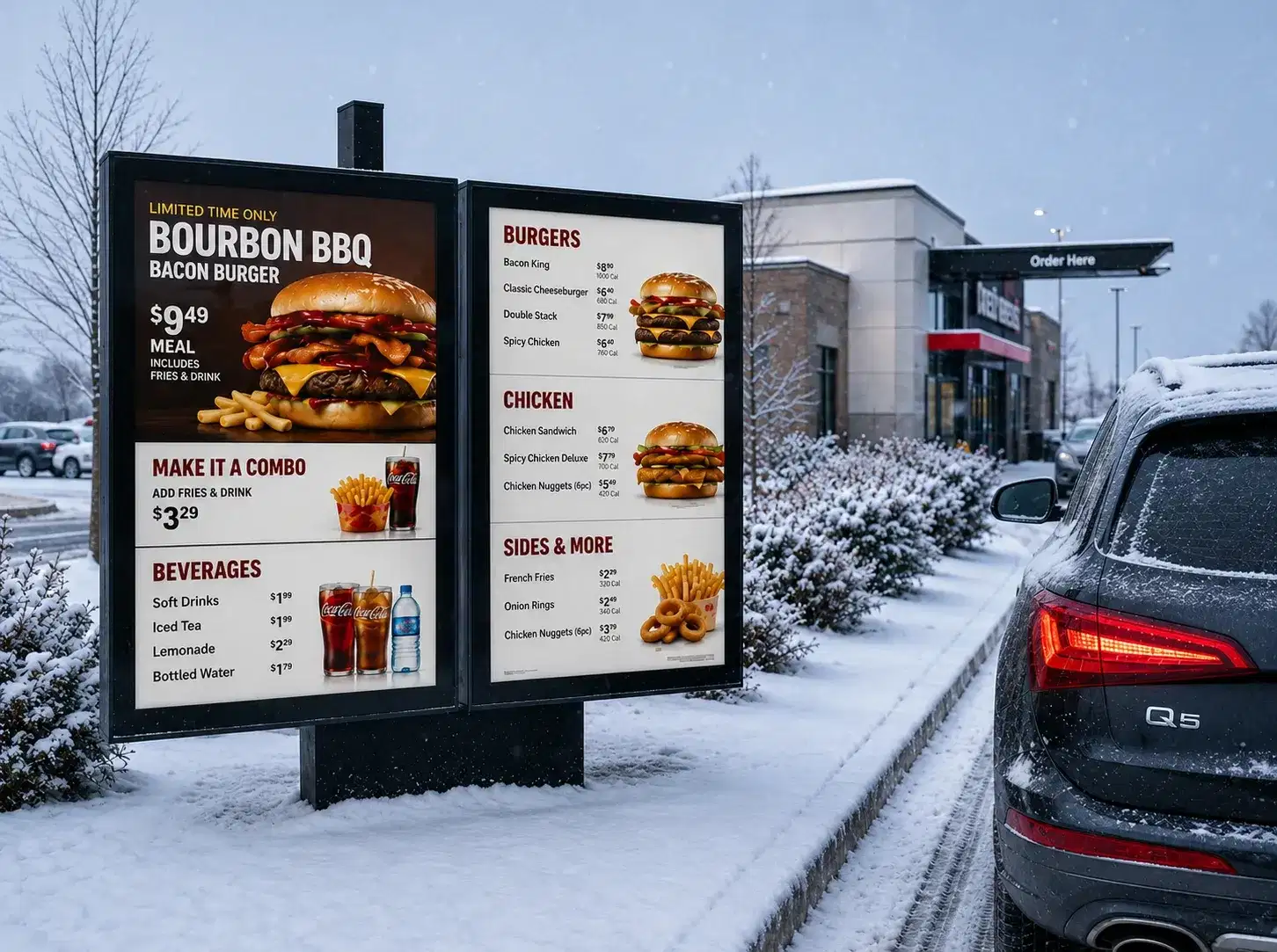
Drive Through Digital Menu Board Built for Speed of Service

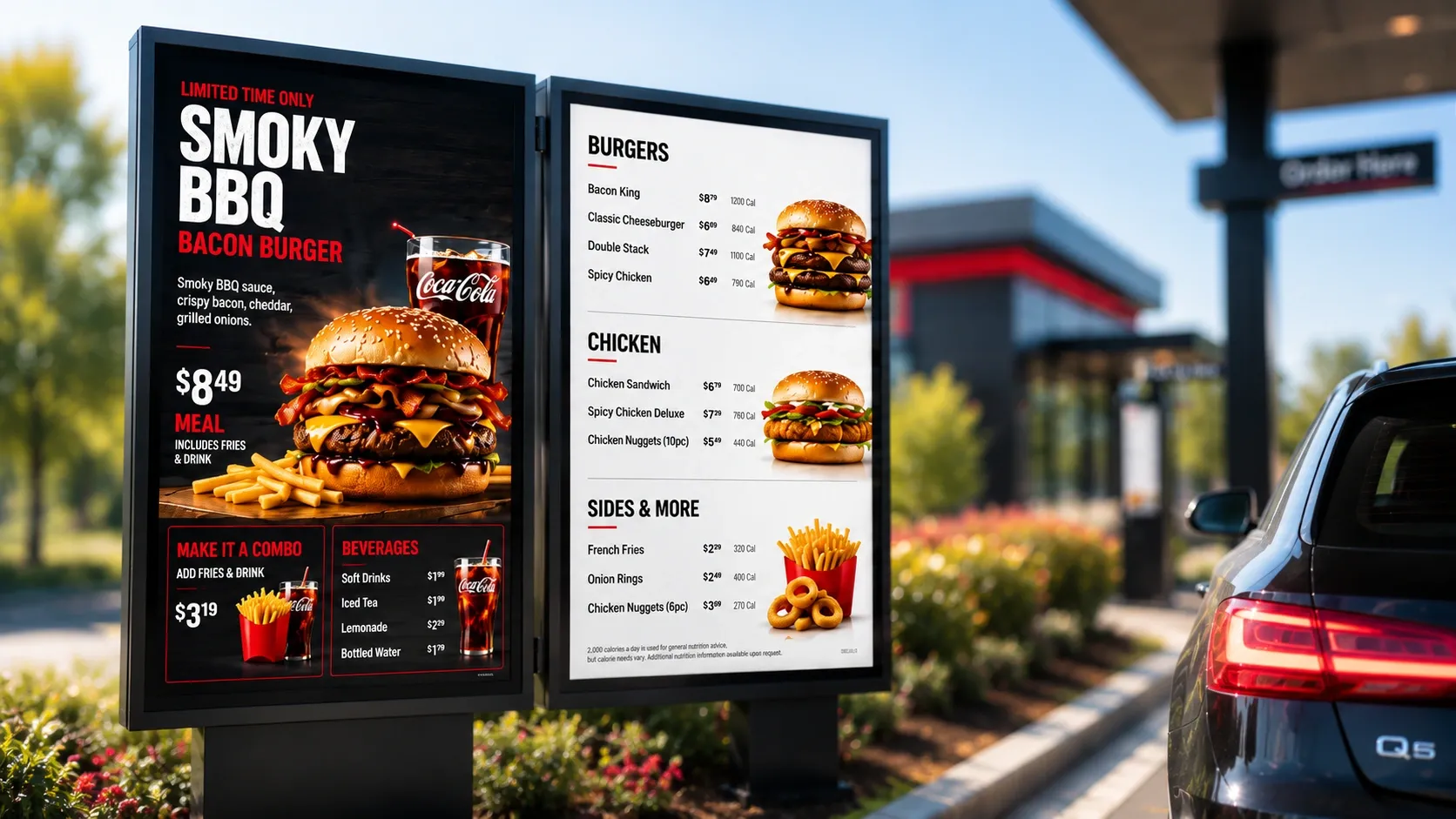
Drive-thru menus fail in two specific ways: they're unreadable in direct sun or rain glare, and they lag behind the register when a price or item changes. Pickcel's drive through digital menu board is built to fix both, with outdoor-rated displays and pricing that updates the instant your POS does.

Get Started
Pickcel reviews on Capterra and G2
Pickcel drive-thru digital menu board with dual-lane display and order confirmation screen
9,000+
Businesses worldwide
150,000+
Screens managed globally
70+
Countries
99.99%
Platform uptime
The Problem

The Problem With Indoor-First Menu Boards at the Drive-Thru

Most digital menu board software is built for an indoor counter, then adapted for outdoor use with a brighter panel and a weatherproof enclosure bolted on. That adaptation shows up in three ways operators notice fast.

Indoor-Grade Displays Wash Out in Direct Sunlight

Indoor-grade displays wash out in direct sunlight, so customers slow down to read a menu they can't see clearly, or pull up without seeing today's promotion at all.

Price Updates Don't Reach the Outdoor Board in Sync

Price and item updates that work fine on an indoor counter screen often don't reach the outdoor board in sync, so a discontinued item or an old price sits in the lane until someone manually catches it.

Single-Screen Templates Don't Support Dual Lanes

Single-screen templates don't account for dual-lane sites, where each lane needs its own content, timing, and sometimes its own promotion, without one lane's changes overwriting the other's.

None of these are software features you can bolt on later. They have to be designed into the deployment from the outdoor hardware spec up.

A franchise operator running five drive-thru sites feels this differently than a single location does. One outdated combo price at one site is a minor annoyance. The same gap repeated across five sites, each corrected manually and at a different time, becomes a pattern of customer complaints and register-to-board mismatches that a regional manager ends up chasing by phone.

How Pickcel Runs the Drive-Thru Lane

01

POS System

register price & order data

Syncing from POS…0%
02

Pickcel Cloud Platform

syncs pricing, content, dayparting via API

  • Lane 12 Screens
  • Lane 22 Screens
03

Outdoor Menu Board + Confirmation Screen

dual-lane, weatherproof displays

04

Drive-Thru Customer

sees accurate menu, confirms order before the window
Ready for viewers

Live on the floor

Live — Pulling price & order data from the POS…
Built for the Lane

Built for the Drive-Thru Lane

Built for the Lane

Built for the Drive-Thru Lane

Outdoor Visibility and Brightness

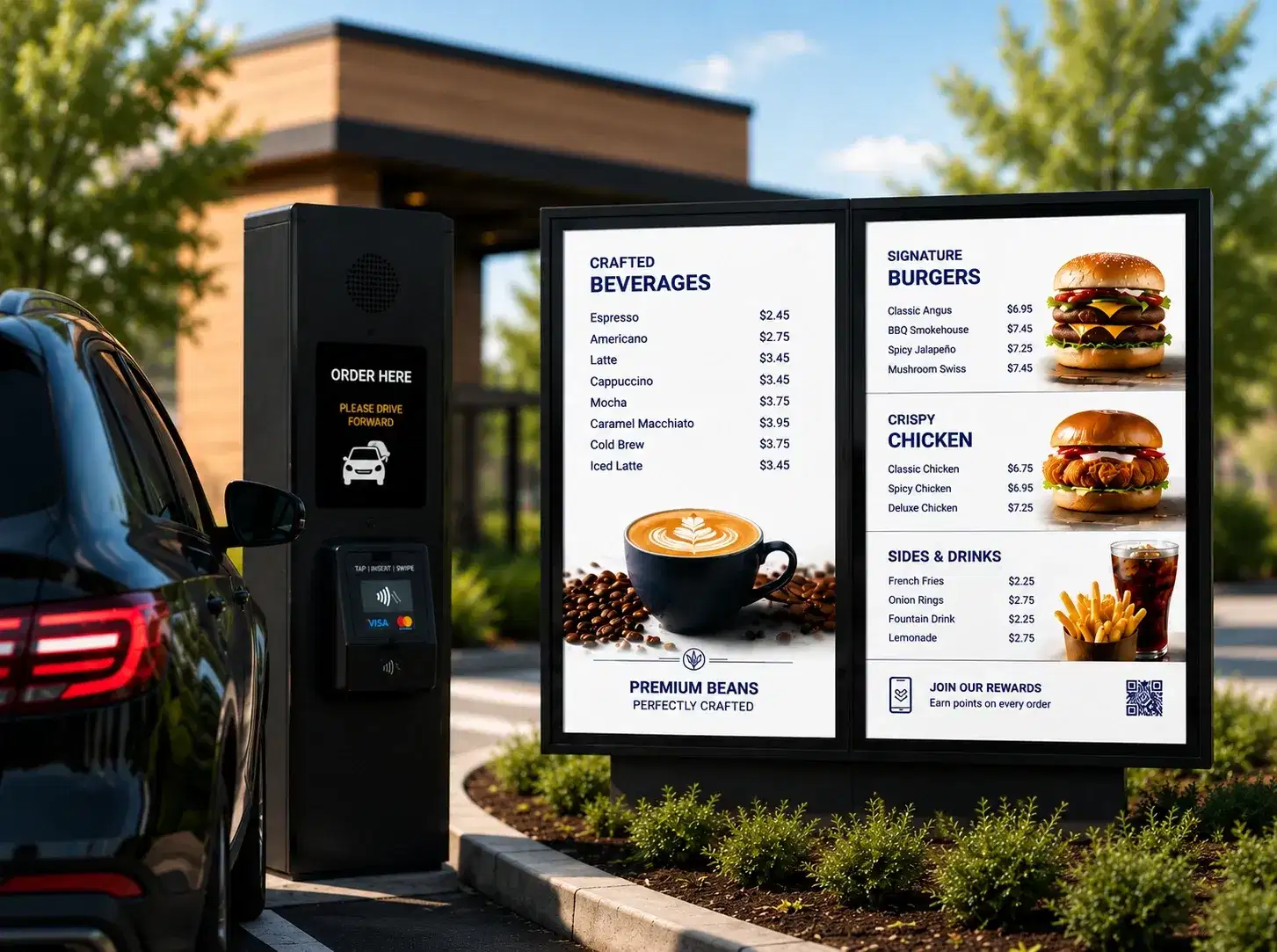
Drive-thru boards sit in direct sunlight for most of the day, so panel brightness has to be specified for outdoor use from the start, not assumed. Outdoor-rated digital menu boards typically run at 2,500 to 4,000+ nits, high enough to stay legible against direct sun glare where an indoor panel (usually 300 to 500 nits) would wash out completely. Pickcel's outdoor hardware guidance covers anti-glare panel selection, mounting angle, and canopy placement so brightness is matched to the site's actual sun exposure, not a generic outdoor spec sheet.
Pickcel outdoor digital menu board readable in direct sunlight

Weatherproofing

An outdoor enclosure has to hold up to rain, dust, temperature swings, and, in some regions, snow, without the display cutting out or fogging over. Pickcel's outdoor hardware recommendations are built around IP65-rated enclosures with sealed cable entry and integrated thermal management, so the board keeps running through a summer heatwave or a winter cold snap without a service call.
Pickcel weatherproof outdoor menu board enclosure

Dual-Lane Configurations

Two-lane sites need two boards that can run independently: different queue lengths, different promotions, even different pricing if one lane serves a different vehicle type. Pickcel handles this with per-lane content zones inside a single deployment, so a franchise operator sets lane-specific playlists and pricing from one dashboard instead of managing two disconnected screens.This matters most during peak hours, when one lane backs up faster than the other. A site running separate content zones can push a "quick order" promotion to the slower lane to speed up decisions, while the faster lane keeps running its standard menu, without a staff member manually swapping either screen.
Pickcel dual-lane digital menu board configuration

Order Confirmation Screens

A confirmation screen at the payment or pickup window shows the customer exactly what they ordered before they reach the window, pulled directly from the same order data as the menu board. This closes a gap most drive-thru menu deployments never address: the menu board handles ordering, but nothing tells the customer their order was captured correctly until the food arrives. An order confirmation screen catches mistakes before the car leaves the window, which cuts remakes and the back-and-forth that comes with them.
Pickcel drive-thru order confirmation screen
Real-Time Sync

Real-Time Content and POS Sync

A price change made at the register should reach the outdoor board without a manual push. Pickcel connects to your POS system through API integration, tying into Pickcel's digital signage platform, so when an item goes out of stock or a price updates centrally, the same change reflects on every connected screen, indoor counter and outdoor lane alike, typically within seconds rather than the next manual content update cycle.

That same sync layer drives dayparting. Breakfast, lunch, and dinner menus switch automatically on a schedule you set once, not through someone manually swapping content boards at 10:30 every morning. Combined with POS-driven pricing, a franchise group running the same daypart schedule across dozens of locations sets it once at the account level instead of repeating the setup site by site.

Dayparting and POS sync also work together at the edge case level. If a breakfast item sells out five minutes before the scheduled lunch switch, the POS-driven availability update removes it from the board immediately, rather than waiting for the next scheduled daypart change to catch up. The two systems don't operate on separate clocks.
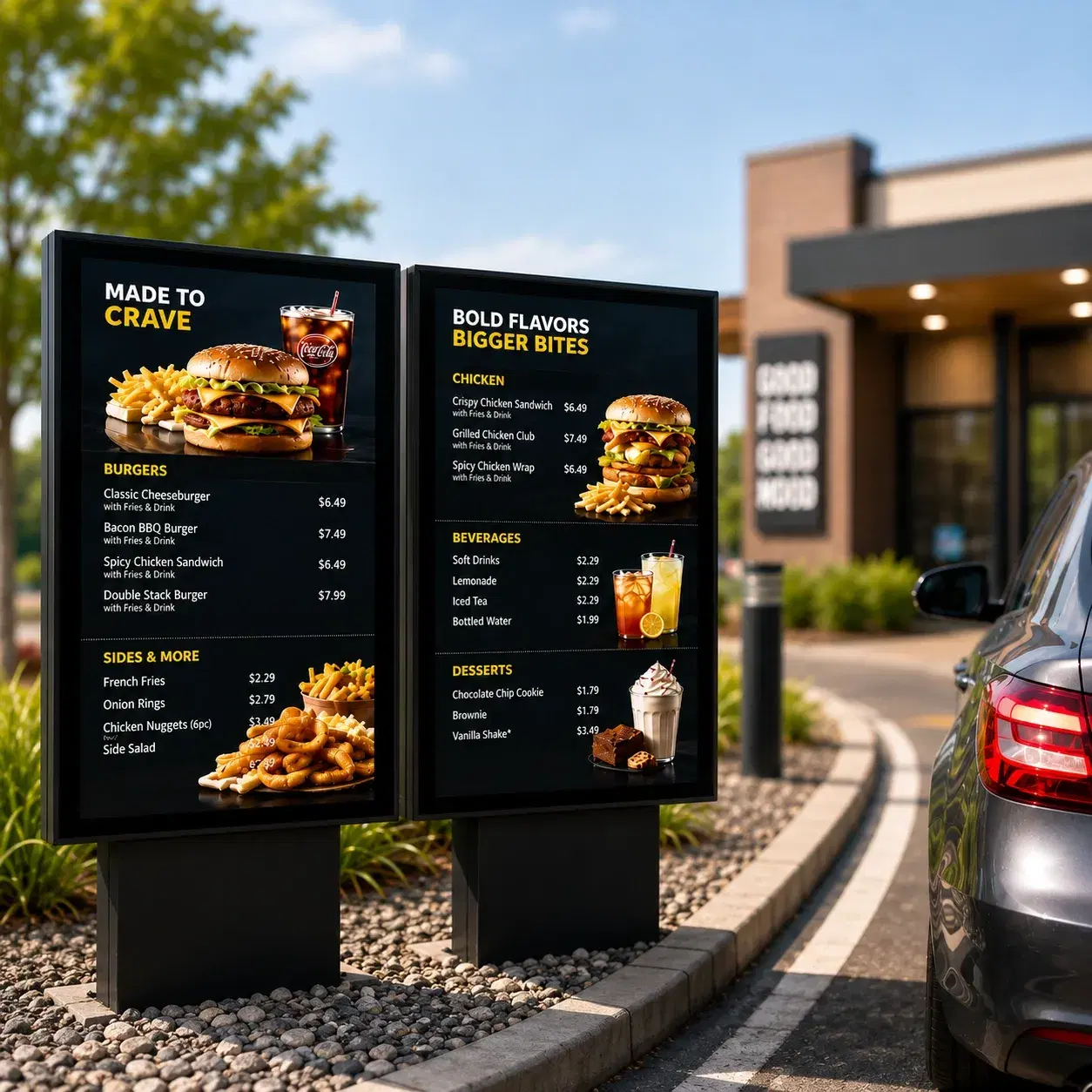
Pickcel drive-thru digital menu board with live POS-synced pricing
The Solution

From Problem to Outcome

Each of the gaps above maps to a specific capability, not a generic feature list. The table below shows what changes for the operator, not just what the software does.

Menu washes out in direct sunlight

How Pickcel handles it

Outdoor-rated, anti-glare, high-brightness display guidance matched to site sun exposure

What you get

Menu stays legible in full sun, no squinting or guessing at the window

Price changes lag behind the register

How Pickcel handles it

Direct POS API integration pushes pricing and availability to every screen

What you get

Pricing updates across indoor and outdoor screens in seconds

Two lanes, one generic screen setup

How Pickcel handles it

Per-lane content zones inside one dashboard

What you get

Each lane runs its own promotion, pricing, and queue-length logic

No way to confirm the order before the window

How Pickcel handles it

Dedicated order confirmation screen pulling live order data

What you get

Fewer remakes, faster resolution of order mistakes

Problem you have todayHow Pickcel handles itWhat you get
Menu washes out in direct sunlight
Outdoor-rated, anti-glare, high-brightness display guidance matched to site sun exposure
Menu stays legible in full sun, no squinting or guessing at the window
Price changes lag behind the register
Direct POS API integration pushes pricing and availability to every screen
Pricing updates across indoor and outdoor screens in seconds
Two lanes, one generic screen setup
Per-lane content zones inside one dashboard
Each lane runs its own promotion, pricing, and queue-length logic
No way to confirm the order before the window
Dedicated order confirmation screen pulling live order data
Fewer remakes, faster resolution of order mistakes
By the Numbers

What Drive-Thru Operators Can Expect

The operational baseline for a Pickcel-managed drive-thru lane.

50+

Supported device and display models, so an operator isn't locked into one hardware vendor for outdoor panels

Pickcel platform data

99.99%

Uptime. Content keeps playing on cached local storage even if the connection to the lane drops, so a network blip doesn't leave a blank screen at the window

Pickcel platform data

9,000+

Businesses across 70+ countries, including multi-location QSR groups managing dozens of drive-thru sites from one dashboard

Pickcel platform data. That scale is what makes per-lane and per-site configuration practical instead of a manual spreadsheet exercise once a franchise passes a handful of locations.

Platform Features

Everything the Lane Needs

See these running in a real drive-thru lane before you commit to hardware.

Per-Lane Content Zones

Content and pricing changes publish to the correct lane only, so there's no shared queue where a lane-1 edit could accidentally overwrite lane 2's current playlist.
Pickcel dual-lane digital menu board configuration

Dayparting on a Schedule

Schedules can differ by location, so a 24-hour site and a site with a shorter drive-thru window each run their own daypart boundaries from the same account.
Pickcel drive-thru menu dayparting schedule

Promotional Content That Isn't Static

Animated combo call-outs and limited-time offers rotate into the lane on the same schedule as your core menu, so a promotion goes live and expires exactly when the offer does, not whenever someone remembers to change the board.

Pickcel drive-thru promotional menu board content

Offline Playback

If a network drop happens to fall right when a scheduled change like a daypart switch was due, the board catches up to the correct content the moment connectivity returns, instead of waiting for the next full sync cycle.

Pickcel outdoor drive-thru menu board running offline playback

Role-Based Access

A store manager can update today's specials without touching pricing rules or lane configuration, so franchise-level and store-level changes don't collide.

Pickcel drive-thru menu board with role-based access controls

SOC 2 Type II and ISO 27001 Certified

Menu and pricing data moves through infrastructure independently audited for security, which matters when pricing is synced live from a POS system.

Enterprise security shield with ISO 27001 and AICPA SOC 2 certification badges

Per-Lane Content Zones

Content and pricing changes publish to the correct lane only, so there's no shared queue where a lane-1 edit could accidentally overwrite lane 2's current playlist.

Pickcel dual-lane digital menu board configuration

Dayparting on a Schedule

Schedules can differ by location, so a 24-hour site and a site with a shorter drive-thru window each run their own daypart boundaries from the same account.

Pickcel drive-thru menu dayparting schedule

Promotional Content That Isn't Static

Animated combo call-outs and limited-time offers rotate into the lane on the same schedule as your core menu, so a promotion goes live and expires exactly when the offer does, not whenever someone remembers to change the board.

Pickcel drive-thru promotional menu board content

Offline Playback

If a network drop happens to fall right when a scheduled change like a daypart switch was due, the board catches up to the correct content the moment connectivity returns, instead of waiting for the next full sync cycle.

Pickcel outdoor drive-thru menu board running offline playback

Role-Based Access

A store manager can update today's specials without touching pricing rules or lane configuration, so franchise-level and store-level changes don't collide.

Pickcel drive-thru menu board with role-based access controls

SOC 2 Type II and ISO 27001 Certified

Menu and pricing data moves through infrastructure independently audited for security, which matters when pricing is synced live from a POS system.

Enterprise security shield with ISO 27001 and AICPA SOC 2 certification badges

See it in 20 minutes

See dual-lane menu boards and live POS sync running in a 20-minute walkthrough.

No commitment required. 20-minute session with a specialist.

Customer Stories

What One Drive-Thru Operator Changed

A multi-location QSR franchise group replaced indoor-first menu boards with Pickcel's dual-lane, POS-synced drive-thru setup.
McDonald's India digital menu board rollout

Multi-location QSR franchise group

Drive-thru · Multi-site

The Challenge

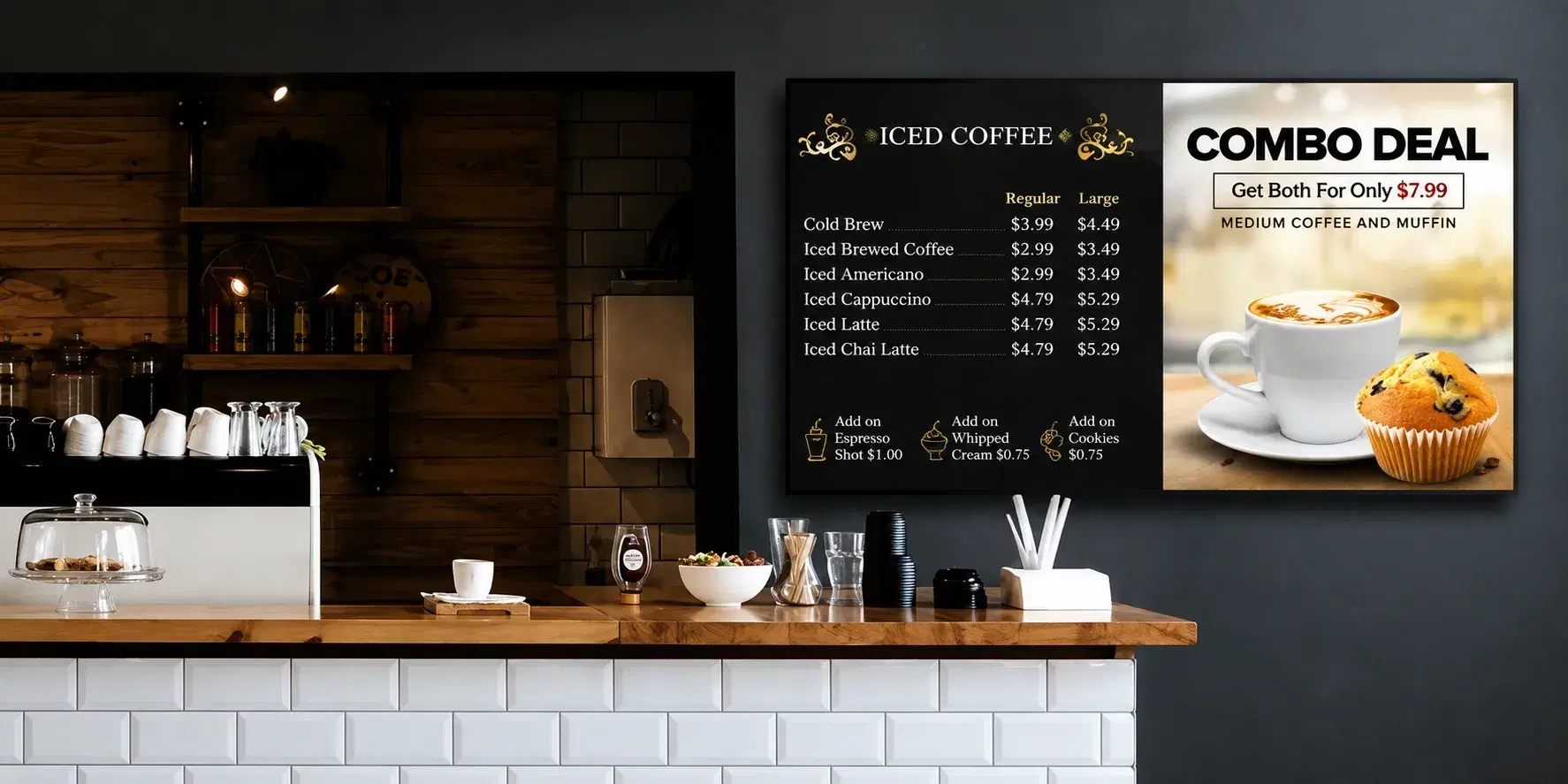
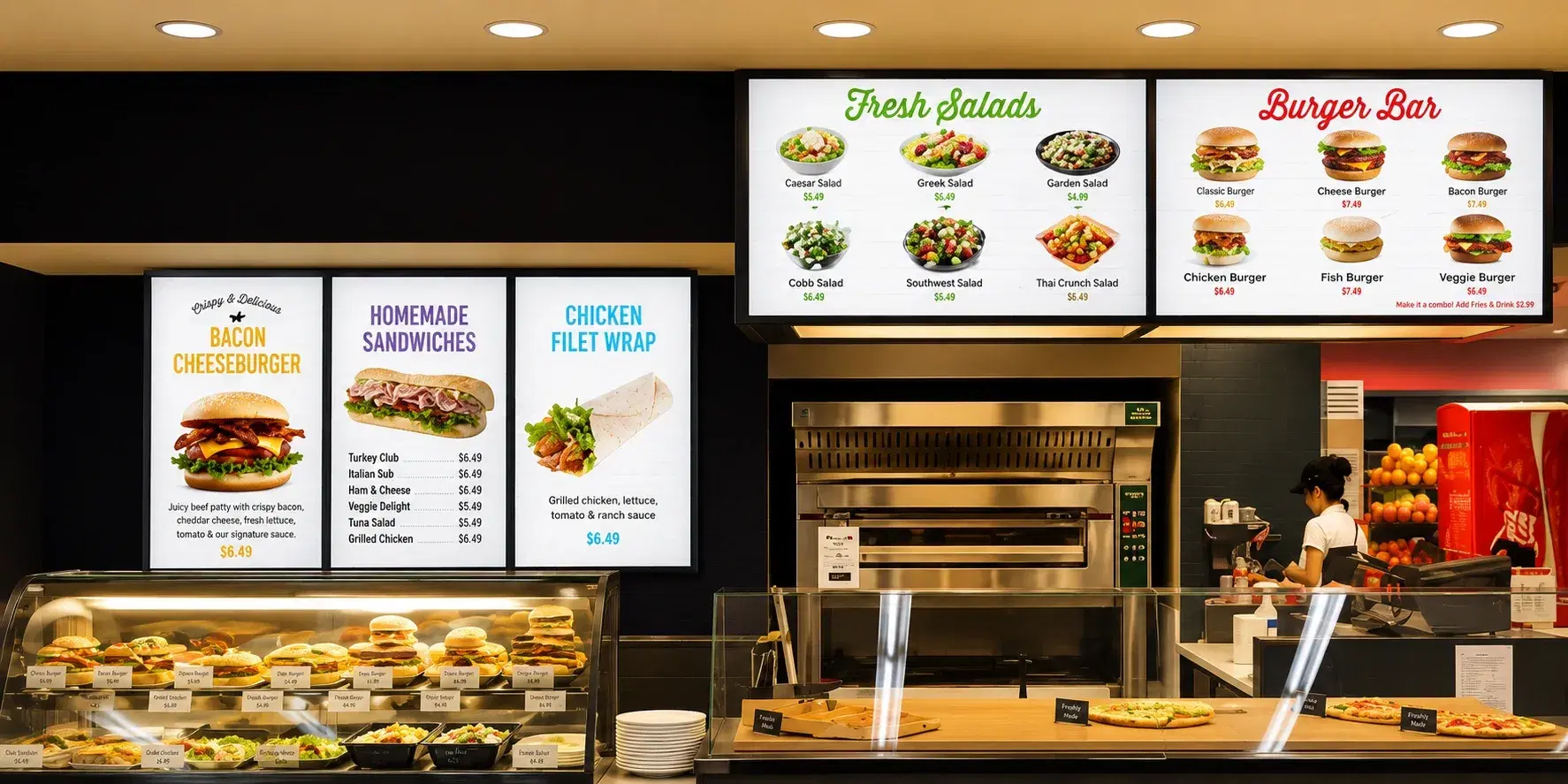
A multi-location QSR franchise group replaced its indoor-first menu board templates with Pickcel's dual-lane setup across its drive-thru locations. The switch to POS-synced pricing removed the manual update step at each site, and per-lane content zones let each lane run its own daypart schedule without the franchise team touching every location individually. Store managers now push a new promotion to every connected lane from one dashboard instead of coordinating screen-by-screen changes with each site.
The Outcome

Before the switch, a regional manager overseeing the group's drive-thru sites fielded price-mismatch complaints from individual store staff whenever a promotion changed centrally but hadn't yet reached every outdoor board. After moving pricing onto the POS sync layer, that manual reconciliation step was removed from the rollout process entirely, since every connected screen pulls from the same live pricing source.
Related Reading

You Might Also Like

Digital menu board for cafes
Solution

Digital Menu Board for Cafes

See the cafe format.

See the cafe format →
Digital menu board for food courts
Solution

Digital Menu Board for Food Courts

See the food-court format.

See the food-court format →
McDonald's India digital menu board rollout
Case Study

McDonald's India's Digital Menu Board Rollout

A multi-location deployment case study.

Read the case study →
Who It's For

Who Needs Pickcel's Digital Menu Board App?

QSR franchise owners

QSR franchise owners running one or more drive-thru lanes who are still updating prices by hand at the counter, and who need every lane showing the same accurate menu without checking each site individually.

Operations managers

Restaurant operations managers coordinating dayparting and promotions across multiple sites from a central team, where a single schedule change needs to reach every location without a site-by-site rollout.

IT administrators

IT administrators who need outdoor hardware that survives weather and temperature swings without constant service calls, backed by independently audited infrastructure security their team can sign off on before pricing data starts flowing from the POS system.
Get Your Drive-Thru Lane Running on Synced Pricing Today

Pricing that matches the register, screens that survive the weather, and lanes that run independently: see it working in a walkthrough built around your locations.

FAQ

Frequently Asked Questions

That's supported. A site can start with a single connected lane and add the second lane later without reconfiguring the first, which lets franchise groups phase the rollout cost across locations instead of upgrading every lane in one pass.
Outdoor-rated commercial panels are built to run for years under continuous sun and weather exposure without the brightness or seal integrity degrading the way an indoor-grade panel would if left outside. Pickcel's hardware guidance is chosen for that longer duty cycle, not a shorter indoor panel adapted for outdoor use, which is what shows up in service-call frequency over a site's life.
Integration runs through Pickcel's open API rather than a fixed list of pre-built connectors, so most cloud and on-premise POS platforms used by QSR chains can be connected by a developer following the standard integration spec. For a specific vendor, Pickcel's implementation team confirms compatibility and connection method during onboarding.
A network drop doesn't interrupt playback: the board keeps running the last synced content from local storage. A power outage is different, since the display goes fully offline and needs to restart, and once it's back up it reloads the last synced playlist automatically without anyone re-pushing content.
The screen displays exactly what's logged in the POS at the moment the order was placed, so a dispute is resolved by pulling up that same order record instead of relying on staff memory of what was said at the speaker. If a correction is needed, the fix is made in the POS and the confirmation screen updates immediately, since both pull from the same order data.
Yes. A one-off override can be scheduled for a specific date without touching the recurring weekly dayparting template, so a holiday hours change or a special promotion window reverts automatically to the normal schedule the next day, with no risk of someone forgetting to switch the board back.

Product

  • Software Features
  • Digital Signage Hardware
  • Digital Menu Board Software
  • Digital Signage Player
  • Interactive Kiosk
  • OTT Digital Signage Software
  • Queue Management Software
  • Visitor Management software
  • On-premise Digital Signage

Enterprise

  • Integrations & Automation
  • On-premise Digital Signage
  • Our Services

Solutions

  • Corporate Communication
  • Retail Digital Signage
  • Digital Signage Hospitality
  • Multi Channel Employee Communication
  • Restaurant Digital Signage
  • Banking & Finance Signage
  • Transportation Digital Signage
  • Digital Product Catalogue
  • Electronic Bulletin Board
  • Employee Communication App
  • Wayfinding Signage

Resources

  • Case Studies
  • What is digital signage?
  • Digital Signage Blog
  • Apps
  • Pricing
  • FAQ

Company

  • About Us
  • Contact Us
  • Support
  • Press Release
  • Careers

Trust & Compliance

  • Privacy Policy
  • Terms of Service
  • Refund Policy
  • Data Processing Addendum
  • Sub-processors
  • Security
  • Cookie Policy

Partner program

  • White Label Digital Signage
  • Reseller Digital Signage
Capterra4.6G24.6GoodFirms4.6

© 2026 LaneSquare Technology Pvt Ltd. All rights reserved.