Pickcel

Core Platform

  • Software Features
  • Pickcel Comms
  • Templates
  • Security & Compliance

Enterprise

  • On-Premise
  • Integrations & Automation
  • Our Services

Extensions & Apps

  • Mobile App
  • App Integrations

Digital Signage Players

  • Android
  • Samsung Tizen
  • BrightSign
  • Amazon Signage Stick
  • View all Players
What is Digital Signage?

Learn the basics of digital signage and how it can transform your business.

Industries We Serve

  • Office
  • Retail
  • Restaurant
  • Manufacturing
  • Hospitality
  • Healthcare
  • Transportation
  • Education
  • View all Industries

Solutions

  • Dashboard
  • FIDS
  • Digital Menu board
  • Car Dealership App
  • Wall Craft
  • Event Stream
  • Transport PIS
  • Social Wall
  • View all Solutions
See How Pickcel  Helped Amazon
See How Pickcel Helped Amazon

Case Studies

  • Mercedes-Benz
  • Accenture
  • Magnolia Bakery
View all

All Resources

  • Digital Signage Blog
  • Learn
  • Digital Signage Gallery
  • Case Studies
  • Support
  • Download
Partnerships
Partnerships

Partnerships

  • White-Label
  • Reseller
Pricing
Login

Display Board Software for Any Screen

You already have screens, or you're choosing them. Pickcel gives you the software to publish, schedule, and manage content across all of them from a single cloud dashboard. No proprietary hardware required.

Get Started
Pickcel reviews on Capterra and G2
Pickcel dashboard showing display board network management across multiple locations

Trusted by businesses worldwide

Trusted by 9,000+ Businesses • 150,000+ Screens • 70+ Countries

Benz
Unilever
HCLTech
Accenture
Nestlé
Novartis
circle check

SOC 2 Type II

circle check

ISO Certified

9,000+

Businesses worldwide

150,000+

Screens managed

70+

Countries

What Is a Digital Display Board?

A digital display board is a screen-based communication system managed through software, where content is created, scheduled, and updated remotely rather than changed manually at each display.

A digital display board can be any commercial TV, monitor, or purpose-built signage display connected to signage software. Content including text, images, video, and live data feeds is pushed from a central platform to one or many screens across one or many locations.

Digital replaces static in three ways: content updates in real time without physical access to each screen, all boards on a network update simultaneously, and managers can confirm every display is showing the correct content from any browser.

Pickcel is the software layer. Connect any compatible screen, log in to the cloud dashboard, and your display boards are ready to manage.

The Problem

The Problem With Static Display Boards

Static boards communicate slowly, drift out of date, and fail without warning.

Manual updates require a physical visit to every screen

Updating a static display board means someone must visit each screen to swap a poster, update a slide, or navigate a local device menu. Across a multi-location business, this turns a 5-minute content change into an all-day task.

A promotion that changes on Monday may not appear on every screen until Wednesday. By then, some boards still show last week's content while others are already current.

Inconsistent content spreads across locations without anyone noticing

When each board is managed independently, the same message can appear correctly at one location and incorrectly, or not at all, at another. There is no central view of what each board is actually showing.

A head-office board may display the current campaign while a branch screen two streets away still shows material from two months prior.

Boards stop working with no alert

If a screen goes dark or a media player fails, the board stops displaying without notifying anyone. Most businesses find out when a customer or staff member reports it.

A board that appears to have a working screen may be playing frozen content or looping outdated material. Without active monitoring, these failures stay hidden.

The Solution

Pickcel for Display Boards: What You Get

Pickcel replaces every manual display board task with a remote capability: publish, schedule, monitor, and manage from any browser.

Problem you have todayHow Pickcel handles itWhat you get
Manual updates require on-site visitsPush content from any browser to any screenUpdates go live across all boards in under a minute
Inconsistent content across locationsOne dashboard controls all screens at every siteEvery location shows current, approved content
No visibility into board statusReal-time screen health monitoring with alertsInstant notification if any display goes offline
Content needs to change at set timesTime and date-based scheduling per screen or groupThe right content plays automatically, on schedule
Platform

How Pickcel Manages Your Boards

Publish content to any screen in seconds

Pickcel's cloud dashboard lets you push content to any screen, screen group, or your entire network from a browser. No on-site visit. No device login. No USB drive.

A retail manager updating a promotion can publish to all store screens in the same time it takes to send an email.

Schedule content by time, day, and screen

Set content to play at specific times and on specific screens. Content switches automatically at the scheduled time without any action from your team.

A restaurant showing breakfast items from 7 AM and lunch promotions from 11 AM manages both with two scheduled playlists, built once and running without intervention.

Manage hundreds of display boards from one dashboard

All screens in your network appear in a single management console. Filter and group by location, site, or purpose. Apply content to a region or a single board.

A retail chain with 40 stores can push a seasonal campaign to all window screens at once while keeping in-store content independent per location.

Monitor every board in real time

Pickcel reports the live status of every connected screen. If a display goes offline, the platform sends an alert identifying the screen, its location, and when it went dark.

This replaces the current approach for most businesses: waiting for a staff member or customer to notice and report a blank screen.

Hardware Compatibility

Works With the Screens You Already Have

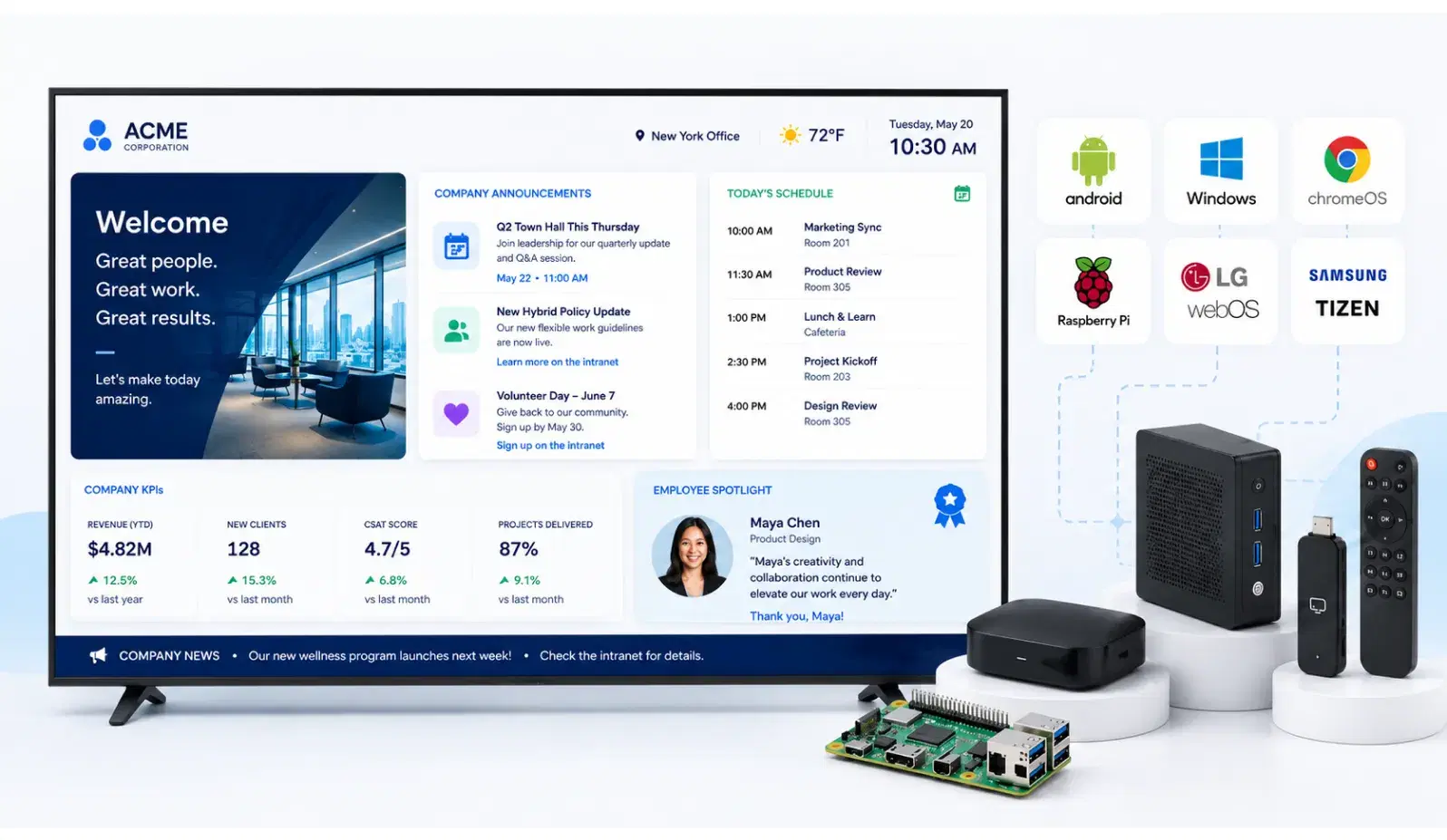
You do not need to buy hardware from Pickcel. The platform runs on 50+ device types. Any commercial TV or monitor connected to a supported device via HDMI works — or use purpose-built signage displays with an integrated OS.

1

Download the Pickcel app on your device

Install Pickcel on any supported player or commercial display OS. Android, Windows, Chrome OS, Samsung Tizen, LG webOS, and Amazon Fire TV are all supported.

2

Connect your screen

Pair your device with your commercial TV or monitor via HDMI, or use a purpose-built signage display with an integrated OS — no separate player required.

3

Publish your first content from the dashboard

Log in to the cloud dashboard, upload or design content, select your screens, and publish. No specialist IT configuration beyond network access.
Android Media Players
Works with HDMI commercial TVs
Windows PCs
Windows PCs
Turn existing PCs into players
Chrome OS Devices
Chrome OS Devices
Chromebooks and Chromeboxes
Samsung Tizen
Samsung Tizen
Built-in app, no player needed
LG webOS
LG webOS
Native LG integration
Amazon Fire TV
Amazon Fire TV
Affordable, plug-and-play

For a full list of compatible hardware, see the digital signage player page.

Use Cases

Where Businesses Use Display Boards

Corporate office display board showing KPIs and announcements
Corporate

Corporate offices and meeting rooms

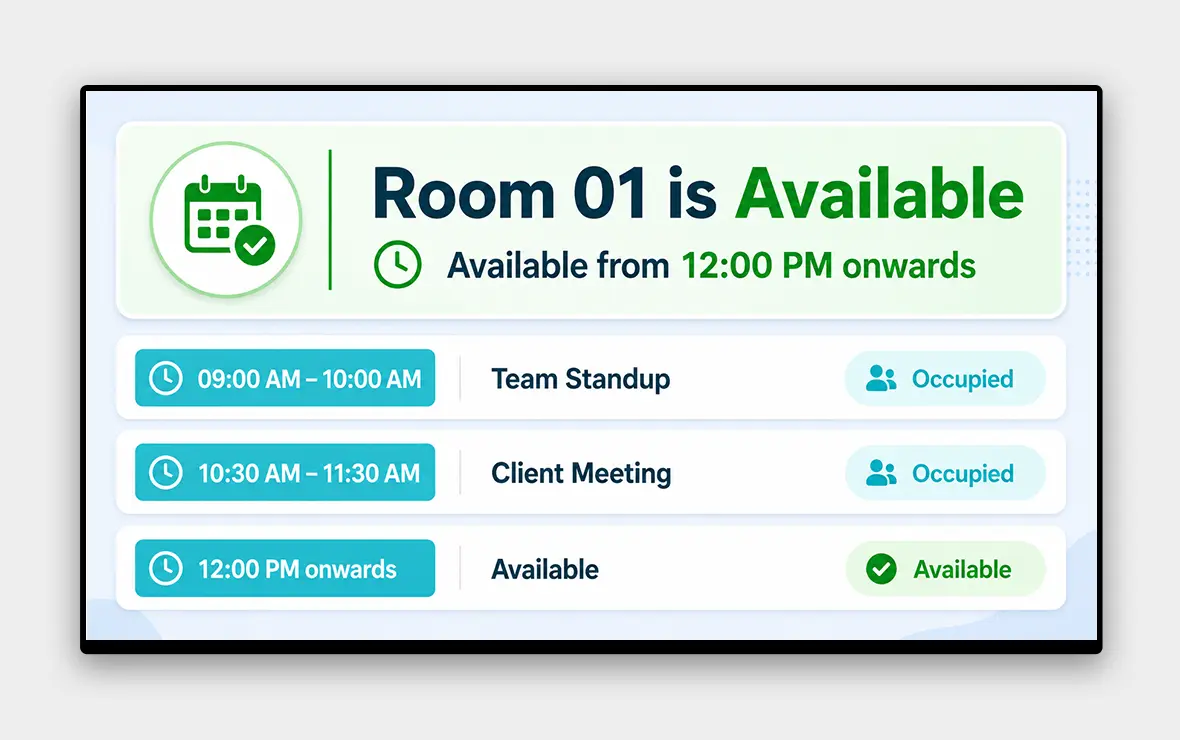
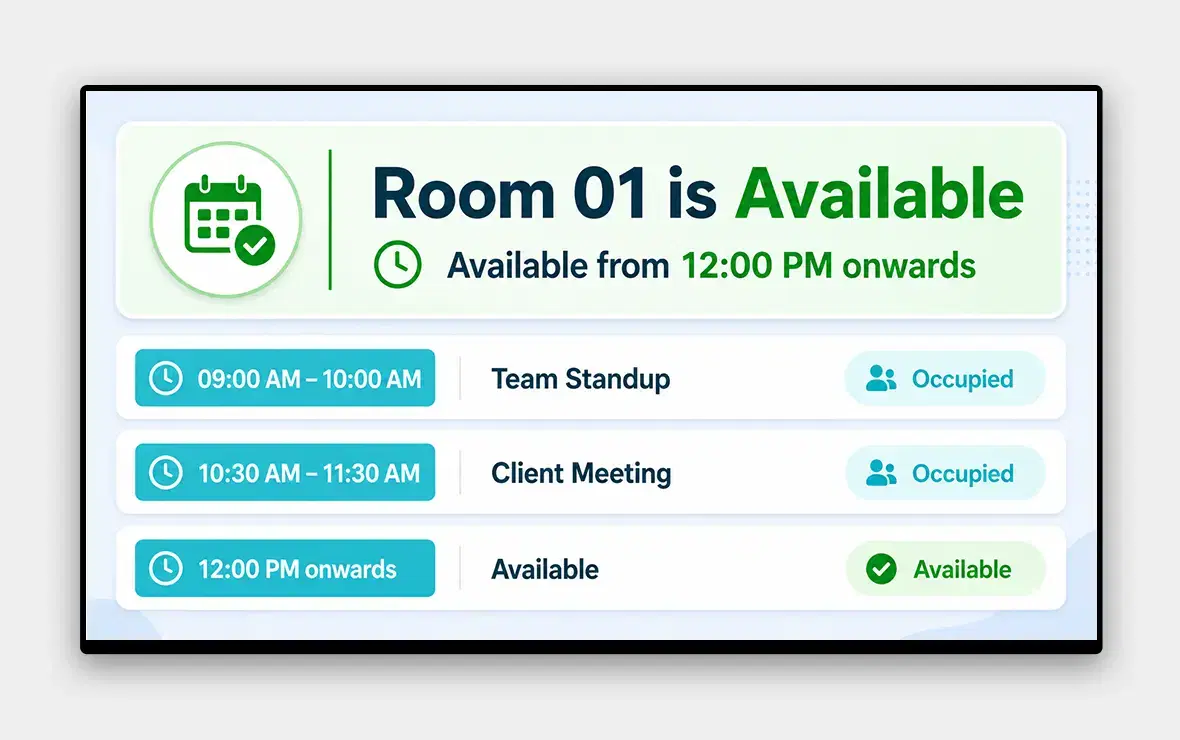
Corporate teams display KPIs, company announcements, and meeting room availability across offices. Pickcel lets headquarters push approved content to all sites simultaneously, so every office shows current, consistent messaging. See Pickcel for corporate digital signage.

Explore corporate digital signage →
Retail store display board with promotions and pricing
Retail

Retail stores and window displays

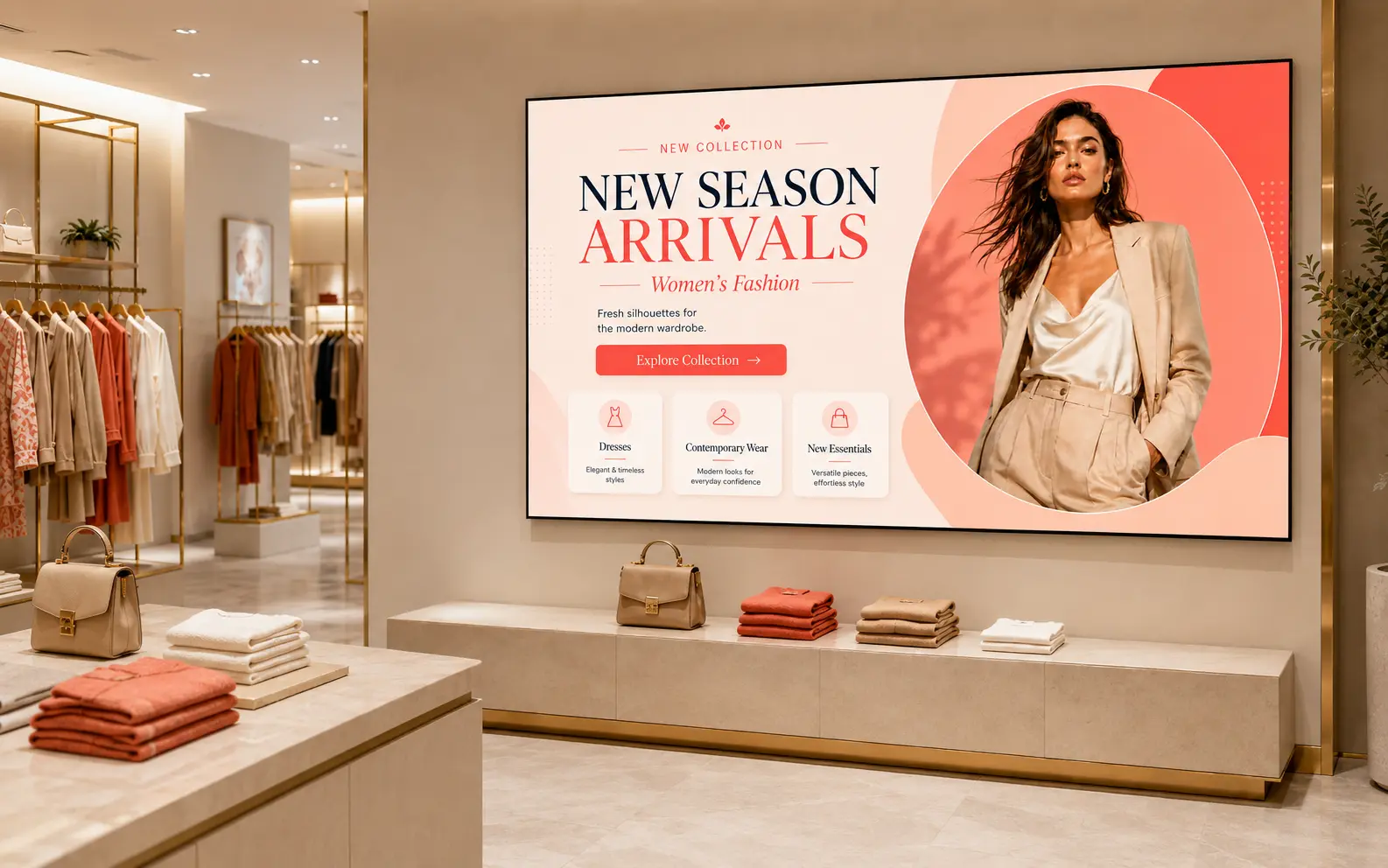
Retailers update promotions, pricing, and product campaigns across stores from a central dashboard. Time-sensitive offers go live across all locations in seconds. See Pickcel for retail digital signage.
Explore retail digital signage →
Healthcare waiting room display board
Healthcare

Healthcare waiting rooms

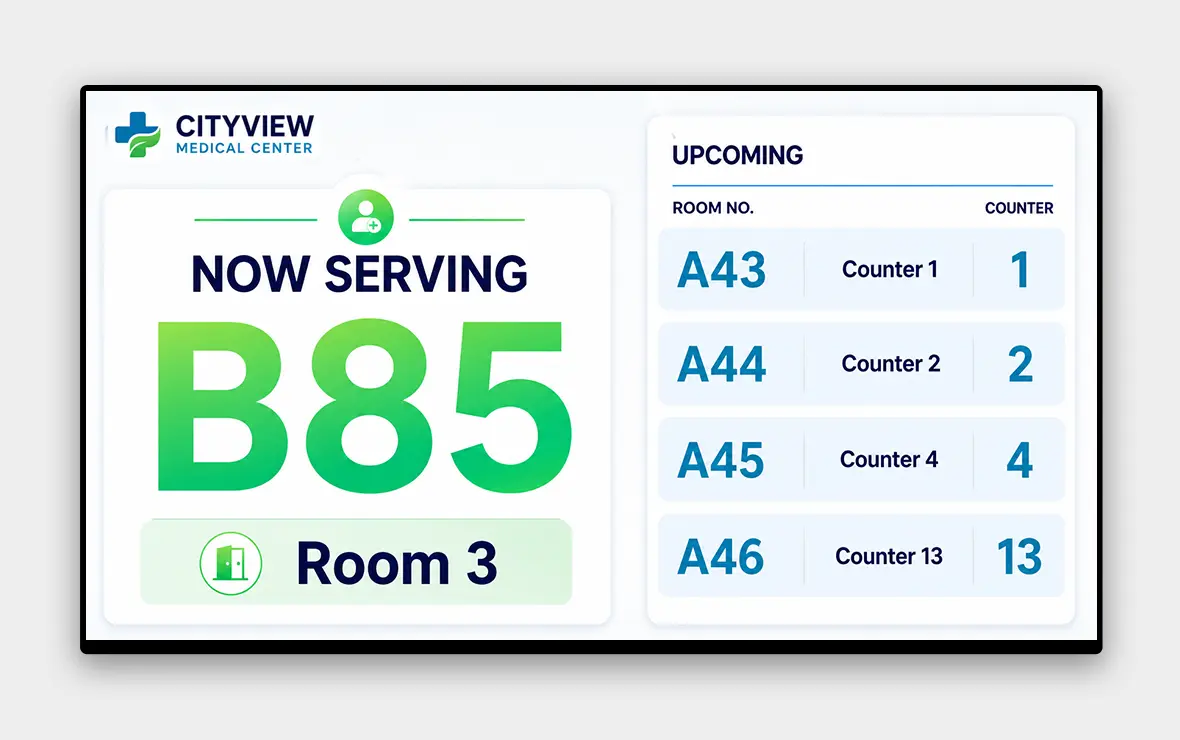
Hospitals and clinics display queue numbers, health guidance, and safety notices. Pickcel keeps content current without requiring clinical staff to manage screens directly. See Pickcel for healthcare digital signage.
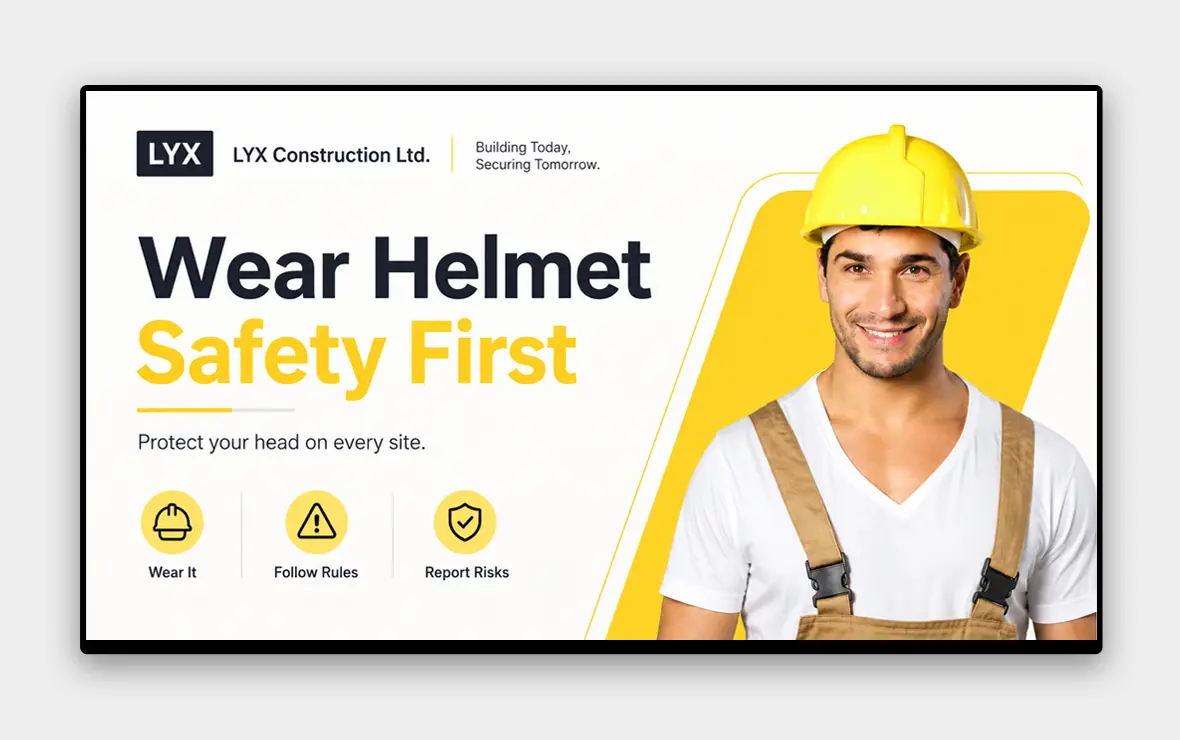
Explore healthcare digital signage →
Manufacturing floor display board with live KPIs
Manufacturing

Manufacturing floors

Production teams display live KPIs, shift briefings, and safety alerts on factory floor boards. Pickcel connects to live data sources to show real-time production metrics.
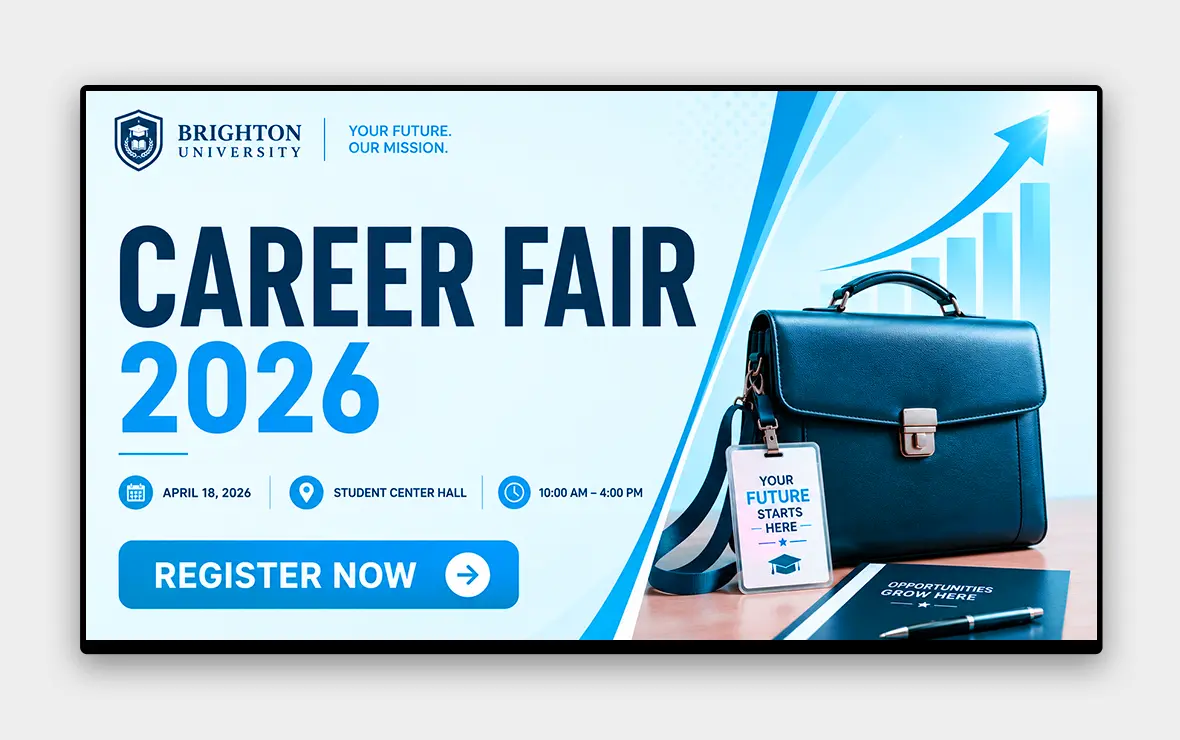
Education campus display board with timetables and alerts
Education

Education campuses

Schools and universities post timetables, event notices, and campus alerts across buildings. Role-based access lets individual faculties manage their own boards without affecting other areas of the network. See Pickcel for education campus digital signage.
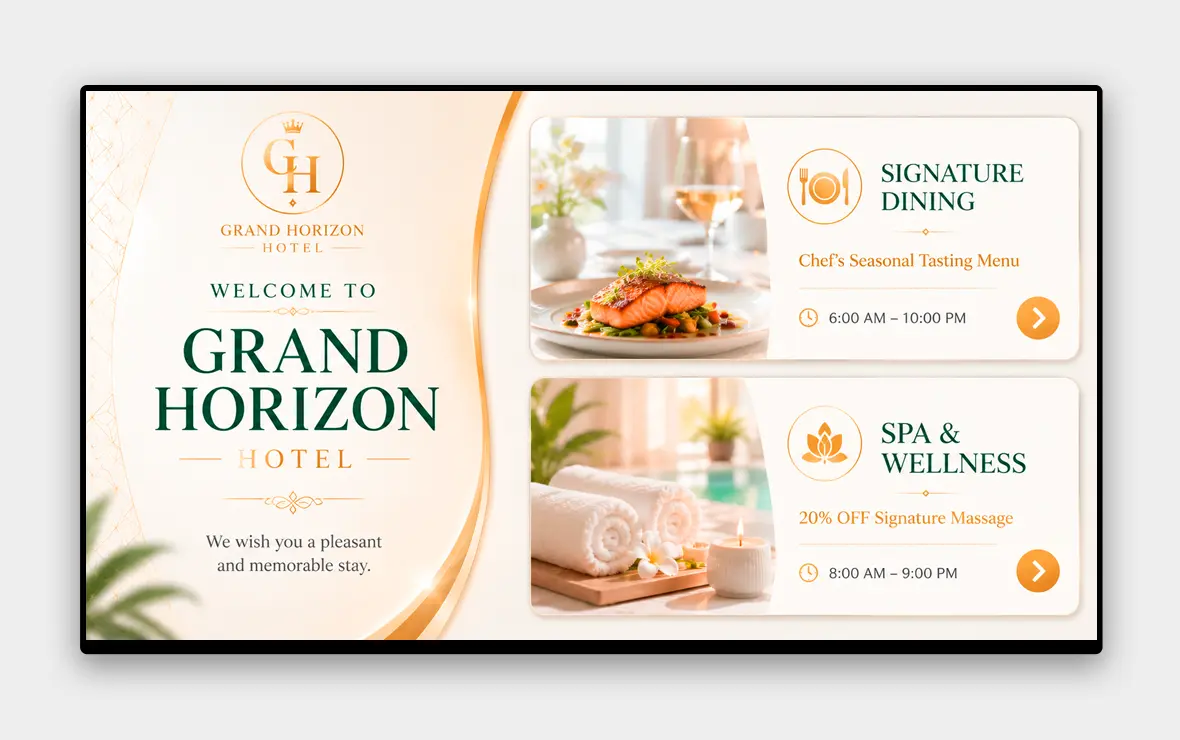
Explore education digital signage →
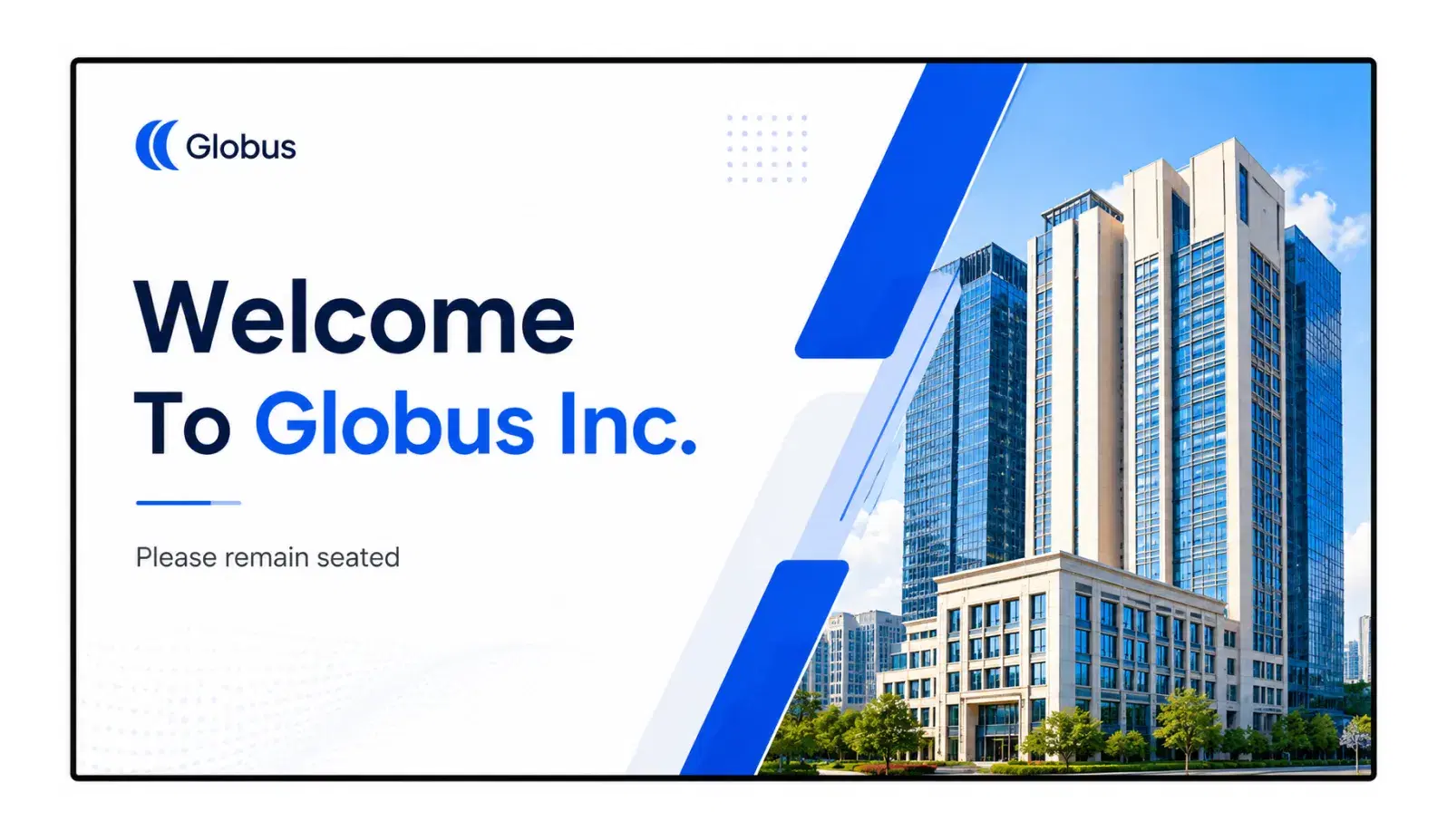
Hotel display board with menus and event listings
Hospitality

Hotels and restaurants

Hospitality venues run menus, event listings, and directional content. Scheduled playlists switch content automatically from breakfast service to dinner without manual intervention.

Key Features

Key Features for Display Board Management

Content scheduling

Assign content to specific screens and set it to play at defined times and dates. Scheduling runs automatically once configured, with no manual switching.

Remote management

Update any display board from a browser or the Pickcel mobile app. Changes apply in real time to any screen, anywhere in your network.

500+ templates

Pre-built designs for menus, announcements, KPI dashboards, event listings, wayfinding, and more. Use a template or build from scratch with the drag-and-drop editor.

Screen health monitoring

Pickcel tracks the status of every connected screen continuously. Alerts identify the specific board, location, and fault time when a display goes offline.

Offline playback

When a screen loses internet connectivity, it continues playing the last synced content. When connection returns, the playlist updates automatically.

Role-based access

Control who can edit content for which screens. A branch manager updates their local boards without access to the broader network. An IT admin sets permissions across the whole estate.

See it in 20 minutes

See how Pickcel manages your display boards in a 20-minute walkthrough. Work email, company details, and your primary challenge — we'll tailor the session to your deployment.

Security and Compliance

Enterprise-Grade Security

Pickcel is audited annually against SOC 2 Type II and ISO 27001, the enterprise security standards most commonly required by corporate and institutional IT procurement teams.

SOC 2 Type II

Independent audit of data security, availability, and confidentiality controls.

ISO 27001

International standard for information security management systems.

99.99% uptime SLA. Pickcel's infrastructure is built for continuous operation. Scheduled maintenance windows do not interrupt content playback on active screens.

Dedicated onboarding and support. Every deployment includes onboarding assistance. Enterprise accounts receive a dedicated account manager and priority support access.

IT-ready documentation. Security architecture documents, data handling policies, and network requirements are available for enterprise IT review before sign-off. For security-sensitive deployments, see also our electronic bulletin board solution.
SOC 2 Type IIISO 2700199.99% Uptime SLARole-Based Access Control
FAQ

Frequently Asked Questions

A digital display board is a screen that shows content managed remotely through software. Content is created, scheduled, and updated from a cloud dashboard rather than changed manually at the screen. It can be a commercial TV, monitor, or purpose-built signage display connected to a cloud platform. Unlike a static notice board or a TV running a local slide loop, a digital display board is connected to a content management system that lets you update every screen in your network simultaneously from a single login. You can push new content, change a scheduled playlist, or replace a running image across any number of screens in real time, without visiting a single display. Role-based access ensures only authorised team members can update specific boards.
A traditional notice board requires physical access to update content. A digital display board is managed through software, so you can update content from any browser in real time, across any number of screens, without visiting each one. The practical difference compounds at scale. A business with one location may find the manual approach manageable. A business with five or fifty locations faces a coordination problem: content becomes inconsistent as updates reach different sites at different times. Digital display boards eliminate that lag: a single publish action from the central dashboard updates every screen simultaneously, so all locations show the same current content the moment it changes.
No. Pickcel works with the screens and devices you already own. It supports 50+ device types including Android players, Windows PCs, Chrome OS, Samsung Tizen, LG webOS, and Amazon Fire TV. Download the Pickcel app on your device and connect it to any commercial screen. This means you are not locked into a proprietary hardware ecosystem. If you already have commercial TVs connected to Android media players, Chrome OS sticks, or Windows mini-PCs, Pickcel installs directly on those devices. If you are buying hardware for a new deployment, you can choose any compatible device from an independent supplier. Setup takes three steps: download the Pickcel app, connect the device to your screen, and publish from the cloud dashboard.
All screens appear in Pickcel's central dashboard. Group screens by location, apply content to an entire region, or update a single board. There is no limit on locations or screens. Changes publish to all selected boards simultaneously. The dashboard lets you create screen groups that mirror your physical structure, by building, floor, department, or region. A retail business can maintain separate content zones for each store while still being able to push a global campaign across all locations with a single action. Screen health monitoring runs across the entire network: if a display goes offline at any location, Pickcel sends an alert identifying the specific screen, its location, and the time it went dark. There is no need to rely on in-store staff to report a problem.
Yes, if the TV connects to a supported player via HDMI (Android, Windows, Chrome OS, Amazon Fire TV), or if it is a Samsung Tizen or LG webOS commercial display. Connect the player to your TV, download Pickcel on the device, and it becomes a managed display board. The key distinction is between consumer TVs and commercial displays. A consumer TV connected to a compatible media player works fine with Pickcel: the player runs the software, and the TV is simply the screen. A commercial display from Samsung (Tizen) or LG (webOS) has the OS built in, so no external player is needed: Pickcel installs directly on the screen. For new deployments, commercial displays simplify setup and reduce cabling, but the choice is yours. Pickcel supports both configurations.
Log in to the Pickcel dashboard from any browser. Upload or edit your content, select the target screens or groups, and publish. Content goes live immediately. You can also schedule updates in advance so content changes automatically at the time you set. The process is the same whether you are updating one screen or one thousand. Select the screen or group, choose or upload the content item, and publish. The update goes live on every selected display within seconds. For planned changes, such as a promotion launching at a specific time, a menu that changes at a meal service, or an announcement going out at the start of a shift, scheduling lets you set the date and time in advance and walk away. No manual action is required at publish time.
Pickcel supports images, video, HTML, live data feeds, social media feeds, PDF documents, and web URLs. Multiple content items run in a scheduled playlist. Build layouts from the template library or use the custom editor. Each content type serves a different use case. Images and video handle promotions, announcements, and brand content. Live data feeds pull real-time information: production KPIs on a factory floor, queue numbers in a healthcare waiting room, or live pricing on a retail display. Social media feeds aggregate brand or hashtag content for lobbies and event spaces. HTML enables fully custom layouts and dynamic content. The 500+ template library covers common formats including menus, dashboards, event listings, and wayfinding. Use one directly or customise it in the drag-and-drop editor.
Pickcel holds SOC 2 Type II and ISO 27001 certifications. Role-based access ensures staff only access the screens and content assigned to them. Enterprise security and network documentation is available on request. SOC 2 Type II is an independent audit of Pickcel's security controls across availability, confidentiality, and data integrity: not a one-time certification, but an annual assessment. ISO 27001 is the international standard for information security management systems. Together, these certifications satisfy the requirements of most corporate and institutional IT procurement teams. For enterprise deployments, Pickcel provides full security architecture documentation, data handling policies, and network requirements for IT review before sign-off. Role-based access control ensures that branch managers, department leads, and IT administrators each have access only to the screens and content relevant to their scope.
Related Content

You Might Also Like

Electronic bulletin board displaying company announcements on an office screen

Electronic Bulletin Board

Closely related solution for digital notice boards — same buyer journey, different framing.

Pickcel digital signage player running on multiple operating systems

Digital Signage Player

Hardware compatibility detail for readers evaluating device setup.

Corporate office digital signage displaying internal communications

Corporate Digital Signage Software

Highest-volume industry use case for display boards.

Your display boards are one dashboard away from being fully managed.

Publish, schedule, and monitor every screen in your network from a single cloud dashboard — no proprietary hardware required.

No credit card required. Cancel anytime.

Product

  • Software Features
  • Digital Signage Hardware
  • Digital Menu Board Software
  • Digital Signage Player
  • Interactive Kiosk
  • OTT Digital Signage Software
  • Queue Management Software
  • Visitor Management software
  • On-premise Digital Signage

Enterprise

  • Integrations & Automation
  • On-premise Digital Signage
  • Our Services

Solutions

  • Corporate Communication
  • Retail Digital Signage
  • Digital Signage Hospitality
  • Multi Channel Employee Communication
  • Restaurant Digital Signage
  • Banking & Finance Signage
  • Transportation Digital Signage
  • Digital Product Catalogue
  • Electronic Bulletin Board
  • Employee Communication App
  • Wayfinding Signage

Resources

  • Case Studies
  • What is digital signage?
  • Digital Signage Blog
  • Apps
  • Pricing
  • FAQ

Company

  • About Us
  • Contact Us
  • Support
  • Press Release
  • Careers

Trust & Compliance

  • Privacy Policy
  • Terms of Service
  • Refund Policy
  • Data Processing Addendum
  • Sub-processors
  • Security
  • Cookie Policy

Partner program

  • White Label Digital Signage
  • Reseller Digital Signage
Capterra4.6G24.6GoodFirms4.6

© 2026 LaneSquare Technology Pvt Ltd. All rights reserved.