
Hospital Waiting Room Digital Signage Software
Pickcel is a cloud-based digital signage platform that lets hospital administrators manage all waiting room screens from one dashboard. Update health education content by department, schedule appointment reminders by time of day, and broadcast emergency alerts to every display across every location in seconds.

What Is Digital Signage for Hospital Waiting Rooms?
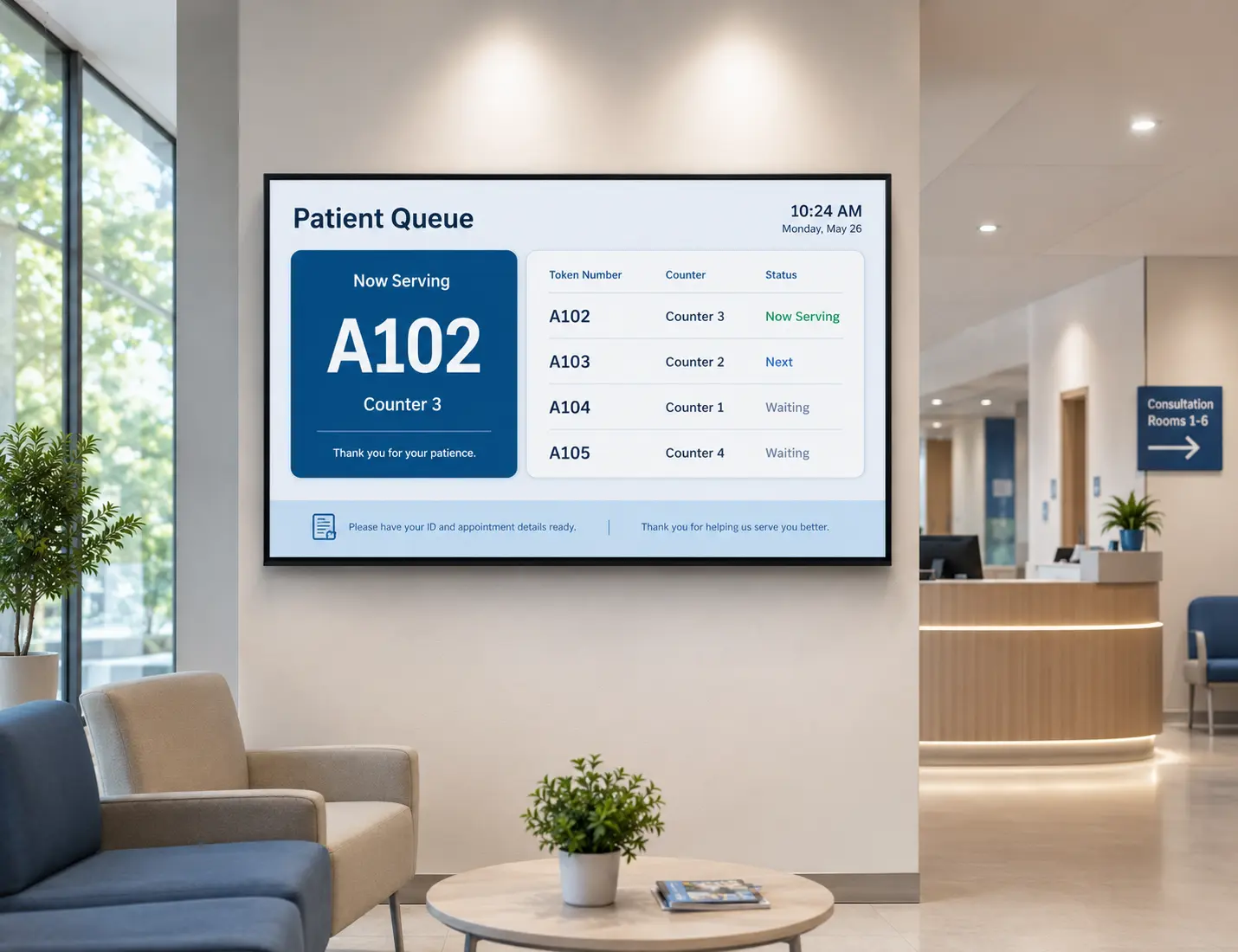
Digital signage for hospital waiting rooms is a software-managed display system that lets healthcare facilities deliver patient education, queue updates, wayfinding information, and emergency alerts across all waiting area screens from a central cloud dashboard, managed remotely by one administrator.
Key facts
- Used by hospitals, outpatient clinics, and multi-site healthcare groups
- Works on existing TVs, commercial displays, and media players without proprietary hardware
- All content managed from a single cloud dashboard, updated in real time
- 150,000+ screens managed globally across 9,000+ businesses
Audience
The Hospital Waiting Room Communication Problem
Three Ways Standard Waiting Room Setups Fall Short
Patients With No Relevant Content Perceive Waits as Longer
Patients and hospital experience teams consistently report that occupied waiting feels shorter than passive waiting. Providing relevant content reduces the subjective sense of time passing and has a measurable effect on patient satisfaction scores.
Static Posters and TV Slides Cannot Respond Quickly to Change
Hospitals update visiting hours, infection control protocols, and appointment procedures frequently. Printed materials and static display slides cannot reflect these changes without manual intervention at each screen, leaving patients with outdated information and staff managing the gap.
Front Desk Staff Answer the Same Questions Repeatedly
Without on-screen directions and appointment guidance, patients and visitors ask reception staff for help throughout the day. In a busy outpatient department, this burden pulls staff away from higher-value patient care activities and slows the flow of people through the waiting area.
How Pickcel Addresses Each Failure
| Challenge | Traditional Static Setup | Pickcel Digital Signage |
|---|---|---|
| Patient perceived wait time | No active content tool; blank walls or looping slides | Health education, queue status, and appointment guidance give patients relevant content to engage with during their wait |
| Responding to content changes | Manual update required at each physical display | One dashboard action pushes updated content to all screens across all sites in seconds |
| Front desk interruptions | Patients ask reception for directions, wait status, and appointment information throughout the day | On-screen wayfinding, queue indicators, and FAQ content reduce routine front-desk queries |
How Pickcel Manages Hospital Waiting Room Screens
What Pickcel Delivers for Your Hospital Waiting Areas
Update Every Screen Instantly From Anywhere
One administrator can push content changes to all waiting room displays across every building and site simultaneously. No USB drives, no on-site technician, no physical access to individual screens required. Publish a content change live within seconds or schedule it to go out at a specific time, from any browser, on any device.
Schedule Different Content for Different Departments
Cardiology, oncology, maternity, and outpatient waiting areas serve patients with different information needs. Pickcel's scheduling tools let you assign different content playlists to different screen groups and configure time-of-day rules automatically. Morning hours can carry preventive health education; afternoons can shift to appointment reminders and discharge procedure information.
Broadcast Emergency Announcements to All Screens
During an emergency, an infection control notice, or a policy change, communications teams can push a message to every waiting room screen across every site from one action in the dashboard. The override broadcasts within seconds, without requiring access to any individual display.
Display Wayfinding and Directional Guides
Floor maps, department locations, lift access points, pharmacy counters, and parking information can run continuously on waiting area screens. Patients navigating unfamiliar hospital environments can self-direct with confidence, which reduces the number of times reception staff are interrupted for directions. See Pickcel Wayfinding Signage for dedicated wayfinding tools.
One Dashboard. Every Waiting Area Screen. Every Location.
From a single outpatient clinic to a multi-city hospital network, Pickcel gives your communications team full control over every screen without on-site visits or IT overhead.
What to Display on Hospital Waiting Room Screens
What to Show on Hospital Waiting Room Screens
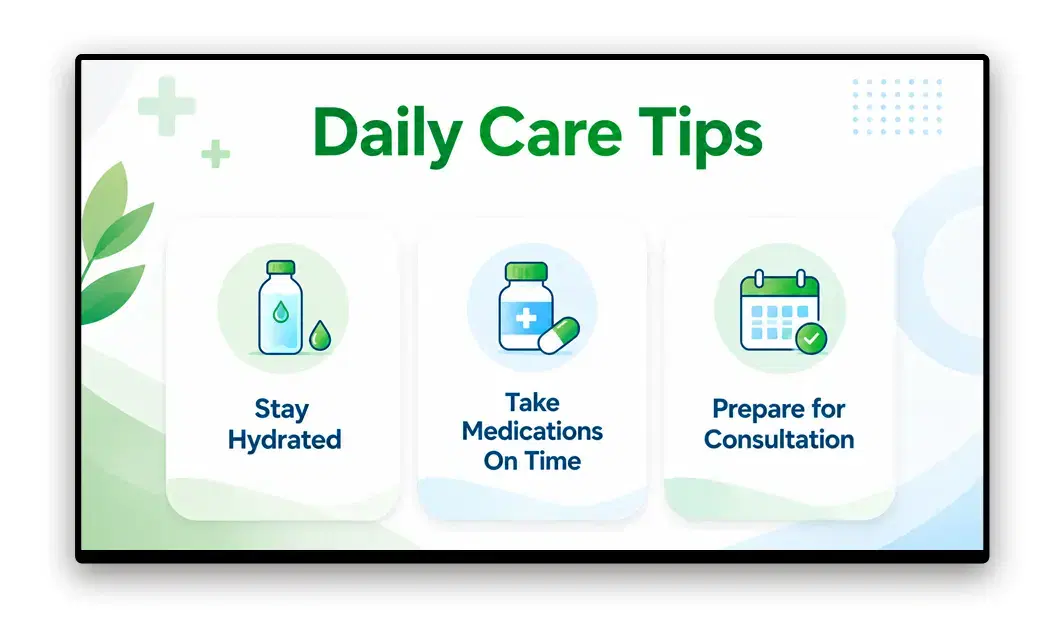
Patient Health Education
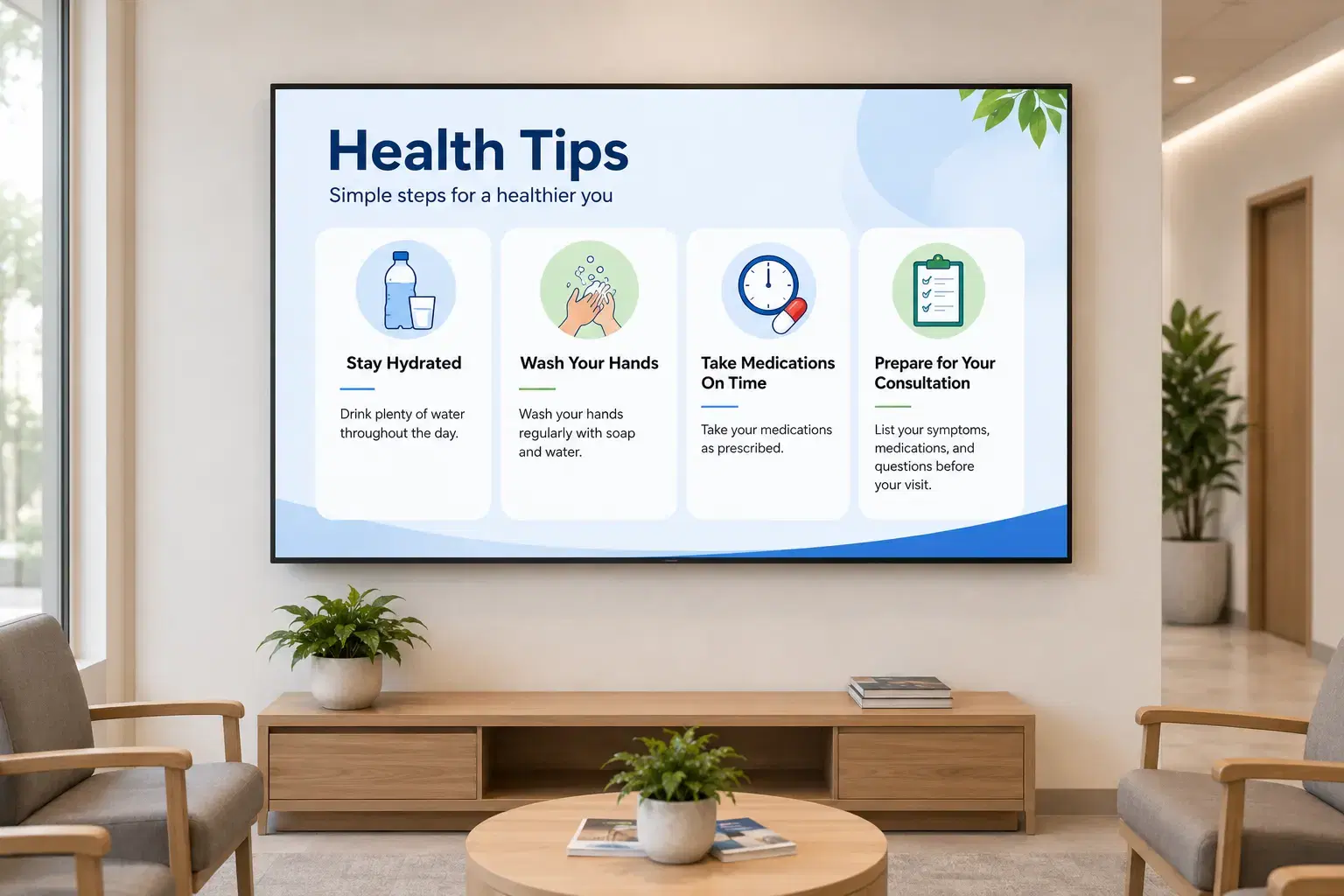
Pickcel displays preventive care content, post-procedure instructions, medication adherence reminders, and seasonal health campaigns. Healthcare providers use waiting room time productively to improve patient understanding of conditions and treatment options before and after consultations.
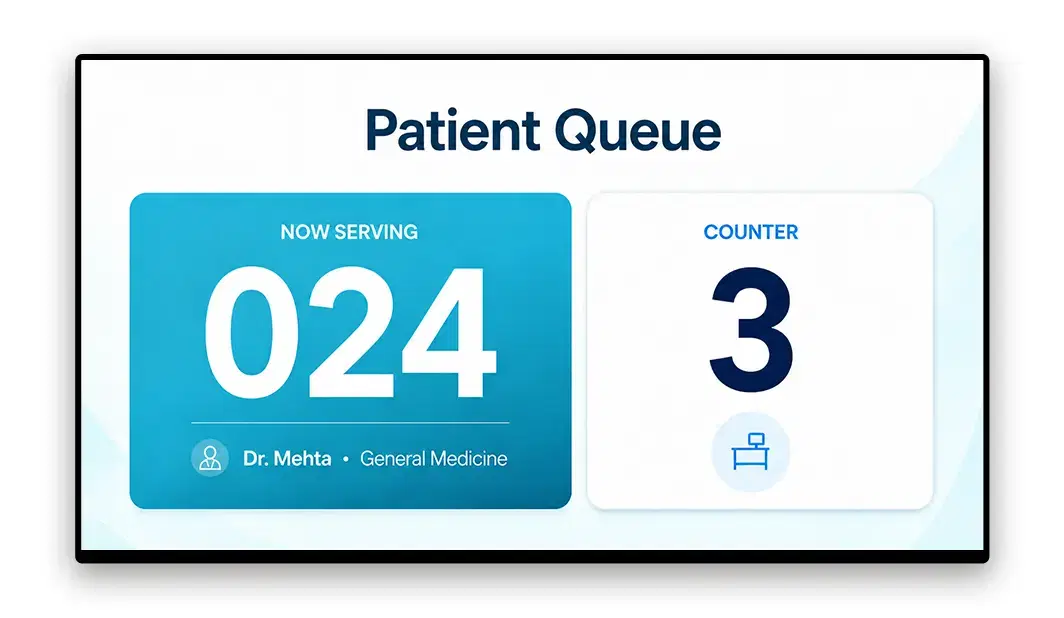
Queue and Appointment Status
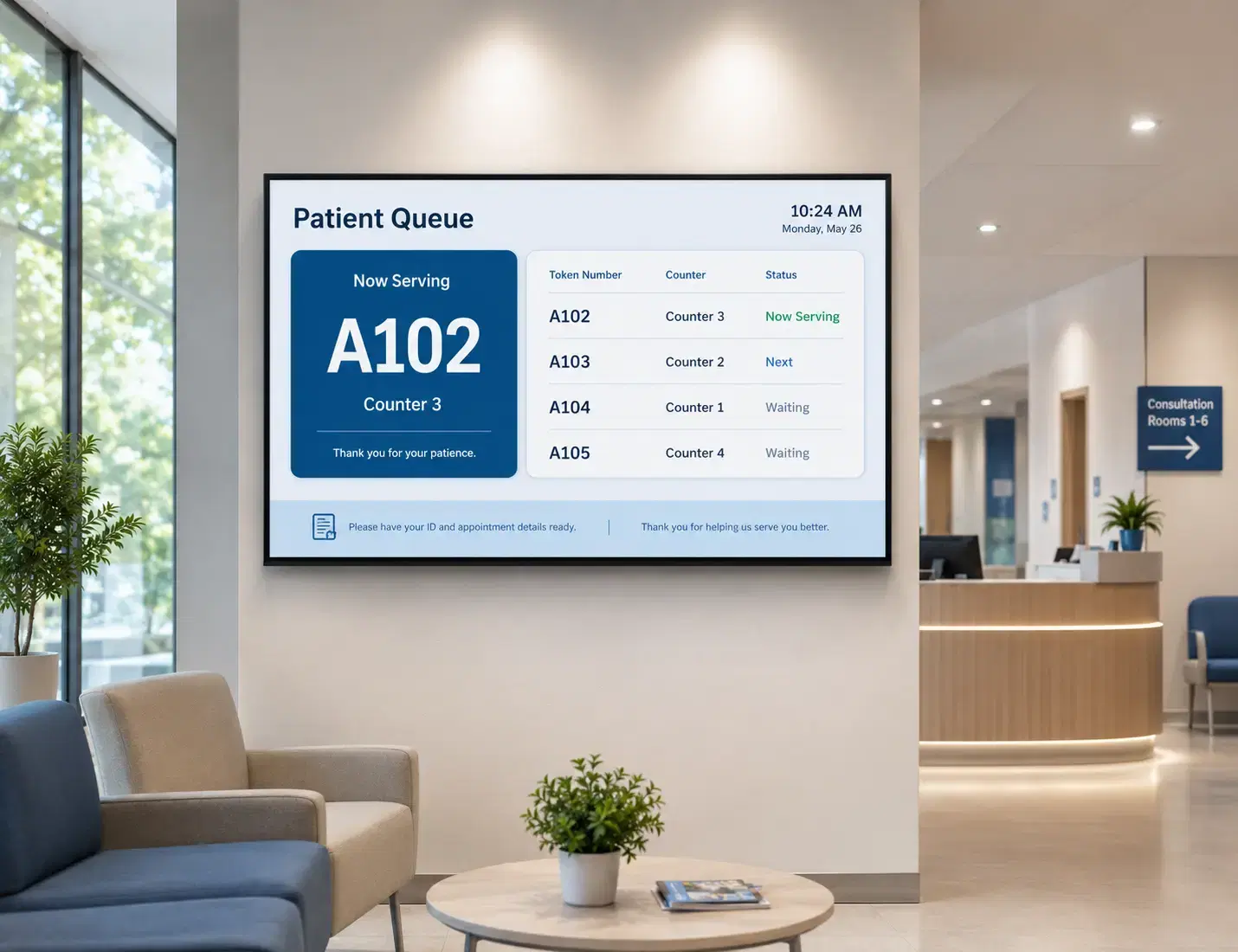
Real-time queue numbers and estimated wait indicators can run on waiting room screens when connected to a queue management system. Patients stay informed of their position without approaching the front desk repeatedly, reducing anxiety and front-of-house congestion. Pickcel integrates with queue management workflows to display live counter numbers and wait time indicators.
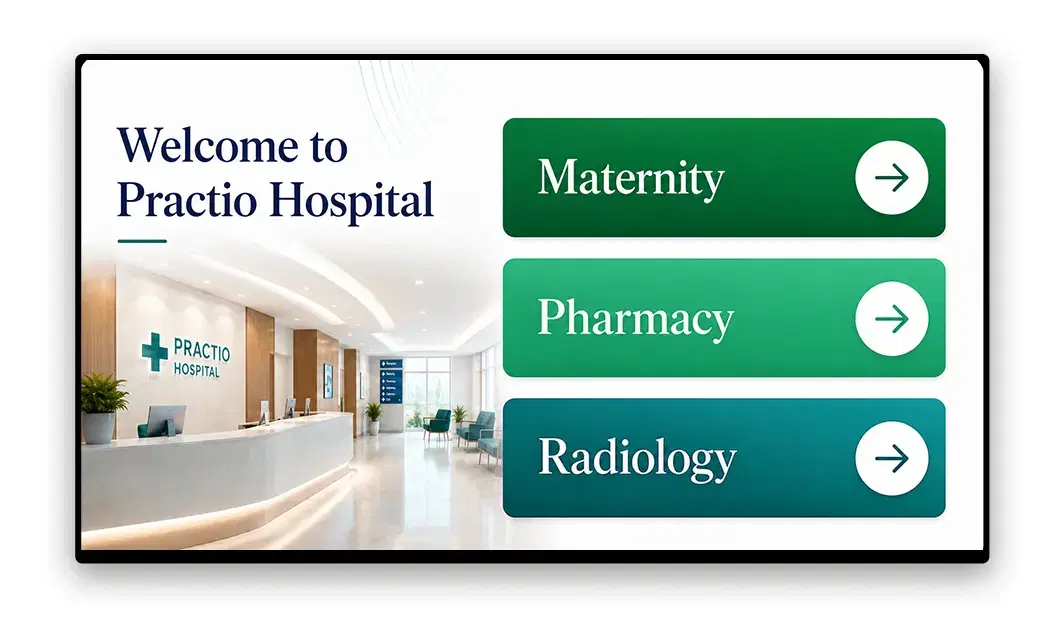
Wayfinding and Navigation
Department floor plans, pharmacy locations, lift access, and parking directions can run continuously on waiting area screens. Clear on-screen navigation reduces patients arriving at wrong departments and cuts the directions queries front desk staff handle throughout the day.
Emergency and Policy Alerts
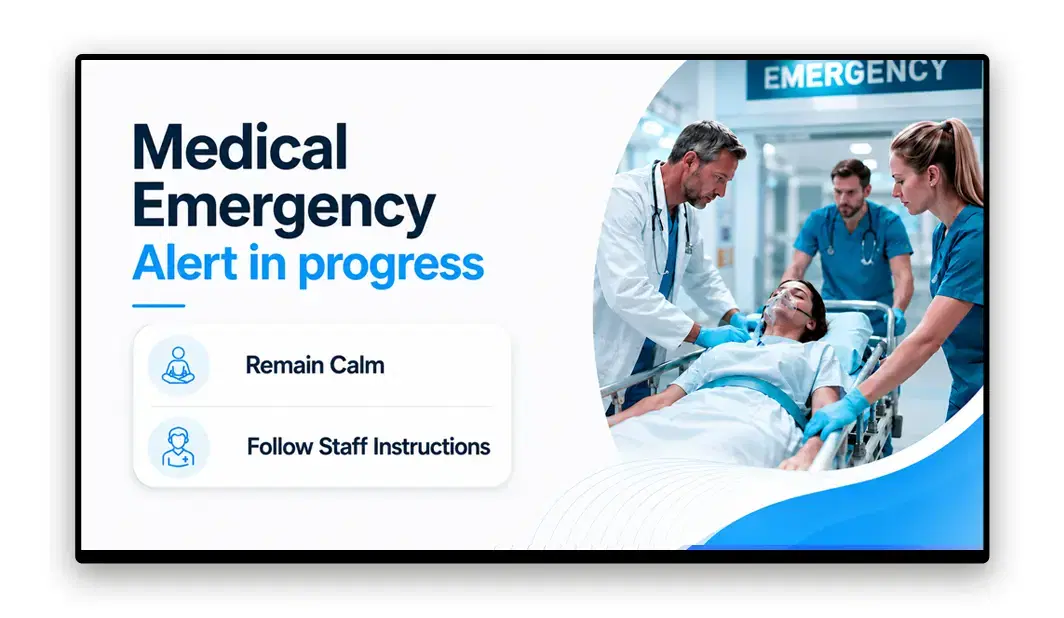
Infection control notices, visiting hour changes, flu season protocols, and emergency announcements broadcast instantly to every waiting area screen. Pickcel's override feature ensures critical communications reach patients and visitors within seconds of being published to the dashboard.

Entertainment and Ambient Content
News feeds, nature content, ambient playlists, and curated video programming give patients something to engage with during their wait. Occupied attention contributes to a calmer waiting environment and reduces the subjective sense of time passing.
Trust and Corporate Communications
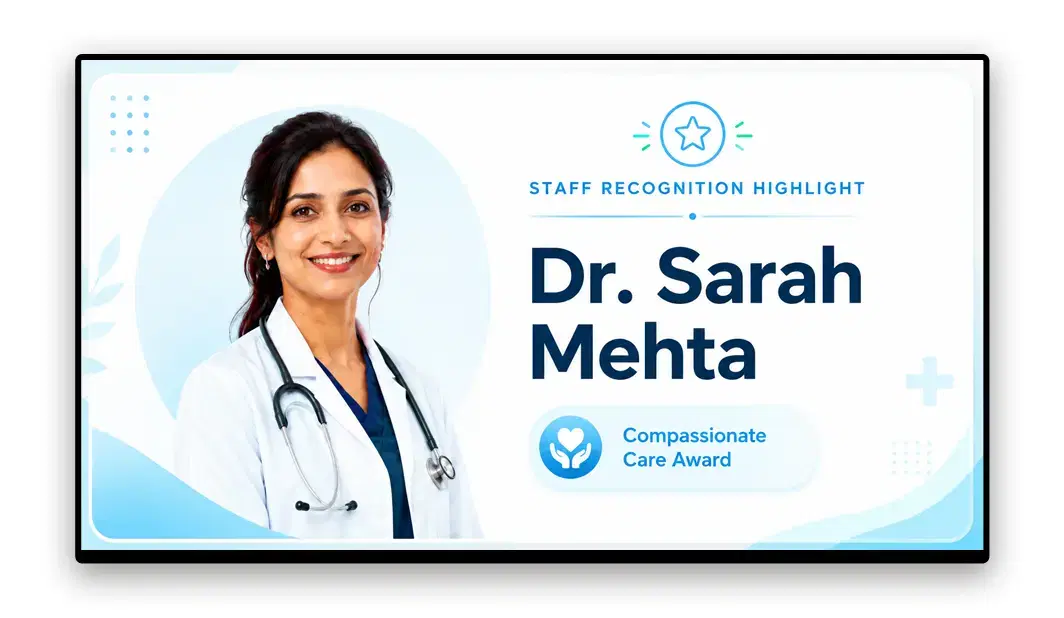
Staff recognition highlights, hospital accreditations, community health campaigns, and upcoming wellness events build patient confidence and reinforce the hospital's identity. These content types also support internal engagement in staff-facing waiting areas and break rooms.
How to Set Up Pickcel in a Hospital Waiting Room
Three Steps to Get Pickcel Running in Your Hospital
Connect Your Existing Screens
Pickcel works with any display running a major operating system, including consumer TVs, commercial displays, and existing hospital AV equipment. There is no need to replace hardware. Connect a Pickcel-compatible media player to each screen, or use displays that support the Pickcel app natively. Setup requires no specialist IT skills and no on-site vendor visit.
Manage all your hospital's digital displays with Pickcel Digital Signage Software.
Design and Schedule Your Content
Use Pickcel's browser-based dashboard to build waiting room content from templates or upload your own branded assets. Assign content playlists to specific screen groups, configure time-of-day scheduling by department, and set up the emergency broadcast override before going live. The dashboard requires no technical training to operate.
Manage All Locations Remotely
Once screens are live, all content management happens through the dashboard. Update a slide in seconds, add new screens as departments expand, publish an emergency alert with one action, and monitor the status of every display across every building. No on-site visits or dedicated AV team required.
Security and Compliance for Hospital Environments
Role-Based Access Control
Department managers can update waiting room content in their own area without accessing other departments' screens or network-level settings. A facilities administrator manages the full screen estate, while an oncology ward manager handles only the oncology waiting area. This structure suits hospital environments where content authority is distributed across multiple teams and buildings.
Offline Playback Fallback
If a network connection is disrupted, screens continue playing their last-scheduled content automatically. Patients are not faced with blank or error displays during connectivity outages, which matters in busy hospital environments where consistent screen operation reflects on the institution's professionalism.
Uptime
Pickcel maintains 99.9% platform uptime, supporting the consistent delivery that hospital communications require.
A note on HIPAA
Pickcel is a content scheduling and display platform. It does not process or store patient health records on screens. The platform handles media files, scheduling data, and device configuration only. If your hospital has specific HIPAA data governance requirements, your compliance team should review Pickcel's data handling documentation to confirm alignment before deployment.
Choosing the Best Digital Signage for Hospital Waiting Rooms
What Each Option Handles, and Where It Stops Working
Few hospitals start from a blank wall. There is usually a noticeboard by reception, a spare television someone mounted years ago, or a screen playing whatever was loaded onto it last. The question is which of those still holds up on the morning a clinic list changes at 7am, or the afternoon a ward moves into isolation.
| Option | What it handles well | Where it stops working in a waiting area |
|---|---|---|
| Printed posters and noticeboards | Permanent information that almost never changes, such as department names, fire exits, and infection control basics. | Nothing on a poster reflects the current queue, the delays running in clinic today, or a protocol that changed overnight. Patients read it once on arrival and stop looking. |
| A television running a USB stick or a slideshow | One screen in one room, refreshed by whoever holds the remote. | The loop plays until somebody physically swaps the drive, so a 7am clinic change waits for whoever is on shift. Nothing can cut into playback when an alert has to go out. |
| Consumer smart-TV apps | Ambient video or a news channel in a quiet corner. | Apps sign themselves out, install updates mid-session, and drop back to the home screen after a power cut. Someone re-selects the app by hand at every set. |
| General-purpose digital signage | Retail and office estates where most screens carry broadly the same content. | Paediatrics, oncology and pharmacy waiting areas run different content on different timetables, and an emergency message has to reach all of them at once, then hand every screen back to the schedule it was on. |
| Pickcel | Department-level scheduling, one-action emergency override across sites, and playback that continues when the network drops. | Pickcel schedules and displays content. It shows what a queue management system publishes rather than replacing that system, and it holds no patient records. |
The useful test is not which platform lists the most features. It is who has to walk to a screen to change what is on it, and how long an urgent message takes to reach every waiting area. Anything that depends on physical access to the display stops scaling as soon as a hospital runs more than a handful of screens.
Pickcel in Healthcare: Manipal Hospitals
Healthcare / Multi-Site
Managing Waiting Room Screens Across Two Cities: Manipal Hospitals
The Challenge
Manipal Hospitals, a multi-specialty hospital group with facilities across India, deployed Pickcel to manage digital signage across patient waiting rooms, reception areas, outpatient departments, cafeterias, and staff break rooms in their Bengaluru and New Delhi branches.
The Outcome
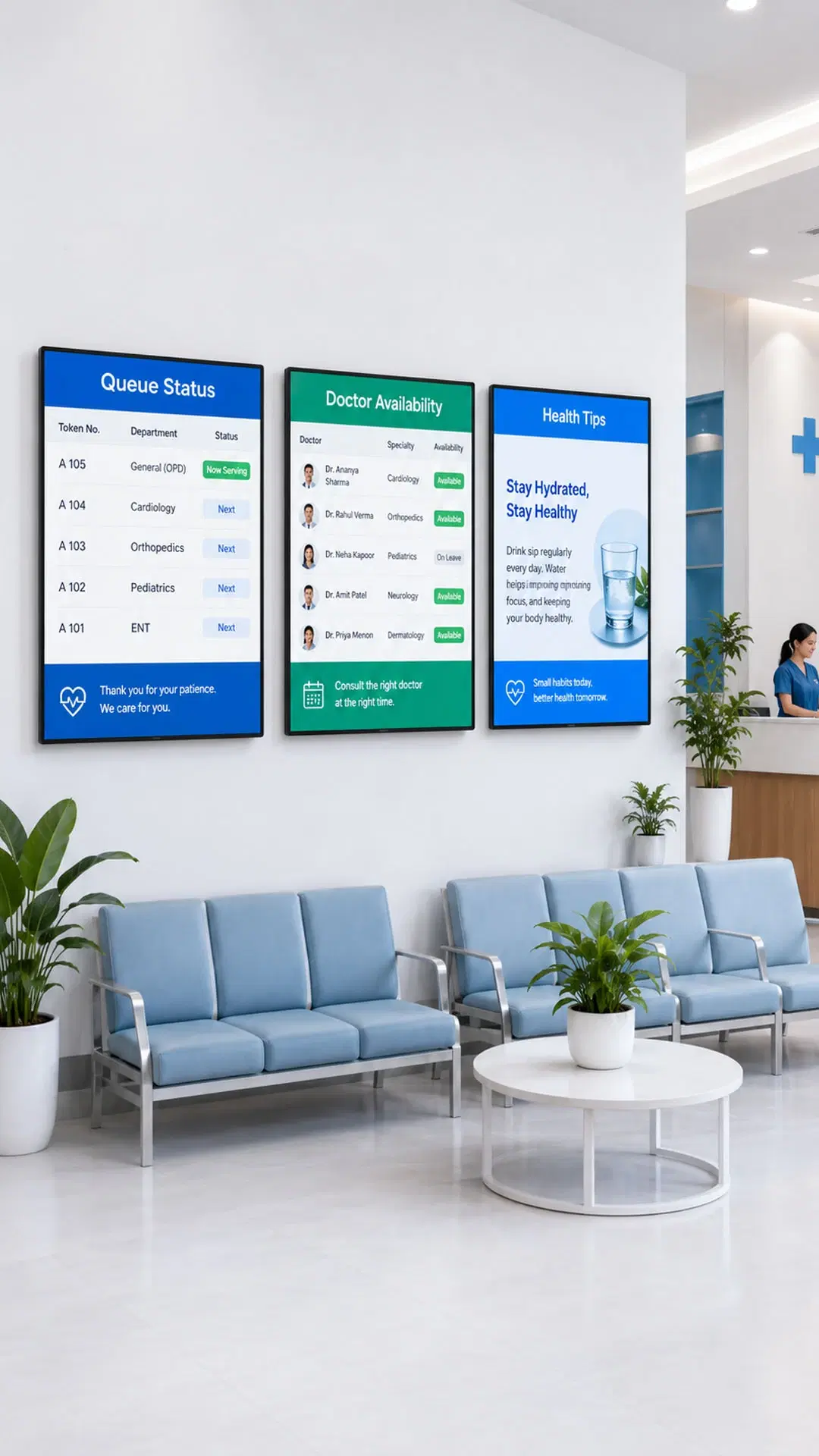
250 digital signage displays carry a mix of patient health education, health check-up schedules, doctor availability information, real-time queue status, and hospital marketing campaigns. All content is managed centrally, with updates distributed to screens across both cities from a single Pickcel dashboard, without requiring on-site visits for each content change. The deployment covers the full spectrum of hospital waiting area communication: patient-facing informational content in OPDs and reception, operational queue status, and internal communications for nursing and support staff. Managing this range of content across two cities from one dashboard is the core operational benefit Manipal's facilities team relies on.
More Pickcel Solutions for Healthcare
Healthcare Teams Trust Pickcel
"Security and infrastructure control were critical requirements for us, and Pickcel's on-premise deployment model delivered exactly that. The solution allowed us to manage digital signage entirely within our internal network while ensuring secure, reliable, and centralized communication across locations."
IT Infrastructure Head
Healthcare Institution, India
Frequently Asked Questions: Hospital Waiting Room Digital Signage
Digital signage for hospital waiting rooms is a cloud-managed display system that delivers patient education, queue updates, wayfinding, and emergency alerts across all waiting area screens from a central dashboard, without requiring manual changes at each screen.
Hospital administrators use digital signage software like Pickcel to replace static posters, printed leaflets, and single-channel TV setups with centrally managed, updatable content. Each screen in the waiting area can display a different content mix, or all screens can run a unified broadcast depending on the communication objective. Content can be scheduled weeks in advance by department or published live in under a minute. The system scales from a single waiting room to dozens of locations across a multi-site hospital group, all managed from one login.
Hospital waiting room screens typically carry a mix of patient health education, queue and appointment status, departmental wayfinding, emergency alerts, entertainment content, and hospital communications including accreditations, upcoming events, and staff recognition.
The right content mix depends on the department and time of day. Outpatient waiting areas benefit most from health education and queue status. Emergency department areas may prioritise triage procedure explanations and policy notices. Paediatric waiting areas often include entertainment and animated content. Pickcel's scheduling tools let you configure different content for different screen groups and time slots, so each area shows what is most relevant to the patients waiting there. Queue management content for waiting rooms is covered in more detail at Queue Management in Hospitals and Clinics.
Patients consistently report that having something relevant and engaging to watch makes their wait feel shorter. Hospital experience teams widely observe this effect across outpatient settings and use it as a rationale for investing in waiting room content quality.
The degree of improvement depends on content quality, screen placement, and the nature of the wait. A screen displaying relevant health education or current queue status gives patients a reason to look up and feel informed. A screen running irrelevant or looping content has limited effect. Pickcel's content scheduling lets hospitals design waiting area content that is genuinely useful rather than decorative, which is where the impact on patient experience is most consistent and measurable through patient satisfaction feedback.
Pickcel is SOC 2 Type II and ISO 27001 certified. Content is transmitted over encrypted connections. Role-based access controls allow department-level content management without exposing network settings. The platform does not process or store patient health records on screens.
For hospital IT and procurement teams evaluating security posture, Pickcel's certifications align with enterprise and government-grade security requirements. The platform's architecture uses encrypted data transmission and all access is managed through role-based permissions. Pickcel handles media files, scheduling data, and device configuration only. Organisations with specific HIPAA data governance requirements should review Pickcel's data handling documentation with their compliance team to confirm alignment before deployment.
Yes. Pickcel's cloud dashboard gives a single administrator full visibility and control over all screens across all locations. Content updates, scheduling changes, and emergency broadcasts apply to every site simultaneously from one login, without requiring on-site access to any individual screen.
Multi-site hospital groups use Pickcel to centralise their waiting area content operations. An administrator can update content in a waiting room at a different site within seconds. At the same time, department managers at each site can update their local screens independently within the permissions their IT administrator has configured. This combination of centralised control and delegated local management suits both small clinic groups and large multi-city hospital networks running hundreds of screens across many buildings.
Pickcel pricing is based on the number of screens and features required. There is no proprietary hardware cost. The platform works on existing TVs and commercial displays. A 14-day free trial is available to test the platform on real hospital screens before committing to a full rollout.
The overall cost of a hospital waiting area digital signage deployment depends on screen count, the number of locations, and the features required (such as queue integration or multi-user access tiers). Because Pickcel works on existing hospital displays and consumer-grade TVs, there is typically no hardware replacement cost when migrating from a static or TV-only setup. For organisations managing 10 or more screens, contact Pickcel's sales team for a volume pricing discussion and a demo configured to your site.
Pickcel is compatible with 50+ device types including consumer TVs, commercial displays, Android media players, BrightSign devices, Samsung SSSP and Tizen displays, LG webOS displays, and Windows and Linux-based systems. Existing hospital AV hardware can typically be used without replacement.
In clinical environments where hardware longevity and low maintenance are priorities, this breadth of compatibility reduces deployment risk. Hospitals do not need to commit to a single manufacturer or replace an existing screen estate. Pickcel-compatible media players can be added to screens that do not support the Pickcel app natively. Pickcel's device management dashboard shows the status of every connected screen in real time, so IT teams can identify and resolve any connectivity or playback issue remotely without needing physical access to each display.
A single waiting area can be live on Pickcel in under an hour once hardware is in place. Connecting a screen, installing the player app, logging into the dashboard, and publishing initial content typically takes less than 30 minutes per screen for a hospital IT technician or facilities manager.
At scale, hospitals deploying across multiple departments or sites can roll out incrementally. New screens are added to the dashboard remotely, without requiring software installation at a central server. For large deployments, Pickcel's onboarding team provides setup guidance and dedicated support through the initial rollout. A 14-day free trial gives hospital teams the opportunity to test the platform on a small set of screens before committing to a full estate rollout.
Ready to Modernise Your Hospital Waiting Rooms?
Pickcel gives hospital administrators, patient experience managers, and IT teams the tools to manage every waiting area screen from one dashboard. Schedule health education by department, broadcast emergency alerts instantly, and keep patients informed across every location, without a single on-site visit.
14-day free trial. No credit card required. Onboarding support included.