
Deskless Worker Communication: Strategy, Channels & ROI Guide for 2026
2.7 billion frontline employees work away from desks while 70% of communication tools are built for desk workers. This guide shows how a unified multi-channel platform reaches deskless teams where they actually work, compares 7 channels, and gives you a 30-day rollout plan with proven ROI.

TL;DR
- The Problem
- 70% of communication tools are designed for desk workers — leaving 2.7 billion frontline employees disconnected and costing organisations an estimated $12,506 per employee per year in lost productivity, safety incidents, and disengagement.
- The Solution
- A unified multi-channel communication platform that delivers messages through digital signage, desktop screensavers, desktop wallpaper, desktop scrollers, priority alerts, Microsoft Teams, WhatsApp, and SMS — all managed from a single interface.
- The Impact
- 94% message reach, 68% message recall after 24 hours, and a 37% reduction in safety incidents for deskless teams.
- Who Needs This
- HR Directors, Operations Managers, Internal Communications Leads at organisations with 100+ deskless or frontline employees.
Executive Summary
Most organisations are not failing to communicate with frontline employees — they are communicating through the wrong channels. Email is the default, but only 34% of frontline workers check it daily A manufacturing floor worker, a retail associate, and a warehouse operative share one reality: they are not sitting at a desk waiting for a message to arrive. The cost of this mismatch is measurable — an estimated $12,506 per deskless employee annually, driven by productivity loss, preventable safety incidents, and disengagement.
KEY INSIGHT
The communication gap affecting frontline employees is not a technology problem — it is a channel-fit problem. Organisations using three or more channels report message recall rates of 68% after 24 hours, compared to 31% for single-channel deployments.
A multi-channel communication strategy that meets employees where they already work is what closes this gap. Organisations that deploy across four or more touchpoints — digital signage in high-traffic areas, desktop screensavers and wallpaper on shared stations, scrolling alerts and priority notifications for time-sensitive messages, and direct messaging via Microsoft Teams, WhatsApp, and SMS — achieve 94% message reach compared to 47% with a single channel. This guide covers the seven core channels available in Pickcel, a channel-selection framework, and a 30-day implementation roadmap.
Who Needs This
The Impact
94%
Message Reach
for deskless teams
68%
Message Recall
after 24 hours
37%
Fewer Safety Incidents
in frontline operations
Explore the Platform
See how Pickcel's unified communication platform reaches deskless workforces across signage, desktop, and mobile from a single interface.
Explore Pickcel's multi-channel communication platform for deskless workforcesWhat Is Deskless Worker Communication?
Deskless worker communication is the practice of delivering organisational information — safety alerts, policy updates, operational instructions, and culture messages — to employees who work without a fixed desk or consistent computer access. It requires channels that function within real workflows, not alongside them.
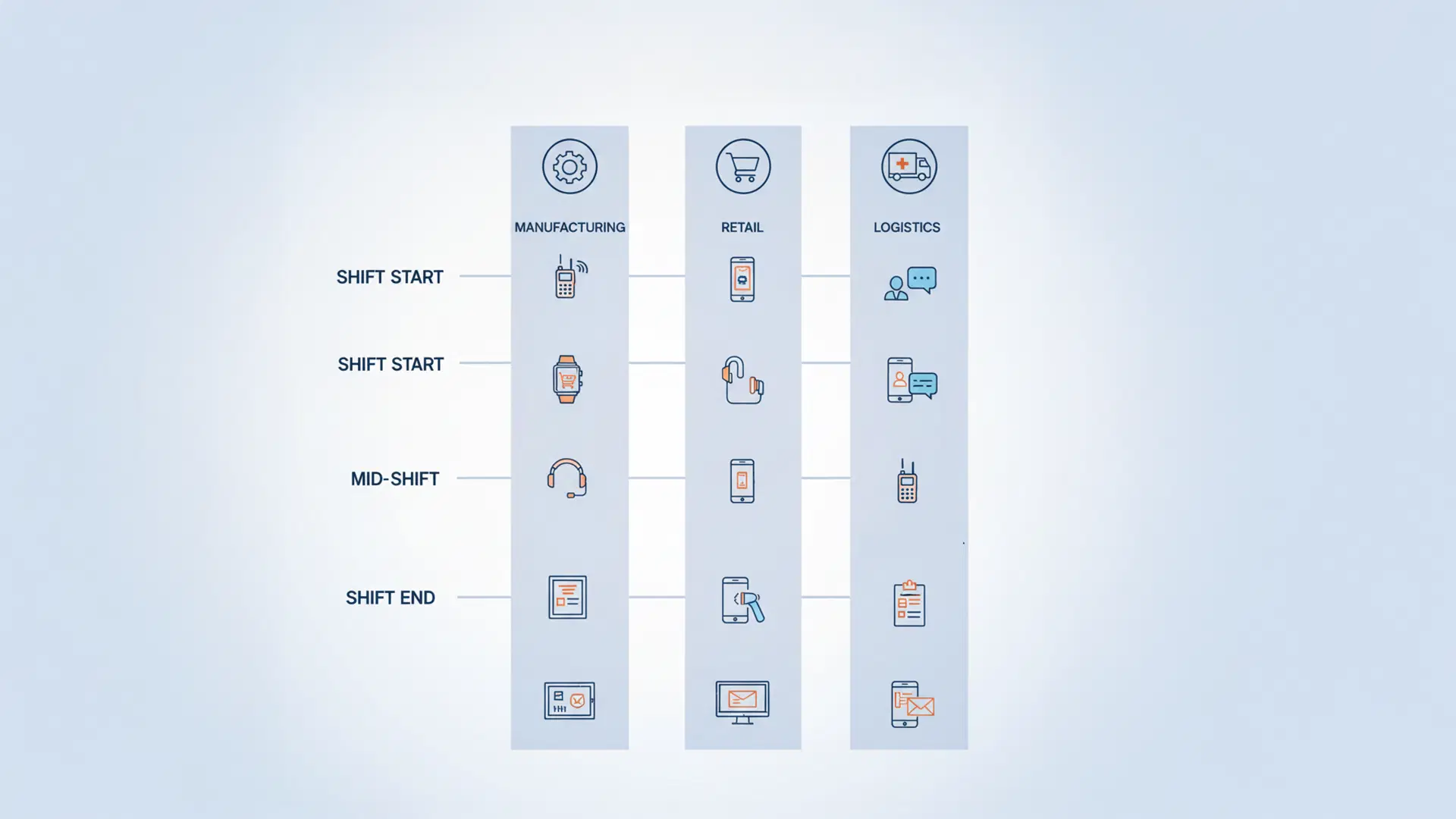
The distinction matters: deskless employees are not offline — they are differently connected. A worker managing a production line has 30-second windows at shift start and during breaks. A retail associate checks a shared terminal between customer interactions. A warehouse team lead scans updates on a mounted screen during pick-and-pack cycles. An effective communication system must be built around these real moments, not around the assumption of inbox availability.
Deskless communication vs. traditional internal comms
Traditional internal communication assumes email access and a personal workstation. Deskless communication assumes mobility, shared devices, and limited availability windows. A strategy built for one will systematically fail the other.
Why Traditional Communication Falls Short for Frontline Teams
Single-channel communication fails because it assumes uniform access — and frontline workforces do not have it. Email open rates for deskless workers sit at 23%, compared to 41% for desk workers. The average frontline employee takes more than 8 hours to open a work message — meaning a safety alert sent at the start of a shift will likely go unread until the shift ends.
Beyond delay, overload is the second failure mode. Frontline workers receive an average of 63 push notifications daily from a mix of personal and work applications. Within 30 days of receiving a new work communication tool, 71% of users disable its notifications entirely.
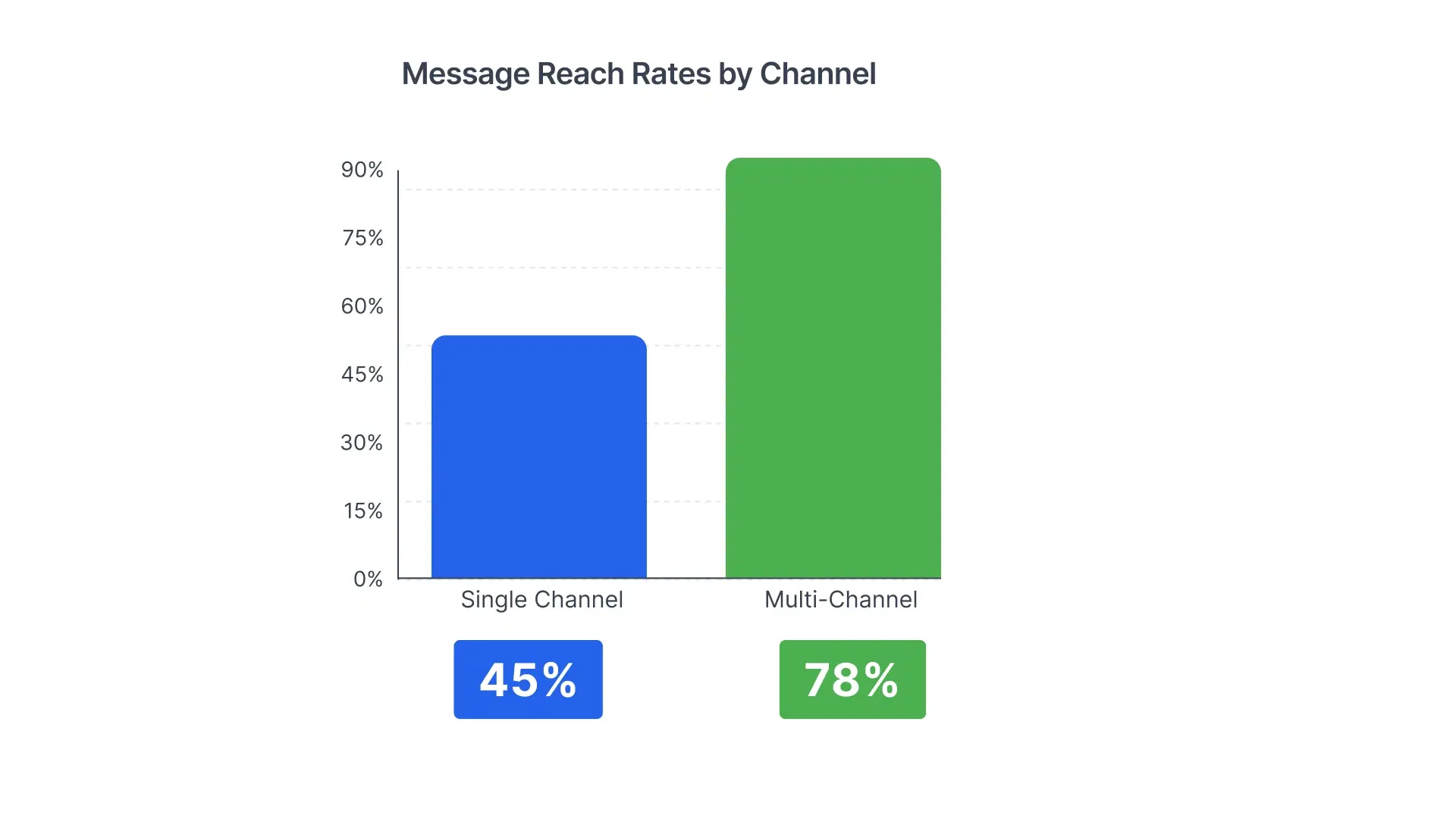
Organisations that rely on a single channel — bulletin boards, site-wide email, or SMS alone — consistently achieve a message reach rate of 47% or lower. Organisations deploying four or more coordinated channels achieve 94% reach (Digital Signage Federation Benchmark Report, 2025). That 47-percentage-point gap represents the employees who missed the safety briefing, who did not see the policy update, and who showed up to a shift that was cancelled. Multi-channel is not a feature enhancement — it is the structural fix.
The 7 Communication Channels That Reach Deskless Employees
Reaching frontline employees consistently requires seven distinct touchpoints, each suited to a different moment in the employee's workday. No single channel replaces the others — together, they ensure every message finds its audience.
1. Deploy digital signage in high-traffic locations
Digital signage software powers the highest-visibility channel for employees without personal workstations, delivering content to screens at production floor entrances, cafeterias, time-clock stations, and warehouse loading docks. Screens at production floor entrances, cafeterias, time-clock stations, and warehouse loading docks generate time-clock stations, and warehouse loading docks generate 4–5 exposures per employee per shift without requiring any action from the employee.
Information retention for screen-based content reaches 73%, compared to 12% for paper bulletins (Digital Signage Federation, 2025). Digital signage is best suited to safety protocols, shift metrics, policy updates, incident-free day counters, and employee recognition.
2. Use desktop screensavers on shared computer stations
Shared computer terminals — at QA stations, POS systems, and break-room kiosks — display screensavers during idle periods, generating 12–18 impressions per station per day with zero workflow disruption.
It is the right channel for non-urgent but important content: HR policy reminders, benefits enrolment deadlines, and culture messages. Content does not interrupt work — it fills the natural gaps around it.
3. Activate desktop wallpaper for persistent, ambient messaging
Desktop wallpaper is a managed background image updated centrally across all designated computer stations. Unlike a screensaver, wallpaper is visible the moment an employee unlocks a session or minimises a window — making it a persistent backdrop throughout every working hour.
It is best suited for sustained campaigns: a health and safety awareness month, an engagement initiative, a benefits open-enrolment window, or any message that benefits from continuous exposure over a defined period. Wallpaper does not demand attention — it provides it.
4. Run a desktop scroller for continuous, low-disruption updates
A desktop scroller is a narrow ticker banner — positioned at the top or bottom of the screen — that delivers real-time text updates without interrupting active tasks. Because it runs alongside existing applications rather than over them, it is the lowest-disruption digital channel in the communication stack.
Scrollers are effective for operational broadcasts: production targets, line updates, shift reminders, and company announcements that employees should be aware of without stopping to read. The moving format draws the eye naturally without demanding focus.
5. Reserve priority desktop alerts for critical messages only
Priority desktop alerts are full-screen or overlay notifications that override active applications and require immediate acknowledgment. They deliver a 97% view rate within 30 seconds and 100% delivery confirmation to all logged-in users. Reserve this channel strictly for emergencies: evacuation alerts, critical system outages, urgent compliance notifications, and last-minute safety instructions.
⚠️ WARNING
Limit priority desktop alerts to fewer than five per month. Overuse destroys the urgency signal. When employees see alerts frequently for routine content, they develop reflexive dismissal habits — and when a genuine emergency occurs, the critical message is ignored alongside the routine ones. Alert fatigue is one of the most common and most preventable failures in frontline communication programmes.
6. Integrate with Microsoft Teams for employees already on the platform
74% of organisations already use Microsoft Teams, which means a Teams-integrated communication platform requires no new tool adoption from employees. Company-wide updates push to all-employee channels; department-specific content routes to team channels automatically.
Teams-delivered announcements achieve a 67% engagement rate — nearly three times the 23% rate of email — because the message arrives in the interface employees are already using for daily work.
7. Use WhatsApp and SMS as the last-mile mobile channel
WhatsApp and SMS reach employees on personal mobile devices — the fastest channel when urgency is absolute and the right choice for employees with no workstation access at all. SMS reaches 98% of recipients within 3 minutes.
Use this channel for shift cancellations, emergency notifications for remote or off-site workers, and time-sensitive compliance messages. This operates through carrier messaging and WhatsApp Business — not a dedicated mobile app. It requires employee consent and compliance with GDPR and applicable regional data regulations.
Organisations evaluating options can start with Pickcel's frontline communication platform comparison, benchmarking key channels and pricing.
Choosing the Right Channel for Each Message Type
Not every message belongs on every channel. Sending a benefits reminder as a priority desktop alert trains employees to ignore alerts. Routing an evacuation notice through the screensaver misses the moment entirely. The matrix below maps message type to optimal channel combination.
Channel Selection Matrix (2026 Reference)
| Message Type | Urgency | Recommended Channels |
|---|---|---|
| Safety Alerts / Evacuation | Critical | Priority Alert + SMS + Digital Signage |
| Operational Updates | High | Desktop Scroller + Teams + Signage |
| Policy & Compliance | Important | Screensaver + Wallpaper + Signage |
| HR & Benefits | Standard | Screensaver + Wallpaper + Teams |
| Culture & Recognition | Engagement | Signage + Teams |
| Shift Schedules | Operational | Teams + WhatsApp + Desktop Scroller |
Reach Rate Comparison — 2025 Industry Benchmarks
| Channel | Employees Reached | Time to 50% Reach |
|---|---|---|
| Email Only | 47% | 6–8 hours |
| Digital Signage Only | 62% | 24 hours |
| SMS Only | 83% | Under 30 minutes |
| Multi-Channel (4+ channels) | 94% | Under 2 hours |
💰 ROI SNAPSHOT
Poor deskless communication costs an estimated $12,506 per employee annually in productivity loss, safety incidents, and turnover. A Pickcel multi-channel deployment serving 500 employees costs $9,000–12,000 in annual platform licensing — against documented returns of $2.65M in productivity recovery, incident reduction, and improved retention. Estimated payback period: under one week.
Building a Deskless Communication Strategy: 30-Day Rollout
A structured rollout protects your investment and prevents the most common deployment failures. The following five-phase plan applies to organisations with 100–5,000 deskless employees.
Phase 1: Audit and segment your deskless population (Days 1–5)
- Map all deskless employee groups by location, technology access level, and shift pattern.
- Identify existing communication channels and measure current message reach rates as your baseline.
- Define success metrics: target reach rate, time-to-80%-reach, and a quarterly engagement score.
- Select a pilot group — one site or one department — for Phase 3.
Phase 2: Configure channels and integrations (Days 6–10)
- Install digital signage hardware at identified high-traffic locations (time clocks, break rooms, production entrances).
- Deploy screensaver, wallpaper, and scroller configurations across shared terminals via the Pickcel platform.
- Connect the Microsoft Teams integration and configure WhatsApp Business for the relevant employee segments.
- Build employee groups in the platform by role, site, shift, and language preference.
Phase 3: Run a controlled pilot (Days 11–17)
- Deploy all seven channels to the pilot group with a defined set of test messages spanning urgent, standard, and engagement content types.
- Measure reach rate, delivery confirmation, and engagement daily.
- Collect feedback from managers and pilot employees on channel experience and content relevance.
- Identify any technical gaps: screen placement issues, network configuration, HRIS synchronisation failures.
Phase 4: Establish governance and content ownership (Days 18–21)
- Assign content ownership by department — HR owns policy and culture content; Operations owns shift and production updates; Safety owns incident alerts and compliance.
- Set approval thresholds: director sign-off for all priority alerts; team-level ownership for screensaver, wallpaper, and scroller content.
- Publish a content calendar with frequency guidelines per channel type.
- Train content managers on the Pickcel interface, scheduling tools, and analytics dashboard.
Phase 5: Full deployment and ongoing measurement (Days 22–30)
- Roll out to all sites and employee groups simultaneously.
- Conduct manager briefings and launch an internal awareness campaign to introduce the new channels.
- Begin weekly reporting: reach rate, time-to-reach, and channel performance by message type.
- Schedule a formal 30-day review against baseline metrics established in Phase 1.
Conclusion
Deskless workers are not a hard-to-reach population — they are a differently-connected one. The organisations that close the frontline communication gap share a common approach: they match the channel to the moment rather than defaulting to the channel of least effort. The seven channels in this guide — digital signage, screensavers, desktop wallpaper, desktop scrollers, priority alerts, Microsoft Teams, and WhatsApp and SMS — are not a menu of options. They are a coordinated stack, each reaching a segment and a moment the others miss.
Pickcel's employee communication app for deskless workers delivers all seven channels from one dashboard, reaching every shift worker, warehouse operative, and factory floor team without requiring anyone to install a new tool on their personal device.
Deployed together from a unified platform, they turn a $12,506-per-employee communication cost into a measurable return — without a multi-year change programme. The 30-day rollout framework in this guide makes that possible starting from day one.
Pickcel is a unified multi-channel employee communication platform that delivers messages through digital signage, desktop screensavers, desktop wallpaper, desktop scrollers, priority alerts, Microsoft Teams, WhatsApp, and SMS — all from a single management interface. Trusted by 500+ organisations across manufacturing, retail, healthcare, and logistics, Pickcel helps internal communications teams reach every frontline employee, wherever they work. Learn more at www.pickcel.com/platform.
Frequently Asked Questions
Still have questions?
Our team is here to help with anything not covered above.


Improve deskless worker communication with a unified platform.
Deliver safety alerts, operational updates, and frontline messages across digital signage, desktop, and mobile — from one system.