Your screens deserve gorgeous content. Create it with Pickcel’s integrated Canva designer.
Never run out of content ideas
The Canva app houses thousands of free templates, from corporate-style welcome messages to the most seductive digital menus—perfect for your digital signage solutions. Plus, when you use the Pickcel-integrated Canva app, you can unlock all the premium templates (without being a Canva Pro subscriber!)

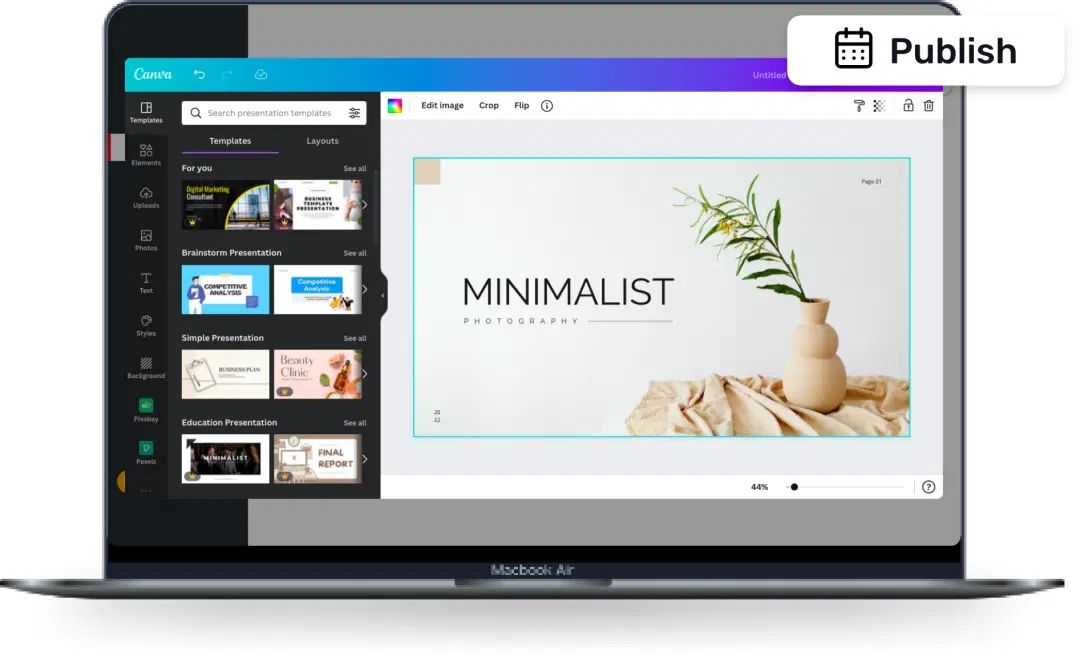
Single-platform publishing
Nobody loves toggling between multiple applications to get their work done. The good news is, you don’t have to anymore. Design your digital signage content with Canva right from the Pickcel console. And once done, publish it from the same platform.
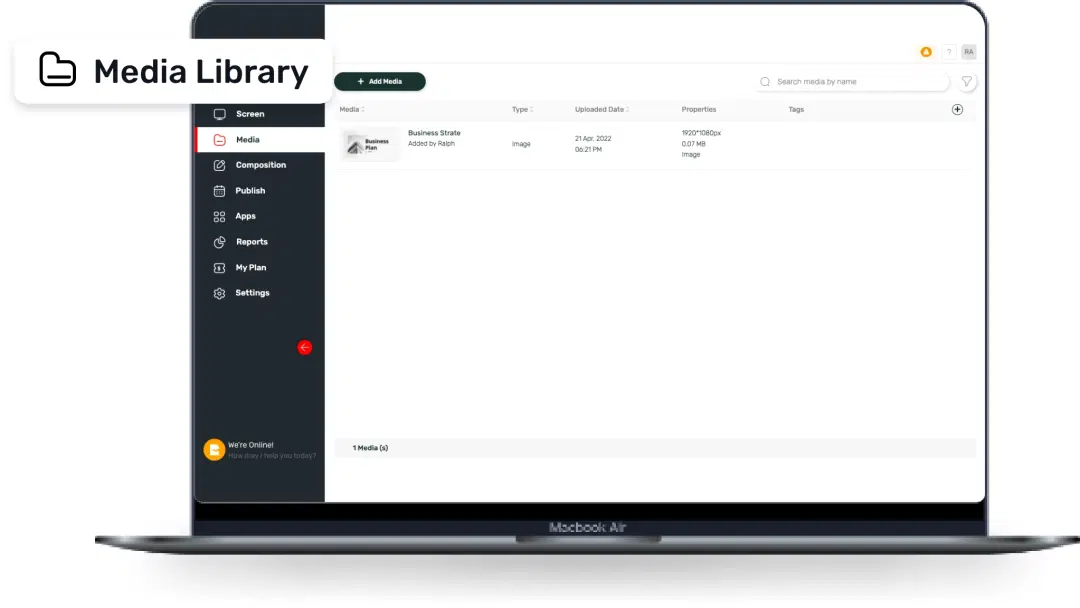
Auto-saved to your media library
Do you spend hours digging out old designs from your local storage? Well, not anymore. Creatives designed with the Pickcel-Canva app get automatically saved to the Pickcel Media Library. You can retrieve it anytime, even if you switch to a new device (as we store it securely on the cloud).
How to use the Pickcel Canva integration for your digital signage?

Step: 1
Sign up with Pickcel to access the console
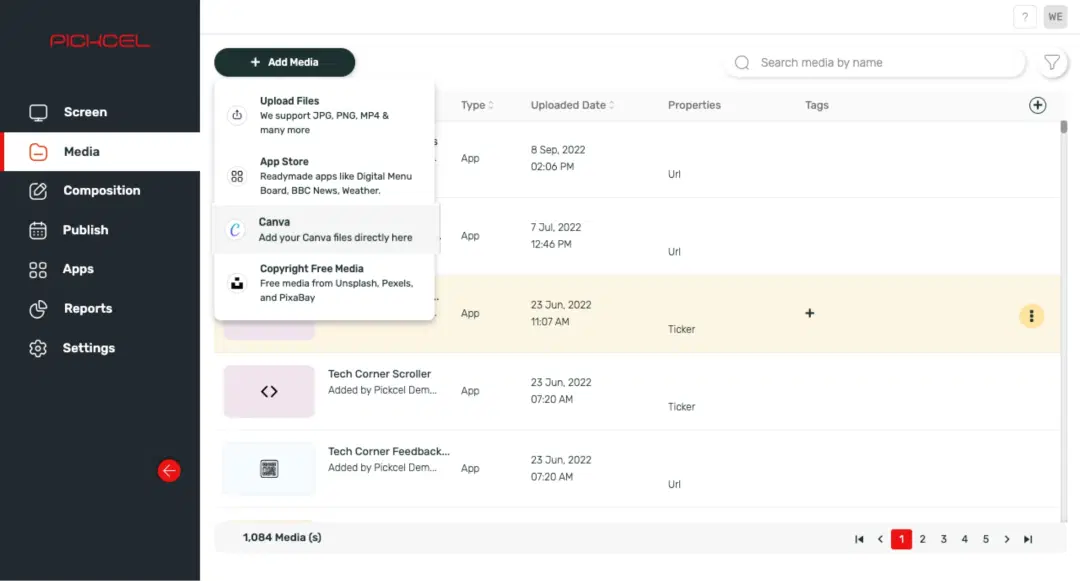
Step: 2
In the Media module, click on the Add Media button and select Canva from the dropdown menu
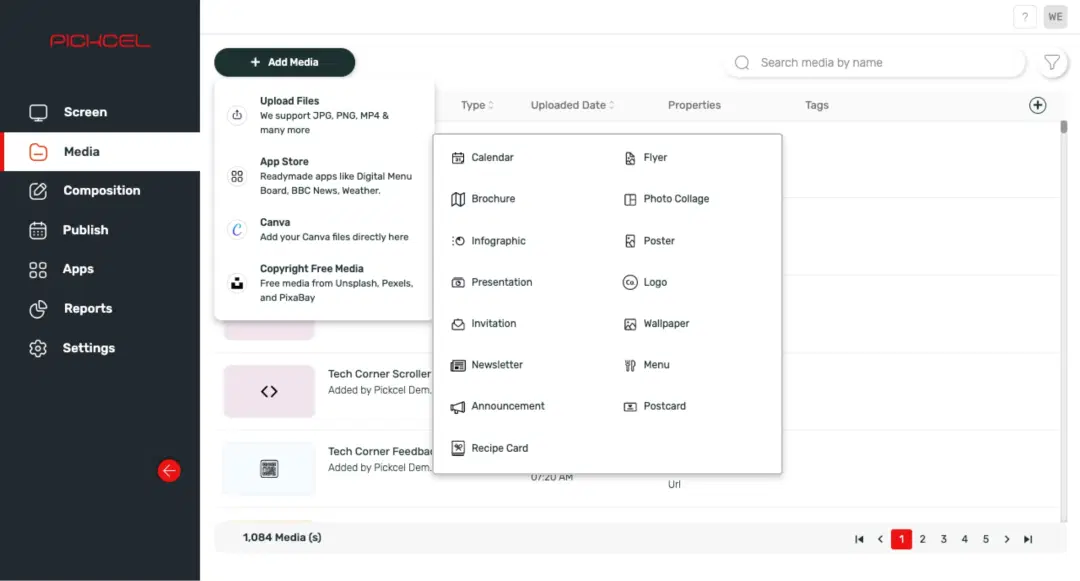
Step: 3
Choose from a range of design categories (menu, brochure, logo, and more)
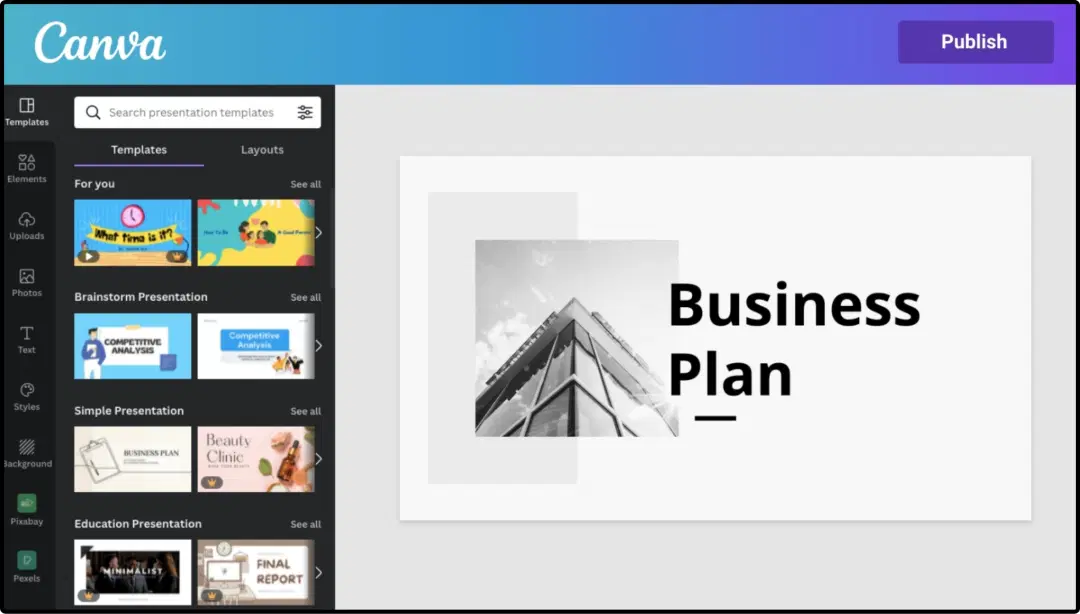
Step: 4
Select a template and edit it to create a design. Next, hit Publish

Step: 5
Find your design in the Pickcel Media module. Use this design to <a href="https://console.pickcel.com/signage/composition" target="_blank" class="text-primary underline hover:text-accent hover:underline">create a composition</a> & <a href="https://console.pickcel.com/signage/schedule-list" target="_blank" class="text-primary underline hover:text-accent hover:underline">publish your content</a> on digital signage.
More content tools for your digital signage

Social Wall app
Aggregate social media posts, tweets & hashtags

CNN News
Show the latest news from CNN app

Digital menu board app
Create and publish digital menus

Product Catalog app
Highlight your product's images & specs