Not sure which CMS fits your screen network?
A Digital Signage CMS Is the Operating System Behind Every Screen Network
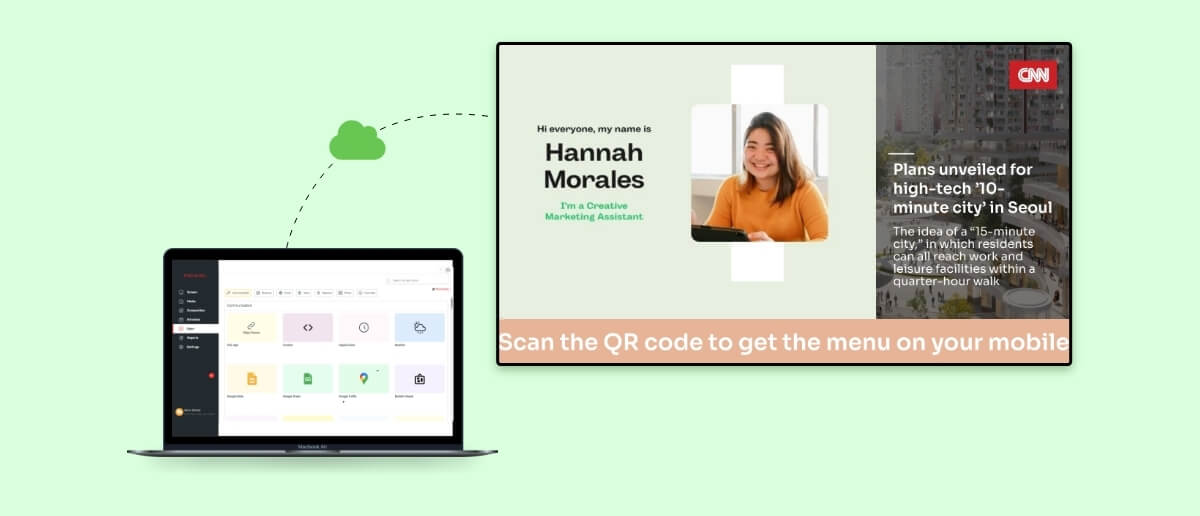
A digital signage content management system (CMS) is the software platform that controls what appears on your digital screens, when it appears, and who has permission to change it. It is the central hub where content — images, videos, live data feeds, HTML widgets, and interactive applications — gets created or uploaded, organised into playlists, scheduled for specific times and locations, and published to screens across one or hundreds of sites.
Without a CMS, a digital sign is just a screen playing a static file on loop. With a capable CMS, that same screen becomes a dynamic communication channel that can display a lunch menu at noon, switch to promotional offers at 2 PM, and broadcast an emergency alert within seconds — all managed remotely from a browser.
The global digital signage software market reached USD 13.2 billion in 2026, growing at a compound annual growth rate (CAGR) of 13%, according to Research Nester’s Digital Signage Software Market report . That growth is driven almost entirely by organisations replacing manual screen management with cloud-based CMS platforms that offer centralised control, automation, and real-time analytics.
A well-chosen digital signage CMS determines whether your screen network runs efficiently at scale or becomes an operational burden that drains IT resources without delivering measurable results.
The Core Functions Every Digital Signage CMS Must Perform
A digital signage CMS handles five interconnected functions. A platform that falls short on any one of these creates bottlenecks that multiply as your screen network grows.
Manage content creation and publishing from one dashboard
The CMS is where your team uploads, designs, and organises all screen content. Modern platforms include built-in design editors, template libraries, and integrations with tools like Canva and Google Slides so that non-technical staff — marketing coordinators, restaurant managers, HR teams — can create professional-looking content without external design tools. A CMS like Pickcel’s digital signage software provides a drag-and-drop editor alongside a library of 50+ content apps, from social media walls to live news tickers, that snap into any layout.
Automate content scheduling and playlist management
Content scheduling is the function that saves the most operational time. A capable CMS lets you build playlists, assign them to specific screens or screen groups, and set date-and-time rules that trigger automatic transitions. A QSR chain, for example, can schedule breakfast menus from 6 AM to 11 AM, lunch specials from 11 AM to 3 PM, and promotional content during off-peak hours — all configured once and repeated daily without manual intervention. Retailers using digital signage with automated scheduling reported sales increases of up to 33%, according to a Nielsen consumer study on DOOH effectiveness at the point of sale, cited by the Out of Home Advertising Association of America (OAAA) , in part because timely, relevant content reaches shoppers at the right moment.
Broadcast real-time data and live feeds
Static content is only part of the equation. A modern digital signage CMS integrates with live data sources — RSS feeds, social media streams, weather APIs, news tickers, and internal business systems — to display information that updates in real time. Hospitals display live queue statuses and wait times. Corporate offices stream KPI dashboards from business intelligence tools. Airports show live flight information. These integrations are powered by APIs built into the CMS, which pull data from external systems and render it on screen without manual content updates.
Override content instantly for emergencies
When a fire alarm triggers, a severe weather warning arrives, or a product recall needs immediate visibility, the CMS must allow authorised users to push emergency content to every screen in seconds. This “quickplay” or emergency override function bypasses scheduled playlists and takes priority across the entire network — or targeted screen groups — until the alert is dismissed. In facilities management and healthcare environments, this capability is not optional; it is a compliance requirement.
Monitor and manage the entire screen network remotely
Device monitoring is the function that keeps IT teams in control. A digital signage CMS should provide a real-time dashboard showing which screens are online, which are offline, current playback status, storage usage, and network health. Role-based access control allows administrators to define who can edit content, who can publish, and who can only view — critical for organisations where regional marketing teams, franchise operators, and corporate headquarters all interact with the same system. According to MarketsandMarkets’ Digital Signage Market report , the digital signage market is projected to grow from USD 21.07 billion in 2026 to USD 30.91 billion by 2032, with remote management capabilities cited as a primary driver of enterprise adoption.
Cloud-Based vs. On-Premise CMS: Which Deployment Model Fits Your Organisation
The choice between cloud-based and on-premise deployment is the most consequential infrastructure decision you will make when selecting a digital signage CMS. Each model has distinct trade-offs in cost, control, scalability, and maintenance.
Cloud-based CMS platforms host the software and all content on remote servers managed by the vendor. Users access the system through a web browser from any device, anywhere. Content updates propagate to screens in real time over the internet. Gartner’s enterprise cloud forecast confirmed that more than half of enterprise IT spending in key market segments shifted to cloud-hosted solutions by 2025 — a structural transition that the digital signage industry is tracking closely, with Research Nester reporting the cloud-based digital signage software segment growing at 13% CAGR, nearly double the rate of on-premise installations.
On-premise CMS platforms are installed on servers within the organisation’s own data centre or private network. The organisation owns and manages the hardware, applies updates manually, and controls all data locally. This model appeals to highly regulated industries — defence, government, financial services — where data sovereignty requirements prohibit cloud storage.
| Feature | Cloud-Based CMS | On-Premise CMS |
|---|---|---|
| Upfront cost | Low (SaaS subscription) | High (server hardware + licences) |
| Remote access | Available from any browser | Requires VPN or local network |
| Automatic software updates | Vendor-managed, automatic | Manual updates by IT team |
| Scalability | Add screens instantly | Requires infrastructure provisioning |
| Data control | Vendor-managed servers | Full on-site control |
| Offline playback | Yes (with local caching) | Yes |
| Maintenance burden | Handled by vendor | Internal IT responsibility |
| Best for | SMBs to large enterprises; multi-location | Regulated industries; single-campus |
For most organisations, a cloud-based CMS delivers faster deployment, lower total cost of ownership, and effortless scalability. Pickcel offers both cloud-based digital signage software and on-premise deployment options , giving enterprises the flexibility to choose based on their compliance and infrastructure requirements.
Six Features That Separate a Capable CMS from a Basic One
Not all digital signage CMS platforms offer the same depth of functionality. When evaluating options, these six capabilities determine whether a CMS will support your operations at scale or become a limitation within the first year.
Prioritise hardware-agnostic device support
A CMS that locks you into a single hardware brand limits your procurement options and increases long-term costs. The best platforms support Android, Windows, Linux, macOS, Tizen (Samsung), webOS (LG), and Chrome OS — allowing you to deploy screens from any manufacturer. This is especially important for multi-location businesses where different sites may already have different hardware installed.
Demand a content app ecosystem, not just a media uploader
The difference between a basic CMS and a professional one often comes down to the app ecosystem. A mature platform includes pre-built applications for social media feeds, live news, weather widgets, countdown timers, meeting room schedules, QR codes, and data dashboards — all configurable without code. For QSR businesses, the ability to integrate with POS systems to display real-time digital menu boards is the feature that ties digital signage directly to revenue.
Verify role-based access control and multi-tenancy
Enterprises with multiple departments, regions, or franchise operators need granular permission controls. A capable CMS allows administrators to assign roles — viewer, editor, publisher, admin — and restrict access by screen group or location. Multi-tenancy lets a parent company manage sub-accounts for individual branches while maintaining brand consistency across the entire network.
Evaluate scheduling granularity and automation depth
Basic scheduling means setting a start and end date for content. Advanced scheduling includes dayparting (time-of-day rules), conditional triggers (play content X only when temperature exceeds 30°C), audience-aware rotation (rotate offers based on foot traffic patterns), and recurring schedules with exception handling. MarketsandMarkets projects the digital signage market to grow from USD 21.07 billion in 2026 to USD 30.91 billion by 2032, with AI-driven content personalisation and intelligent scheduling cited as two of the primary features driving enterprise upgrade cycles — making scheduling automation a capability that will only grow more critical over the next several years.
Confirm real-time device monitoring and alerts
When a screen goes dark in a hospital corridor or a retail storefront, the CMS should alert the responsible team immediately — not wait until someone physically notices. Real-time monitoring dashboards, automated health checks, and configurable alert rules (email, SMS, webhook) are the features that keep uptime high and support costs low.
Check API access and third-party integrations
A CMS that operates in isolation cannot serve enterprise needs. API access enables integrations with business intelligence tools, POS systems, inventory management, employee directories, and IoT sensors. These integrations turn a digital sign from a display device into a data-connected communication channel that responds to real-world inputs in real time.
See how Pickcel’s CMS powers QSR, retail, healthcare, and corporate screen networks.
How Digital Signage CMS Delivers Measurable Business Impact
The return on a digital signage CMS is not theoretical — it shows up in operational efficiency, customer engagement, and direct revenue impact across every major vertical.
In retail, digital signage commands strong consumer attention — a Mood Media survey of 1,000 U.S. shoppers found that 58% actively notice in-store displays, while a Nielsen study reported by the OAAA found nearly two-thirds of DOOH viewers took a measurable action after seeing a digital ad. Retailers with CMS-powered dynamic content reported sales increases of up to 33%, because the CMS allows them to rotate promotions based on time of day, inventory levels, and local demographics — something static posters cannot do.
In healthcare, the stakes for effective screen communication are unusually high. A 2025 Tebra patient survey cited by Samsung Business Insights found that 65% of patients would change their doctor or practice for a better overall experience — up from just 10% in 2024 — signalling that the quality of in-facility communication now directly affects patient retention. Hospital networks use CMS platforms to display wayfinding maps, patient education content, real-time queue updates, and care instructions — all managed centrally across dozens of facilities, without requiring individual staff to update each screen manually.
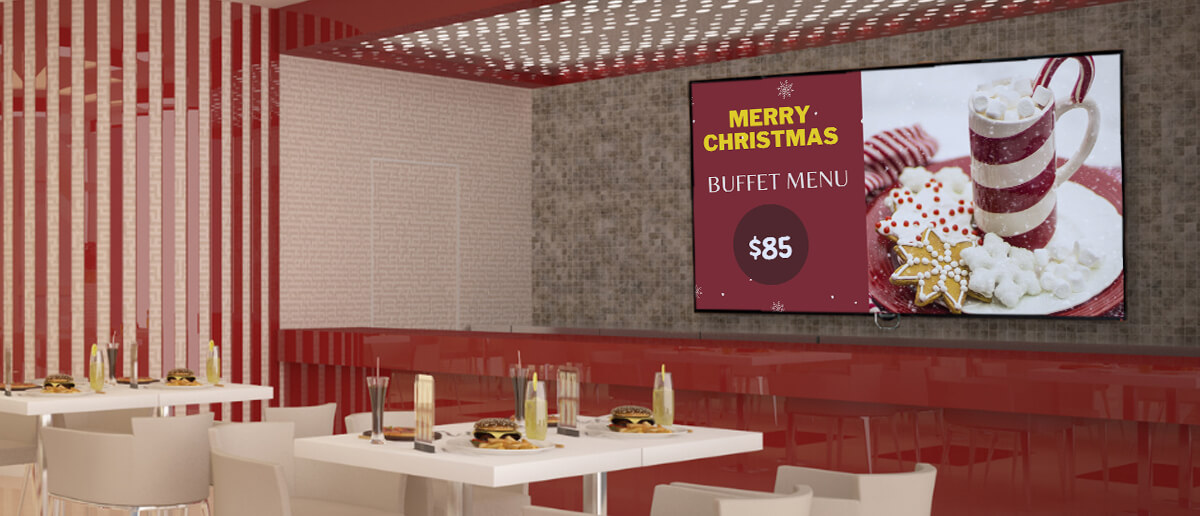
In QSR and restaurants, a CMS connected to the POS system enables digital menu boards that update prices, highlight specials, and remove out-of-stock items automatically. This eliminates the cost and delay of reprinting physical menus and ensures every customer sees accurate, timely information.
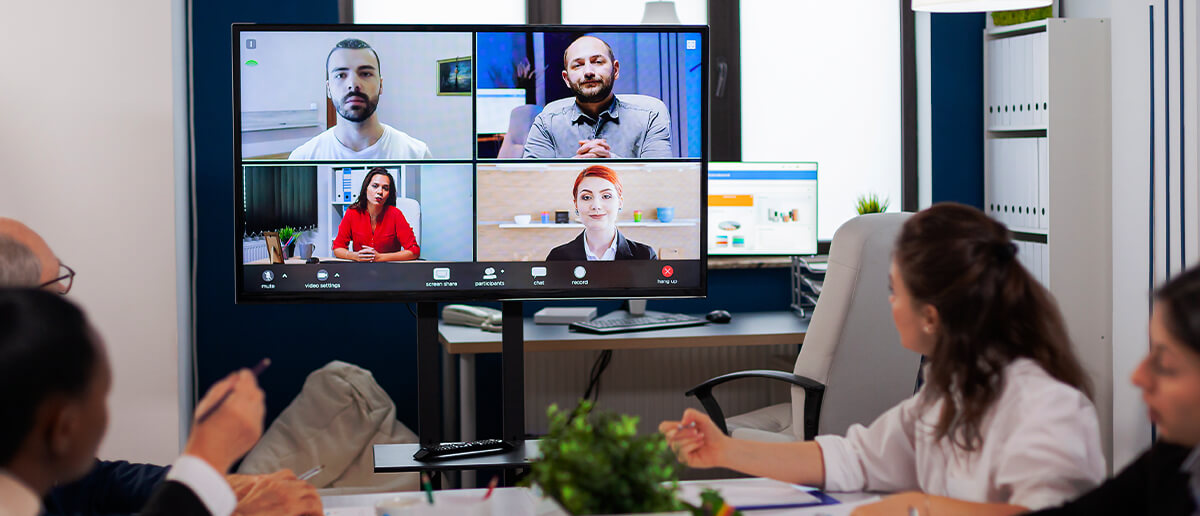
In corporate environments, the CMS becomes the backbone of internal employee communication — displaying company metrics, safety announcements, recognition boards, and meeting room schedules across offices and manufacturing floors.
How to Evaluate and Choose the Right Digital Signage CMS
Choosing the right CMS requires matching the platform’s capabilities to your specific operational context. Use this evaluation framework to structure your assessment.
Map your deployment scale and growth trajectory
Start with the number of screens you need to manage today, then project where you will be in 24 months. A CMS that works for 10 screens may not handle 500 without architectural changes. Ask vendors about their largest deployments and whether pricing scales linearly or introduces volume tiers.
Match the CMS to your hardware reality
If your organisation already has screens installed, confirm that the CMS supports those devices natively. Replacing hardware to fit a software choice is a cost most budgets cannot absorb. A hardware-agnostic CMS that supports Android, Windows, Tizen, webOS, and Linux gives you procurement flexibility today and in the future.
Test the content creation workflow with your actual team
A CMS demo looks smooth when run by a sales engineer. The real test is whether your marketing coordinator, store manager, or facilities team can create and publish content without IT support. Request a trial account and have your non-technical stakeholders attempt to build a playlist, schedule it, and assign it to a screen group.
Verify security and compliance certifications
For enterprise and regulated-industry deployments, the CMS must meet specific security standards. Look for SOC 2 Type II compliance, SSL/HTTPS encryption for all data in transit, and options for single sign-on (SSO) integration. If your organisation requires on-premise deployment, confirm the vendor offers that option without compromising feature parity.
Assess the vendor’s support model and update cadence
A CMS is a long-term operational dependency. Evaluate the vendor’s support responsiveness (SLA terms, support channels, hours of availability), update frequency (monthly, quarterly, ad-hoc), and product roadmap transparency. A vendor that ships frequent, free updates without requiring manual intervention signals a healthy, customer-aligned product.
Conclusion
A digital signage CMS is the single most important technology decision in any screen network deployment. It determines whether your screens deliver timely, relevant content that drives engagement and revenue — or cycle through stale media that no one notices. The market has moved decisively toward cloud-based platforms that offer centralised management, automated scheduling, real-time monitoring, and AI-driven content optimisation. When evaluating your options, focus on hardware compatibility, scalability, security, and a content app ecosystem that matches your industry needs. The right CMS pays for itself within months; the wrong one costs you in wasted time, missed opportunities, and frustrated teams.