Your organisation has Slack. You have email. You probably use Teams or Zoom. And someone on your team still missed the announcement that went out on Tuesday.
This is not a technology failure. It is a reach failure.
The employees who missed that message were not ignoring it. Many of them were never in a position to receive it. Warehouse staff, retail floor teams, healthcare workers in patient areas, delivery drivers: they are not in Slack during their shift. They do not check company email every hour. No notification reaches them if they are not at a connected screen.
Team communication tools are not interchangeable. Each category is built for a specific kind of communication and a specific kind of worker. Choosing a single platform and expecting it to serve everyone is how critical updates get missed.
This guide maps the six core categories of team communication tools, explains who each is designed for, and helps you build a stack that covers your entire workforce. For a closer comparison of internal communication platforms, see our companion article: Best Internal Communication Tools .
What Are Team Communication Tools?
Team communication tools are software platforms that help organisations share information, coordinate tasks, and keep teams aligned. They include messaging apps, video conferencing tools, project management platforms, intranets, employee engagement software, and digital signage broadcast systems, each suited to different communication contexts and employee types.
The three core functions these tools serve are:
- Real-time exchange: Instant messages, calls, video meetings
- Asynchronous sharing: Project boards, documents, recorded updates
- Broadcast and display: One-to-many announcements and persistent information shown on screens in physical workspaces
Effective workplace communication requires coverage across all three. The right combination depends on who you are trying to reach and where they spend their working day.
Why One Tool Is Never Enough
Most team communication tools are built for desk-based, digitally connected employees. They work well for people already in front of a screen, but leave a significant communication gap for everyone else.
Consider the range of workers in a typical mid-size organisation. Corporate staff check Slack before their first meeting. Customer-facing retail or service employees may not touch a company device during their entire shift. Manufacturing floor teams work near wall-mounted screens, not laptops on desks. Delivery and field technicians are mobile throughout the day.
Messaging apps require employees to be logged in, actively checking, and carrying a connected device. Asynchronous tools store information well but do not push it out. Neither category reaches workers who are in motion, on a floor, or simply not looking at a screen.
An effective communication stack layers tool categories together: one for collaboration, one for knowledge, one for broadcast. Each covers a gap the others do not.
6 Types of Team Communication Tools
The six core categories of team communication tools each serve a distinct purpose. Understanding where they overlap and where each one falls short is the starting point for building a stack that reaches everyone.
| Tool Category | Best For | Desk Workers | Deskless / Frontline | Example Tools |
|---|---|---|---|---|
| Real-Time Messaging | Active collaboration, rapid exchange | Excellent | Poor: device required | Slack, Teams, Google Chat |
| Video Conferencing | Remote meetings, hybrid training | Excellent | Poor: requires scheduling | Zoom, Google Meet, Teams |
| Project Management / Async | Task tracking, cross-timezone coordination | Good | Poor: requires active check-in | Asana, ClickUp, Notion |
| Intranet / Knowledge Base | Policy storage, reference content | Good | Poor: must know to look | SharePoint, Confluence, Guru |
| Employee Engagement / Social | Culture, recognition, community | Good | Limited: voluntary participation | Viva Engage, Jostle, Workvivo |
| Digital Signage / Broadcast Display | Broadcast to physical spaces | Good | Excellent: no device required | Pickcel |
1. Real-Time Messaging
Real-time messaging platforms let teams send text, files, and voice notes in dedicated channels or direct conversations.
Best for: Desk-based teams, project coordination, rapid back-and-forth exchange between people who are online simultaneously.
Example tools: Slack, Microsoft Teams, Google Chat
These platforms are highly effective when employees are logged in and actively monitoring channels. They are less suited to workers who do not carry company devices, work in environments where checking a phone is impractical, or operate on shift patterns that take them away from screens for extended periods.
2. Video Conferencing
Video conferencing tools bring dispersed teams together for meetings, training sessions, and one-to-one conversations.
Best for: Remote and hybrid teams, cross-location alignment, and any communication that benefits from face-to-face context.
Example tools: Zoom, Google Meet, Microsoft Teams
Video calls are powerful for building alignment across locations. They work less well as a primary communication channel: scheduling across time zones is complex, not every update warrants a meeting, and participation requires both availability and a stable connection.
3. Project Management and Async Collaboration
Project management tools centralise tasks, deadlines, and progress tracking in a shared workspace.
Best for: Cross-functional project teams, task accountability, document sharing, and coordinating work across different schedules or time zones.
Example tools: Asana, ClickUp, Notion, Monday.com
These platforms are excellent information stores but poor broadcast channels. Employees must actively visit them to find updates. Workers in high-pace operational roles rarely check a project board during their shift.
4. Intranet and Knowledge Base
Intranet and knowledge management platforms store company policies, processes, and documentation in a structured, searchable format.
Best for: HR policies, onboarding resources, company wikis, and any information employees need to reference periodically rather than receive continuously.
Example tools: SharePoint, Confluence, Guru
Intranets are effective archives but less effective as communication channels because employees must know to look. Policy changes, compliance updates, and safety guidelines are frequently buried in folder structures.
5. Employee Engagement and Social Platforms
Employee engagement platforms create an internal social layer for recognition, culture content, announcements, and community.
Best for: Building culture in dispersed or hybrid organisations, peer recognition, town hall broadcasts, and company-wide announcements.
Example tools: Viva Engage, Jostle, Workvivo
These platforms amplify culture and give employees a shared space for recognition and informal communication. Engagement depends on voluntary participation: employees must choose to open the app. They tend to work well for desk-based populations and less well for frontline or deskless roles where daily platform use is not expected.
6. Digital Signage and Broadcast Display
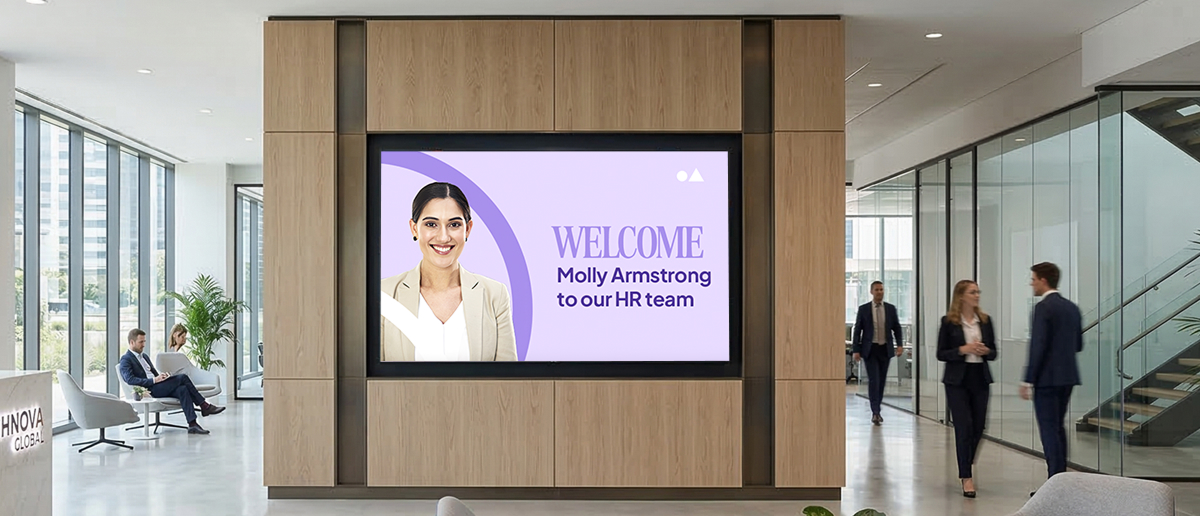
Digital signage platforms display scheduled and real-time content on screens in physical workspaces, including break rooms, factory floors, retail areas, and cafeterias. Unlike every other tool category, digital signage requires no action from the employee to receive the message. Information appears on screens where employees already are.
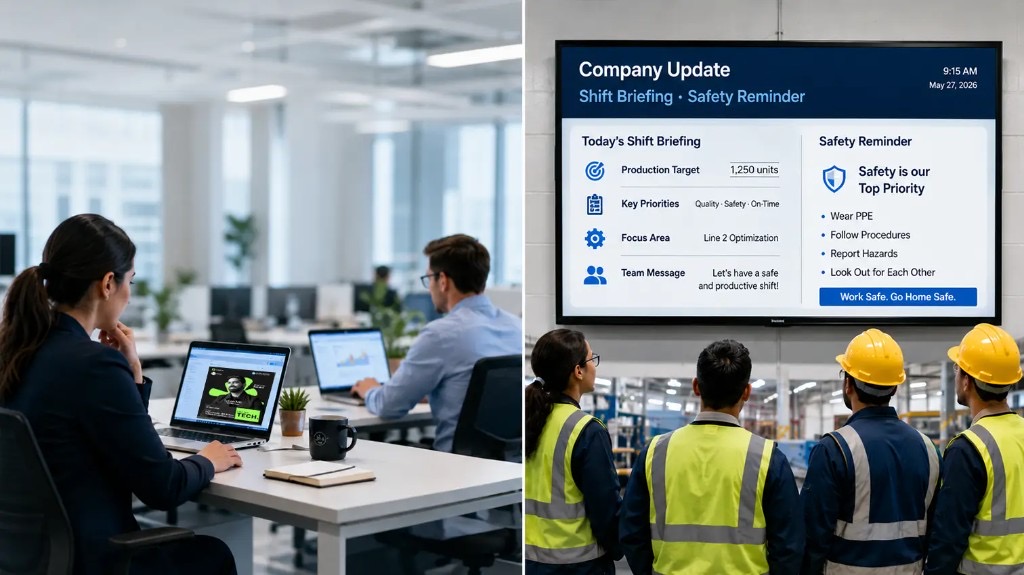
Pickcel is a cloud-based digital signage and employee broadcast platform trusted by 9,000+ organisations across 70+ countries to manage 150,000+ screens from a single dashboard. For internal communications teams, Pickcel works as a passive display layer: it shows company updates, KPI dashboards, safety alerts, shift schedules, and operational messages on physical screens throughout a facility, without requiring any employee to log in, check an app, or open a notification.
What Pickcel displays on physical screens:
- KPI dashboards and production targets on factory floor and warehouse screens
- Safety compliance reminders and emergency alerts pushed to all screens simultaneously
- Company announcements and recognition content on break room displays during shift changes
- Menu and promotional content on retail floor or cafeteria screens
- Shift schedules and HR updates in high-traffic common areas
Key capabilities:
- Real-time content updates across all screens simultaneously, managed from one cloud dashboard
- Scheduled content by location, time slot, or audience group
- Compatible with 50+ display types across Android, Windows, Linux, ChromeOS, Samsung SSSP, and LG webOS
- No-code drag-and-drop content management, no technical team required at each location
- SOC 2 Type II and ISO 27001 certified
For internal communications leaders managing both desk and frontline teams, Pickcel’s multi-channel employee communication platform delivers 94% message reach within 2 hours and reduces communication costs by 60–75% compared to managing separate tools for each audience group.
Pickcel is not a replacement for Slack or Teams. It is the broadcast layer that fills the gap those tools leave: the factory floor, the retail counter, the warehouse break room, the hospital corridor. Explore the Pickcel digital signage platform to see how it fits alongside your existing stack.
Best for: Organisations with frontline, deskless, or multi-location workforces who need to ensure critical information reaches every employee, not just those in front of a screen.
How to Choose the Right Team Communication Tools
Choosing team communication tools is less about finding the best individual platform and more about identifying what your workforce needs that your current stack does not cover. Four questions clarify the decision.
1. Who exactly are you trying to reach? Map your employee population by role type: desk workers with continuous digital access, hybrid employees who alternate between desk and mobile, and frontline or deskless workers who rarely interact with a company device during their shift. Each group needs tools designed for its actual working environment.
2. What type of information are you sending? Real-time operational alerts need a different channel than weekly culture updates. Time-sensitive safety information, especially in manufacturing or healthcare, must reach people who are not checking Slack. Evergreen content such as policies and FAQs belongs in a knowledge base. Match the urgency and frequency of information to the appropriate channel.
3. What is already in your stack? Avoid duplication. If your organisation already uses Teams for messaging and SharePoint for documentation, adding a third messaging platform creates noise without adding reach. Identify the gap: which employees your current tools do not reach effectively, and choose tools to close it.
4. What is your budget and administration capacity? Every tool adds an ongoing administration burden. Prioritise platforms that are easy to maintain: no-code content management, centralised dashboards, and minimal per-location IT requirements reduce the cost of running a multi-tool stack over time.
For most organisations with a mixed workforce, the practical answer is a three-layer stack: a real-time messaging tool for desk teams, an asynchronous knowledge base for documentation, and a broadcast display layer for physical spaces. If your frontline employees are the gap, that third layer is often the missing piece.
Further reading: Digital Signage for Internal Communication , which compares display-based tools with app-based channels for reaching every employee.