
Dec 24 2025

10 min read
February 03, 2025
13 min read

ALL
GENERAL
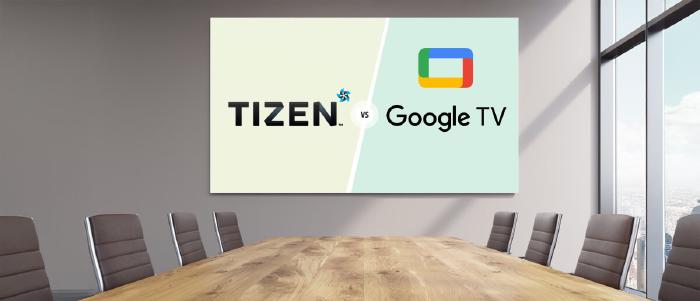
For teams planning a 3–5 year digital signage rollout, the choice of operating system has become a strategic decision, not because the technology is unclear, but because different OS paths lead to varying levels of control, reliability, and long-term consistency across sites.
Different environments use different platforms, commercial SoC displays, Smart TVs, or external players, and each OS behaves differently once you introduce real-world factors like uptime requirements, remote management, and CMS performance.
This is where most of the uncertainty begins. Teams understand the signage stack and the workflows, but what isn’t always clear is how these operating systems differ once networks start scaling across multiple sites.
If you’re responsible for a large multi-site deployment, you may find additional context in How to Design an On-Premise Digital Signage System for 10,000+ Screens.

Among the options available, Samsung Tizen and Google TV are often among the two commonly evaluated paths because of their wide availability across deployments and the range of hardware they support.
What teams usually need is a clear view of:
How do these operating systems behave once they move from a pilot to a multi-site rollout?
How do they handle continuous playback, remote commands, updates, security controls, and day-to-day reliability?
Across deployments, two patterns are consistent:
Samsung Tizen is primarily found in Samsung’s commercial signage displays, where the SoC and OS are built into the panel for consistent performance and controlled updates.
Google TV is primarily found in consumer Smart TVs and external sticks used for retrofits, offering flexibility but introducing variations in hardware, update behavior, and long-term support.
This article breaks down where Samsung Tizen and Google TV fit operationally and which one aligns with the operational requirements of IT, AV, and workplace teams.
Who This Is For:
IT, AV, and workplace teams who manage screens across offices, retail, QSR, education, or service locations and need a clear, dependable OS strategy for multi-site digital signage.
This section breaks down Tizen’s hardware profile, OS behavior, management layer, security model, and the practical strengths and limitations that affect day-to-day signage operations.
Integrated System-on-Chip (SoC): The CPU, GPU, memory, and storage are built into the display. There’s no separate media box to mount, power, cool, or cable. For rollouts, this simplifies BOMs and reduces install variance.
Panels rated for signage use: Most Tizen-based commercial models are specified for 16/7 or 24/7 duty, higher operating temperatures, and longer lifespans than consumer Smart TVs. That matters if you’re running menus, dashboards, or wayfinding.
Commercial I/O and control: RS-232, LAN control, and daisy-chain options (e.g., DisplayPort) are common. This gives IT/AV more control options than a typical consumer remote + HDMI scenario.
Auto-start after power loss: On power restore, the display boots straight into the configured player or URL without user input.
URL / app launcher model: Most CMS platforms deploy to Samsung Tizen through a URL launcher or packaged app. Once set, the player comes up automatically.
Basic self-healing: If the player crashes, Samsung Tizen restarts it automatically, often preventing a blank screen from sitting unnoticed. Pickcel complements this by providing remote monitoring, alerts, and management to quickly detect and resolve such issues.
Local caching and offline playback: Content is stored on the device. If the network drops, playlists keep running from cache instead of failing like a pure streaming endpoint.
Tizen gives you the basics you need at the device level, remote reboot, core settings control, and visibility into whether a screen is online and running content. Because the player and display are one unit, you also get clearer diagnostics than external-player setups, often including panel temperature or error states when supported.
Where teams feel the real benefit is when these capabilities sit inside their CMS. Platforms like Pickcel consolidate Samsung Tizen’s device controls with fleet-wide monitoring, screenshots, scheduling, and alerting, so IT and operations teams manage one unified endpoint per screen.
Tighter app ecosystem: Applications built for Samsung Tizen commercial displays go through a controlled review process. This reduces the risk of untested or low-quality software reaching production screens, a practical advantage when digital signage security matters.
Consistent firmware path: Updates and patches follow a documented schedule, making it easier to test, stage, and deploy changes across sites without running into fragmentation.
| Strengths | Limitations |
|---|---|
| Integrated SoC removes external players, cables, and power bricks. | Web engine tied to firmware; updates are slower than desktop browsers. |
| Faster, cleaner installs with one device per site. | Limited internal storage on some models; impacts large media libraries. |
| Standardized hardware/OS across sites simplifies training and support. | Performance ceilings on complex dashboards or animation-heavy layouts. |
| Lower OpEx due to fewer failure points and fewer site visits. | Locked to Samsung hardware; less flexibility in multi-brand strategies. |
| Stable auto-start, offline caching, and self-recovery reduce blackout risk. | Must validate your CMS and content stack on the exact model/firmware. |
| Commercial-grade panels built for 16/7 or 24/7 use. | Upfront cost is higher than that of consumer Smart TVs. |
Google TV makes its way into signage networks mainly because it’s widely available, inexpensive, and easy to source across multiple device types. For IT, AV, and operations teams, it offers hardware flexibility and introduces variability in performance, control, and how consistently a digital signage player behaves across brands.
Built-in Google TV displays: Available across brands like Sony, TCL, Hisense, and Philips. Handy for quick rollouts or reusing existing screens.
Streaming sticks (Chromecast with Google TV): The lowest-cost way to retrofit older displays. Great for pilots or non-critical zones.
Android TV boxes: Higher-spec devices (e.g., Nvidia Shield) offer stronger processors and smoother HTML playback than sticks. They’re useful for heavier layouts, but still require validation of firmware and update behavior with your digital signage software solution before large-scale rollout.
Consumer-first interface: If the signage app closes or crashes, the screen jumps to a home UI with content recommendations and ads.
Pickcel mitigates this by running in full-screen lockdown, so the device doesn’t fall back to the consumer UI.
Frequent system and Play Services updates: Updates come from the OS, Play Services, and the device manufacturer.
These can trigger restarts or prompts without warning, especially across mixed hardware. Pickcel can auto-relaunch the player after such events.
Auto-start support: Apps can launch automatically on boot, and they’ll generally keep running as long as they remain in focus.
Local caching: Signage apps can store media locally, allowing playlists to continue during network outages, critical for simple menus and dashboards.
Google TV doesn’t offer built-in enterprise controls, so stability and governance depend on third-party MDM tools. With MDM in place, teams get kiosk lockdown, remote actions, and basic device status, and a consistent way to enforce single-app mode, push updates, and apply policies across mixed hardware.
Recommended practices:
Use an Android-focused MDM (Scalefusion, Hexnode, or 42Gears) to lock devices into kiosk mode and prevent home-screen exposure.
Pair MDM with your CMS so content control, monitoring, and reboot workflows sit in one place instead of relying on manual device handling.
Platforms like Pickcel handle scheduling, playback monitoring, and app-level health, while the MDM manages lockdown and OS-level actions. This lets IT and operations maintain stable Google TV deployments remotely, without depending on local staff for resets or fixes.
Wide app ecosystem: Useful for niche signage or dashboard apps, but it also increases risk exposure. Sideloading is possible unless explicitly blocked.
Patch cadence varies across brands: Some manufacturers maintain updates for years. Others stop early. A mixed fleet becomes harder to secure consistently.
Google Play Protect: Adds baseline malware scanning but doesn’t replace enterprise content governance policies.
| Google TV strengths | Google TV limitations |
|---|---|
| Lowest entry cost for pilots or small networks. | Consumer hardware isn’t built for long-hour or 24/7 use; heat and throttling can appear quickly. |
| Let's teams reuse existing Smart TVs already deployed in offices or meeting rooms. | Limited internal storage on many devices; large offline libraries or heavy 4K media can exceed capacity |
| Access to a broad Android ecosystem of signage players and dashboard apps. | If the signage app crashes, the consumer's home UI (with recommendations/ads) is immediately exposed. |
| Natural fit for Google Workspace environments (Slides, casting, Meet). | Fragmented performance, stability, and update behavior differ across brands and models. |
| Developer-friendly Android tools are widely supported and easy to customize. | Requires third-party MDM for kiosk mode and governance; no native enterprise controls. |
Cost in digital signage comes from three places:
the hardware itself,
the effort required to deploy it,
and the ongoing work needed to keep everything running.
The numbers shift depending on your OS choice, your hardware mix, and how critical each location is.
| TCO Category | Samsung Tizen | Google TV |
|---|---|---|
| Installation effort | One integrated device; fewer components shorten install time and reduce labor. | TV + external player + cabling increases install steps and onsite time. |
| Hardware footprint | No separate media player; fewer parts to source, ship, mount, and replace. | Multiple components add cost over time through wear, cables, and accessory replacements. |
| Governance overhead | Unified firmware path reduces testing overhead, especially useful when paired with on-premise digital signage software that requires controlled update windows. | OS, manufacturer firmware, and Play Services update independently, increasing validation workload. |
| Support load | One device to troubleshoot; clearer root-cause identification lowers MTTR. | Several possible failure points (TV, stick/box, HDMI, power) increase support cycles and site visits. |
| Management tooling | CMS plus vendor tools typically cover most needs for monitoring and control. | CMS + mandatory MDM for kiosk mode, lockdown, and remote policy enforcement. |
| Energy profile | Single device drawing power. | Two devices in external-player setups increase the ongoing energy cost. |
| Lifecycle stability | Commercial panels offer long duty cycles and consistent model availability. | Consumer hardware refreshes quickly; replacements may behave differently or lose update support earlier. |
Here’s what separates both OS options once you introduce real uptime demands, remote management, and fleet-wide governance.
| Area | Samsung Tizen | Google TV |
|---|---|---|
| Behaviour consistency | Same OS path across models; workflows stay stable. | Varies by brand/firmware; SOPs need frequent updates. |
| Pre-rollout testing | One validation cycle covers the fleet. | Each device type needs separate validation. |
| Incident handling | Hardware telemetry + consistent commands shorten MTTR. | Limited diagnostics; more cases require physical checks. |
| Update control | Predictable firmware path; easier to stage/freeze. | OS, Play Services, and manufacturer updates arrive independently. |
| CMS governance | Commands behave uniformly; fewer policy exceptions. | Requires MDM; feature support differs across devices. |
| Lockdown & kiosk needs | Native controls behave consistently across units. | Kiosk stability depends on MDM configuration and device support. |
| Lifecycle planning | Replacement units behave identically; stable long-term standard. | New models introduce different chipsets/UI behaviour; re-testing required. |
| Procurement strategy | Fixed vendor; predictable performance. | Flexible sourcing; inconsistent performance. |
Before picking an OS, align the decision with how your screens will actually operate, be supported, and live within your broader IT environment.
Use these questions to get internal clarity fast:
What duty cycle do our screens need to support across all sites?
How much crash-recovery time is acceptable before it becomes user-visible?
How heavy will our layouts, dashboards, or HTML workloads be?
Are there strict security, governance, or lockdown requirements?
Are any locations exposed to heat, dust, glare, or sunlight?
What hardware lifecycle (years in service) are we planning for?
Who will handle day-to-day device management and support?
How fast can we dispatch someone when a screen or player fails?
Are we optimising for the lowest upfront cost or for predictable 3–5 year TCO?
How many OS types can our IT team realistically maintain?
Do any displays need to double as collaboration/meeting-room screens?
How deep does hardware telemetry and remote visibility need to be?
Can our deployment workflow avoid per-device account logins and support bulk provisioning?
Are we comfortable with consumer UI elements or ads appearing if the player crashes?
Has our CMS vendor certified their player for the exact firmware version we plan to deploy?
Standardizing makes sense when you need consistent behaviour, tight governance, and predictable lifecycle management across many sites. It simplifies support, testing, and documentation.
Run a mixed fleet when different environments have different roles. For example, SoC panels where uptime is critical and Android/Google TV where flexibility or collaboration tools matter more.
Once you know your OS options, the hard part is turning that into a repeatable way of rolling out and running screens.
Use a small set of locations that reflect your toughest conditions and deploy both Samsung Tizen panels and Google TV devices side by side.
Use the same CMS, playlists, schedules, and network for both, so the only variables you’re testing are OS and hardware.
Log a simple scorecard for each option: install time per screen, number of incidents, how it fails, and how often someone has to go on-site.
From that pilot, lock a narrow standard approved screen/player models, OS versions, CMS, and (if you use Google TV) a single MDM stack.
Document short SOPs for local teams on how to onboard a new screen, what to do on a black screen, what to do when the app crashes, and when to escalate to IT/AV.
Plan a review every 12–18 months using real ticket data, failure rates, and TCO before adding new hardware types to the standard.
Use a multi-OS CMS like Pickcel as the control layer so you can run Samsung Tizen and Google TV in the same network without fragmenting workflows.
Pickcel gives IT and AV teams a single control layer across mixed hardware, so the OS you choose doesn’t limit how you monitor screens, enforce policies, or run updates at scale. The platform supports large deployments with strict uptime, security, and governance requirements.
If you want clarity before committing to your OS and rollout plan, our team of experts with over a decade of specialized experience can help you validate the approach.

Choose Samsung Tizen for 24/7 reliability, controlled updates, and enterprise governance. Choose Google TV for a lower upfront cost, broader hardware options, and Android app flexibility. Match the OS to your duty cycle, governance needs, and long-term support expectations.
Google TV offers wider app availability through the Play Store and supports many Android CMS players. Samsung Tizen has a smaller, curated ecosystem but provides more predictable performance because apps are certified for specific Samsung commercial models and firmware versions.
Samsung Tizen provides hardware-level visibility, consistent firmware control, and Knox-backed security. Google TV relies on third-party MDM for lockdown, updates, and consistency, with security patching dependent on each manufacturer. For uniform fleet governance, Samsung Tizen is typically easier to standardize.
Yes, Samsung’s commercial Tizen displays include a built-in SoC that runs CMS apps directly through a URL launcher or packaged player. This removes external boxes, cables, and power bricks, reduces failure points, and supports offline playback through local caching.
Dec 24 2025
10 min read
Dec 9 2025
14 min read
Nov 26 2025
7 min read
Nov 7 2025
11 min read
Take complete control of what you show on your digital signage & how you show it.
Start Free Trial Schedule My Demo