
Dec 29 2025

14 min read
October 17, 2025
10 min read


ALL
ENTERPRISE
ON-PREMISE

When your digital signage network grows into the thousands, the challenge isn’t about “adding more displays.” It’s about:
Designing an infrastructure capable of moving terabytes of data daily
keeping thousands of endpoints synchronized
Enforcing airtight security
Ensuring long-term maintainability with limited human oversight
At this scale, bandwidth becomes architecture, diagnostics become automation, and content management becomes systems engineering. What works flawlessly for 100 screens will collapse under the pressure of 10,000.
A single server setup would be instantly overwhelmed by the concurrency, sync frequency, and transactional load required to keep thousands of screens alive, in sync, and up to date.
For organizations in high-security, compliance-heavy, or large-scale operational environments like healthcare, government, manufacturing, finance, or global retail, the margin for error is zero.
For: IT and network teams responsible for deploying secure, high-uptime digital signage within regulated or large enterprise environments, where data control, compliance, and reliability are non-negotiable.
This guide is about how to build a resilient, scalable, and secure architecture that can handle enterprise hyper-scale environments.
Because at 10,000 screens, choosing the right digital signage software solution isn’t just a technical decision, it’s a long-term architecture decision that shapes performance, cost, and control.
The first and most critical step is assembling the right team. It’s a cross-functional initiative that touches infrastructure, operations, communications, facilities, and often compliance or legal.
Without alignment, you risk a technically strong but strategically disconnected network showing irrelevant content. Define the system’s purpose, goals, ownership, and success metrics upfront.
| Stakeholder | Critical Input |
|---|---|
| Project Champion | Ensure cross-department co ordination and owns excecutive buy-in. |
| IT/Infrastructure | VLAN setup, firewall rules, server specs, access control, and external data source configuration. |
| AV/Facilities | Placement strategy, mounting hardware, power grid, and environmental factors |
| HR/Internal Comms/MarCom | Defines brand tone, content workflows, campaign structure, and emergency alert protocol. |
| Sales/Production/Ops | Specifies dynamic content needs, integration points (e.g,ERP, BI tools, scheduling systems). |
| Compliance/Security | Ensures RBAC is enforced, audit trails exist, and content policies meet internal/legal requirements |
An on-premise setup hosting 10,000+ screens can’t rely on a single VM or a simple backup routine. It demands a clustered architecture that can process thousands of concurrent requests, replicate data in real time, and recover instantly if any node fails.
Start by separating the responsibility into application, database, and content storage tiers and building them for redundancy.
OS environment: Deploy on a hardened LTS Linux build (Ubuntu 22.04 LTS or newer) with regular patching and auditing. Pickcel’s Docker-based architecture makes it easier to containerize core services and scale horizontally as the load increases.
Compute & memory: Aggregate roughly 48 CPU cores and 256 GB RAM across the cluster to handle simultaneous API calls comfortably, playback syncs, and reporting.
Storage layer: Transition to high-speed SAN or NAS storage with SSD/NVMe drives and a minimum of 50 TB of replicated capacity. Separate the CMS database from the content repository to prevent bottlenecks during large uploads.
Database management: Use PostgreSQL or MySQL clusters with synchronous replication. Maintain one write node and several read replicas for analytics and monitoring workloads.
Instead, use regional content cache servers (RCCs) to offload delivery closer to endpoints. This cuts down inter-region bandwidth usage and ensures fast, predictable updates.
Smart scheduling: Automate heavy transfers (like 4K video) for low-traffic windows, typically midnight to early morning.
QoS rules: Prioritize live alerts, critical dashboards, or data-driven feeds from ERP/BI tools over background media syncing.
Local caching: Every Pickcel digital signage player stores content offline, so playback remains unaffected during network downtime.
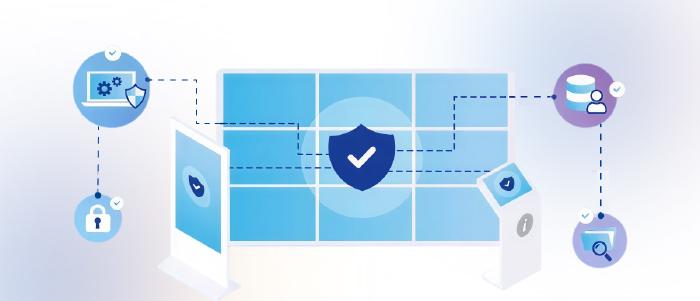
Implement VLAN segmentation, dedicated subnets, and firewall rules that strictly define inbound/outbound paths. All data, content, and logs stay within your firewall, a key reason many financial, government, and healthcare networks prefer on-premise digital signage software.
Zero-Trust architecture: Players communicate only with the CMS or their RCC. No lateral communication, no open ports.
Encryption: Enforce HTTPS using valid SSL/TLS certificates.
Identity & access: Configure single sign-on (SSO) for admin users and users.
Role-Based Access Control (RBAC) to limit publishing rights by geography or department.
Compliance: Pickcel’s solution follows SOC-2 and ISO 27001 standards, supporting environments where auditability anddata retention are non-negotiable.
Operating thousands of players isn’t possible without automation. Managing scale means managing visibility, control, and uptime without manual effort.
Kiosk mode: Devices run in locked-down so no user can exit the signage interface or tamper with settings.
Real-time control: Admins can remotely reboot, reassign, or update players.
Cross-platform compatibility: Pickcel’s CMS provides cross-platform monitoring and control through its built-in MDM.
Offline continuity: Each player locally caches scheduled media, ensuring uninterrupted playback even if connectivity is lost.

Choose industrial-grade components, and avoid mixing device types that complicate support and monitoring.
Media players: Use industrial-grade, purpose-built players designed for 24/7 operation with at least 256 GB SSD/NVMe for local caching, ensuring smooth playback even during network downtime.
Pickcel supports Android, Windows, Linux, Raspberry Pi, BrightSign, and SoC platforms like Tizen and webOS, all manageable through its built-in MDM tools for monitoring, reboots, and large-scale updates.
Displays: Choose commercial-grade panels, matched to ambient brightness (400–2,500 nits) and protected with UPS backup for critical zones.
Ensure proper ventilation for enclosed setups and maintain 5–10% spare units for rapid replacements. Use dedicated power circuits, secure mounts, and plan hardware refresh cycles every 4–5 years for consistency.
Support hardware: Use professional-grade mounts, enclosures, and structured cabling. Critical screens should have power backups (UPS) and surge protection to prevent downtime from power failures.
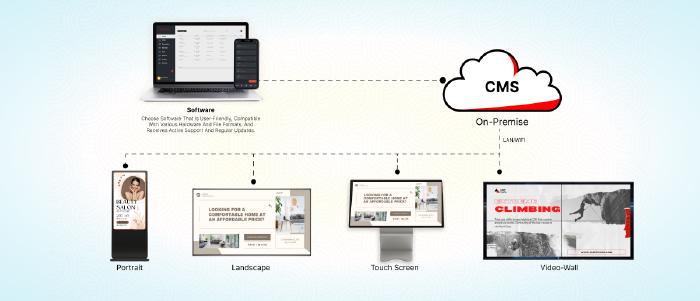
Hosting internally gives your IT team orchestration control, from versioning to update cycles, without depending on external networks. Choose a CMS that automates scheduling and device updates across thousands of screens.
Built for enterprise environments, Pickcel’s on-premise setup connects easily with internal ERP and BI tools for unified automation.
Every part of the system, from content creation to analytics, must move in sync, automated where possible, and governed where necessary.
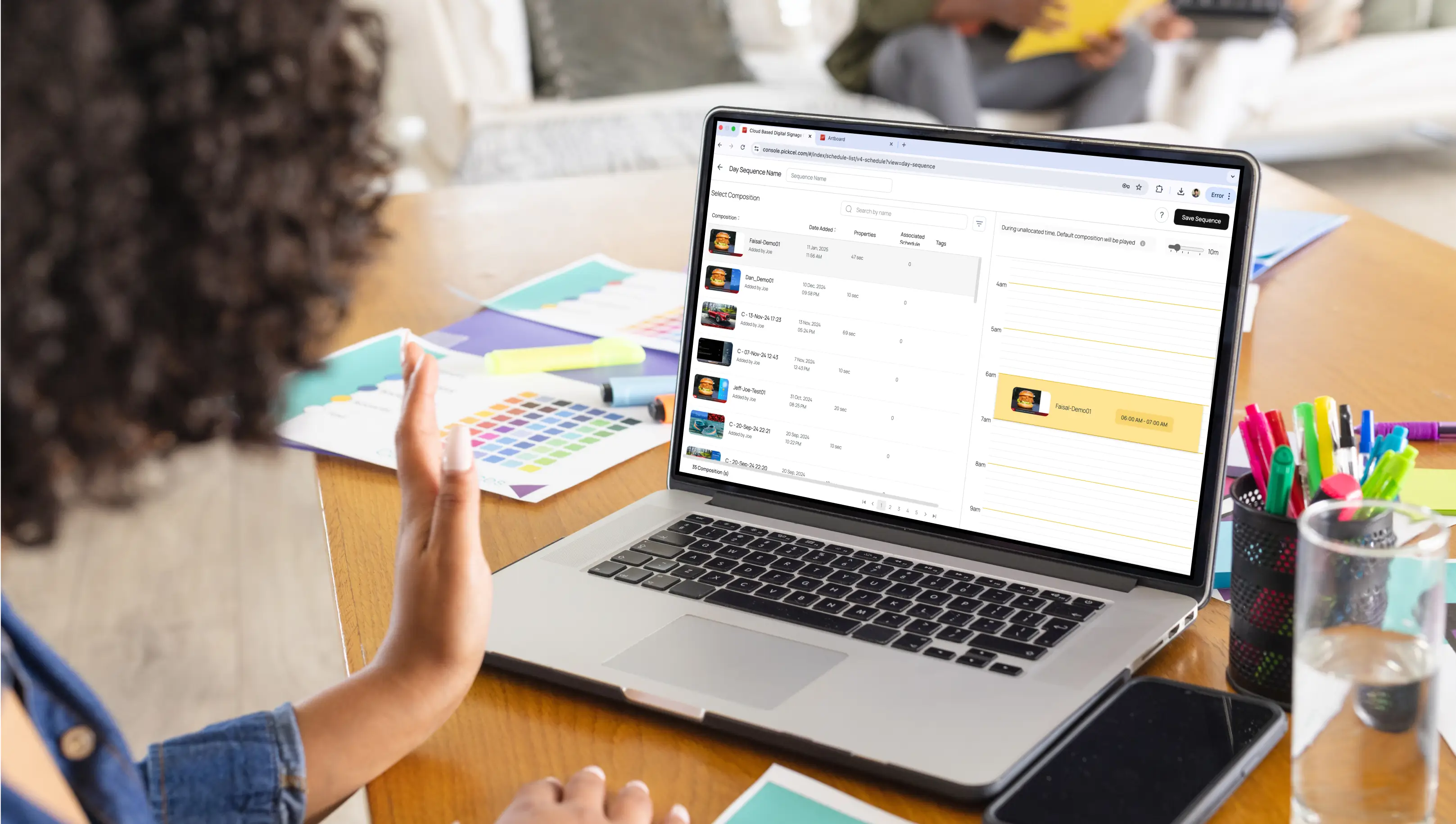
Automation and real-time content orchestration: The CMS should automatically handle scheduling, playback synchronization, and device monitoring. Data integrations pull live information from ERP, BI, or HR systems, so updates happen in real time without manual input. Pre-approved templates and expiry rules ensure consistency and freshness across all regions.
Central control, local flexibility: Global admins maintain corporate branding, compliance, and emergency alert control, while regional teams localize menus, KPIs, or shift-specific dashboards. Pickcel’s RBAC system makes this balance of central control and local flexibility easy to maintain at scale.
Operational governance built in: Approval hierarchies and audit trails keep the content lifecycle accountable. Once defined, these governance rules operate autonomously within the CMS, reinforcing overall digital signage security by ensuring only authorized users can publish or alter campaigns at scale.

Enterprise-scale on-premise digital signage systems demand continuous monitoring and proactive maintenance to stay reliable, secure, and cost-effective for years.
A resilient digital signage software solution should allow administrators to monitor every screen, player, and server in real time.
CMS dashboard should provide complete real-time visibility, showing device connectivity, playback status, and regional uptime, while automated proof-of-play logs verify what ran, when, and where. Proactive alerts flag anomalies such as regional outages, and regular infrastructure health checks on CPU, memory, and storage keep the high-availability cluster stable with zero replication lag.
Performance optimization is an ongoing process driven by data. Use proof-of-play and uptime analytics to identify weak points, refresh content frequently to prevent fatigue, and apply A/B testing to refine layouts and timing for better engagement. Conduct quarterly audits of infrastructure, workflows, and permissions to sustain enterprise-grade performance.

On-premise deployments involve higher upfront capital investment but deliver long-term advantages through greater control, enhanced security, and reduced recurring operational costs.
Long-term success depends on understanding the total cost of ownership (TCO), achieving measurable ROI, and building a roadmap for scalability and sustainability.
Measuring return on investment (ROI): The Return on Investment (ROI) must be measured systematically by comparing total ownership costs (CapEx + OpEx) with measurable business outcomes such as improved engagement, operational savings, and uptime reliability.
Capital expenditure (CapEx): Initial investment covers commercial-grade displays, industrial media players, and server infrastructure. Hardware typically represents 50–70% of first-year costs.
Operational expenditure (OpEx): Recurring costs include IT staff, power, cooling, and ongoing content management. Enterprises typically allocate 10–15% of annual OpEx for software updates, training, and maintenance.
Financial advantage: On-premise digital signage software license is a one-time cost, reducing long-term OpEx.
Cost Avoidance: Eliminating printing, logistics, and manual distribution reduces recurring costs by thousands per location annually.
High Availability: Maintaining a 99.9% uptime SLA directly protects ROI, every minute of downtime avoided translates into preserved revenue and productivity.
Lifecycle Longevity: Hardware refreshes every 5–7 years, combined with spare unit standardization, minimizes unplanned CapEx events.
Maintenance Discipline: Conduct scheduled backups, validate recovery procedures, and apply timely patches to maintain uptime guarantees.
A well-architected on-premise deployment minimises recurring costs, keeps security under direct control, and sustains engagement without manual burden.
Before deployment, validate the fundamentals, network segmentation, RCC caching, uptime alerting, and access governance. Confirm HA servers are load-tested, backups recover cleanly, and every endpoint is time-synced and locked in kiosk mode.
The biggest failures in enterprise signage are rarely technical, they stem from:
Misaligned ownership: unclear responsibility between IT, content, and operations teams.
Outdated content cycles: stale or irrelevant screens reduce engagement and ROI.
Neglected maintenance routines: skipped updates, audits, or backups cause gradual performance decay.
Pickcel helps enterprises deploy on-premise signage without internal engineering overhead, from setup to monitoring. All you need to do is provision a physical or virtual server within your data center and grant remote access to Pickcel’s engineering team.
Our experts will deploy the infrastructure, configure the environment, test end-to-end connectivity, and hand over a fully operational system ready for scale. Pickcel powers secure, scalable digital signage networks trusted by global enterprises.

All data, servers, and content stay within your corporate firewall. IT controls access, encryption, and authentication locally, ensuring full compliance with internal security policies and privacy regulations like SOC-2, HIPAA, or ISO 27001.
Start with requirements and team alignment. Design a clustered, high-availability architecture. Configure VLANs, firewalls, and SSL. Install the CMS on local servers, deploy industrial players, connect displays, test performance, and enforce monitoring and update routines.
Use commercial-grade 24/7 displays, industrial media players with SSD caching, and a clustered on-premise server stack with redundant power and storage. Include enterprise switches, structured cabling, UPS units, and 5–10 % spare units for rapid replacements.
A locally hosted CMS manages all content creation, scheduling, and publishing through your intranet. Data integrations enable real-time updates, while proof-of-play logs and RBAC ensure accountability, compliance, and continuous optimization without external cloud reliance.

Dec 29 2025
14 min read
Dec 19 2025
11 min read
Dec 4 2025
11 min read
Dec 1 2025
9 min read
Take complete control of what you show on your digital signage & how you show it.
Start Free Trial Schedule My Demo