Most organisations have no shortage of communication tools. They have email, group chats, a company intranet, maybe a notice board in the office kitchen. And still, critical messages don’t reach everyone.
The gap is rarely the volume of messages sent. It’s the assumption that sending a message is the same as reaching an employee. For the hospital ward nurse, the assembly line worker, the retail associate restocking shelves at 6 a.m. None of the standard channels are visible during a shift.
Knowing how to communicate with employees means choosing the right channel for each message type and each type of worker. This guide covers eight practical methods, with specific attention to the frontline and deskless communication gap that most guides treat as an afterthought.
See How Pickcel Reaches Every Employee →
Effective employee communication means delivering the right message to the right person, at the right time, through the right channel. That includes employees who work without desks, corporate inboxes, or device access during shifts, a group that makes up a significant share of most organisations' workforces. Pickcel is trusted by 9,000+ businesses across 70+ countries to reach all employees, including frontline and deskless workers, with 94% message visibility within two hours.
Why Most Employee Communication Breaks Down
Communication failures rarely happen at the point of sending. They happen at the point of delivery.
Relying on a Single Channel
Organisations that route all employee communication through email reach, on average, 20–25% of their workforce per message (Gallagher State of the Sector, 2024). Workers without corporate inboxes (those on production floors, hospital wards, or retail floors) are structurally excluded from email-dependent communication plans, regardless of how well-written the message is.
Even for employees who have company email, checking it is not part of the working routine for most frontline roles. A message waiting in an inbox is a message that depends on the recipient remembering to look.
Ignoring Deskless and Frontline Workers
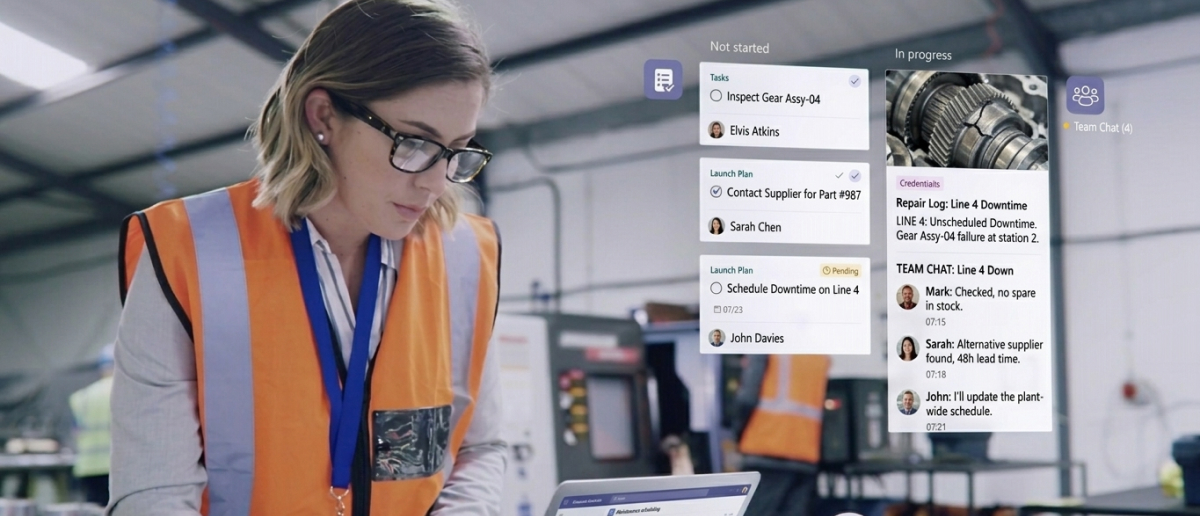
A significant share of most organisations’ workforces spends shifts away from a desk, screen, or inbox. Policy updates posted to an intranet, safety briefings sent via email, and team announcements in a group chat consistently fail to reach employees whose jobs don’t involve a computer. Organisations that don’t address this gap create a two-tier information environment.
Communication that doesn’t reach the frontline isn’t communication. It’s documentation. And documentation that employees never see cannot drive compliance, engagement, or safety outcomes.
Treating All Messages as Equal Urgency
When all messages arrive through the same channel at the same priority level, employees calibrate their attention downward over time. Critical safety alerts, scheduled policy updates, and routine announcements compete in the same inbox; the habit of deprioritising the less important extends to the essential. Matching delivery method to message urgency is a structural requirement, not a preference.
A tiered channel strategy separates urgent, ambient, and informational messages so each reaches employees through the mechanism best suited to its purpose.
8 Ways to Communicate Effectively with Employees
Effective employee communication requires matching each message type to the channel best suited to deliver it reliably, including for workers without desks or inboxes.
Method 1: Match the Channel to the Message Type
Effective employee communication starts with channel-message matching. Urgent, safety-critical messages need channels that surface immediately without requiring anyone to actively check anything. Ongoing awareness messages suit passive displays. Two-way discussions belong in conversation tools. Defaulting to email for all three causes each type of message to fail in a different way.
Categorise your message types first: urgent (requiring immediate action), ambient (ongoing awareness), informational (reference material), and two-way (response required). Assign a primary channel to each category. Use a backup channel for high-stakes messages to ensure reach.
Method 2: Use Screens in Shared Spaces for Passive Reach
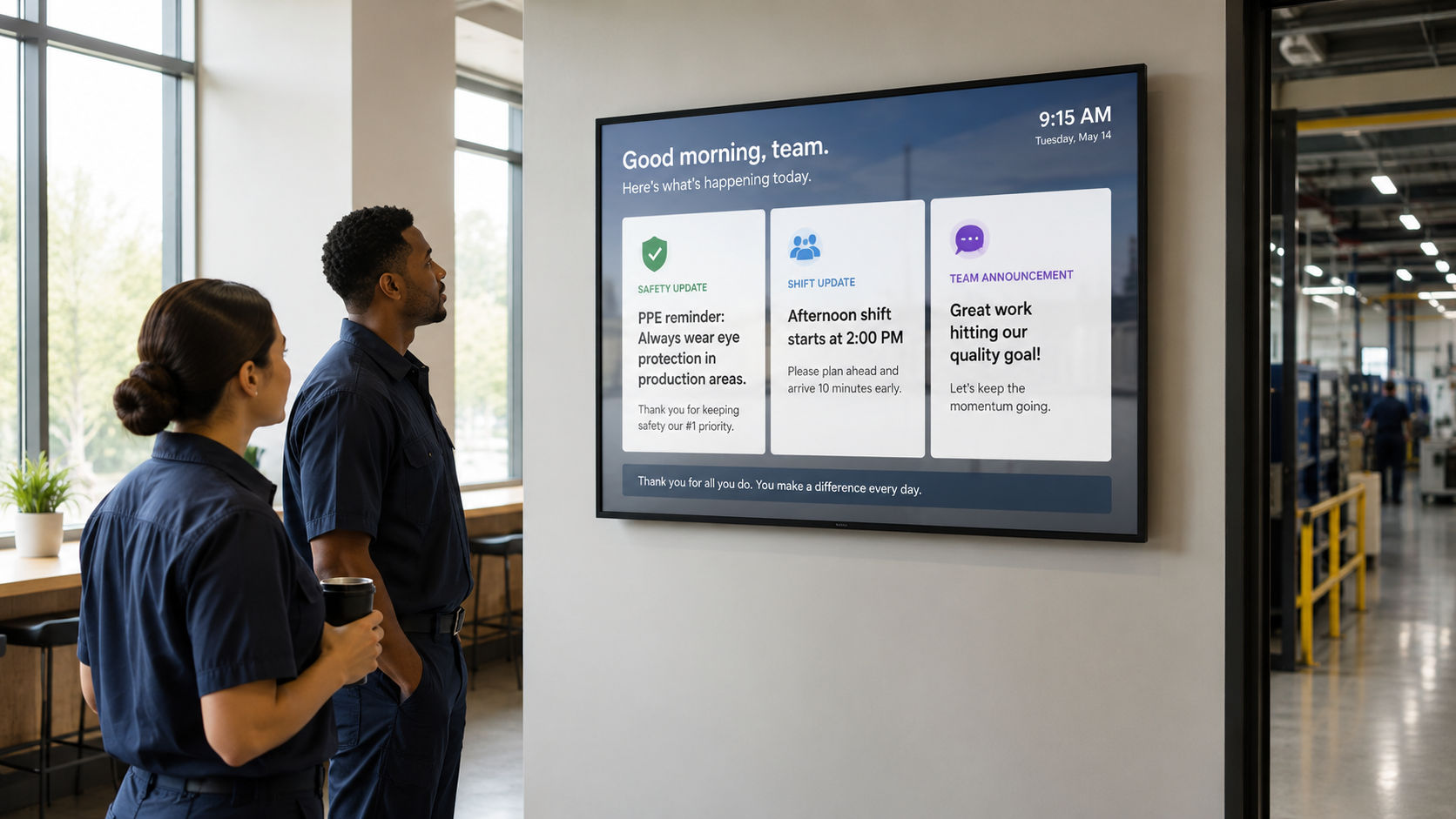
Shared-space screens in break rooms, corridors, canteen areas, and production floors deliver messages without requiring employees to check anything. Pickcel’s screen-based digital signage software places content in the physical environments employees already occupy, making it one of the most consistent communication channels for frontline and deskless workers.
Unlike push notifications or emails, screens in shared spaces are visible without any action from the recipient. The content is present in the space where employees spend time. See how digital signage supports internal communication in practice.
Method 3: Reach Deskless Employees Without Requiring Device Ownership
Requiring employees to download an app or check a platform on a personal device creates friction and, for many organisations, an equity problem. Shared screens, digital bulletin boards , and workplace kiosks deliver communication to employees without placing the burden of access on personal technology that workers may not want to use for work purposes.
This matters most in manufacturing, healthcare, and logistics, where phone use may be restricted during working hours. Communication must reach employees through the environment, not through the device in their pocket.
Method 4: Communicate Change Proactively
Effective change communication begins before the change takes effect. Policy updates, schedule changes, and procedural shifts should appear across all relevant channels in advance, giving employees enough time to absorb the information before they encounter it at work. Announcing a change after confusion has already set in is reactive communication that compounds trust problems rather than solving them.
Build a communication runway into every change plan: visible reminders in shared spaces in the days before the change, targeted alerts to affected departments, and acknowledgement tracking for anything with compliance implications.
Method 5: Create Two-Way Feedback Loops
Broadcast messaging keeps employees informed but doesn’t build engagement or signal that the organisation is listening. Pairing one-directional announcements with structured response mechanisms such as pulse surveys, anonymous question forms, and QR-code-linked feedback on screens gives employees a way to respond and gives communications teams measurable data on what’s landing.
The channel mix matters. Use passive broadcast tools for the announcement and lower-friction tools for the response. A QR code on a break room screen linking to a two-minute survey takes minimal effort from employees and provides actionable engagement data.
Method 6: Layer Channels Instead of Replacing Them
No single channel reaches 100% of a workforce. Effective employee communication strategies layer multiple channels: email for desk workers, screens for shared spaces, SMS for urgent updates, and digital notice boards for frontline teams, so each message reaches employees through at least one channel they regularly encounter. The goal is not duplication. It is ensuring every employee has a reliable path to receive the information.
For a deeper look at how communication tools compare, see best internal communication tools and team communication tools evaluated by channel type and workforce coverage.
Which Channel for Which Scenario?
The table below maps each communication channel to the scenarios, workforce segments, and device requirements it is best suited for.
| Channel | Best For | Frontline / Deskless Reach | Device Required | Employee Action |
|---|---|---|---|---|
| Desk-based staff, formal documentation | Low | Corporate device | Check inbox | |
| Shared-space screens | Break rooms, production floors, corridors | High | None | None |
| SMS / WhatsApp | Urgent alerts, all workforce types | High | Personal device | Read message |
| Digital notice boards | Physical workspace awareness | High | None | None |
| Internal chat (Teams, Slack) | Desk teams, two-way discussion | Low | Any device | Log in and check |
| Desktop alerts / screensaver | Office-based and distributed teams | Medium | Work device | None |
Method 7: Personalise by Location and Department
A company-wide announcement pushed identically to every screen in every location is less effective than a message targeted to the specific site, department, or shift group it concerns. Employees pay more attention to content that is visibly relevant to them, and switch off from content that clearly applies to other teams. Role-based targeting lets communications teams send the right message to the right location without cluttering unrelated screens.
Location and department segmentation, available in enterprise communication platforms, makes this scalable across dozens or hundreds of sites without requiring manual management at each location.
Method 8: Measure Message Reach and Close the Loop
Sending a message is not the same as delivering one. Effective employee communication requires tracking delivery, not just output. Delivery confirmation, acknowledgement rates, screen visibility data, and channel-level open rates tell communications managers which channels are working and which messages are being missed before a gap becomes a compliance problem.
For compliance-critical messages (safety procedures, policy changes, mandatory training acknowledgements) audit trails and confirmation mechanisms provide the documentation that employees received and acknowledged the content. This is standard practice in regulated industries including manufacturing, healthcare, and financial services.
How Pickcel Helps You Reach Every Employee
The hardest communication gap to close is the physical space: the factory floor, the hospital corridor, the retail stockroom. Email and chat platforms weren’t built for these environments. They consistently underperform for employees who spend shifts away from a computer.
Pickcel is a multi-channel employee communication platform trusted by 9,000+ businesses across 70+ countries, managing 150,000+ screens. It covers 8 native communication channels: digital screens, desktop screensaver, desktop scroller, desktop wallpaper, priority desktop alerts, Microsoft Teams, WhatsApp, and SMS, so every message can reach every employee regardless of their role or location.
Content managers and HR teams push updates from a single dashboard to screens and devices across multiple locations, targeting by site, department, or shift group. For compliance-critical messages, delivery confirmation and acknowledgement tracking happen automatically. Organisations consolidating from fragmented tool stacks consistently report 60–75% cost reductions and 75% reductions in admin time.
Pickcel is SOC 2 Type II and ISO 27001 certified, meeting the security and data handling requirements of regulated industries including healthcare, finance, and manufacturing.
Pickcel is used by 9,000+ businesses across 70+ countries to manage employee communication across all channels.
Frequently Asked Questions
How do you communicate effectively with employees?
Effective employee communication combines the right channel, the right timing, and the right audience segmentation. Match urgent messages to channels that surface without requiring anyone to check anything. Use passive channels for ambient awareness. Layer delivery methods so messages reach workers regardless of whether they have a desk, an inbox, or device access during shifts.
Desk workers and frontline staff have fundamentally different information environments. Effective communication plans account for both groups separately, build a channel mix that serves the full workforce, and use measurement to close the loop on what is actually being received. Pickcel covers both groups: office staff via desktop notifications, and frontline teams via shared-space screens.
How do you communicate with employees who don't have email access?
Communicating with employees who lack email access requires channels that don’t depend on logging in or checking a device. Shared screens in work areas, digital bulletin boards, SMS alerts, and workplace kiosks deliver messages passively to employees on factory floors, hospital wards, and retail floors, without requiring a personal device or corporate email account.
For organisations with large frontline or deskless workforces, screen-based communication in shared physical spaces is the most reliable passive channel. Messages reach employees without requiring any action on their part. Explore frontline worker communication platforms to compare channel options by workforce type.
What is the best way to communicate a policy change to employees?
The most effective approach to policy change communication is proactive, multi-channel, and timed ahead of the change taking effect. Messages should appear across relevant channels in the days before the change, targeting the specific teams or locations affected. For compliance-critical updates, acknowledgement tracking provides documentation that employees confirmed receipt.
A policy pushed in a single email on the day it takes effect is not a communication plan. Build lead time into every change communication: visible reminders in shared spaces for several days prior, targeted department alerts, and mandatory confirmation for any update with regulatory or safety implications.
How do you communicate with remote or deskless employees?
Reaching deskless employees requires push channels: ones that deliver information to where employees are without requiring them to actively seek it out. Shared screens, digital bulletin boards, WhatsApp, and SMS all deliver passively without requiring a corporate account or the habit of checking a communication platform during a shift.
The key distinction is between pull communication, where the employee must seek out the message, and push communication, where the message reaches the employee directly. Deskless workers need push channels. For remote employees who do have device access, scheduled video briefings and digital newsletters maintain connection across distance.
How do you measure whether your employee communication is working?
Measuring employee communication requires tracking delivery and response at the channel level, not just counting messages sent. Useful metrics include delivery confirmation, screen visibility data, email open rates, acknowledgement rates for compliance messages, and pulse survey response rates. Volume of messages sent is not a meaningful performance indicator.
Organisations that measure outputs rather than outcomes often discover, too late, that communication reached far fewer people than assumed. Platforms with delivery dashboards and acknowledgement tracking make the actual reach visible and give communications managers data to improve the channel mix over time.
What communication channels work best for frontline workers?
Frontline worker communication works best through channels embedded in the physical work environment: shared-space screens, digital notice boards, visual safety alerts, and SMS or WhatsApp for urgent updates. These channels meet frontline staff where they are, without requiring them to interrupt their work to check a device or log in to a platform.
Email, intranet portals, and internal chat tools like Teams or Slack consistently underperform for frontline workers because they depend on desk access or the habit of checking a platform. Environment-based communication is more reliable for staff who spend shifts on the shop floor, production line, or hospital ward.
How often should managers communicate with employees?
Managers should communicate proactively on any change that affects an employee’s work, and predictably on routine matters. For most teams, a brief weekly update covering priorities, changes, and relevant context reduces the pattern where employees only hear from management during a crisis, which damages trust and increases anxiety around any communication they do receive.
Beyond scheduled cadences, ad-hoc communication should be reserved for genuinely urgent or important matters. When managers communicate too frequently on low-priority items, employees calibrate their attention downward, making it harder to cut through when it matters. The goal is reliable signal, not constant noise.
How do you communicate with employees across multiple locations?
Multi-location employee communication requires a platform that segments messages by site, department, or shift group rather than pushing identical content everywhere simultaneously. Pickcel lets communications teams manage content across hundreds of screens at multiple locations from a single dashboard, targeting by location, department, or audience group without manual management at each site.
For organisations with regional or global footprints, centralised control with local targeting is the practical requirement. Content that clearly applies to one site but appears on every screen loses credibility quickly. Employees in unaffected locations start treating content as noise, which creates a reach problem across the whole communication system over time.
How much does Pickcel's employee communication platform cost?
Pickcel’s pricing is based on the number of screens and communication channels in use. Plans scale from small teams managing a handful of screens to enterprise organisations with hundreds of locations. A free trial is available for teams evaluating the platform before committing. Organisations consolidating from multiple fragmented tools consistently report 60–75% cost reductions compared to maintaining separate platforms for each communication channel.
For a precise quote based on your number of screens, locations, and required channels, Pickcel’s team provides tailored pricing during the demo process. Current pricing and plan details are available at pickcel.com/pricing.