Most frontline staff never see the messages meant for them. Here is what actually reaches them, and which platforms deliver it.
2.7B
deskless workers globally
~80%
of the global workforce they represent
83%
frontline workers who say they miss important information
Sources: Emergence Capital, The State of Technology for the Deskless Workforce; Workplace Intelligence, Frontline Workforce Study (2022).
Frontline worker communication fails quietly. The people who make the product, treat the patient, stock the shelf, and drive the route are the ones least likely to see a company announcement, and in most organisations nobody notices until something goes wrong on a shift.
2.7 billion people go to work every day without a desk. They work on factory floors, in hospitals, in retail stores, in warehouses, on construction sites, and in transit systems. For most of them the employer’s primary communication channel is still a notice board in the break room, refreshed whenever someone remembers.
That gap shows up in operations long before it shows up in an engagement survey. A 2022 Workplace Intelligence study found that 83% of frontline workers feel they miss important information because it is not communicated in a way they can access. Safety notices arrive late. Shift handovers get relayed by word of mouth. Recognition never lands at all. Frontline roles also churn at rates desk-based teams rarely see, and disconnection from the wider organisation is a recurring explanation managers give for it.
The fix is not more messages. It is choosing channels that reach people in the place where they actually work. This guide covers what frontline worker communication is, why the standard enterprise toolkit fails at it, how the leading platforms compare, and where digital signage fits as the broadcast layer most strategies are missing.
What Is Frontline Worker Communication?
Frontline worker communication is the practice of delivering operational, safety, and cultural information to employees who work away from a desk, a corporate inbox, and a company-issued computer. It differs from general internal communication in one respect that shapes everything else: the recipient cannot be assumed to be reachable through a login. Every channel decision, from screens to SMS to supervisor briefings, follows from that single constraint.
What Is a Frontline Worker Communication Platform?
A frontline worker communication platform is the software category built for that constraint.
These platforms recognise that standard enterprise tools such as email, Slack, Microsoft Teams, and SharePoint require workers to actively log in from a device they control. That model breaks down for workers on the production floor, in a patient care room, or behind a retail counter.
The defining characteristics of a true frontline communication platform:
- Mobile-first or device-agnostic design. Accessible via smartphone app, kiosk, SMS, or digital screen.
- No-login access options. Critical messages reach workers who do not have corporate accounts.
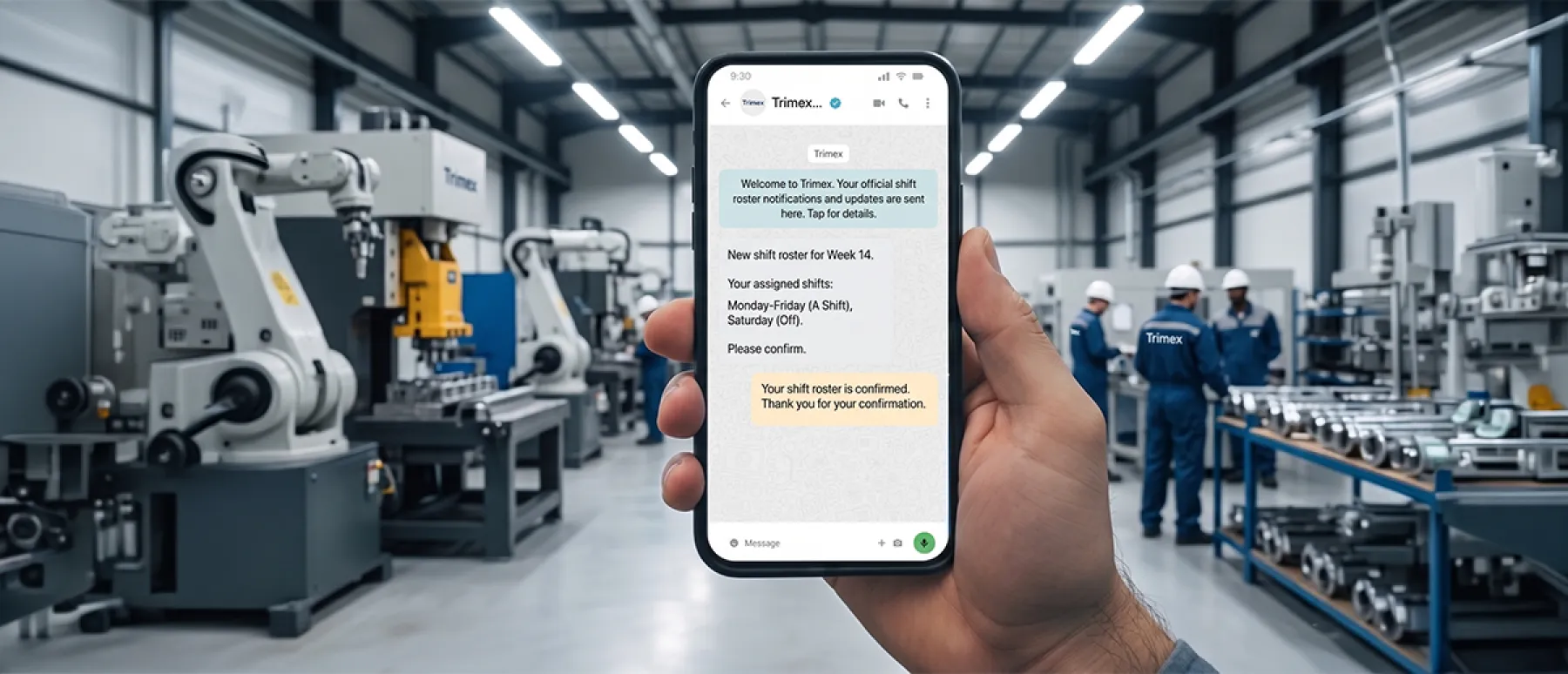
- Multi-channel delivery. The same content distributed via app, WhatsApp, SMS, email, or digital screens simultaneously.
- Acknowledgement tracking. Organisations verify that critical information was received and confirmed.
- Shift and location targeting. Messages reach the right workers at the right time.
In practice the last two are where deployments come apart. Plenty of tools can broadcast. Far fewer can answer the question a plant manager will ask in week two, which is whether the night shift at Plant 2 actually saw the notice. That is the capability worth stress-testing during a trial, not the feature list.
Why Do Frontline Workers Need a Different Communication Approach?
Frontline workers have fundamentally different communication needs, not because they are less capable, but because their work context is different.
No Persistent Desk or Screen Access
A desk worker checks email throughout the day as part of their workflow. A hospital nurse, warehouse picker, or assembly line operator has no such ambient access to digital communication.
Physical Environment Limits Device Use
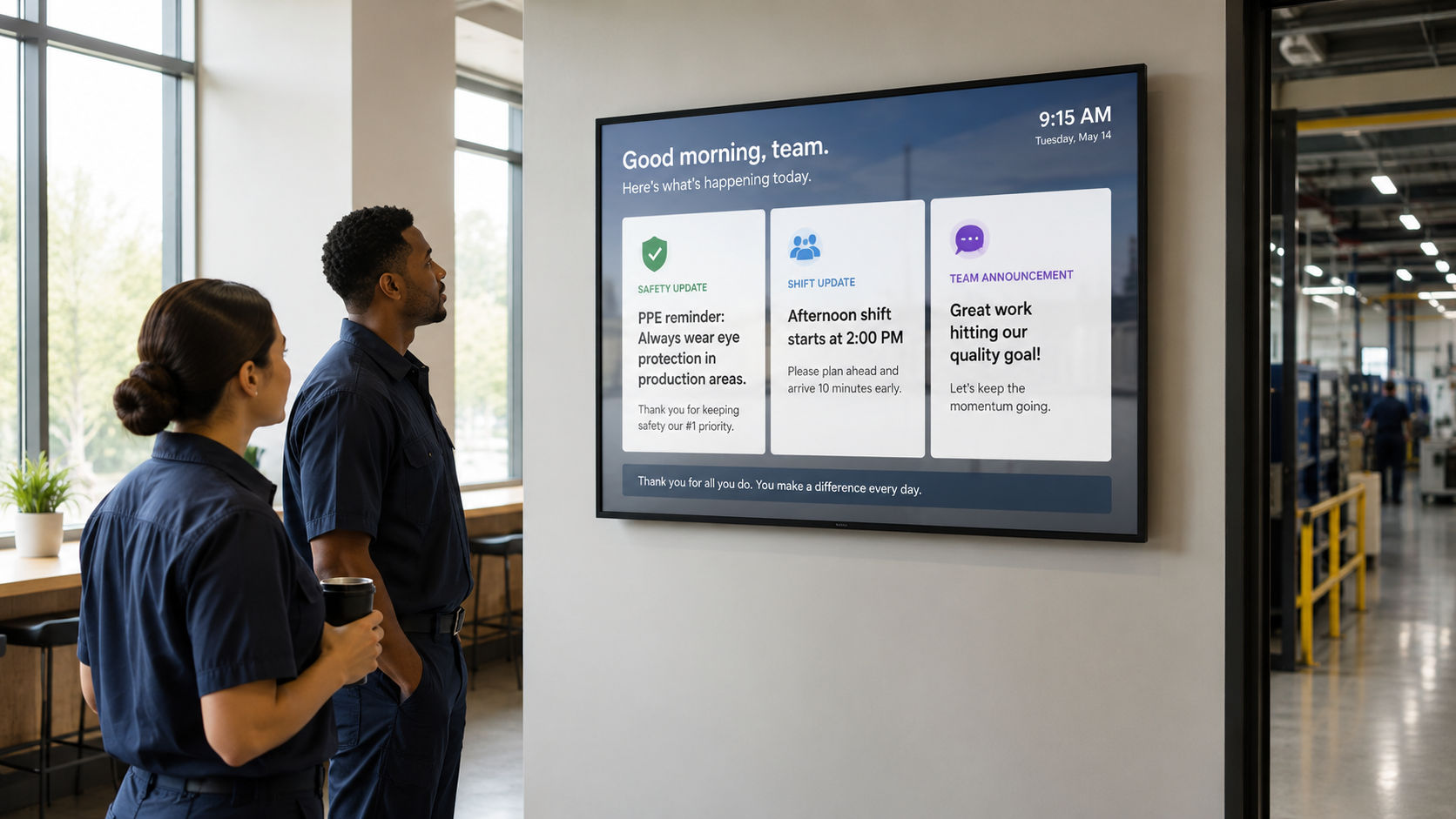
Many frontline environments prohibit or restrict mobile phone use for safety or hygiene reasons. Manufacturing plants, healthcare wards, and food-processing facilities often have active mobile restrictions on the production floor. Dedicated frontline communication platforms for manufacturing are built to address exactly this constraint, using screens mounted on production lines and in break areas rather than relying on personal devices that workers may not be permitted to carry.
Shift-Based Schedules Fragment Communication Timing
An announcement sent at 9am reaches day-shift workers immediately and night-shift workers 8 to 12 hours later, if at all. Communication tools without shift-aware delivery build structural information inequality across the workforce.
Language and Literacy Diversity
Frontline workforces are typically more linguistically diverse than desk-based roles. Effective platforms need multilingual support and the ability to use visual communication formats that transcend language barriers.
The common thread across all four constraints is that they are environmental, not attitudinal. Teams that read low engagement as a motivation problem tend to buy an app, run a launch campaign, and then wonder why adoption stalls. The workers were never unwilling. They were unreachable.
What Are the Best Frontline Worker Communication Platforms?
Five platforms cover the main categories of frontline communication tooling: Staffbase, Beekeeper, WorkJam, Speakap, and Pickcel, each serving a different workforce profile and organisation size.
Staffbase
EnterpriseBest for: Large enterprises (5,000+ employees) with complex intranet requirements.
Comprehensive employee communications platform with strong intranet, mobile app, and email capabilities. Strong SharePoint and Microsoft 365 integrations. Primarily mobile-app based. It requires device ownership.
Limitation: The mobile app model requires workers to have and use a smartphone. Less effective for environments where phone use is restricted.
Beekeeper
Manufacturing · LogisticsBest for: Manufacturing, logistics, hospitality, and retail with high operational messaging volume.
Purpose-built for frontline workers with strong mobile functionality, shift scheduling integration, and two-way messaging. Supports multiple languages. WhatsApp-style interface is accessible for non-technical workers.
Limitation: Requires smartphone adoption across the workforce. Less effective for production floor workers who cannot carry phones during shifts.
WorkJam
Retail · HospitalityBest for: Retail and hospitality chains managing hourly workforce scheduling and communication together.
Combines frontline communication with workforce management, covering scheduling, task management, and messaging in one platform.
Limitation: Communication features are secondary to workforce management. Less suited for manufacturing or healthcare contexts.
Speakap
Mid-sizeBest for: Mid-size organisations seeking a simple app-based communication layer.
Social-network-style communication platform via mobile app, designed to replace email with a more engaging, informal channel.
Limitation: App-first approach requires high smartphone penetration.
Pickcel (Digital Signage Layer)
Any EnvironmentBest for: Any organisation that needs to reach frontline workers in physical environments where mobile device use is restricted or impractical.
Pickcel's cloud-based digital signage platform functions as the broadcast communication layer for frontline environments. Content published from the central dashboard appears on screens throughout the facility, in real time, without requiring workers to carry a device or log into an app.
Pickcel integrates with existing HR, production, and ERP systems to automate shift briefings, performance dashboards, recognition content, and compliance notices. It is SOC 2 Type II and ISO 27001 certified.
Limitation: One-way by design. Digital signage broadcasts, it does not collect replies, so it pairs with an app or QR-based flow wherever two-way communication is required.
| Platform | Primary Channel | Best Environment | Requires Smartphone? |
|---|---|---|---|
| Staffbase | Mobile app + intranet | Office + field workers | Yes |
| Beekeeper | Mobile app | Deskless + field | Yes |
| WorkJam | Mobile app | Retail + hospitality | Yes |
| Speakap | Mobile app | Any deskless | Yes |
| Pickcel | Digital screens | Any physical environment | No |
How Does Digital Signage Complement Frontline Communication Apps?
Apps and screens serve different moments in the worker’s day, and together they cover the full communication spectrum.
Apps reach workers when they have their device and a moment to engage. Valuable for two-way communication, task management, detailed content, and push notifications.
Screens reach workers in the environment where they work. Essential for ambient communication. This includes information that does not require a conscious decision to consume: safety alerts, production performance, recognition content, shift briefings, company news.
| Communication Type | Best Channel |
|---|---|
| Real-time safety alerts | Digital screens (ambient, zero-action required) |
| Shift briefings | Digital screens at entry points |
| Two-way feedback | Mobile app + QR codes on screens |
| Task notifications | Mobile app |
| Policy updates requiring acknowledgement | Mobile app + screen notification |
| Recognition and celebration | Digital screens (public, visible to all) |
| Production performance dashboards | Digital screens (always-on, production floor) |
| Training enrollment | QR codes on screens → mobile app |
The split is not a compromise. It reflects how attention works on a shop floor: anything that requires the worker to stop, take out a phone, and open an app will lose to anything already lit up on the wall in front of them.
See How It Works
If you want to see what the broadcast layer looks like in practice, Pickcel's digital signage software runs the screen side of this setup across manufacturing, healthcare, retail, and logistics sites.
How to Choose the Right Frontline Communication Platform
Selecting the right platform requires matching three variables: your workforce profile, your communication gaps, and your technology environment.
Define Your Workforce's Device Access
Do your frontline workers carry and use smartphones on the job? If yes, a mobile-first platform is viable. If no, or if mobile use is restricted, a screen-based solution is essential. Most large facilities need both.
Identify Your Primary Communication Failures
Where does information actually break down in your organisation? Shift-change gaps point to screen content at entry checkpoints. Safety compliance gaps point to real-time alert integration. Recognition and culture gaps point to public-facing screen content. Task communication points to a mobile app with acknowledgement tracking.
Assess Integration Requirements
The best platform for your organisation is the one that connects to your existing systems, including HRIS, scheduling software, production systems, and ERP. Native integrations reduce the manual work required to keep communication content current.
Start with One High-Impact Use Case
The organisations that fail are those that try to roll out every feature simultaneously. Start with your highest-pain communication problem, usually safety communication or shift briefings, build adoption, then expand to recognition, performance, and engagement content.
Book a Walkthrough
Book a walkthrough and see shift briefings, safety alerts, and recognition content running on real hardware in your own facility layout.