
Apr 5 2026

9 min read
April 05, 2026
9 min read


ALL
Internal Comms
Deskless Workers
2.7 billion deskless workers are underserved by standard enterprise communication tools. Here’s how to choose the right platform, and why digital signage is the broadcast layer everything else is missing.
See Pickcel’s Frontline Solution →
A frontline worker communication platform is a software system designed to deliver information to employees who don't have regular access to a company computer, email, or intranet, reaching the 2.7 billion deskless workers globally through mobile apps, SMS, WhatsApp, kiosks, and digital screens.
2.7B
deskless workers globally (80% of workforce)
83%
frontline workers miss important info (Workplace Intelligence, 2022)
2–3×
higher turnover vs. desk-based roles
20–25%
average internal email open rate (Mailchimp, 2023)
2.7 billion people go to work every day without a desk. They work on factory floors, in hospitals, in retail stores, in warehouses, on construction sites, and in transit systems. They are the global frontline workforce, and for most of them, the employer’s primary communication channel is a notice board in the break room.
That communication gap has real consequences. According to a 2022 Workplace Intelligence study, 83% of frontline workers feel they miss important information because it isn’t communicated in a way they can access. Frontline worker turnover runs 2–3 times higher than desk-based roles, and communication disconnection is consistently cited as a top driver.
This guide covers what frontline worker communication platforms are, how they differ from standard enterprise tools, a breakdown of the leading options, and why digital signage is the broadcast layer that complements every platform in this category.
A frontline worker communication platform is a software system designed to deliver information to employees who don’t have regular access to a company computer, email, or intranet.
These platforms recognise that standard enterprise communication tools like email, Slack, Microsoft Teams, SharePoint require workers to actively log in from a device they control. That model breaks down for workers on the production floor, in a patient care room, or behind a retail counter.
The defining characteristics of a true frontline communication platform:
Mobile-first or device-agnostic design — accessible via smartphone app, kiosk, SMS, or digital screen
No-login access options — critical messages reach workers who don’t have corporate accounts
Multi-channel delivery — the same content distributed via app, WhatsApp, SMS, email, or digital screens simultaneously
Acknowledgement tracking — organisations verify that critical information was received and confirmed
Shift and location targeting — messages reach the right workers at the right time
Frontline workers have fundamentally different communication needs, not because they’re less capable, but because their work context is different.
A desk worker checks email throughout the day as part of their workflow. A hospital nurse, warehouse picker, or assembly line operator has no such ambient access to digital communication.
Many frontline environments prohibit or restrict mobile phone use for safety or hygiene reasons. Manufacturing plants, healthcare wards, and food-processing facilities often have active mobile restrictions on the production floor.
An announcement sent at 9am reaches day-shift workers immediately and night-shift workers 8–12 hours later, if at all. Communication tools without shift-aware delivery build structural information inequality across the workforce.
Frontline workforces are typically more linguistically diverse than desk-based roles. Effective platforms need multilingual support and the ability to use visual communication formats that transcend language barriers.
Screens, WhatsApp, SMS, desktop alerts — all from one dashboard. Book a 30-minute demo.
The platforms below represent the major categories of frontline communication tooling, each serving different use cases and organisation sizes.
Best for: Large enterprises (5,000+ employees) with complex intranet requirements.
Comprehensive employee communications platform with strong intranet, mobile app, and email capabilities. Strong SharePoint and Microsoft 365 integrations. Primarily mobile-app based. It requires device ownership.
Limitation: The mobile app model requires workers to have and use a smartphone. Less effective for environments where phone use is restricted.
Best for: Manufacturing, logistics, hospitality, and retail with high operational messaging volume.
Purpose-built for frontline workers with strong mobile functionality, shift scheduling integration, and two-way messaging. Supports multiple languages. WhatsApp-style UX is accessible for non-technical workers.
Limitation: Requires smartphone adoption across the workforce. Less effective for production floor workers who can't carry phones during shifts.
Best for: Retail and hospitality chains managing hourly workforce scheduling and communication together.
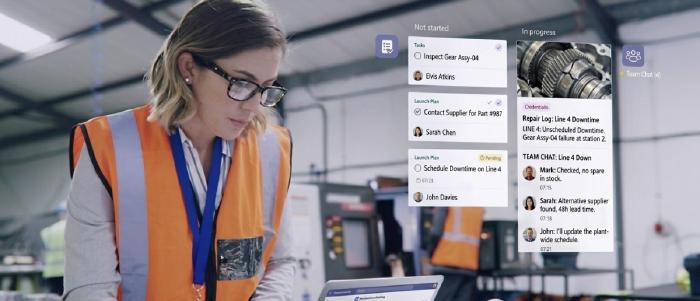
Combines frontline communication with workforce management — scheduling, task management, and messaging in one platform.
Limitation: Communication features are secondary to workforce management. Less suited for manufacturing or healthcare contexts.
Best for: Mid-size organisations seeking a simple app-based communication layer.
Social-network-style communication platform via mobile app, designed to replace email with a more engaging, informal channel.
Limitation: App-first approach requires high smartphone penetration.
Best for: Any organisation that needs to reach frontline workers in physical environments where mobile device use is restricted or impractical.
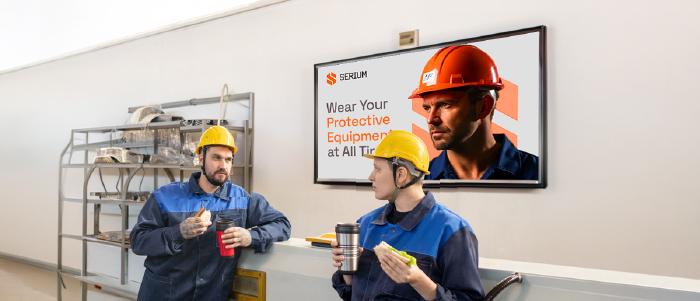
Pickcel's cloud-based digital signage platform functions as the broadcast communication layer for frontline environments. Content published from the central dashboard appears on screens throughout the facility, in real time, without requiring workers to carry a device or log into an app.
Pickcel integrates with existing HR, production, and ERP systems to automate shift briefings, performance dashboards, recognition content, and compliance notices. Explore the employee communication app and multi-channel communication platform.
| Platform | Primary Channel | Best Environment | Requires Smartphone? |
|---|---|---|---|
| Staffbase | Mobile app + intranet | Office + field workers | Yes |
| Beekeeper | Mobile app | Deskless + field | Yes |
| WorkJam | Mobile app | Retail + hospitality | Yes |
| Speakap | Mobile app | Any deskless | Yes |
| Pickcel | Digital screens | Any physical environment | No |
Apps and screens serve different moments in the worker’s day, and together they cover the full communication spectrum.
Apps reach workers when they have their device and a moment to engage. Valuable for two-way communication, task management, detailed content, and push notifications.
Screens reach workers in the environment where they work. Essential for ambient communication. This inculde information that doesn’t require a conscious decision to consume: safety alerts, production performance, recognition content, shift briefings, company news.
| Communication Type | Best Channel |
|---|---|
| Real-time safety alerts | Digital screens (ambient, zero-action required) |
| Shift briefings | Digital screens at entry points |
| Two-way feedback | Mobile app + QR codes on screens |
| Task notifications | Mobile app |
| Policy updates requiring acknowledgement | Mobile app + screen notification |
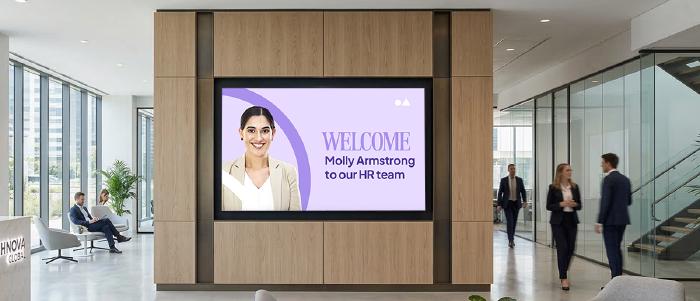
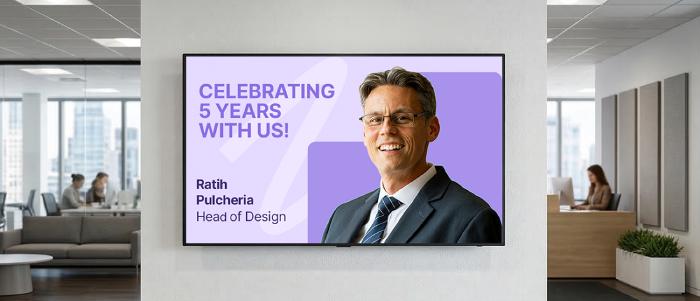
| Recognition and celebration | Digital screens (public, visible to all) |
| Production performance dashboards | Digital screens (always-on, production floor) |
| Training enrollment | QR codes on screens → mobile app |
Selecting the right platform requires matching three variables: your workforce profile, your communication gaps, and your technology environment.
Define Your Workforce's Device Access
Do your frontline workers carry and use smartphones on the job? If yes, a mobile-first platform is viable. If no, or if mobile use is restricted — a screen-based solution is essential. Most large facilities need both.
Identify Your Primary Communication Failures
Where does information actually break down in your organisation? Shift-change gaps → screen content at entry checkpoints. Safety compliance gaps → real-time alert integration. Recognition/culture gaps → public-facing screen content. Task communication → mobile app with acknowledgement tracking.
Assess Integration Requirements
The best platform for your organisation is the one that connects to your existing systems such as HRIS, scheduling software, production systems, ERP. Native integrations reduce manual work required to keep communication content current.
Start with One High-Impact Use Case
The organisations that fail are those that try to roll out every feature simultaneously. Start with your highest-pain communication problem — usually safety communication or shift briefings and build adoption, then expand to recognition, performance, and engagement content.
There is no single “best” platform. The right choice depends on your workforce profile and primary communication needs. For organisations where workers carry smartphones, Beekeeper or Staffbase are strong options. For environments where mobile use is restricted such as manufacturing plants, healthcare wards, food processing — digital signage (such as Pickcel) is the most effective broadcast layer, reaching workers through screens in the physical environment without requiring any device or login. Most larger organisations benefit from both: a mobile app for two-way communication and digital signage for ambient, always-on delivery.
The most effective approach is meeting deskless employees in the physical environment where they work. For workers in facilities, digital screens at entry points, production lines, and break areas deliver information without requiring any device or action. For workers who carry smartphones, mobile apps provide two-way communication and push notifications. The common failure is designing a communication strategy around channels that require workers to actively seek out information like email, intranets, portals — rather than delivering information to where they already are.
A frontline communication app is a mobile application that delivers messages to workers who carry smartphones. It requires a device, a login, and active engagement from the worker. Digital signage is a screen-based system that displays content in the physical environment automatically, without requiring any action from workers. Apps are better for two-way communication and detailed content requiring acknowledgement. Digital signage is better for ambient communication: safety alerts, real-time performance data, recognition content, and shift briefings — all visible simultaneously to every worker in the environment.
Not as a primary communication channel. Email requires workers to have a corporate account, carry a device, and actively check it. The average internal email open rate is 20–25% even for desk-based workers who check email as part of their daily workflow (Mailchimp, 2023). For frontline workers, email is typically a secondary or emergency channel. Primary communication should use channels that reach workers in their environment: screens, mobile apps, WhatsApp, SMS, or supervisor briefings.
Pickcel acts as the broadcast layer in a frontline communication strategy. It acts as the always-on, ambient channel ensuring every worker in the physical environment receives key messages without taking any action. Pickcel integrates with HR, production, and scheduling systems to automate shift briefings, production dashboards, safety alerts, and recognition content. It complements app-based platforms by covering the workers and moments that mobile-first tools miss. Pickcel’s digital signage platform manages 150,000+ screens for 9,000+ organisations across 70+ countries. SOC 2 Type II and ISO 27001 certified.
See how Pickcel's digital signage platform closes the deskless worker communication gap — no devices, no logins, no friction.
Apr 5 2026
9 min read

Apr 5 2026
8 min read
Mar 16 2026
11 min read
Mar 9 2026
16 min read
Take complete control of what you show on your digital signage & how you show it.
Start Free Trial Schedule My Demo