

Mar 6 2026

4 min read
March 06, 2026
6 min read


ALL
GENERAL

In enterprise digital signage, publishing control is what lets teams update screens quickly without sending the wrong content to the wrong locations or pushing unreviewed content live. It defines who can publish, which screen groups they can target, and what must be approved before content goes live. Corporate needs consistency, local teams need publishing freedom within limits, and IT needs access control and traceability without becoming the content gatekeeper. The solution usually comes down to three controls working together:
Role-based access control (RBAC) for who can create, edit, schedule, approve, and publish.
Group-based access control for where they can publish across locations, departments, and screen groups.
Content approval flow for what can go live directly and what must be reviewed first.
This article focuses on publishing control, one key part of enterprise digital signage content governance.
In enterprise environments, publishing control only works when the CMS can enforce it consistently across users, screen groups, and approval steps. That is why governance-ready publishing controls are part of the top features every enterprise digital signage system needs.
For this article, I’m using Pickcel as the reference CMS, a globally trusted digital signage software used across industries for over a decade, with enterprise-grade security and support for both cloud and on-premise deployments.
RBAC defines what each user can do inside the CMS, so teams get the access they need without exposing the whole network to mistakes or unnecessary risk.
To keep RBAC effective, use it around job functions, not individuals:
Limit Admin access to account and system owners,
separate content creation from final publishing or approval,
and assign permissions based on responsibilities like editing, operations, or device management.
Then review access regularly, because role changes and team shifts often leave users with more access than they still need.
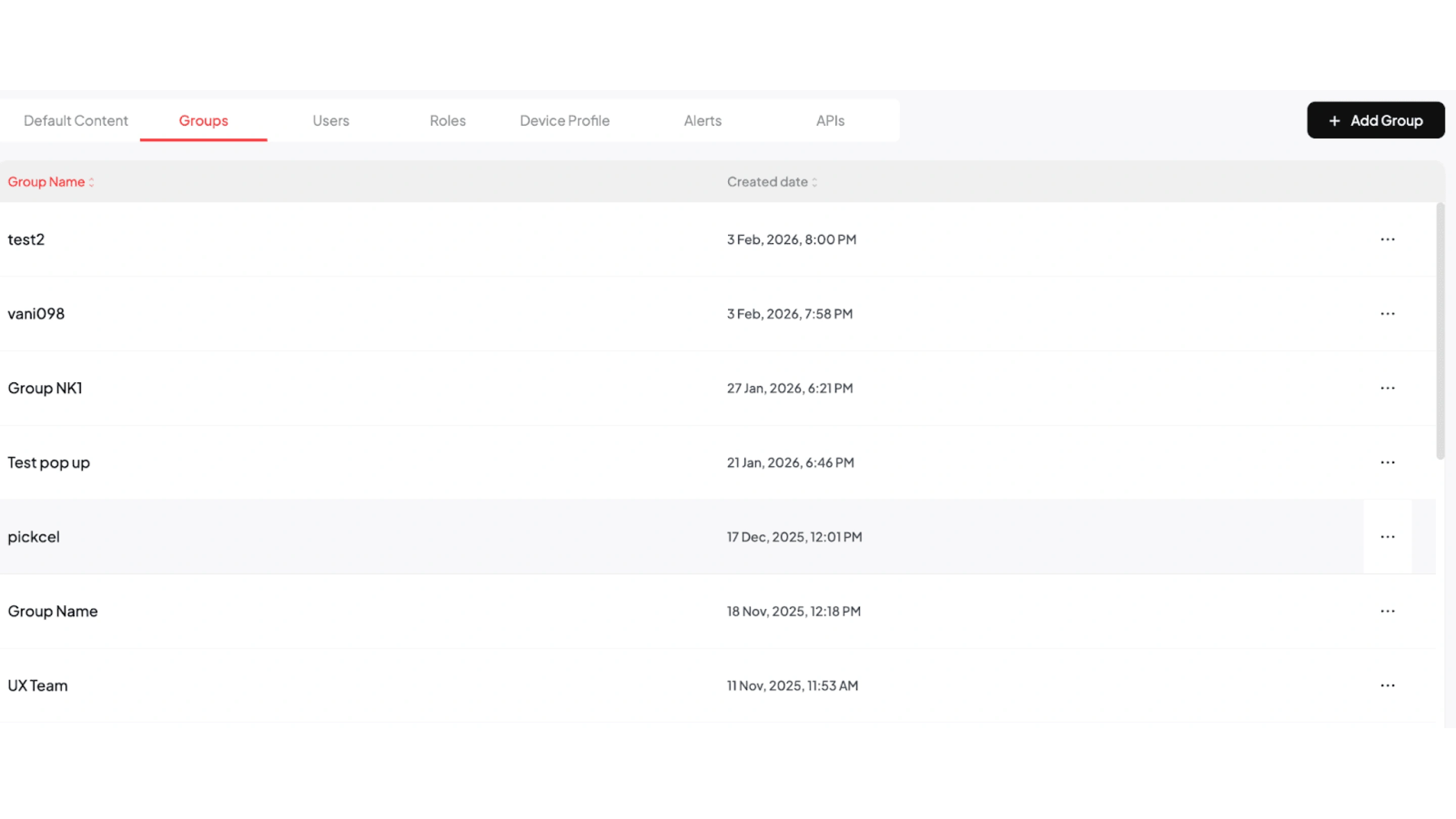
Pickcel’s role settings let you define permissions by role and assign those roles to users. By default, Pickcel provides four roles:
Admin
Manager
Editor
Operator
The first registered user is assigned as Admin, with full account access. From there, the Admin can define what the other roles can and cannot do. For implementation, you can follow the resource guide for the step-by-step role setup flow inside the CMS.
Group-based access control defines where a user’s permissions apply inside the CMS. It limits access by store, region, department, or business unit so teams only work within their assigned screen scope. Set groups around real operating boundaries, such as stores, regions, departments, or business units. This keeps local publishing local and makes access easier to manage as teams grow or move.
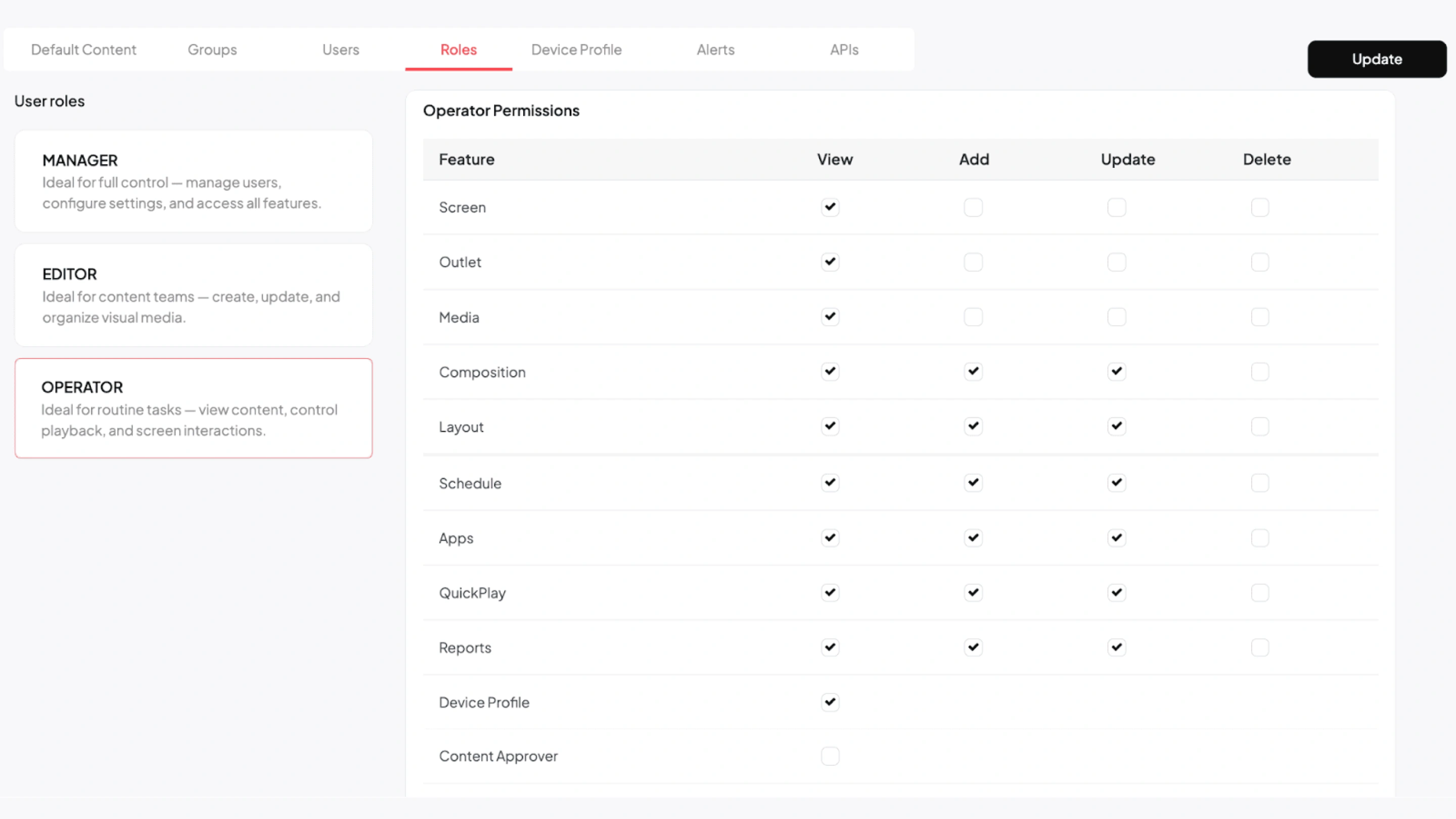
In Pickcel, Groups are used to control this scope across screens, media, compositions, and schedules. Users in different groups cannot see each other’s assets.
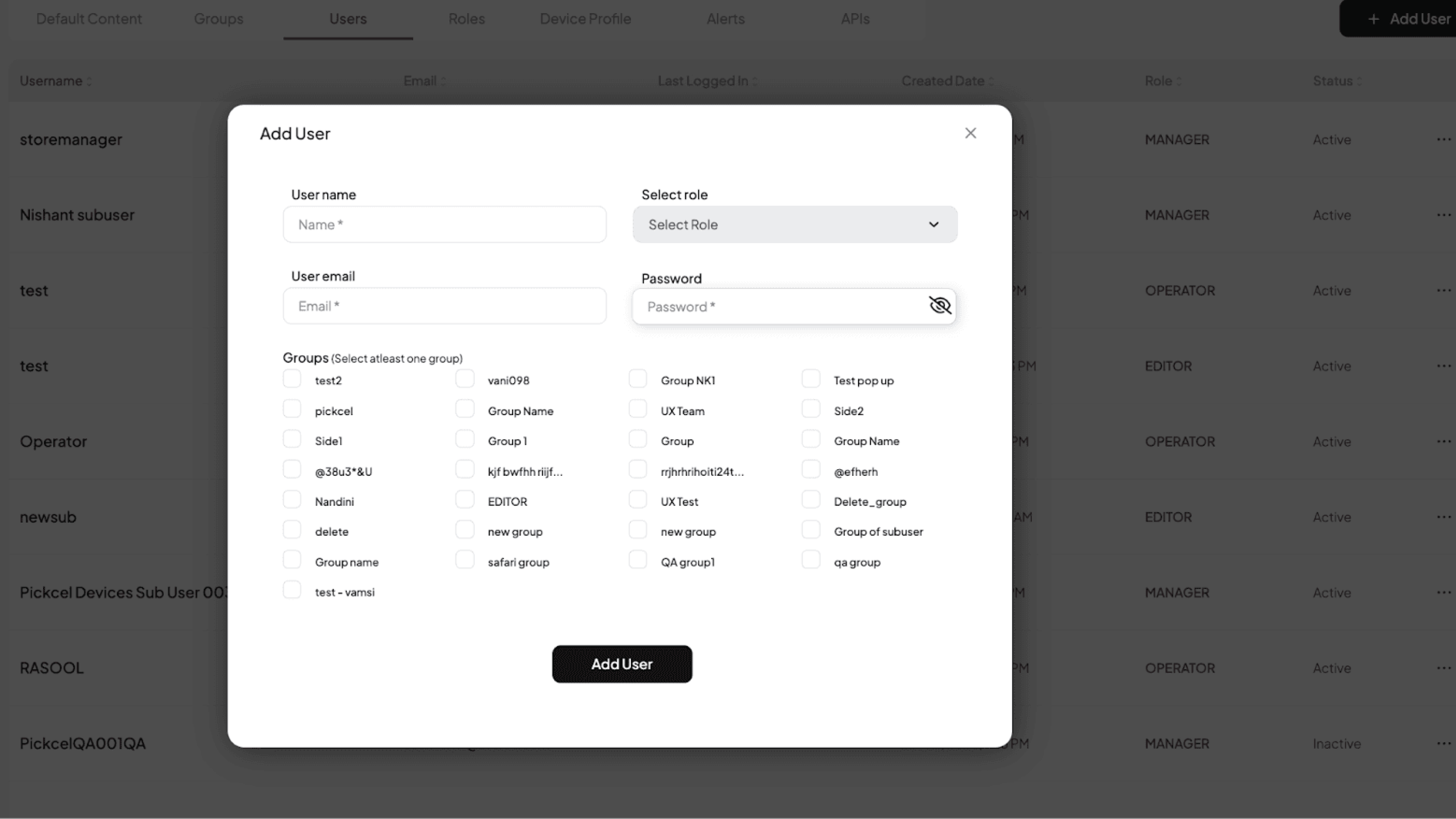
During user creation, each sub-user must be linked to at least one group, which is how scope is assigned from the start.
After that, screens should also be mapped to the correct group from the screen module, so user access and screen access stay aligned.
For implementation, you can follow the resource guides for creating groups for access control, adding sub-users and assigning roles, and screen grouping for store-level access inside the CMS.
Digital signage is only as effective as the content going live on the screens. One wrong creative, outdated file, or unreviewed update can create brand, compliance, or operational issues across multiple locations. Content approval flow works as the review checkpoint that prevents that.
Keep the process practical: separate content upload from final approval, define who the approvers are, and keep the review path clear so content does not sit in pending status longer than needed.
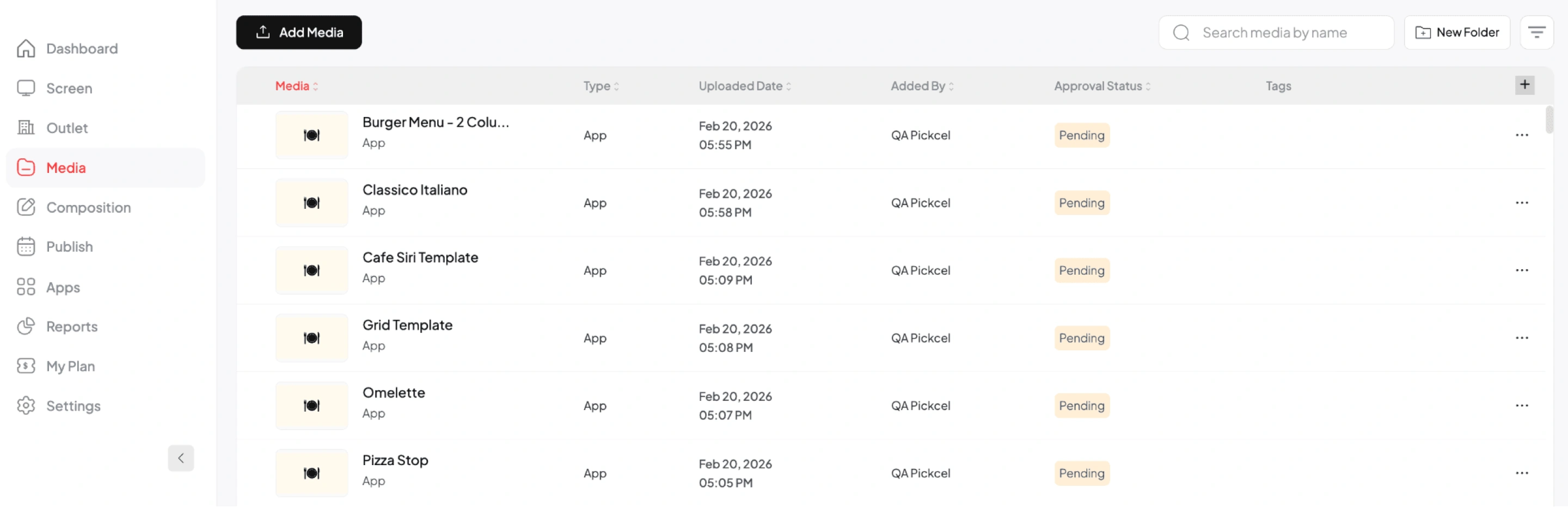
In Pickcel, content approval is available by default on the enterprise plan. For other plans, it can be enabled on request for the specific account.
Once enabled, the admin can upload media to the media folder, and the assigned approver can open the media item and approve or reject it. Tags can also be added during upload to make content easier to find and review later.

Enterprise screen publishing stays reliable only when the process is structured. Clear ownership, defined review steps, and a consistent SOP reduce errors, speed up routine updates, and make publishing easier to manage as teams and locations grow.
The right setup inside the CMS turns publishing from a person-dependent process into a repeatable system, so teams can move faster without losing control, consistency, or traceability.
If you want help setting this up for your environment, Pickcel’s team brings over a decade of enterprise digital signage experience across global brands and industries, with dedicated success support to help map the right publishing structure for your network.

RBAC in enterprise digital signage defines what each user can do inside the CMS based on job function. It limits actions like creating, editing, scheduling, approving, or publishing content, so teams get only the access they need, and the network stays controlled and traceable.
Approval workflows stop unauthorized publishing by separating upload from release. Content enters a review step first, and only assigned approvers can push it live. This creates a clear checkpoint for brand, compliance, and accuracy before content reaches screens across locations.
For multi-location signage, the strongest governance model combines centralized standards with local publishing limits. Corporate controls templates, core messaging, and approval rules, while local teams publish only within assigned groups and screen scopes. Regular access reviews and audit trails keep the model reliable.
Implement granular permissions by setting role permissions first, then assigning users to the right groups, and finally mapping screens to those same groups. This separates action rights from location scope, so each team can manage its screens without affecting other departments or sites.
Mar 6 2026
4 min read

Mar 5 2026
4 min read

Jan 2 2026
10 min read

Dec 24 2025
10 min read
Take complete control of what you show on your digital signage & how you show it.
Start Free Trial Schedule My Demo