
Dec 19 2025

11 min read
December 04, 2025
11 min read


ALL
ENTERPRISE
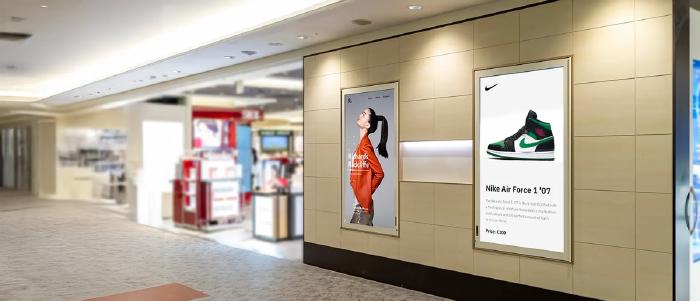
Running screens across multiple offices, stores, plants, or campuses requires a level of structure, security, and reliability that only enterprise environments encounter.
In large organizations, screens carry operational, security, and brand responsibilities. The system needs to deliver security, uptime, and structured workflows that multiple teams can rely on without slowing IT, comms, or on-site teams.
Where things start to break down is in the gap between what typical digital signage software solutions offer and what digital signage for enterprises actually requires.
They’re small operational cracks that only become visible once multiple locations, teams, and content owners are involved. Schedules drift, branding becomes inconsistent, screens fall out of sync, updates depend on manual follow-up, and integrations with internal systems don’t behave the way they should.
One Reddit conversation highlighted how enterprise buyers consistently expect the same fundamentals: scalability, integrations, reporting, SSO, and stronger security.
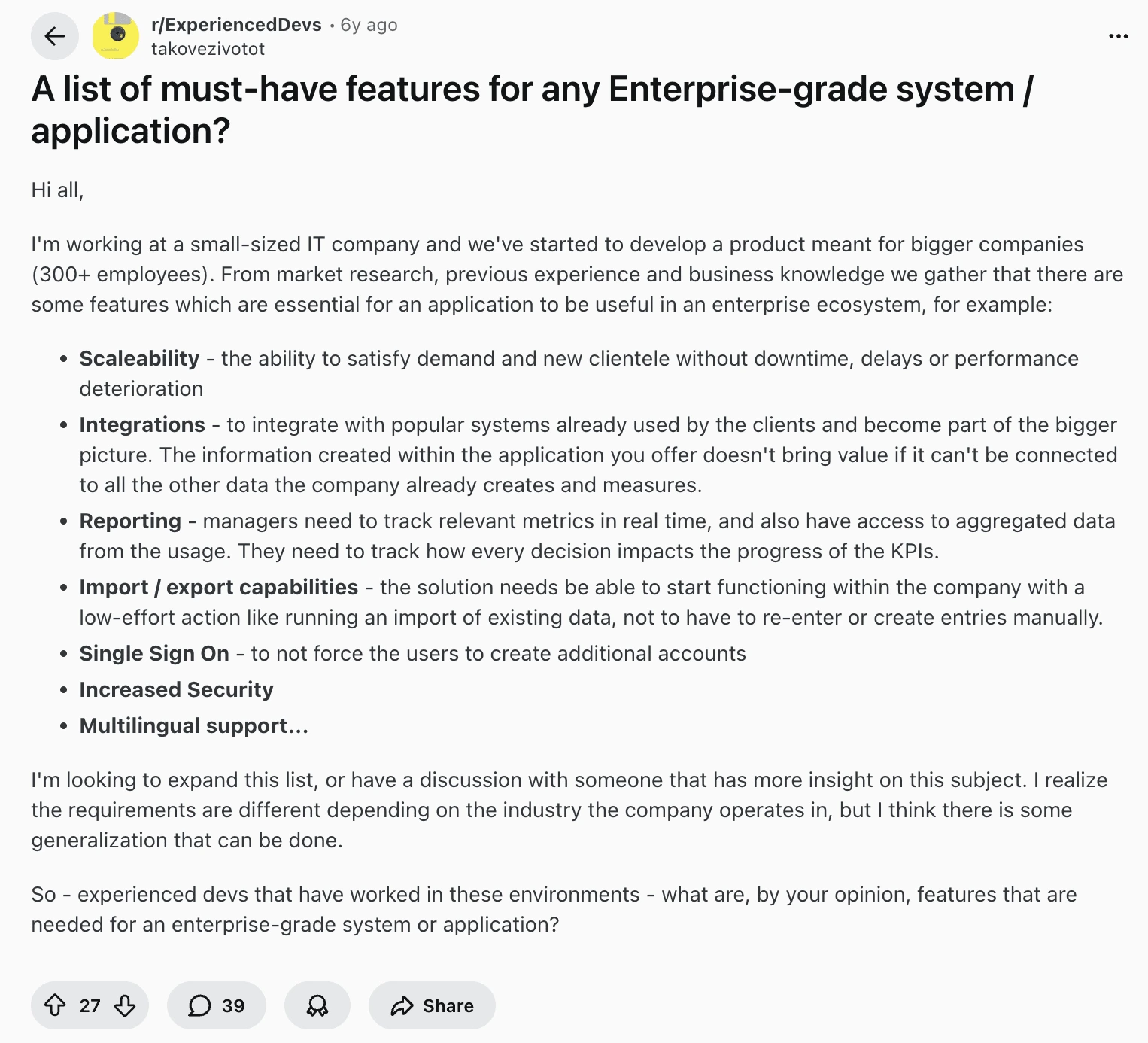
At the enterprise level, features are judged by how well they support workflow clarity, shared ownership, and system visibility.
This guide highlights those essentials and helps every stakeholder assess what makes a platform genuinely enterprise-ready.
Who This Is For:
IT, communications, and operations teams who manage screens across many locations and need a reliable, secure, and scalable digital signage system that keeps content consistent without adding extra work.
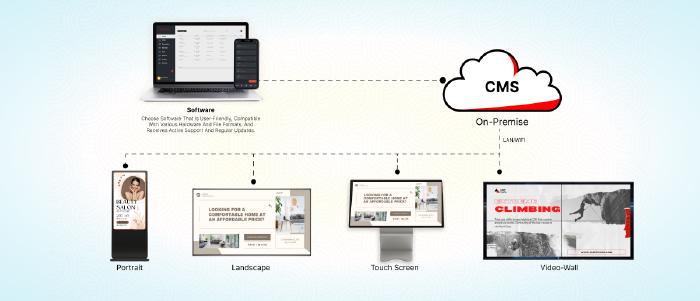
Hardware durability, OS flexibility, and the right deployment model directly determine how reliable, secure, and manageable the network will be. The underlying architecture that defines whether a signage system can support enterprise expectations.
| Feature Area | What Matters for Enterprises |
|---|---|
| Hardware | • Commercial displays with long-duty runtimes. • Stronger panels, cooling, and commercial warranties. • Options for bright, outdoor, or high-traffic environments. • SoC (Tizen, webOS) for clean deployments. • External players for legacy screens or higher processing needs. |
| Multi-OS interoperability | • Support for Windows, Linux, Android, webOS, and Tizen. • Mixed-fleet management from one CMS. • Adaptive rendering across hardware/orientations. |
| Deployment architecture | • Cloud: centralized control, automatic updates. • On-premise: full security and access control. • Hybrid playback: local content storage for offline continuity. |
| Fleet provisioning & lifecycle management | • Unified dashboard. • Bulk provisioning and updates• Remote troubleshooting tools. • OTA software/firmware updates. • License tracking. • Auto-recovery after failures. |
These foundational capabilities keep the network stable, prevent silent outages, simplify IT operations, and ensure screens behave consistently across locations. They also give teams the flexibility to integrate new hardware, expand fleets, and meet digital signage security requirements without redesigning the entire system.
The right CMS gives each group what they need without creating friction for the others. IT looks for stability and governance, operations need predictable updates, and integrators want fewer support escalations.
| Feature Area | What Enterprises Need |
|---|---|
| A CMS that non-technical teams can actually use | • Integrated content designers. • Drag-and-drop playlist + layout tools. • Reusable template libraries for different departments and industries. • Easy import from Canva • Optional AI assistance for quick layout/text creation. |
| Multi-zone layouts & orientation flexibility | Multi-zone screen layouts for mixed content (video, widgets, dashboards). • Native portrait + landscape support. • Adaptive rendering across different endpoints. • Support for custom resolutions (LED walls, shelf-edge, stretched displays). |
| Structured content libraries built for scale | • Folder hierarchies that map to the org structure. • Tags + metadata for fast search. • Clear ownership logs for all assets. • Version control to prevent outdated visuals. |
| Localization & multilingual support | • Regional content layers. • Targeted playlists. • Language variants for different markets • Multilingual asset support without duplicating campaigns. |
| Content governance & brand control | • Role-based permissions (RBAC). • Locked templates enforcing brand rules. • Approval workflows (maker-checker). • Audit trails for accountability. |
A well-designed CMS keeps publishing fast for comms and HR, protects brand integrity, and gives IT confidence that the network stays compliant and predictable as more teams contribute content.
Enterprise teams need a system that updates itself, expires content automatically, reacts to live data, and removes day-to-day dependency.
| Feature Area | What Matters for Enterprises |
|---|---|
| Smart scheduling | • Day-parting for time-based content changes. • Recurring weekly/monthly schedules. • Validity windows to auto-expire outdated content. • Channel-based assignments for fleet-wide sync. |
| Real-time content push | • One-click updates to all relevant screens. • Bulk actions for playlists, configs, or app restarts • Emergency overrides that break through all schedules. |
| Automation driven by data | • POS/inventory-linked content updates. • Sensor-based or contextual triggers. • Auto-refreshing dashboards and KPI displays. • Live feeds and widgets that stay current without uploads. |
These automation layers keep content accurate, reduce support tickets, reduce manual workload, and prevent stale messaging across large, distributed networks.
If you’re mapping how automation fits into a broader enterprise setup, you can scan this article.
What is Digital Signage Automation & Why is it Relevant?
With screens spread across multiple sites, no team has time for manual checks or on-site fixes. Enterprises need real visibility, quick remote control, and reliable uptime, and that’s exactly what remote management is built for.
| Feature Area | What Matters for Enterprises |
|---|---|
| Fleet visibility | • Online/offline status across all locations. • Hardware/firmware details for audits. • Live screenshots to verify what’s actually on screen. |
| Remote actions | • Reboot devices or restart the signage app. • Clear cache, adjust volume, rotate display. • Bulk updates for settings or configurations. • OTA updates without interrupting playback. |
| Offline resilience | • Local caching for full offline playback. • Store-and-forward architecture. • Auto-start after power loss. • Watchdog auto-recovery after crashes. |
| Diagnostics & alerts | • Uptime history to spot recurring issues. • Offline/error alerts are sent automatically. • Activity logs for accountability. • Proof-of-play when required. |
These remote management capabilities ensure enterprise screens stay healthy, up to date, and predictable, without placing extra load on IT or local teams.
If you're evaluating how remote management fits into broader infrastructure planning, this offers a deeper view.
What is Digital Signage Automation & Why is it Relevant?
compliant and controlled
At enterprise scale, digital signage sits inside the corporate security perimeter, so identity, access control, and governance must align with the organization’s existing IT standards.
| Feature Area | What Matters for Enterprises |
|---|---|
| SSO & Identity Integration | SAML-based SSO with Azure AD, Okta, Google Workspace; automatic onboarding/offboarding; MFA support. |
| Role-based permissions | Granular RBAC across workspaces; clear separation of viewer, editor, publisher rights; scoped visibility for regions/departments. |
| Approval workflows (maker–checker) | Central review for local submissions; controlled publishing so nothing goes live without oversight. |
| Audit trails | Full logs of uploads, edits, deletions, schedule changes, and login activity; exportable for compliance or incident reviews. |
| Compliance & data security | End-to-end encryption, ISO 27001–style security governance, and support for cloud or on-premise digital signage software. |
Enterprise teams need a structure that prevents mistakes, protects brand consistency, and keeps operations predictable across regions and departments.
| Feature Area | What Matters for Enterprises |
|---|---|
| Workspaces & delegated access | • Separate workspaces for regions/brands/departments. • Role-based permissions. • Controlled local access (viewer/editor/publisher). • HQ guardrails to prevent accidental edits. |
| Global vs local content layers | • Locked global content and brand-safe templates. • maker–checker approvals for store/region submissions. |
| Screen groups & location targeting | • Nested screen hierarchies. • Geographic or screen-type targeting. • Region-wide updates in one action. |
| Onboarding, enablement & documentation | • Role-based training for IT, comms, marketing, and site teams • Self-serve documentation. |
| Large-scale rollout & migration support | • Bulk provisioning to set up every digital signage player quickly. • Preconfigured policies and playlists are pushed automatically. • Support for existing players. |
When organizational control is designed well, it removes confusion. Teams know what they can change, what’s controlled centrally.
At this stage, enterprise teams expect the signage system to plug into their data stack, surface live information, and support interactive or sensor-driven experiences as standard.
| Feature Area | What Matters for Enterprises |
| Live dashboards & internal systems | • Secure display of authenticated BI tools (Power BI, Tableau, SharePoint). • Stable rendering of internal portals without exposing credentials. |
| Business data integrations | • POS- and inventory-linked menus or pricing. • ERP/HRIS data feeds operational boards. • CRM-triggered updates without manual edits. |
| Automated widgets & feeds | • Social walls from approved sources • RSS/news tickers; weather/traffic/stock widgets to keep screens fresh without manual uploads. |
| API-driven & headless workflows | • REST APIs for custom internal systems. • Zapier-based automations. • Programmatic DOOH or data-driven playback. |
| IoT-driven contextual signage | • Sensor-driven content switching triggered by motion, occupancy, or environmental data for real-time responses. |
| Touchscreen & kiosk interfaces | • Wayfinding, directories, and self-service screens, kiosk mode for controlled interaction, multi-touch support. |
| Multi-screen sync & video walls | • Frame-accurate synchronization across displays. • Support for extended canvases. • Option for complementary content across adjacent screens. |
| Screen takeovers & broadcast mode | • One-click takeovers override all zones. • Network-wide or region-level broadcast capability. • Instant overrides for urgent messages. • Bulk fleet actions for simultaneous switches. |
| Live input & event-based presentation | • HDMI-in for TV feeds or camera inputs. • Support for RTSP/RTMP/HLS streaming. • Ability to wrap live feeds with branded frames/tickers. • Real-time event triggers for coordinated audio/lighting or external signals. |
The simplest way to use this guide is as a gap finder. Take each section and ask about your current platform; does it give you:
reliable players and hardware,
a CMS that non-technical teams can actually use,
automation instead of manual chasing,
real remote visibility,
proper security, SSO, and sensible organizational controls,
and clean integrations into your data stack? One extra signal teams often overlook is the depth of documentation and the quality of people behind the platform.
A mature enterprise partner should give you a well-structured Docs hub, clear how-to guides, and integration examples.
I’ve tried to give you a complete understanding of the features that actually matter at enterprise scale.
To make that search easier, Pickcel checks all the boxes and is one of the most established and globally trusted players in the digital signage space, across industries.
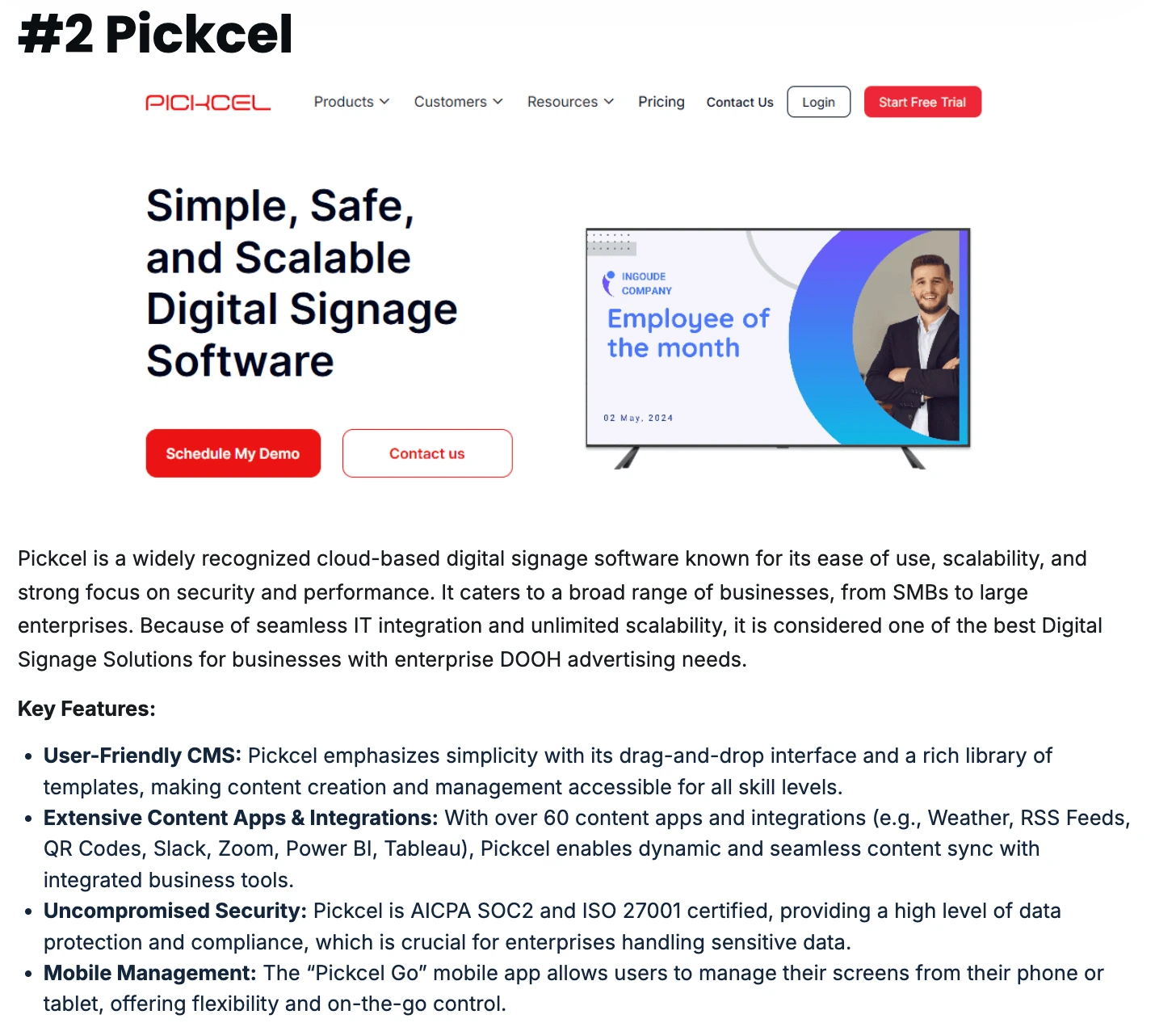
Pickcel’s team has spent more than a decade helping large organizations roll out and manage signage networks across industries.
If you want to see how these capabilities map to your environment.

An enterprise-grade system handles scale, governance, and reliability. It must support thousands of screens, offer SSO and RBAC, guarantee offline playback, provide real remote visibility, integrate cleanly with internal systems, and maintain consistent performance across mixed hardware fleets.
Yes, enterprise platforms let HQ control global branding while giving regions scoped access to local zones, templates, or playlists. Roles, approvals, and workspace isolation ensure local updates never override corporate messaging or break consistency.
Most vendors charge per device on a monthly or annual plan, with optional add-ons for advanced modules or services. Some offer on-premise licenses with yearly maintenance. To calculate true cost, evaluate TCO of digital signage, hardware, bandwidth, support, and admin overhead.
Yes. on-premise systems run fully on the building LAN, using local data paths and cached content. BMS-driven alerts, HVAC data, and emergency messages continue to update because nothing depends on external connectivity.
Dec 19 2025
11 min read
Dec 1 2025
9 min read

Oct 17 2025
10 min read
Dec 29 2025
14 min read
Take complete control of what you show on your digital signage & how you show it.
Start Free Trial Schedule My Demo