- Most recognition emails are never opened by the right colleagues.
- Visible, public recognition has a meaningfully different effect than a private email.
- Seven content types keep recognition boards fresh and psychologically meaningful.
What is employee recognition digital signage?
Employee recognition digital signage refers to screens placed in workplace common areas, break rooms, lobbies, and corridors that display recognition content: employee spotlights, work anniversary milestones, birthday boards, new starter welcomes, peer shoutouts, and team achievement celebrations.
The screens run on cloud-based software that HR or internal communications teams use to schedule and update content without technical support. Recognition displays rotate alongside other workplace communications, so every person who walks through a common area sees the recognition message without opening any app or inbox.
The defining characteristic is physical visibility. A screen in a break room is seen by every person who passes through during the day. It does not compete with 80 other messages for attention. It does not require the recognised employee’s colleagues to take any action. The recognition simply appears in a shared space, available to anyone present.
The invisible recognition problem
Your Employee of the Month announcement went out by email this morning. By mid-morning, most of your team hasn’t seen it. The recognised employee passes three colleagues in the corridor, and none of them knows about the award.
That is not a recognition failure. It is a visibility failure.
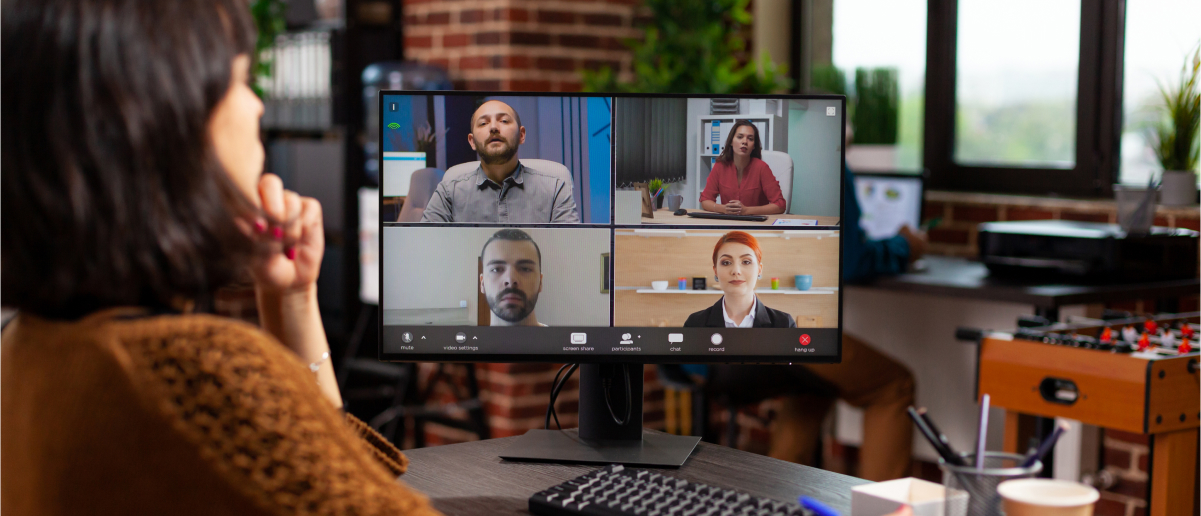
Email-only recognition is, in practice, private recognition. The award exists, but it does not travel beyond the people who happened to open the message on that particular day. In a hybrid environment, where office-based colleagues and remote workers rarely share the same moment, the gap is wider still. An employee recognised via a Slack message receives a notification that scrolls out of view within hours. This is a multi-channel employee communication problem as much as a recognition problem. No single channel reaches every person.
Workplace screens change the delivery model. Recognition is displayed in the physical spaces where work actually happens: break rooms, corridors, lobby areas, and open-plan floors. A screen-based recognition display is present without requiring any action from the audience.
Why visible recognition matters
Recognition delivered privately, whether through a direct message, an email from HR, or a mention in a team meeting, reaches only the individuals already in that conversation. It does not travel further.
Public recognition has a different effect. When a colleague’s achievement is visible in a shared space, the recognition becomes part of the social fabric of the workplace. Other team members can acknowledge it in passing. New starters see which behaviours the organisation values. Managers see their direct reports’ contributions acknowledged at a company level. Dedicated digital signage for HR teams surfaces this visibility consistently across the organisation.
Gallup’s 2024 research on recognition and retention found that well-recognised employees are 45% less likely to have left their organisation after two years. The same research found that only 22% of employees say they receive the right amount of recognition for the work they do. (Source: Employee Retention Depends on Getting Recognition Right , Gallup, 2024.)
That gap between the impact recognition can have and the recognition employees actually experience is where visible, public displays make a difference, and where digital employee experience strategy increasingly focuses.
HR leaders consistently report that recognition programmes delivered only through email or intranet channels reach a fraction of the intended audience, and that visible, public recognition in a shared physical space has a meaningfully different psychological impact. The format communicates something an email notification cannot: that the organisation considers this achievement important enough to share publicly.
7 employee recognition content ideas for digital signage
1. Employee of the month spotlight
The most common workplace recognition programme translates directly to screens. An employee spotlight slide typically includes the recognised employee’s photo, name, job title, and department, alongside a brief quote from their manager explaining what earned the recognition.
Schedule the spotlight to run for the full calendar month. Set it to appear during peak break-room hours, usually morning and lunch. The persistence of the display, refreshed once monthly, means colleagues who missed the email still encounter the recognition the next time they pass a screen.
Pickcel’s template editor lets HR teams create a spotlight template once and reuse it each month, substituting the employee’s photo and details without redesigning the slide from scratch.
2. Work anniversary milestones
Tenure milestones, from one-year to 25-year anniversaries, represent the kind of institutional knowledge that organisations rarely celebrate visibly. A screen display marking a 10-year anniversary, shown on the exact day of the milestone, communicates to that employee and their colleagues that long-term commitment is noticed.
HR teams can schedule anniversary displays in advance for the full year using Pickcel’s content calendar. The dates are entered once, and the software handles the display timing automatically. No manual reminder needed.
3. Birthday board
A birthday board running on workplace screens requires almost no ongoing management once set up. A simple template with the employee’s name and a seasonal visual runs on their birthday, visible to anyone who passes a screen during the day.
The content is low-stakes, personal, and generates informal moments of connection between colleagues who may not otherwise interact. It is also one of the easiest recognition content types to automate from an HR system integration.
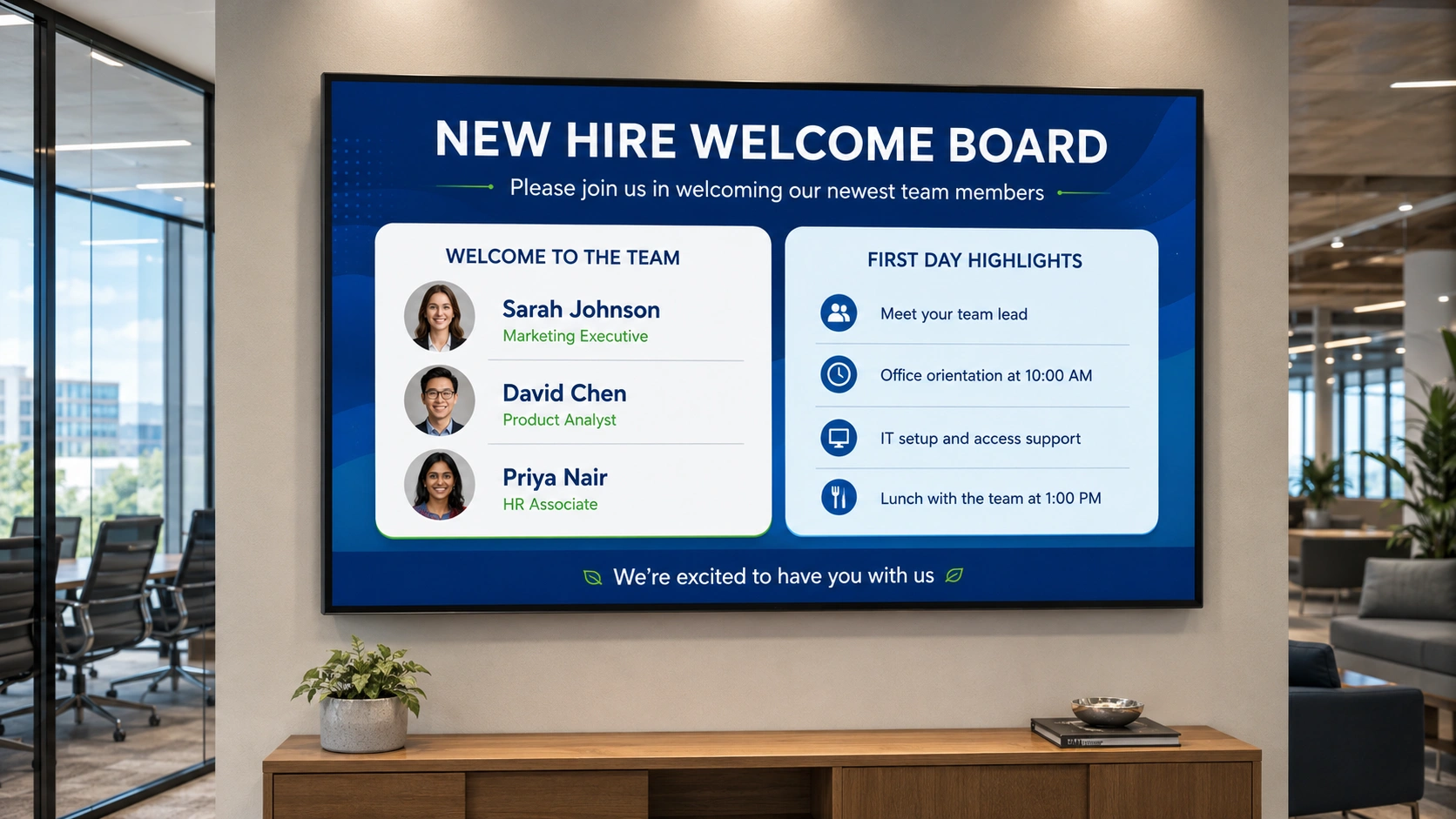
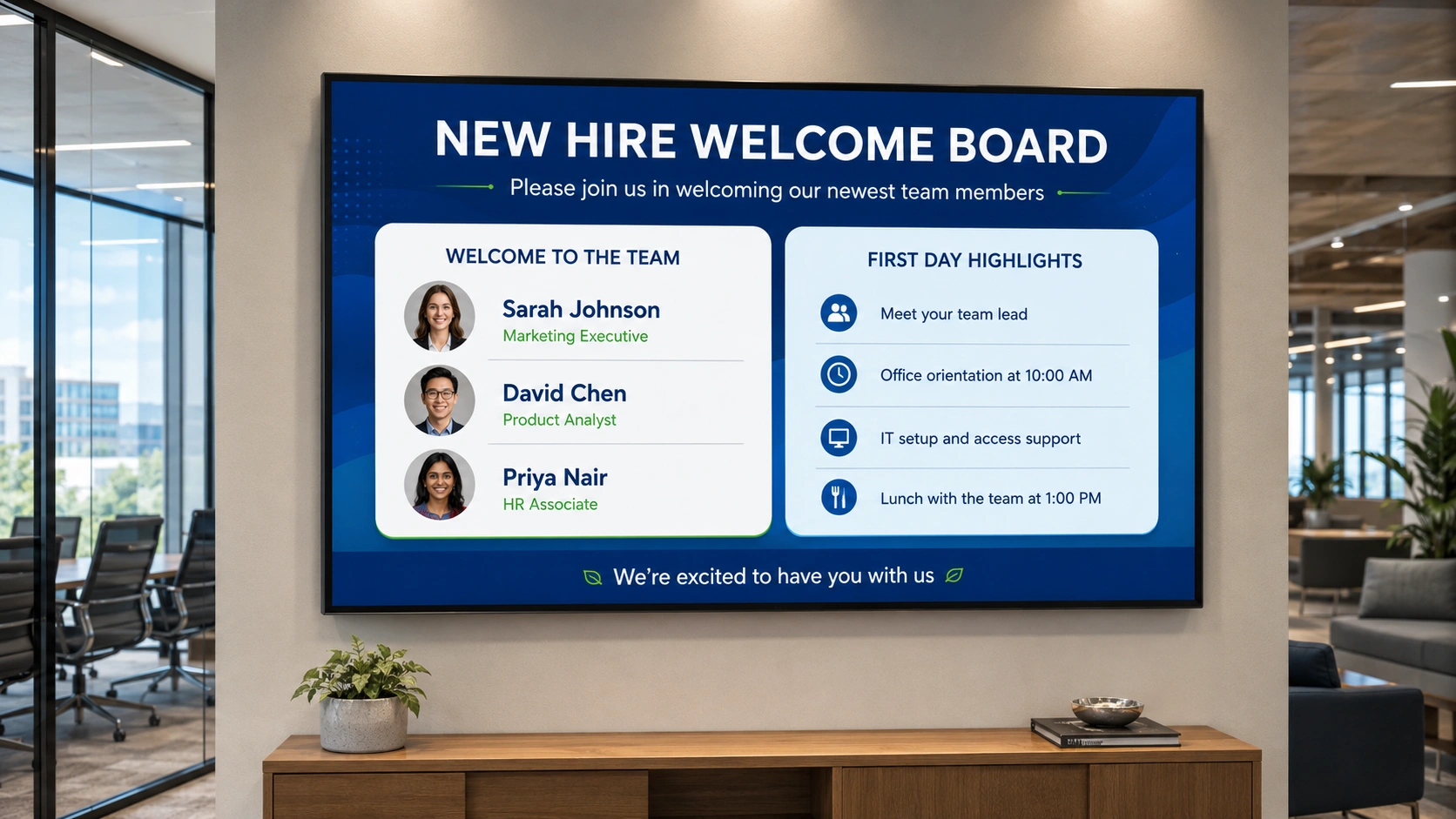
4. New starter welcome screen
First days are disorienting. A welcome screen that names the new team member, their role, and their start date gives existing employees context, and gives the new starter a visible signal that their arrival has been acknowledged.
Display a welcome slide on the day of onboarding across lobby screens and team-area displays. This approach works particularly well in larger organisations where not every employee will attend an onboarding session or receive a departmental introduction.
5. Team achievement and milestone celebrations
Beyond individual recognition, screens can mark collective achievements: a project completed ahead of schedule, a sales target reached, a customer satisfaction score improved. Team milestone celebrations shift recognition from the individual to the group, which matters in cultures where peer acknowledgement is as valued as top-down approval.
Keep the messaging specific. “The support team resolved 98% of tickets within SLA this quarter” is more credible and more meaningful than a generic “Great work, team” slide. Specificity also makes the display memorable to colleagues outside the team.
6. Manager-nominated peer shoutouts
Peer recognition programmes generate recognition content that HR teams do not have to produce themselves. When managers nominate colleagues for a public shoutout, recognition becomes decentralised. The workplace screen is the amplification layer; the content originates within the team.
A practical submission model: a form that collects the nominee’s name, the recognition reason in two to three sentences, and the nominating manager’s name. HR reviews submissions and schedules approved shoutouts to run the following week. The display cycle keeps content fresh and ensures different employees are featured regularly.
7. Customer appreciation extracted from feedback channels
Positive customer feedback rarely reaches the employees who generated it. A review mentioning a specific team member by name, a high CSAT score comment, or a client testimonial extracted from a CRM or support system can be formatted into a recognition slide and displayed on workplace screens.
This type of recognition carries an external quality that internal peer recognition does not. It shows employees that their work affects how customers experience the company. For customer-facing roles, whether in retail, hospitality, or support functions, tying day-to-day work to a visible customer outcome creates a direct connection that motivates in a way abstract performance data cannot.
How to set up employee recognition on Pickcel
The setup process for employee recognition digital signage in Pickcel does not require technical expertise or IT involvement.
Step 1: Create a recognition template
Open the Pickcel content editor and create a recognition slide using the built-in template library, or build a custom design. Recognition templates typically include a photo placeholder, name and role fields, department field, and a short text block. The design is created once and reused for each recognition cycle.
Step 2: Assign screens to a recognition screen group
Create a screen group for recognition content, for example “break room screens ” or “Lobby Displays.” Exclude screens in areas where the content would be inappropriate, such as customer-facing reception areas or production floor displays.
Step 3: Schedule recognition content
Use the content calendar to assign each recognition display to its run period. Employee of the month slides run for the full calendar month. Anniversary and birthday displays run for a single day. Peer shoutouts typically run for one week before rotating out.
Step 4: Update and rotate
At the end of each recognition period, update the template with the next employee’s details. Pickcel’s multi-location management means the update applies across all assigned screens simultaneously, with no need to visit each screen individually.
Pickcel’s digital signage software is SOC 2 Type II and ISO 27001 certified, and is used by more than 9,000 businesses managing over 150,000 screens across 70 countries. Organisations using it for employee recognition typically start with a small screen group, often two to four break room screens, and expand to additional locations once the recognition content rotation is running.
Frequently Asked Questions
What is employee recognition digital signage?
What content should an employee recognition screen display?
How does making recognition visible on workplace screens affect employee engagement?
Can Pickcel automate employee recognition displays such as birthday boards and anniversary milestones?
How do I set up an employee recognition board on a digital screen in our office?
Recognition programmes deserve a better delivery mechanism than an email that most of the team will never open. Workplace screens make recognition visible to everyone in every common area, automatically, without requiring colleagues to check any inbox. Explore Pickcel digital signage software or see how HR teams use digital signage , or book a 30-minute walkthrough below.
See employee recognition running on real workplace screens
Book a 30-minute session with a Pickcel specialist and see recognition content live on screens, with scheduling and multi-location management. Or get started free and build your first recognition board yourself.