The internal communications manager toolkit explained: which channels work, where each falls short, and why digital signage closes the non-desk reach gap.
Explore Pickcel Employee Communications →
- Deskless and frontline employees consistently miss messages delivered through digital channels.
- Email and messaging tools require a device and miss non-desk workers.
- Digital signage gives comms teams ambient, device-free reach across shared physical spaces.
What Tools Do Internal Communications Managers Use?
Internal communications managers typically operate six to eight distinct channels. The core toolkit includes corporate email and newsletters, an intranet or employee portal, an instant messaging platform such as Slack or Microsoft Teams, video (recorded all-hands, Loom), in-person or virtual events (town halls, briefings), and digital signage for physical locations.
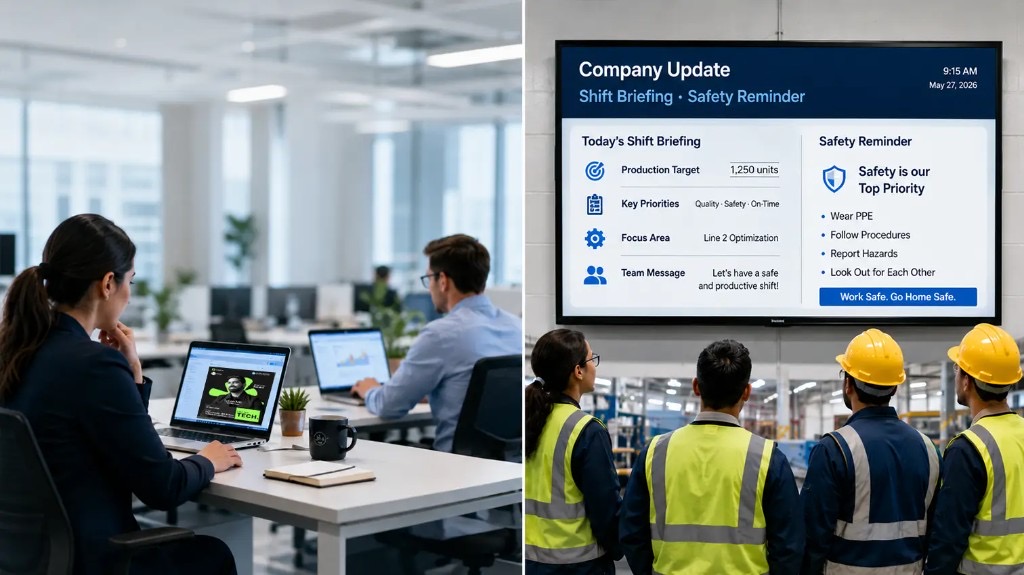
The precise mix depends on workforce type. A professional services firm where everyone is desk-based can operate largely through email and Teams. A retail chain, a hospital, a logistics hub, or a manufacturing facility cannot. In those organisations, 30% to 80% of the workforce has no regular access to a screen during their shift. Email, intranet, and instant messaging simply do not reach them during working hours.
Gallagher’s Employee Communications Report 2025 , which surveyed more than 2,300 communicators globally, identified reaching employees across different locations and work types as one of the most persistent challenges in the internal communications function.
The solution most communicators arrive at is a physical space channel: a screen in a break room, a corridor, a canteen, or a factory floor that carries company content without requiring any action from the employee beyond being present.
For a broad overview of the communication platforms used across modern organisations, see the best internal communication tools guide.
The Internal Comms Channel Map
Each channel in the standard internal comms toolkit has a defined role. The table below shows where each channel performs well and where it breaks down.
| Channel | Strengths | Limitations | Best for |
|---|---|---|---|
| Corporate email / newsletter | Formal record; detailed content; broad reach across office workers | Requires an inbox and time to read; misses non-desk staff; open rates in corporate settings typically average 20–25% (industry benchmark estimate) | Policy updates, announcements, detailed summaries |
| Intranet / employee portal | Central repository; searchable; version-controlled | Passive: employees must seek it out; rarely accessed by frontline workers | Policies, handbooks, knowledge base |
| Instant messaging (Slack / Teams) | Fast; conversational; searchable history; deep integrations | Requires a device and log-in; notification overload; invisible to deskless staff | Team coordination, quick decisions, project communication |
| Video (recorded all-hands, Loom) | High trust for leadership messages; shareable | Requires time and a device; completion rates fall sharply for longer videos | CEO communications, culture storytelling, change announcements |
| Events / town halls | Two-way engagement; strong culture signal | Scheduling friction; frontline staff often cannot attend; a recording without live interaction loses much of the value | Strategy updates, culture moments, Q&A |
| Digital signage | Ambient and always-on; reaches anyone in a shared space; no device required | Requires a screen to be installed in the physical environment; suited to short-format content rather than long documents | Announcements, recognition, KPIs, campaign messaging, safety notices |
Reading the map
Email remains the backbone of most internal communications programmes. It scales well, carries detailed content, and creates an audit trail. The limitation is reach: in large organisations, a significant share of employees either do not read company email or do not have regular access to their inbox during a shift.
Slack and Microsoft Teams, with approximately 42 million daily users and 320 million monthly users respectively (Slack, 2024; Microsoft, 2024), have reshaped how office teams coordinate. They are fast, searchable, and tightly integrated with other tools. They are also invisible to anyone who is not sitting at a device during their working day. A warehouse operative on the floor, a retail associate between customers, or a hospital porter moving between wards will not receive a Teams notification or pick up a Slack thread during their shift.
The intranet stores what employees need to find. It does not deliver what employees need to know. This distinction matters when a safety briefing, a campaign launch, or a recognition post needs to reach the full workforce, not just the desk-based segment.
Events and video serve a specific purpose: high-trust, leadership-to-employee communication that creates a shared experience. Town halls build culture. Recorded CEO videos carry weight. But neither channel delivers ambient, continuous reach across a workday.
Digital signage occupies the gap in this map. A screen installed in a break room, a corridor, a canteen, or a warehouse entrance does not compete for attention in an inbox. It is present in a shared physical space, visible to anyone who passes through, and can display short-format content continuously. It requires no device, no log-in, no notification permission from the employee.
For an internal comms manager working with mixed or non-desk workforces, this is not a marginal difference. A channel that reaches employees without requiring a device covers the segment of the workforce that every other channel consistently misses. A complete guide to team communication tools covers the broader channel landscape for teams of all types.
How Digital Signage Fits an Internal Communications Manager’s Toolkit
Pickcel is a cloud-based digital signage CMS built for non-technical teams, giving internal communications managers direct control over screen content across every location from a single dashboard. An internal communications manager can log in, build a screen layout using a drag-and-drop editor, schedule content to run at specific times of day, and push updates to every screen across every location without raising an IT ticket or using design software. The assumption that digital signage belongs to IT (common in organisations where screens display outdated configurations) does not apply to a platform built for comms professionals to own and operate.
The comms team owns the channel. Role-based access lets you assign editing rights by location, region, or department. The comms manager controls the master templates and messaging. Local managers can update screens for their area within those parameters without affecting anyone else’s content.
Content is scheduled, not reactive. A wellbeing campaign runs across all break room screens every Monday morning. A safety alert goes out to floor-level screens within minutes of an incident. A CEO video clip is scheduled to run during lunch periods when foot traffic is highest. The comms team sets this up in advance; the platform handles delivery.
What works on workplace screens. Digital signage carries ambient content well: company announcements, employee recognition, campaign messaging, KPI dashboards, safety notices, and event reminders. It is not designed for long policy documents, but it is exactly right for the headline and the call to action that sends employees to the intranet when they need the full detail.
Compliance and security. Pickcel holds SOC 2 Type II and ISO 27001 certifications. For organisations in regulated industries including healthcare, financial services, and manufacturing, this satisfies procurement and IT security requirements. It also removes the objection that an internal comms team cannot own a screen-based channel without IT oversight.
The net effect is a comms channel that fills the physical space layer of the toolkit. Employees who do not open email, do not check the intranet, and are not active in Slack get reached through the spaces they physically occupy every day.
See how Pickcel fits your internal comms toolkit
Give your comms team direct control over screen content across every location — without IT tickets or design software.
Five Ways Internal Communications Managers Use Digital Signage
1. Company-wide announcements and CEO messages
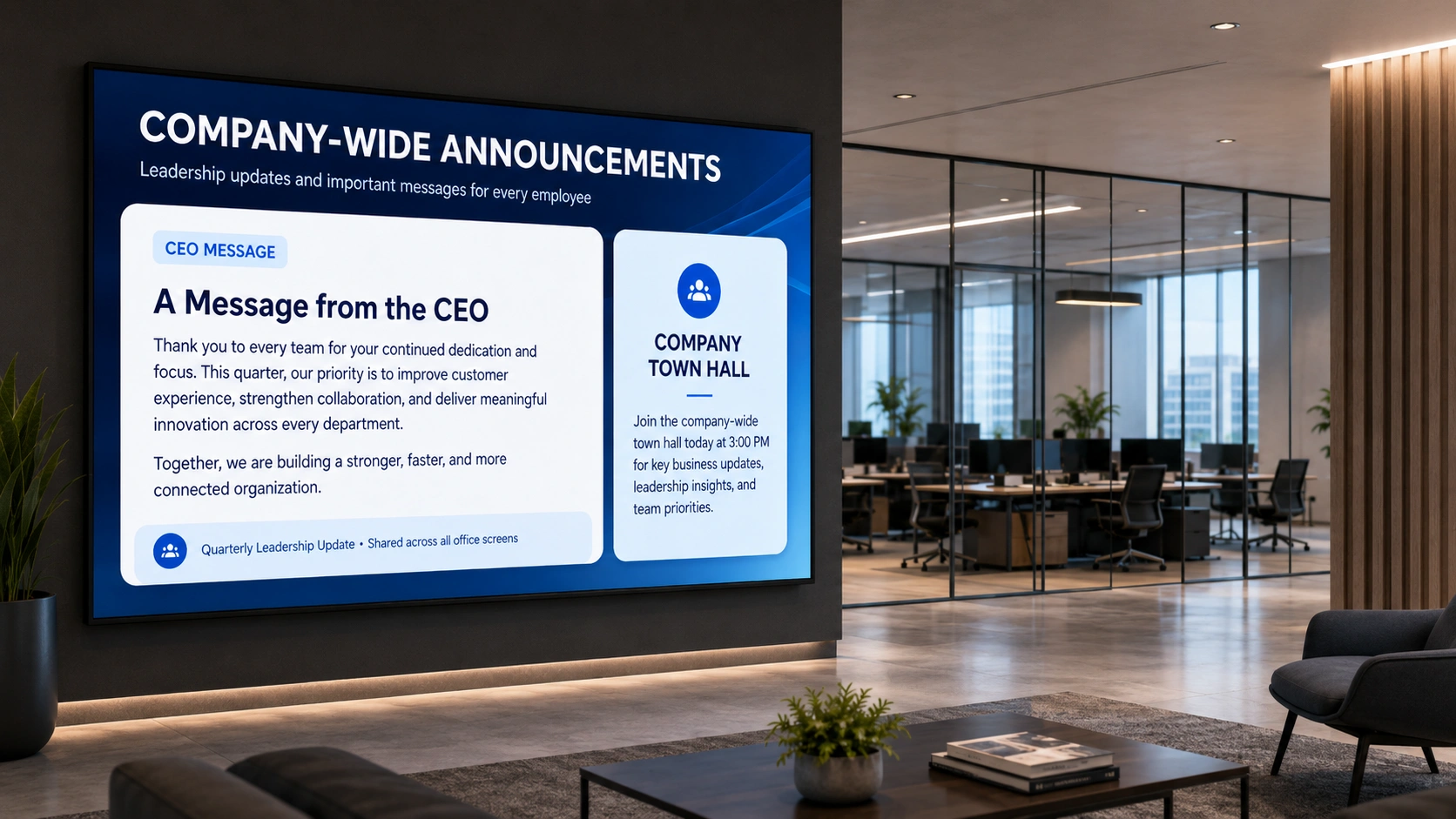
When the organisation needs every employee across every location to receive the same message on the same day, digital screens in break rooms and corridors carry that message throughout the shift. An employee who misses an email or skips the recorded all-hands will pass a screen in the break room at least once during the day. The message is there, without requiring any deliberate action on their part.
For high-priority announcements, this ambient visibility acts as a parallel distribution layer alongside email rather than a replacement for it.
2. Campaign launches: wellbeing, safety, and culture
An internal comms manager running a mental health awareness month, a safety campaign, or a culture initiative needs sustained exposure across the workforce over weeks, not a single email. Digital signage runs campaign visuals, messaging, and calls to action continuously over the campaign period. Content can be updated from the central dashboard as the campaign progresses: a new focus each week, a countdown to an event, or recognition of employees who have participated.
3. Employee recognition and spotlight boards
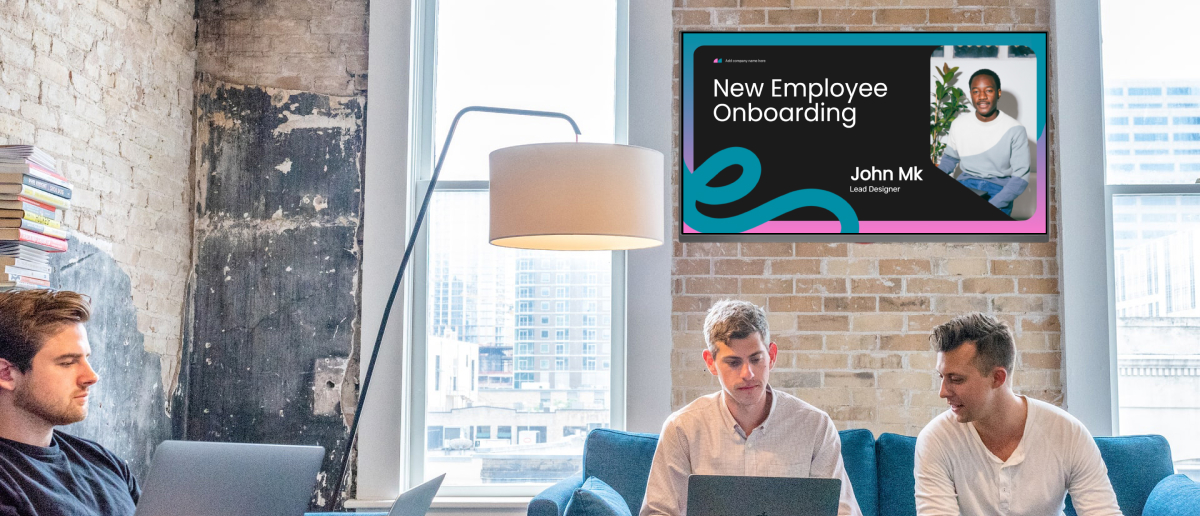
Recognition is most effective when it is visible across the team. A screen in a shared area showing an employee-of-the-week feature, a team milestone, or a long-service anniversary reaches the full team without asking anyone to log in to a separate recognition platform. It is ambient, public, and consistent: qualities that printed notice boards used to deliver but typically no longer do.
4. Crisis and safety communication
Speed and consistency matter when a safety incident occurs, an IT outage is declared, or an emergency protocol is activated. An internal comms manager with access to the Pickcel dashboard can update every screen in an affected location within minutes, pushing a clear, consistent message to every physical area employees occupy. There is no waiting for email chains to reach the right inboxes or for a manager to cascade information down through the team.
5. KPI and performance visibility
Operational teams consistently report better engagement with targets when they can see progress in real time. Digital screens in team areas, meeting rooms, and production floors display live KPI data, target-versus-actual figures, and team performance boards. The comms manager or operations lead controls what is shown, when, and to which locations. The result is transparency without requiring a separate reporting tool or a manager’s time to brief the team.
In each of these use cases, the underlying logic is the same: digital signage reaches employees in shared physical spaces without requiring a device, a notification, or any deliberate action from the employee.
Frequently Asked Questions
What tools do internal communications managers use?
Internal communications managers typically manage six to eight channels simultaneously: corporate email and newsletters, an intranet or employee portal, an instant messaging platform such as Slack or Microsoft Teams, video content (recorded all-hands or short-form clips), in-person or virtual events, and digital signage for physical locations.
The precise toolkit depends on workforce composition. A desk-based professional services organisation can operate primarily through digital channels. A retail, logistics, healthcare, or manufacturing organisation with a high proportion of non-desk workers needs at least one channel that functions in shared physical spaces without requiring a device. Digital signage fills that role.
How does digital signage fit into an internal communications manager's toolkit?
Digital signage covers the physical space layer of the channel map. It reaches employees in break rooms, corridors, canteens, and operational areas without requiring a device, a log-in, or a notification.
A cloud-based CMS like Pickcel puts content control directly in the comms team’s hands. Internal communications managers create content, set schedules, and push updates to all screens across all locations from a single dashboard. That makes it a comms tool they own and operate, not an AV system managed by IT.
Can an internal communications manager manage digital signage content without IT support?
Yes. Pickcel is a cloud-based, no-code CMS built for non-technical teams. Internal communications managers create screen layouts using a drag-and-drop editor, upload content, set time-based schedules, and publish updates without writing code or raising an IT ticket.
Role-based access means different team members manage screens for their own locations without accessing the full system. For IT and security teams, Pickcel holds SOC 2 Type II and ISO 27001 certifications, which satisfies procurement requirements without placing ongoing management burden on the IT function.
What type of content do internal communications managers display on workplace screens?
The content types that work best on workplace screens are short-format, visually clear, and ambient: company announcements, employee recognition and spotlight boards, campaign messaging (wellbeing, safety, culture), KPI and performance dashboards, event reminders, and safety notices.
Digital signage is not designed for long policy documents: employees are not expected to read 800 words on a screen in a corridor. It works as the headline and call to action that drives employees to the intranet or an email for the full detail. Think of it as the channel that makes employees aware, not the channel that delivers full information.
How does digital signage help internal comms managers reach employees who don't sit at a desk?
Employees who are on the shop floor, in a warehouse, in a hospital ward, or in a retail space do not regularly check email or instant messaging during their shift. Digital screens in break rooms, corridors, and operational areas display content to those employees as they move through shared spaces throughout the day. No device is required. No notification permission is needed. The message is simply present in the environment.
For an internal communications manager whose biggest challenge is consistent coverage across a mixed or non-desk workforce, this ambient reach is the structural gap that digital signage closes where every other channel cannot.
Close the non-desk reach gap in your organisation
The Pickcel employee communications platform shows how digital signage integrates with your existing toolkit.