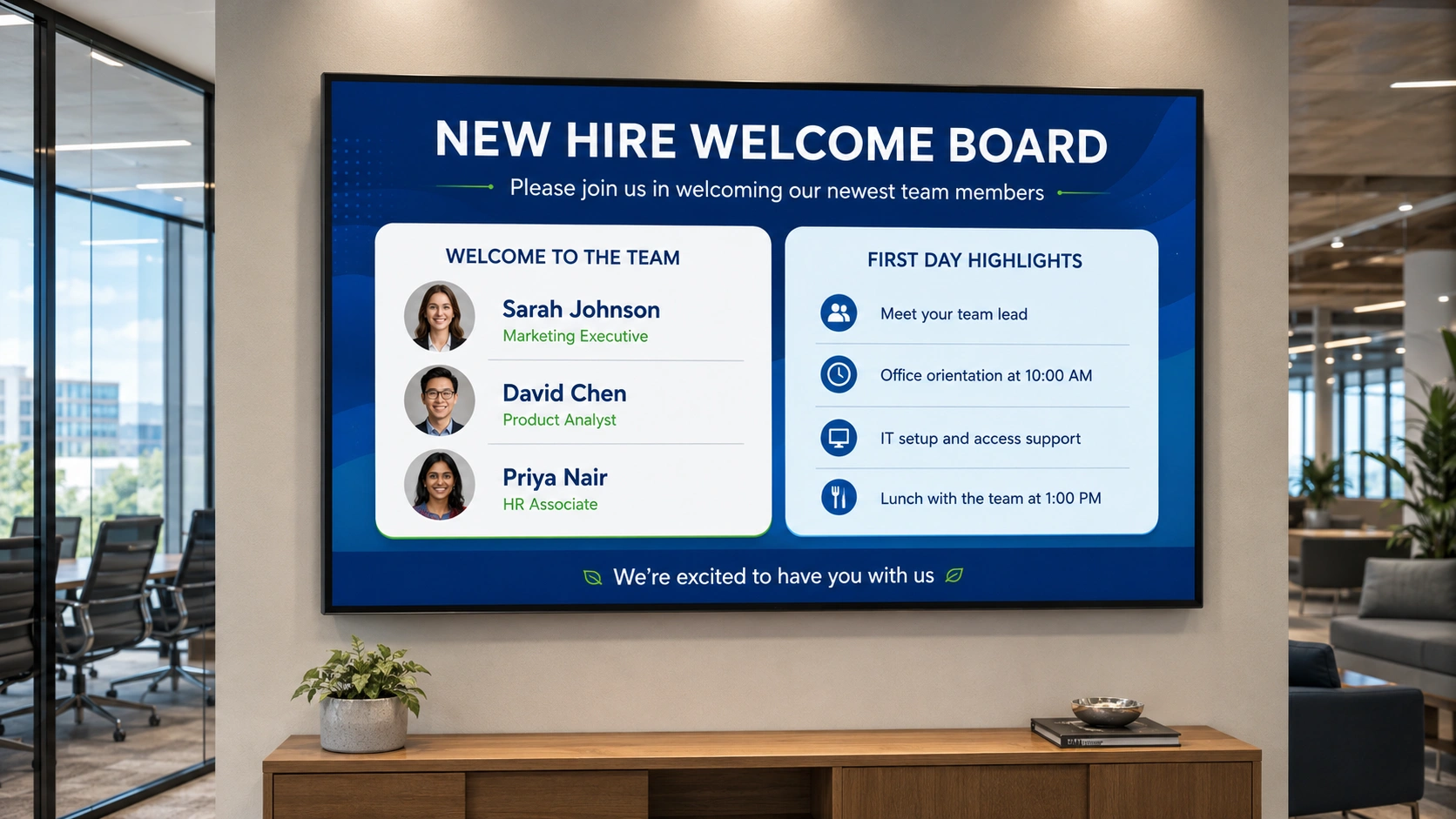
Every work anniversary card, every new hire welcome board, every birthday shoutout on the lobby screen: someone created that manually. An HR coordinator opened a template, typed a name, exported a file, and uploaded it to the screen management system, typically by the morning it was needed.
For organisations running Workday, SAP SuccessFactors, BambooHR, or a similar HRIS, that manual step is no longer necessary. Pickcel’s cloud-based digital signage software connects to your HR information system and uses the data already in it (hire dates, employee names, departments, and key milestones) to generate and publish screen content automatically.
HR technology managers consistently report that automating anniversary and onboarding recognition displays is the highest-value outcome of an HRIS-to-digital signage integration. What was previously a recurring weekly content task becomes a background process. The screen updates itself.
- Pickcel integrates with Workday, BambooHR, and SAP SuccessFactors via API or Zapier.
- HR key dates trigger screen content automatically, with no manual template updates.
- Employee HR data is protected under SOC 2 Type II, ISO 27001.
What is digital signage HRIS integration?
Digital signage HRIS integration is the connection between an HR information system and a digital signage platform that allows employee data to automatically trigger and populate content on workplace screens.
When an employee’s hire date reaches an anniversary threshold, the HRIS holds that fact. With an integration in place, Pickcel receives that data and publishes the recognition display without anyone doing it manually. The HRIS remains the single source of truth. The screen becomes the output layer.
For organisations using Workday, SAP SuccessFactors, or BambooHR, Pickcel supports integration through three paths: direct API connection, automation platforms such as Zapier or Make, and scheduled data exports. The right choice depends on your HRIS configuration and the level of IT involvement available.
What HR data can be displayed on workplace screens
The most valuable HR data types for workplace screen automation are work anniversaries, birthdays, new hire onboarding events, training completions, and internal job postings. These are structured, date-anchored fields that most HRIS platforms already hold by default. Connected to digital signage for employee recognition, the same data that drives payroll and compliance becomes a live content source for workplace recognition.
Work anniversaries
Hire date is a standard field in every HRIS. Pickcel receives a hire date feed and generates an anniversary display on or before the milestone day. The trigger can be configured for any anniversary threshold: one year, five years, ten years. The template updates automatically; no content admin required.
Birthdays
Employee birth dates, where organisations hold them and have appropriate consent to use them for internal recognition, can trigger birthday displays on the relevant day. Many organisations choose to show first names only or use a department-level format (“Celebrating birthdays in Engineering this week”) to accommodate employees who prefer not to be individually highlighted.
New hire welcome boards
Onboarding is the highest-friction recognition moment for most HR and internal comms teams. The new hire’s name, role, start date, and headshot can flow from the HRIS into a welcome board template in Pickcel, eliminating the manual creation that typically lands on someone’s desk at 8am on a new starter’s first day.
Training completions and certifications
HRIS platforms that track learning management data can pass completion events to Pickcel, enabling recognition displays for employees who finish safety certifications, professional qualifications, or internal training programmes. This is particularly high-value in manufacturing, healthcare, and regulated industries where certification milestones matter operationally.
Internal job postings
For internal mobility programmes, job posting data from an HRIS or connected ATS can feed into screens in break rooms, canteens, and common areas, making open roles visible without requiring a separate internal comms workflow.
How to integrate Pickcel with your HRIS
Three integration paths are available. The right choice depends on your HRIS’s API access, the technical resource available, and how frequently screen content needs to reflect changes in HR data. See Pickcel’s digital signage integrations for the full integrations hub.
Path 1: API integration
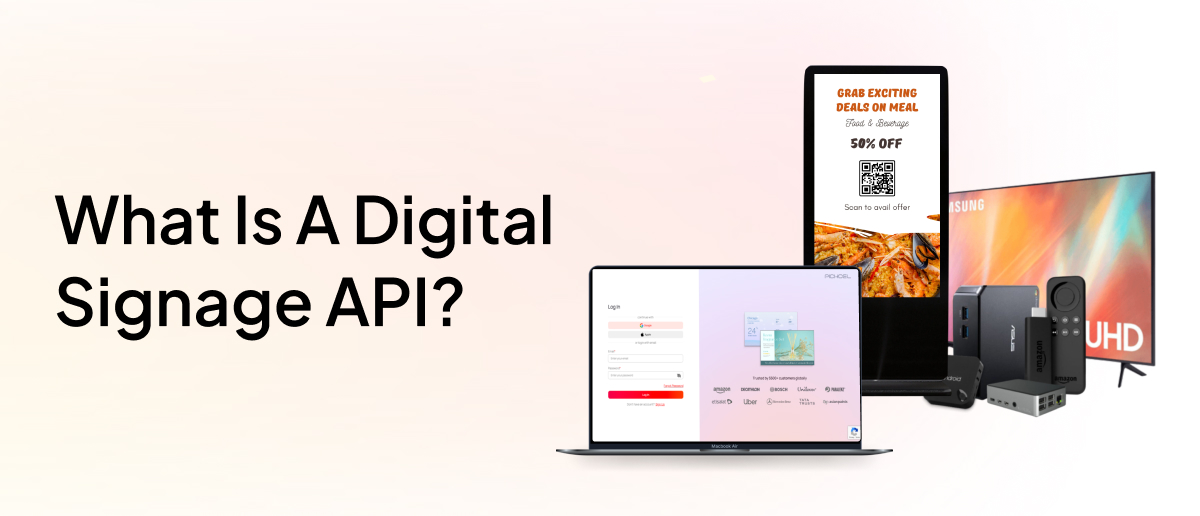
Pickcel provides an open API that accepts data via standard HTTP endpoints. If your HRIS, whether Workday, SAP SuccessFactors, BambooHR, or another platform, also exposes an API, the two systems can be connected to pass employee data directly. For a deep dive on the API, see the guide to Pickcel’s digital signage API .
How it works: Your IT team or HRIS administrator configures a data push from the HRIS to Pickcel’s API. Triggers can be event-based (a new hire profile is created in Workday) or scheduled (a daily sync of employees with upcoming anniversaries in the next 7 days). Pickcel maps the incoming fields to the relevant display template.
Who implements it: IT team or HRIS administrator. Initial setup typically takes one to three days of development work, depending on your HRIS’s API documentation and access controls.
Maintenance: Low. Once live, the connection runs automatically. Updates to employee data in the HRIS flow through without additional work.
Path 2: Automation platform (Zapier or Make)
For organisations that want a no-code connection between their HRIS and Pickcel, Zapier and Make offer a practical middle path. Pickcel supports connectivity via both platforms.
How it works: You build a Zap or scenario that listens for a trigger event in your HRIS, such as an upcoming anniversary date, and sends structured data to Pickcel to generate a display. The logic lives in the automation platform; no code is written on either side.
Who implements it: HR operations or IT. Most Zapier workflows connecting an HRIS to a web platform can be configured in under two hours by someone comfortable with no-code tools.
Maintenance: Low. Workflows run automatically. If field names change on the HRIS side, you update the mapping in Zapier or Make. This path is well-suited to HR teams that want to own the integration without raising a development ticket.
Path 3: Scheduled data export
The simplest path requires no API connection between systems. Most HRIS platforms can export structured data (CSV, XLSX, or JSON) on a daily, weekly, or custom schedule.
How it works: Your HRIS administrator configures a recurring export of the relevant fields (employee name, hire date, department, role, headshot URL) to a shared folder, email, or SFTP location. That file imports into Pickcel’s data feed on the same schedule, updating the templates automatically.
Who implements it: HR team, typically without IT involvement. Pickcel’s data feed interface accepts standard file formats and does not require developer configuration.
Maintenance: Moderate. The content on screen reflects the last import, so the update delay equals the export interval (typically 24 hours). Format changes on the HRIS side require a corresponding mapping update in Pickcel.
Each of these paths extends Pickcel’s employee communication app , placing HRIS-driven recognition content alongside real-time operational content across the same screen network.
Security and employee data handling
Pickcel receives a narrow set of employee fields for recognition displays: name, department, role title, key date, and optionally a headshot. Salary data, performance ratings, absence records, and any sensitive HR fields never enter the signage platform. The integration is designed around data minimisation: only what the screen needs to display.
Pickcel is certified to SOC 2 Type II and ISO 27001 standards. Data held in Pickcel is encrypted at rest and in transit. Role-based access controls restrict who can view or modify the HRIS data feed configuration, and full audit logs are available for compliance review. Full certification details are available on Pickcel’s enterprise-grade security page.
For organisations in finance, healthcare, and government, where vendor security posture is a formal part of procurement, Pickcel’s security documentation is available on request. Most IT and InfoSec teams clear Pickcel without additional controls beyond those already in place in the platform.
Frequently Asked Questions
What is digital signage HRIS integration?
Can Pickcel integrate with Workday to automatically display employee anniversaries and birthdays?
What HR data fields can be used to trigger digital signage content?
Is it possible to integrate Pickcel with an HRIS without IT involvement?
How does employee data from an HRIS reach digital signage screens securely?
Connect your HRIS to your workplace screens
Evaluating whether Pickcel fits your HR tech stack? Request a demo and the team can walk through the integration path that suits your Workday, SuccessFactors, or BambooHR setup. Or get started free, no credit card required. For a broader view of how HR teams use signage beyond HRIS integration, see how HR teams use digital signage for broader communication goals.