The right template turns a digital screen into the most useful communication channel in your office. Here are 10 ready-to-use layouts for every workplace communication type.
- 1 A digital bulletin board template gives office managers and HR teams a ready-made, professional layout for any workplace communication type.
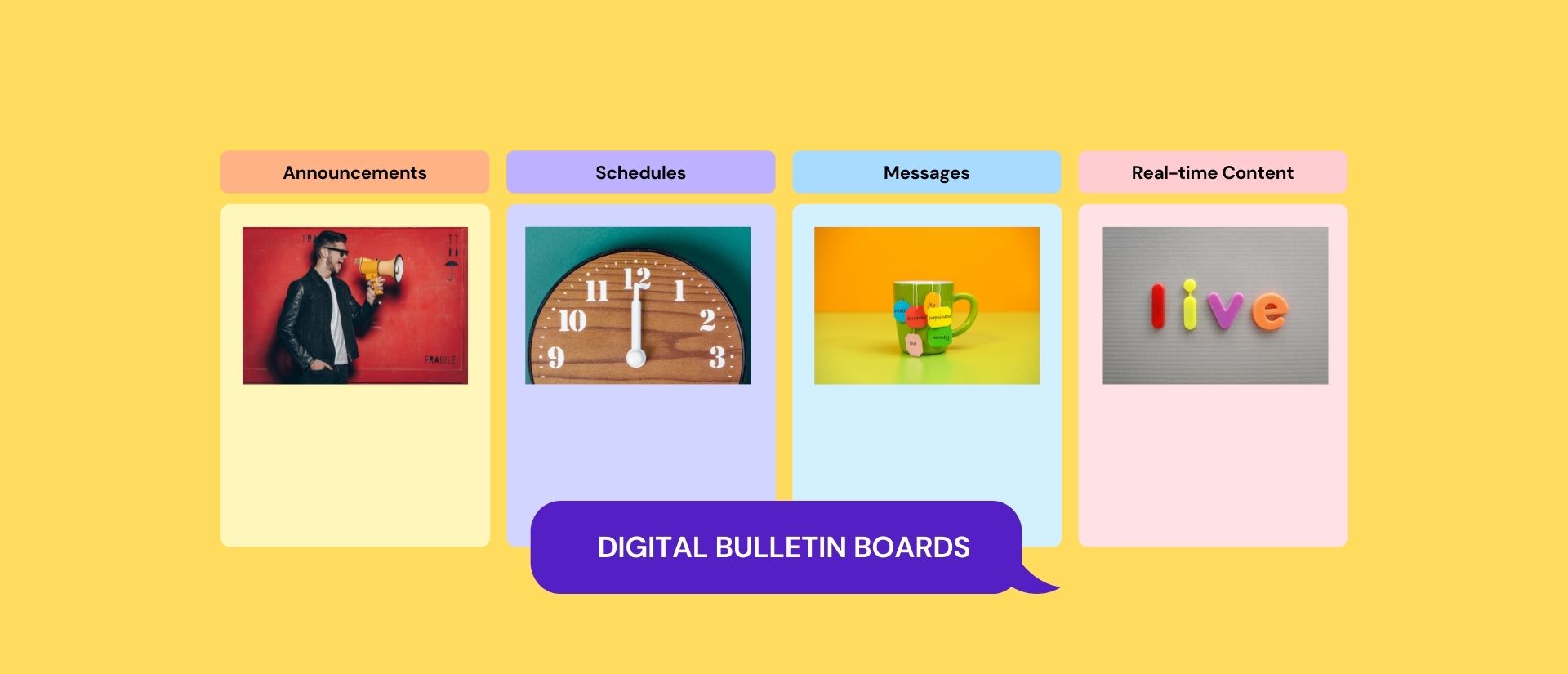
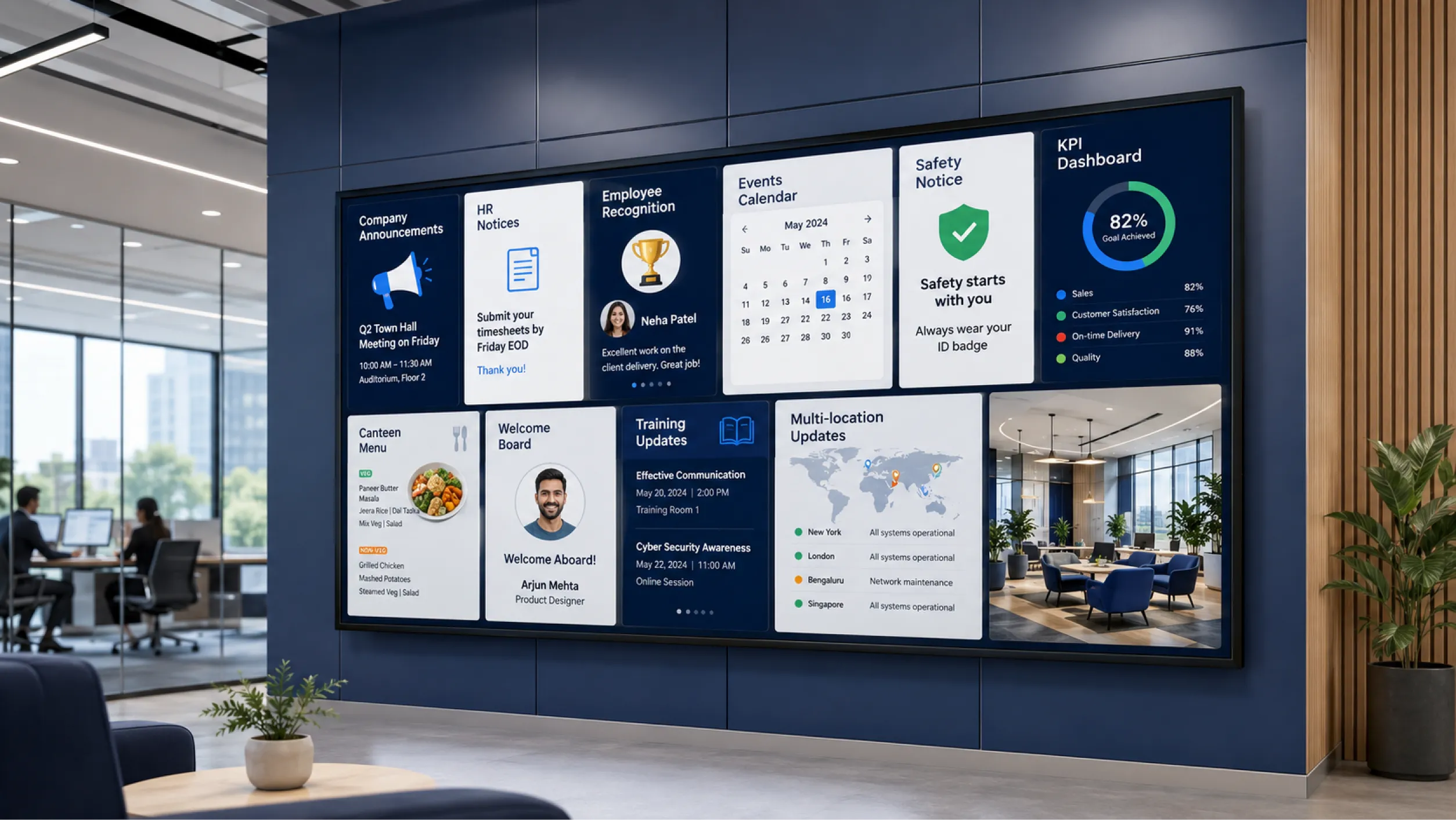
- 2 The most effective boards combine four to six content categories: announcements, HR notices, recognition, events, safety notices, and performance data.
- 3 Pickcel templates can be customised and published to any screen in minutes, with no design skills required.
- 4 Multi-location offices can push one template to all branches simultaneously from a single dashboard.
A digital bulletin board template is a pre-designed screen layout for displaying workplace communications. Pickcel offers templates for announcements, HR notices, employee recognition, event boards, and safety notices, ready for any office in minutes without design expertise.
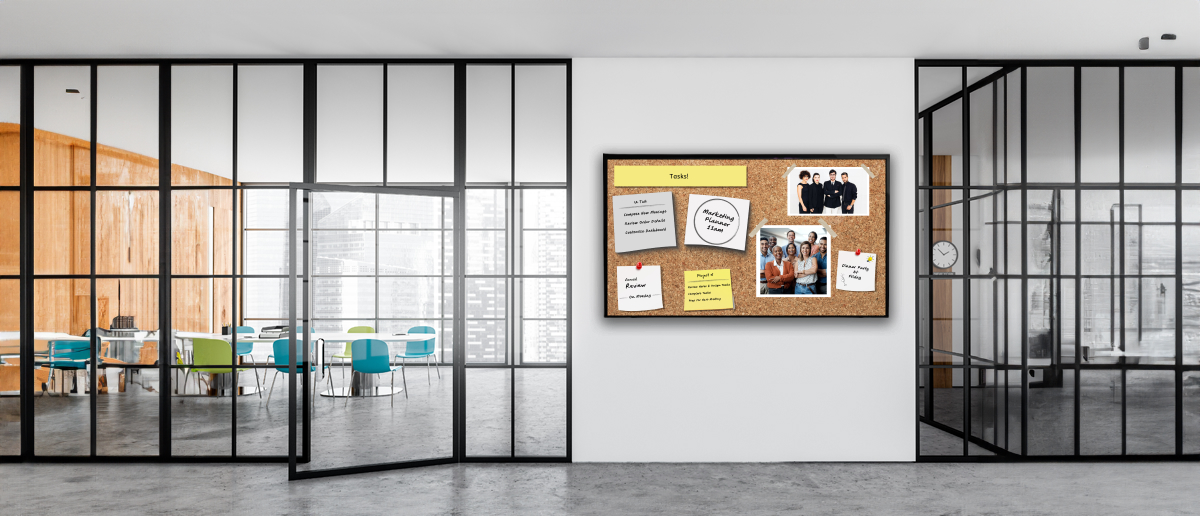
Physical notice boards are easy to overlook. Printouts fade, pinned flyers go unread, and content updated weeks ago stays on display indefinitely. In busy offices, the cork board has become background noise.
Digital bulletin boards change this. A well-designed screen with the right template captures attention, keeps content current, and can be updated from any device in seconds.
The right digital bulletin board template is the difference between a screen employees walk past and one they check throughout the day. This guide covers 10 templates for every workplace communication type, with practical guidance on customisation and getting started with Pickcel’s electronic bulletin board software .
What Should Be on a Workplace Digital Bulletin Board?
A workplace digital bulletin board should display what employees genuinely need to see: company announcements, HR notices, safety reminders, event calendars, employee recognition, and team performance data. The most effective boards rotate between four to six content categories on a scheduled display.
Content should match the screen location and the audience. A reception screen suits announcements and welcome messages. A break room screen suits canteen menus and team news. A manufacturing floor screen suits safety notices and production KPIs. Reviewing screen placement before selecting a template reduces irrelevant content and improves engagement.
Most offices organise their digital boards around these core categories:
- Company announcements and leadership updates
- HR and policy notices (compliance updates, open enrolment reminders)
- Safety reminders and emergency procedures
- Upcoming events, room bookings, and team calendars
- Employee recognition (milestones, anniversaries, achievements)
- Team or company performance dashboards
10 Digital Bulletin Board Templates for the Workplace
Digital bulletin board templates range from company announcements and HR notices to employee recognition boards and live KPI dashboards. Pickcel provides pre-built templates for each category, customisable in minutes without design expertise.
Each template below is designed for a specific communication need. Choose based on screen location, primary audience, and how frequently the content changes.
The Company Announcements Board displays leadership messages, company news, and strategic updates in a branded layout. A content carousel keeps the display fresh without requiring manual screen changes each day.
Best for: Office lobbies, reception areas, and HQ common areas.
The HR and Policy Notice Board is built for compliance-sensitive content: policy updates, open enrolment windows, benefits reminders, and regulatory notices. Content can be scheduled to appear on a specific date and expire automatically once a deadline passes.
Best for: HR departments, staff corridors, and break rooms.
The Employee Recognition Board highlights individual and team achievements: employee of the month, work anniversaries, and peer shoutouts. Recognition displayed on a visible screen reaches the whole team, not just an email inbox.
Best for: Any office with a high-visibility common area screen.
The Event and Meeting Calendar Board shows upcoming all-hands meetings, training sessions, team events, and room booking status. Employees check availability at a glance without opening a shared calendar app.
Best for: Conference room entrances, reception areas, and collaborative workspaces.
The Safety and Emergency Notices Board keeps critical safety procedures, emergency contacts, and incident-free day counters visible at all times. Content can be pre-approved by the safety team and scheduled automatically.
Best for: Manufacturing offices, facilities teams, and workplaces with ongoing safety compliance requirements.
The Team KPI Dashboard Board displays real-time performance data on screen. Sales targets, production volumes, customer satisfaction scores, and team metrics update throughout the day in a clear, number-forward layout.
Best for: Sales floors, operations centres, and customer service teams.
The Canteen and Break Room Menu Board displays daily specials, cafeteria menus, and nutrition information. Content can be scheduled weekly, with breakfast items showing in the morning and lunch options from midday automatically.
Best for: Corporate cafeterias, break rooms, and food service areas.
The New Hire Welcome Board greets new employees with a personalised message, team photos, and an onboarding overview. Customisable for each new starter, it can be scheduled to display at reception on their first day only.
Best for: Reception areas and building entrances.
The Training and Learning Board displays course reminders, certification deadlines, and L&D programme information. It keeps professional development visible between manager check-ins, reducing last-minute training scrambles.
Best for: HR and L&D teams, learning centres, and staff corridors.
The Multi-Location Broadcast Board lets a central communications team push the same message to every office, branch, or site simultaneously. One update from HQ appears on screens at all locations within seconds.
Best for: Enterprise and multi-site organisations with offices across multiple cities or countries.
How to Customise a Digital Bulletin Board Template
Customising a digital bulletin board template in Pickcel takes four steps: select a template, apply brand colours and logo, add content, then schedule or publish. The drag-and-drop editor handles layout automatically. No design skills are required.
- Choose a template. Browse the Pickcel bulletin board app template library and select the layout that matches your content type and screen location.
- Apply your branding. Upload your logo and set brand colours once. The editor applies them across every template element automatically.
- Add your content. Enter text, upload images, and connect data feeds for real-time content such as KPI figures or live calendar events.
- Schedule and publish. Set content to go live immediately or schedule it for a specific date. Updates push to every connected screen automatically.
Digital Bulletin Board vs. Physical Notice Board
A digital bulletin board updates in real time from any device, supports rich media, and can reach multiple office locations simultaneously. A physical notice board requires on-site manual updates and serves only one location. For multi-site offices, a digital board removes the need for separate physical maintenance at each location.
| Feature | Digital Bulletin Board | Physical Notice Board |
|---|---|---|
| Content updates | Real-time, from any device | Manual, requires on-site access |
| Multi-location coverage | Push to all offices simultaneously | Each board managed separately |
| Analytics | View screen impressions and engagement | Not available |
| Content formats | Text, images, video, live data feeds | Printed materials only |
| Ongoing costs | No printing or paper required | Print and maintenance costs ongoing |
| Remote management | Update from any location | On-site access required |
For offices looking to move from a physical cork board to a digital system, Pickcel’s office digital signage software makes the transition straightforward.
Pickcel Electronic Bulletin Board
Pickcel is used by enterprise customers including Accenture, Novo Nordisk, Vedantu, and Terrapay to manage internal communications across offices in multiple locations. The platform supports 50+ device types, is SOC 2 Type II and ISO 27001 certified, and works with any screen already in your office.
Over 9,000 businesses in 70+ countries use Pickcel to manage communications across 150,000+ screens. For enterprise workplace communication deployments, see Pickcel's corporate digital signage software.
Frequently Asked Questions
What should be on a digital bulletin board for the workplace?
A workplace digital bulletin board should display what employees genuinely need to see: company announcements, HR notices, safety reminders, event calendars, employee recognition, and team performance data. The most effective boards rotate between four to six content categories on a scheduled display.
The right content mix depends on screen location and audience. A reception screen suits announcements and welcome boards. A break room screen suits canteen menus and team news. A manufacturing floor screen suits safety notices and production data. Reviewing who sees each screen before selecting a template reduces irrelevant content and improves how much the display gets read throughout the day.
How do you create a digital bulletin board template?
Creating a digital bulletin board template in Pickcel takes four steps: select a template from the library, apply brand colours and a logo, add content, then publish or schedule. No design experience is required. The drag-and-drop editor handles layout automatically.
A Company Announcements Board or Employee Recognition Board is the quickest starting point. Both use simple card layouts, require minimal content entry, and can be live within minutes. As your team grows more comfortable with the platform, you can connect live data feeds, add multi-zone layouts, and build playlists that change content automatically throughout the day.
What is the difference between a digital bulletin board and a physical notice board?
A digital bulletin board displays content on a screen, updates in real time, and can be managed from any device. A physical notice board is a static surface that requires manual on-site updates and serves only one location. Digital boards can also reach multiple office locations from one central dashboard.
For offices with more than one site, the operational difference is significant. A physical board at each location requires someone on-site to print, pin, and remove content. A digital board at every site can be updated by one person centrally. Content set to expire on a specific date disappears automatically, with no manual removal required.
How do I make my digital bulletin board more engaging for employees?
The most engaging digital bulletin boards combine timely content, varied formats, and regular updates. Mixing static announcements with dynamic elements such as employee recognition shoutouts, live performance data, and event countdowns keeps the screen worth checking throughout the day.
Content that changes regularly outperforms boards displaying the same items for weeks at a time. A practical approach: reserve around a third of screen space for rotating content (recognition, events, team news) and keep the remainder for stable, essential information (safety notices, HR reminders, schedule updates). Scheduling content updates in advance reduces the daily management load while keeping the board current.
Can I use digital bulletin board templates for multiple office locations?
Yes. Digital bulletin board templates in Pickcel deploy to multiple office locations simultaneously from one dashboard. A single content update pushes to all connected screens across every site instantly, making company-wide communication significantly more consistent than managing physical notice boards at each location separately.
This is especially useful for announcements that need to reach all offices at the same time: leadership updates, policy changes, open enrolment deadlines, or emergency notices. For content that differs by location, templates can be customised per site while maintaining the same branded layout. Role-based access controls let regional teams manage local content while HQ oversees brand and compliance standards across all screens.
What is the best software for digital bulletin boards in offices?
Pickcel is digital bulletin board software used by over 9,000 businesses in 70+ countries. It includes pre-built templates for every workplace communication type, supports 50+ device types, and holds SOC 2 Type II and ISO 27001 certification for enterprise environments. A free tier is available for evaluation.
When evaluating digital bulletin board software, key criteria include template availability, ease of content updates, multi-location support, and security certification. Pickcel’s digital signage software covers all four and is compatible with most existing office screens without requiring new hardware. The electronic bulletin board page includes a full features overview.
How often should workplace digital bulletin board content be updated?
Workplace digital bulletin board content should be updated at least weekly for active communication boards. Content unchanged for more than two weeks loses relevance and employee attention. Time-sensitive content such as event notices, compliance deadlines, and safety alerts should be updated as soon as circumstances change.
A practical update cadence:
- Daily: Live data feeds (KPI dashboards, meeting room status) update automatically if connected to a live data source.
- Weekly: Team news, event calendars, employee recognition, and canteen menus.
- Monthly: Company announcements, HR policy reminders, and leadership updates.
- As needed: Safety notices, emergency information, and compliance deadlines.
Pickcel’s scheduling tools let content appear and expire on specified dates automatically, reducing the administration load of keeping every screen current.
How much does digital bulletin board software cost?
Pickcel digital bulletin board software includes a free tier for teams evaluating the platform. Paid plans scale with screen count, with enterprise licensing available for multi-site and large-scale deployments. No credit card is required to start.
When evaluating costs, the key variables are how many screens the deployment needs to manage and which features are required. A single-screen office setup has a different cost profile from a 50-screen enterprise rollout spanning multiple locations. Pickcel’s pricing tiers reflect this range: small teams can start for free and expand as requirements grow, while enterprise customers have access to volume licensing and dedicated support. For organisations with compliance requirements, SOC 2 Type II and ISO 27001 certification is included at all plan levels. A free evaluation period is the most practical way to compare platforms before committing.