
Dec 29 2025

14 min read
October 15, 2025
14 min read


ALL
ON-PREMISE

According to Oxford Economics, downtime costs Global-2000 firms $400 billion a year. In signage networks, when a fleet of screens broadcasting critical updates or live reports goes blank, the impact can cost brands their reputation and customers’ trust.
Cloud-based signage software offers convenience. But leaders are seeing three recurring challenges:
unpredictable cloud costs
security and compliance gaps
performance instability from latency and shared infrastructure.
In regulated industries like healthcare, finance, and government, these risks outweigh the convenience. That’s why many enterprises are moving critical signage back on-premise.
At Pickcel, we see this shift as building your communication backbone. That’s why what we bring you here isn’t a simple 10-step blueprint to migrate to on-premise signage without downtime fear.
For: IT and Operations leaders in regulated or high-uptime industries where security and scale are major concerns, evaluating a move from the cloud to on-premise or hybrid signage.
Not for: Teams without in-house IT governance or those unwilling to run rollback drills, certificate renewals, or disaster-recovery tests.
How to read it:Teams without in-house IT governance or those unwilling to run rollback drills, certificate renewals, or disaster-recovery tests.
Methodology: Insights in this guide are drawn from Pickcel’s real-world global enterprise deployments and verified through internal audits, vendor documentation, and community feedback.
Limitations: Observations reflect aggregated client implementations and secondary research; performance and compliance requirements may vary by region, infrastructure, and governance policies.
Before the migration starts, get the physical side of your network ready, the part you can touch and see.
Create a quick contact sheet for every site, say who to call if a screen goes dark (IT, Ops, or the site lead).
Label each player and screen clearly (Site, Zone, and ID, eg, Lobby,03,BLR) so your team knows exactly which device they’re fixing.
Take a few photos of how screens and kiosks are laid out today; it makes reinstallation faster and prevents mix-ups later.
Check the basics: spare HDMI cables, power bricks, and UPS backup units in working order.
Keep printed versions of essential content like menus, safety maps, or schedules handy, just in case screens go down during cutover.
Finally, load a “last-known-good” playlist on every player and confirm it runs smoothly even with the internet disconnected.
If you plan to migrate to on-premise signage, start with this simple audit.
Make a full list of your screens and players: what model they are, what they connect to, and where they sit.
Check that each one supports the right video formats and resolutions your content needs.
Watch for screen-handshake quirks (the EDID (Extended Display Identification Data), or display-identity info, that sometimes causes blank bars).
Confirm that every player shows fonts and languages correctly — especially if you use Chinese, Japanese, Arabic, or Hebrew text.
Finally, decide how long each player should keep showing cached content if the network goes down (for example, 48 hours).
Strategic note:
Most failed migrations collapse on ownership. Before moving a single file, ask: “Who owns player health? Who owns content QA? Who signs off on compliance?”
When moving your signage data, think like an archivist before a move.
Back up everything (playlists, schedules, user roles, and proof-of-play reports) so nothing gets lost mid-transfer.
Double-check file integrity to make sure every video and image arrives intact.
Match your team’s login roles in the new system, so “who does what” (Creator → Approver → Publisher) stays the same.
Finally, run a small test migration on a few players first (~10% of the players) and confirm that the right content shows up in the right time zone, language, and layout.
Gartner predicts 90% of companies will move to hybrid cloud by 2027, but warns that without rigorous testing, backup, and governance, most migrations risk costly errors.
In practice, most migrations fail not on hardware, but on data transfer errors.
There is an instance where one IT team learned the need to have a proper data migration strategy the hard way when licensing mismatches delayed their rollout for weeks.

Strategic note: Don’t treat migration as IT-only. Make Ops and HR co-validate exports before cutover. This way, no one discovers “missing” information after screens go live.

Forbes reports that the average cost of downtime has inched as high as $9000 per minute for large organizations. Hardware failures are more common than expected, which is why redundancy and commercial-grade players are non-negotiable. A misconfigured server can darken thousands of screens at once.
A QSR rolls out servers without redundancy. Within hours, all stores across the city have blank menu boards at lunch. Customers are confused and sales dip. Lesson: redundancy is survival.
Best practice for digital signage infrastructure is clear:
Use local storage so screens play from cache during outages.
Keep cloud for scheduling and analytics (hybrid = steady + flexible)

Do this:
Keep each player on its own secure network lane so a single fault doesn’t take down others.
Lock network ports and push system updates overnight when your screens aren’t live.
Make sure each site can store at least two weeks of media locally, so campaigns keep playing even if the internet drops.
Set a clear offline rule, eg., how long a player can show stored content before it needs a fresh sync.
Strategic note: Test out your designed redundancy. Run a “screen blackout drill” before rollout, simulate one server going down, and see if menus, dashboards, or alerts still display. If your Ops team can’t point to which sites stay live, your infrastructure isn’t migration-ready.
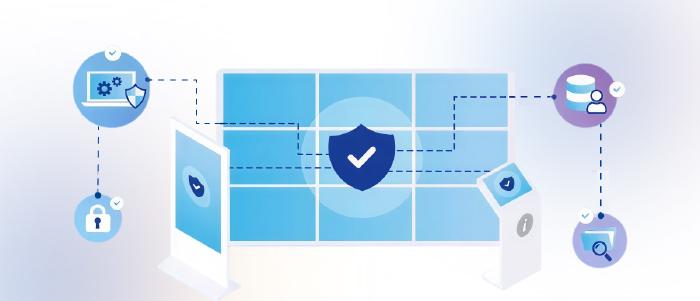
An expired certificate can compromise digital signage security and take down an entire signage network. IT leaders repeatedly identify data security as one of the most challenging aspects of migration.

Practical steps to ensure security include:
Use mutual TLS (mTLS) so both ends verify identity before data moves.
Automate certificate renewals so nothing quietly expires and takes down your screens.
If your signage runs on Android players, pin trusted certificates and block unknown USB drives or apps.
Route your player logs into a security dashboard that flags unusual content changes or signature mismatches.
And if you work in healthcare, finance, or public sector, make sure your setup aligns with your data laws from day one (GDPR, HIPAA, or local PDPLs).
Strategic note: Security is brand equity. Before go-live, ask: “If an officer walked in today, could we show our certificate renewal logs, the proof-of-play sample, and the approval chains?” If the answer is “no,” you’re not audit-ready.
When Mercedes-Benz Berlin needed to modernize its internal communication, security protocols ruled out a cloud-first approach. The IT team turned to Pickcel’s on-premise digital signage software. Using Raspberry Pi devices, the software was remotely deployed and tested without the need for vendor presence on-premise. This solved compatibility concerns while meeting strict security standards.
The outcome: a scalable, compliant, and future-ready digital signage software solution that continues to power employee communication for more than 173,000 global staff.
Migration is the journey. Integrations are the luggage. Lose one, and the trip falls apart.
As one Reddit user advised bluntly: “Allow plenty of time for testing and have a solid fallback plan on cutover.”

Before you go live, try to break it on purpose.
Test every feed that touches your signage: point-of-sale data, dashboards, emergency alerts, and login systems.
Simulate problems: pull out the cable, delay the API, flip the DNS, change the time zone.
Watch how the system reacts: do screens fall back to cached content, or do they go black?
If you use video walls, confirm that frames stay in sync even when network speeds fluctuate.
Strategic note:
Don’t stop at testing. Document the “minimum viable integration list” (POS, HR, ERP, safety alerts). Anything missing from that list must trigger a stop-go decision before rollout. Otherwise, Ops will discover broken feeds in production.
Every migration looks perfect on paper until the first failure. Without rollback, a small error can cost days of downtime.
Let us consider a large hospital. Say, IT teams cut over too quickly. When the network fails, ER signage screens showing patient triage instructions will blank out. However, a rollback plan in place would mean the hospital staff can quickly restore the cloud feed swiftly and easily. Without it, patient safety would otherwise be compromised.
Rollback is your cutover-day safety net:
Start with pilot sites that represent different conditions — fast, slow, wired, wireless.
Run the new and old systems side by side for a while, and pause any major content changes during this window.
Set clear “go/no-go” rules, for example, if wall sync drift crosses 80 milliseconds, pause the rollout.
Give every site an easy one-click rollback button.
Do your cutovers at quiet hours, not during lunch rush or shift change.
Phase your rollouts, they massively reduce risk.

Strategic note:
Staff a war room with named owners (IT, Ops, HR) on a single channel. Before cutover, require every manager to sign a rollback trigger rule; a simple “If X happens, we fall back.” This kills debates mid-outage.
Want to stress-test your own plan? Reach out to our experts, and we’ll help you map risks before you go live.
Infrastructure carries the signal, but content and people carry the message. If either fails, trust breaks.
Safeguards to implement:
Check every layout before launch: captions, tickers, right-to-left text, accessibility contrast, and aspect ratio.
Use locked templates so no one can stretch logos or resize videos incorrectly.
Follow WCAG (Web Content Accessibility Guidelines) basics so every viewer whether a employee or a visitor can read what’s on screen.
Test your emergency overrides too: a CAP (Common Alerting Protocol) alert should interrupt every zone in under 10 seconds.
Strategic note:
We’ve seen campaigns fail internal audits due to poor accessibility training. Run a cross-functional drill: HR pushes a safety alert, Ops schedules it, and IT tracks delivery. If any step fails, your governance isn’t migration-ready.
It’s a false notion that migration is an endpoint. It’s the start of constant monitoring.
Track simple, visible metrics: uptime per screen, black-screen minutes, dropped frames, and proof-of-play reports.
Monitor how fast players recover after a reboot and how long they take to show the first piece of content.
If you manage video walls, check that sync drift stays within your target range.
Strategic note:
Don’t bury monitoring in dashboards that no one checks. Assign every KPI to a role: IT owns uptime, Ops owns delivery %, HR owns recall of safety messages. If metrics aren’t role-owned, they’re noise.

Cloud = pay-as-you-go. On-premise = upfront. Both hide costs if you don’t plan.
CFOs will ask: What’s the CapEx? What’s the OpEx? What’s the refresh cycle?
The solution:
Replace media players every 2–3 years and servers every 3–5.
Keep a few spare players and LED modules handy so one failure doesn’t darken a site.
Budget for brightness decay and calibration; older screens fade, and it shows.
Dim screens after hours to save power and extend lifespan.
Imagine a global retail chain that underestimates player refresh cycles. In the near coming years, half of their menu boards will lag, misalign, or freeze mid-promo. Customers will be misguided, the quality of service provided will fall, and revenue will dip. Accurate Total Cost of Ownership (TCO) planning prevents this.
Strategic note:
At Pickcel, we’ve seen that lifecycle clarity is where IT and finance usually clash. The shortcut is to run a “three-lens quarterly review” with your CFO:
Without this lens review, teams either overspend or under-provision. A three-year TCO, total ownership costs (hardware, licenses, cooling, staff time) per site helps keep every party involved on track and accountable.
Rollback saves you during migration, but disaster recovery (DR) saves you two years later when a server fails or a flood wipes out a site. Hence, plan for bad days.
Store media and schedules in two separate locations, not on the same rack.
Back up daily, do a full copy weekly, and verify restores.
Run a live disaster drill twice a year (crash a server once, simulate a full site outage once.)
Define your RPO (Recovery Point Objective) — how much data you can lose between backups — and your RTO (Recovery Time Objective) — how long screens can stay dark before it affects operations.
Strategic note:
At Pickcel, we advise enterprise clients to ask vendors two blunt questions before signing SLAs:
1. “What’s your worst-case support timeline?” (If it’s not under 4 hours for critical screens, walk away.)
2. “When was the last time you tested a DR drill with a real client?” (If they hesitate, assume never.)
| Criterion | Choose On-Premises if… | Choose Hybrid if… |
|---|---|---|
| Compliance/data sovereignty | Strict rules require content/logs to stay local | Regulated, but cloud control (scheduling/analytics) is acceptable |
| Uptime criticality (RTO* target) | ≤ 15 min across critical sites | 15–45 min with offline playback on key sites |
| IT capacity | 24×7 monitoring, DR drills, cert automation in place | Business-hours IT + vendor support; can drill twice yearly |
| Agility (scheduling/analytics) | Moderate; predictable pushes | High; frequent changes, multi-region campaigns |
| CapEx readiness | High (servers, spares, racks) | Medium (local players/mini-servers + cloud CMS) |
| Geo dispersion/bandwidth variance | High; many flaky links | High; cloud orchestration helps at scale |
Tip: If you check boxes in both columns, start Hybrid and reassess after a 90-day pilot.
If your next outage, audit, or expansion made you pause while reading this guide, it’s time to put a plan in place.
Cloud signage = convenience and speed, but risks unpredictable costs, security gaps, and latency.
On-premise signage = control, compliance assurance, and predictable long-term costs; especially in regulated industries like healthcare, finance, and government.
Yes. Many enterprises run on-premise for flexibility (storage, local playback) and cloud for agility (scheduling, analytics, centralized pushes). This mix balances uptime with flexibility.
Map both CapEx (servers, racks, media players, licenses) and OpEx (energy, cooling, IT staffing, patch management). Include refresh cycles: 3–5 years for infrastructure, 2–3 years for players.
Skipping rollback and disaster recovery. A failed cutover without fallback = weeks of downtime. Safeguards are: pilot rollouts, mirrored backups, and clear pass/fail cutover rules.

Dec 29 2025
14 min read
Nov 20 2025
9 min read
Nov 11 2025
12 min read
Nov 5 2025
8 min read
Take complete control of what you show on your digital signage & how you show it.
Start Free Trial Schedule My Demo