
Dec 29 2025

14 min read
November 20, 2025
9 min read


ALL
ON-PREMISE
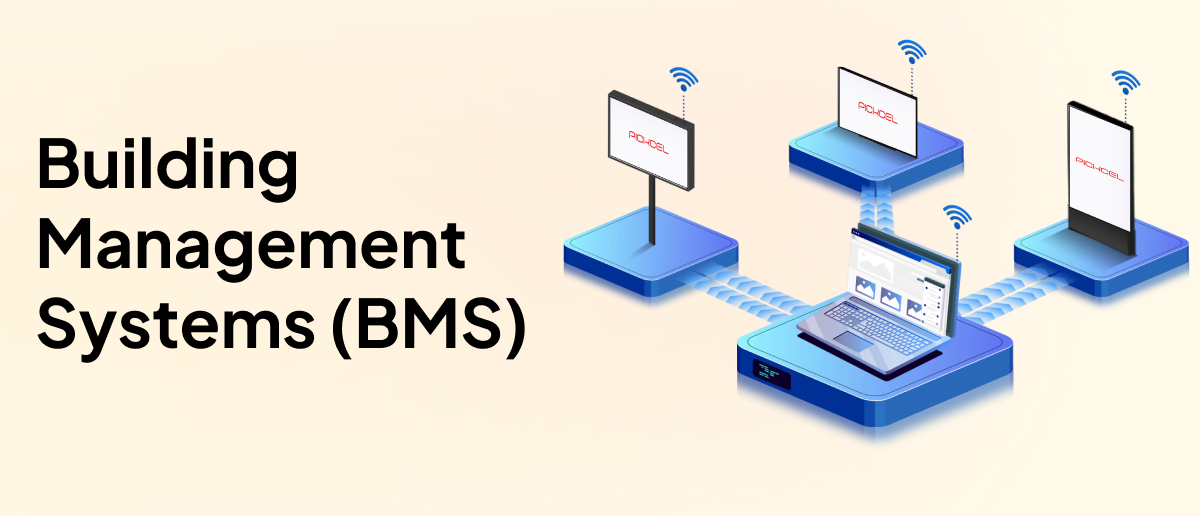
Most enterprise facilities already run a Building Management System (BMS) to monitor HVAC, lighting, and other critical infrastructure.
However, the insights rarely reach the people who actually need them, occupants whose comfort and productivity depend on those systems functioning properly. The information usually stops at the control room.
Traditional BMS setups were built for operators, not for communication. The data flows into a few dedicated workstations, often behind secured VLANs or isolated SCADA consoles.
Moreover, facility teams that do have visibility of the data worry about what happens to it once it leaves their network.

A clear sign that ownership and transparency remain gray areas.
By integrating the BMS with on-premise digital signage software, these barriers disappear.
Who This Is For:
For facility managers, IT/BMS engineers, and sustainability/real-estate teams who need real-time building visibility and want to surface BMS supervisory data on on-premise screens, safely, read-only, inside the LAN.
In most enterprise buildings, BMS/BAS environments already follow a three-layer hierarchy:
Management Level: Central SCADA/DMS servers, Operator Workstations (OWS), and on-premise CMS equivalents. This layer handles visualization, alarms, trending, and OPC-UA integrations with other systems.
Automation Level: PLC-based RTUs, DDCs, and local logic processors running control sequences. This is where field data is aggregated and converted into actionable control outputs.
Field Level: Temperature, humidity, IAQ, occupancy, flow, voltage, current, and pressure sensors, along with actuators, VFDs, MFMs, and IEDs.
So digital signage integration simply attaches to the existing supervisory layer instead of interfering with control logic.
The data path is straightforward, but each step must respect the facility’s IT/OT boundaries.
| Stage | What Happens | Notes for Integration |
|---|---|---|
| BMS Controllers (RTU/DDC/PLC) | Collect field data (AI/DI) and run local logic. | Use Modbus RTU/TCP, BACnet, or IEC 61850, depending on subsystem. |
| Local Gateway / Middleware | Normalizes and aggregates data; converts serial protocols to IP. | Often, an IoT platform or FRTU; essential when older BAS devices use proprietary protocols. |
| On-premise CMS (Supervisory Layer) | Reads approved BMS data over standard protocols, stores it, and handles alarms and trends. | This is the equivalent of the SCADA/DMS server that the signage system interfaces with. |
| Digital Signage Players | Render real-time metrics, alerts, and dashboards. | Operate over LAN/VLAN, using HTTPS/API calls to pull or receive pushed data. |
Large campuses usually follow a predictable reliability model:
Primary network: A redundant fibre-based ethernet ring that carries all critical BMS/SCADA traffic.
Secondary network: Campus Wi-Fi or wireless mesh that automatically takes over if the fibre path drops.
Supervisory redundancy: Primary/standby SCADA servers with failover. Signage reads supervisory-layer data that already respects these redundancies.
At this stage, the digital signage software solution simply becomes the layer that reads the exposed supervisory data and presents it where teams need it, without altering any BMS logic.
BMS-to-signage integration depends on open standards and translation layers that expose points cleanly, without modifying existing BAS logic.
| BACnet/IP | Used across HVAC, VAVs, VRF, lighting, and fire systems. Signage typically reads BACnet objects exposed from supervisory gateways or BACnet/IP servers. |
| Modbus RTU / Modbus TCP/IP | Field devices send data to the BMS controller, and the controller makes that data available over the network. The signage system reads the network version, not the direct device feed. |
| OPC-UA | SCADA/DMS servers commonly run as OPC servers, allowing normalized BMS data to be consumed by signage without extra gateways. |
| MQTT | Used in IoT overlays or middleware when converting legacy/proprietary protocols into lightweight push feeds for signage devices. |
| Other standards | KNX and LONWORKS are used for lighting and shading systems, while IEC 61850 is used for electrical equipment. Signage only pulls the high-level values it needs from these system. |
—> Direct API Integration: A point-to-point connection between BAS APIs and the signage CMS.
Best when:
• IT teams have internal developers, and
•The BAS already exposes structured REST/JSON endpoints
—> Middleware Integration: An IoT platform or gateway translates BAS protocols into API-ready data.
Best when:
• Integrating older BAS equipment,
•Multiple protocols coexist,
•The campus wants unified data governance.
—> Hybrid Integration: Combines pre-built connectors for major BAS vendors with API or IoT overlays for specialty subsystems (solar, IAQ, occupancy).
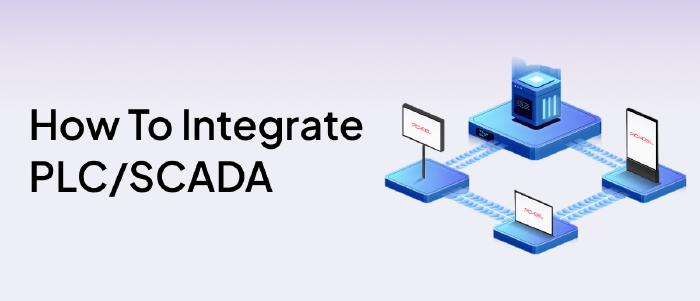
If you manage factory floors or SCADA-driven environments, you can also check our guide on.
—> How to integrate PLC/SCADA systems with on-premise digital signage systems in factories
At this point, the digital signage software solution is just the presentation layer, reading the supervisory data you choose to expose and displaying it where it matters, without touching any BMS logic. The real success of the integration still depends on a clean, secure, predictable network design, not on specialised hardware.
Signage players communicate with the on-premise CMS over the building LAN.
OT and IT remain segmented through VLANs and ACLs.
The signage layer receives read-only data from the supervisory layer or middleware.
All traffic remains internal, delivered over HTTPS/TLS.
Firewall rules allow data to flow only from the supervisory layer to the signage system, making sure nothing on the signage side can reach back into the BMS controls.
LAN/PoE signage players with secure authentication and local caching.
Have a gateway or middleware that exposes BAS data (BACnet, Modbus TCP/IP, OPC-UA, MQTT) in a clean, readable format.
No special signage hardware needed, the signage layer simply inherits the reliability of the BMS supervisory network (fibre ring + failover server).
These controls also reinforce digital signage security, ensuring the signage layer stays isolated from OT systems while still consuming supervisory data safely.
Once supervisory-layer access is established, the integration follows a simple, predictable workflow:
decide what to surface,
map those points into the CMS,
validate behaviour in a pilot,
then extend it building-wide.
Keep the integration reliable over time
Verify point mappings after BAS/SCADA updates, keep players updated, recheck middleware routes when subsystems change, and test overrides during routine drills. Use CMS monitoring for player health. Because signage reads only supervisory data, upkeep stays minimal.
Most facilities already collect far more data than they surface. For signage, focus only on signals that drive action or improve awareness:
Safety & alarm status from fire panels, AHUs, pressurisation, and CO₂ thresholds.
HVAC/IAQ metrics like temperature, humidity, CO₂, and PM levels.
Energy and load indicators (kWh, PF, demand peaks).
Occupancy and availability from sensors, access control, and scheduling tools.
The signage system reads only the approved data points shared from the supervisory layer of your BMS, using standard protocols like BACnet/IP, Modbus TCP/IP, or OPC-UA, over your internal LAN. It does not connect to field controllers or affect any control logic, so all HVAC, safety, and equipment operations remain fully isolated and protected.
BACnet/IP for HVAC, lighting, VAV/VRF.
Modbus TCP/IP for MFMs, VFDs, UPS, and generators.
OPC-UA, where SCADA/DMS already normalises data.
Middleware is used when older or proprietary subsystems need translation.
Each data point drives a predictable on-screen behaviour:
Safety triggers → instant full-screen overrides or zone-specific evacuation cues.
IAQ/HVAC metrics → comfort indicators or threshold alerts.
Energy data → live dashboards or sustainability updates.
Occupancy → real-time room/desk status and adaptive wayfinding.
If you want a deeper look at player-level telemetry, like CPU load, thermal behaviour, storage health, and the signals that prevent unexpected screen failures.
—> Telemetry and Preventive Maintenance for Digital Signage Players
For most enterprise facilities, the value of integrating BMS data with on-premise digital signage isn’t about adding another system. It’s about getting more out of the infrastructure you already maintain.
When supervisory data is surfaced in the right places, decisions get quicker, communication becomes consistent, and teams avoid the small delays that usually compound into larger operational costs.
The ROI stems from the fundamentals: clearer visibility, faster responses, fewer avoidable fixes, and tighter energy use.
Pickcel is a globally trusted and one of the leading players in the digital signage space.
Its on-premise model fits naturally into this workflow. It stays inside your existing IT/OT boundary, works with the protocols you already use, and lets you control exactly what data appears on screen.
Pickcel’s teams of experts with over a decade of experience can guide you through how this integration works in environments similar to yours.

Identify the signals you want to display, expose read-only supervisory points, route them to the on-premise CMS, map each tag, pilot on one zone, then scale and maintain point mappings and player health. The process stays within your LAN.
Most setups rely on BACnet/IP, Modbus TCP/IP, OPC-UA, or MQTT. They expose supervisory data cleanly without touching field controllers and work well with gateways or middleware already used in enterprise BAS environments.
Use VLAN segmentation, strict read-only access, HTTPS/TLS encryption, and firewall rules limiting traffic to supervisory → signage. This keeps control logic isolated while allowing safe, internal data visibility over the LAN.
Yes. on-premise systems run fully on the building LAN, using local data paths and cached content. BMS-driven alerts, HVAC data, and emergency messages continue to update because nothing depends on external connectivity.


Dec 29 2025
14 min read
Nov 11 2025
12 min read
Nov 5 2025
8 min read
Nov 3 2025
7 min read
Take complete control of what you show on your digital signage & how you show it.
Start Free Trial Schedule My Demo